
Tonic — Free Cocktail Bar Website Template
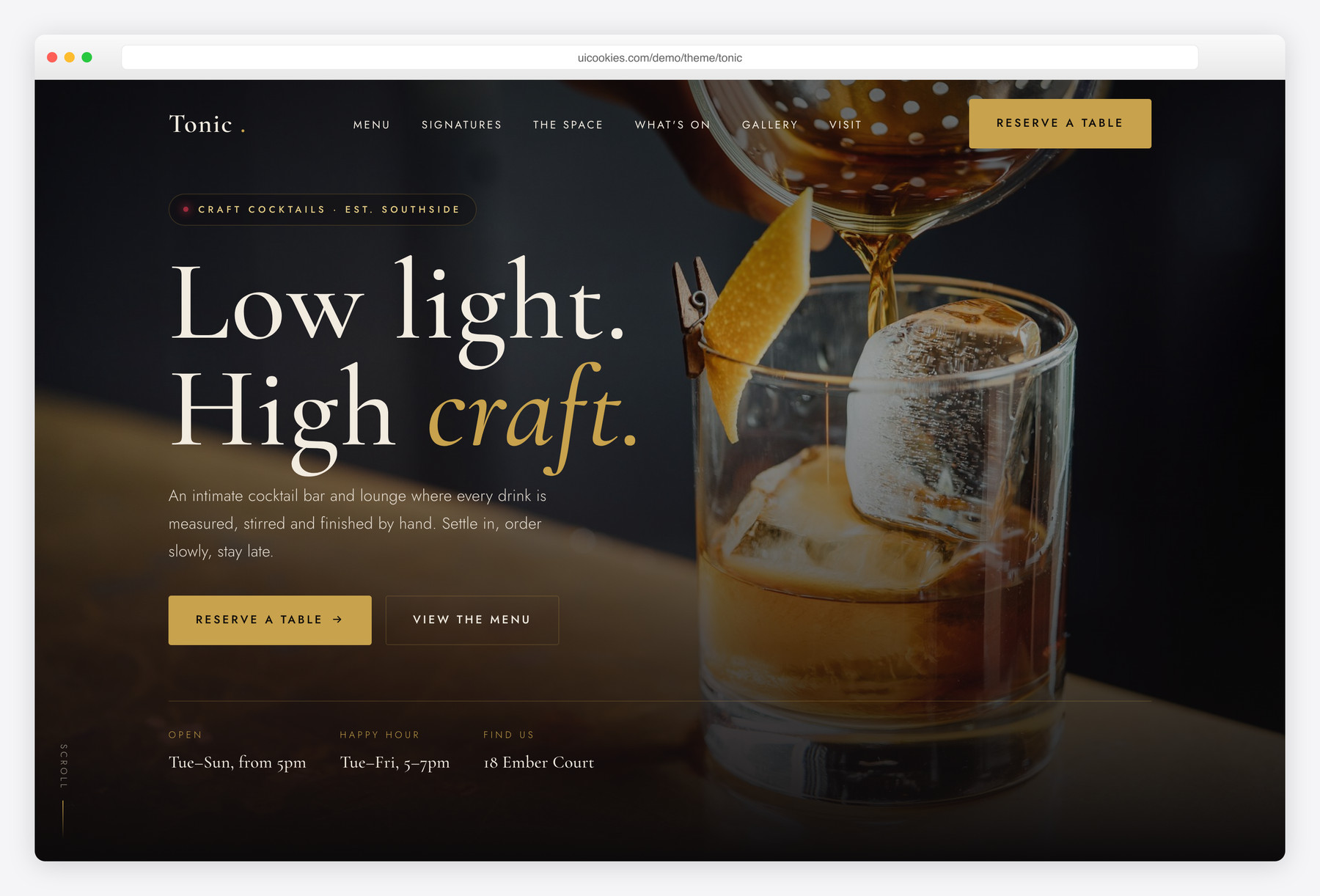
Tonic is a free two-page Bootstrap 5 template for cocktail bars and lounges, with a moody near-black palette, antique-brass accents and a Cormorant Garamond and Jost type pairing. It includes a grouped bar menu with prices and tasting notes, a signature-cocktails grid, a reservation-request form with vanilla validation, a photo lightbox and an hours-and-location block. All interactions are vanilla JavaScript with no jQuery, and content stays visible when JavaScript is disabled.
Key features
- Two pages: one-page home plus a dedicated full-menu page with filter tabs
- Grouped cocktail menu with dot-leader pricing and tasting notes
- Signature-cocktails grid with photo, spirits, description and price
- Reservation-request form with vanilla JS validation and inline errors
- Accessible photo gallery with keyboard-driven lightbox
- Events strip, bartender profiles and today-aware hours block
- Self-hosted Bootstrap 5, no jQuery, one function per feature
- Progressive-enhancement reveals so content shows with JS off
- Count-up stats and scroll-spy navigation with reduced-motion support
Best for
- Cocktail bars and speakeasies
- Upscale lounges and wine bars
- Hotel and rooftop bars
- Nightlife venues with a menu and events
- Restaurants with a serious bar program
At a glance
- Framework: Bootstrap 5 (self-hosted)
- Pages: index.html, menu.html
- JavaScript: vanilla only, no jQuery, one function per feature
- Fonts: Cormorant Garamond + Jost (Google Fonts)
- Palette: warm ink / antique brass / deep ruby
- Accessibility: semantic landmarks, ARIA widgets, visible focus, keyboard support
- License: free for personal and commercial use

How to use it
Download the ZIP, unzip it, and open index.html — no build step, nothing to install. Edit the text and images, point any forms at your backend or a form service, and deploy the folder to any static host. Colours and fonts live in css/style.css; the interactions are in js/main.js.
Frequently asked questions
What is the Tonic template built with?
Tonic is built on self-hosted Bootstrap 5 with a heavy custom CSS design layer, so it does not read like a stock Bootstrap starter. All interactivity is written in plain vanilla JavaScript with no jQuery or other framework dependency. The only external requests are to Google Fonts for the Cormorant Garamond and Jost pairing; Bootstrap's CSS and JS bundle are served from the template's own css and js folders.
How many pages does Tonic include?
Tonic ships with two pages. The home page (index.html) is a single-scroll layout covering the hero, cocktail menu, signature grid, the space and bartenders, an events strip, the reservation form, a gallery, hours and location, and a newsletter. The second page (menu.html) is a dedicated full menu with category filter tabs for signatures, classics, zero-proof, wine and beer, and bar snacks.
Does the reservation form actually send bookings?
The reservation form is front-end only, so it validates input and shows a success message but does not transmit data anywhere on its own. It checks required fields, email format, a future date and a sensible party size, showing inline errors as you go. To take real bookings you would connect the form to a booking service or your own backend, or swap it for an embed from a reservations provider.
Is the template mobile-friendly?
Yes. Tonic is mobile-first and fully responsive, with layouts that collapse gracefully from multi-column grids down to single columns on small screens. The navbar collapses into a working slide-in mobile menu with a backdrop and keyboard support. The menu, signature grid, gallery, events strip and footer all reflow for phones and tablets.
Will the content still show if JavaScript is turned off?
Yes, Tonic is built with progressive enhancement. A tiny inline script adds a js class to the document, and every animation start state is scoped under that class, so with JavaScript off nothing is hidden and all content renders at full opacity. The gallery, menu tabs and reveal sections all degrade to a fully readable static page.
How do I add my own cocktail photos and images?
Every image references a local path inside the img folder, such as img/hero.jpg or img/sig-ember.jpg, so you replace the placeholder files with your own photos of the same names or update the src attributes. Each img tag already includes width, height, descriptive alt text and lazy loading, so keeping those aspect ratios will preserve the layout and avoid content shift. Cocktail cards use a 4:5 portrait crop and bartender photos use a 1:1 square.
Is Tonic accessible and keyboard-friendly?
Accessibility is built in throughout. The template uses semantic landmarks, descriptive alt text on every image, ARIA attributes on custom widgets, and visible focus outlines in the brass accent color. The lightbox, menu tabs, reservation form and mobile menu are all operable by keyboard, including arrow-key navigation in the lightbox and tabs, and the whole thing honours the prefers-reduced-motion setting.
Can I use Tonic for a commercial project?
Yes. Tonic is free for both personal and commercial use, so you can launch a real bar or lounge site with it at no cost. You are free to edit the copy, colors, fonts and imagery to match your venue. There is no jQuery to maintain and no build step required, so you can edit the HTML, CSS and JavaScript directly and deploy the folder as static files.