
Folio — Free Bookstore Website Template
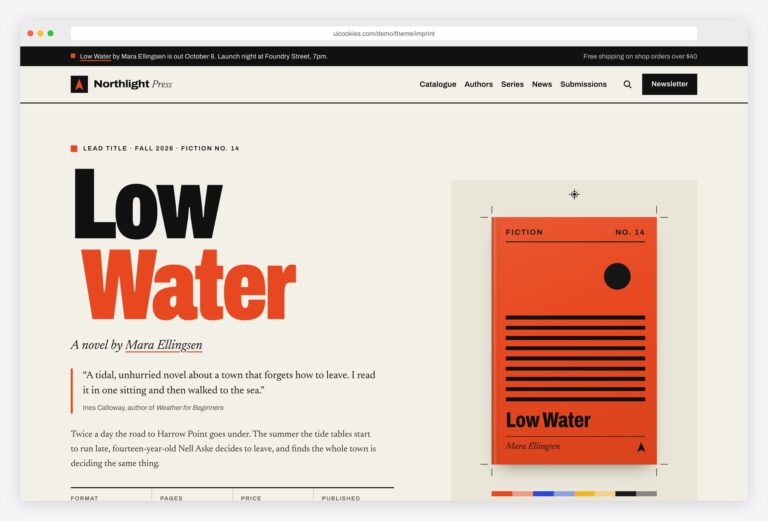
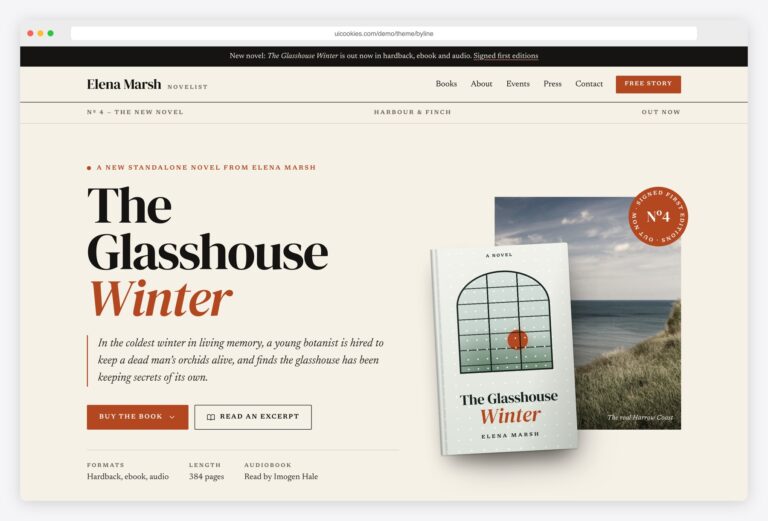
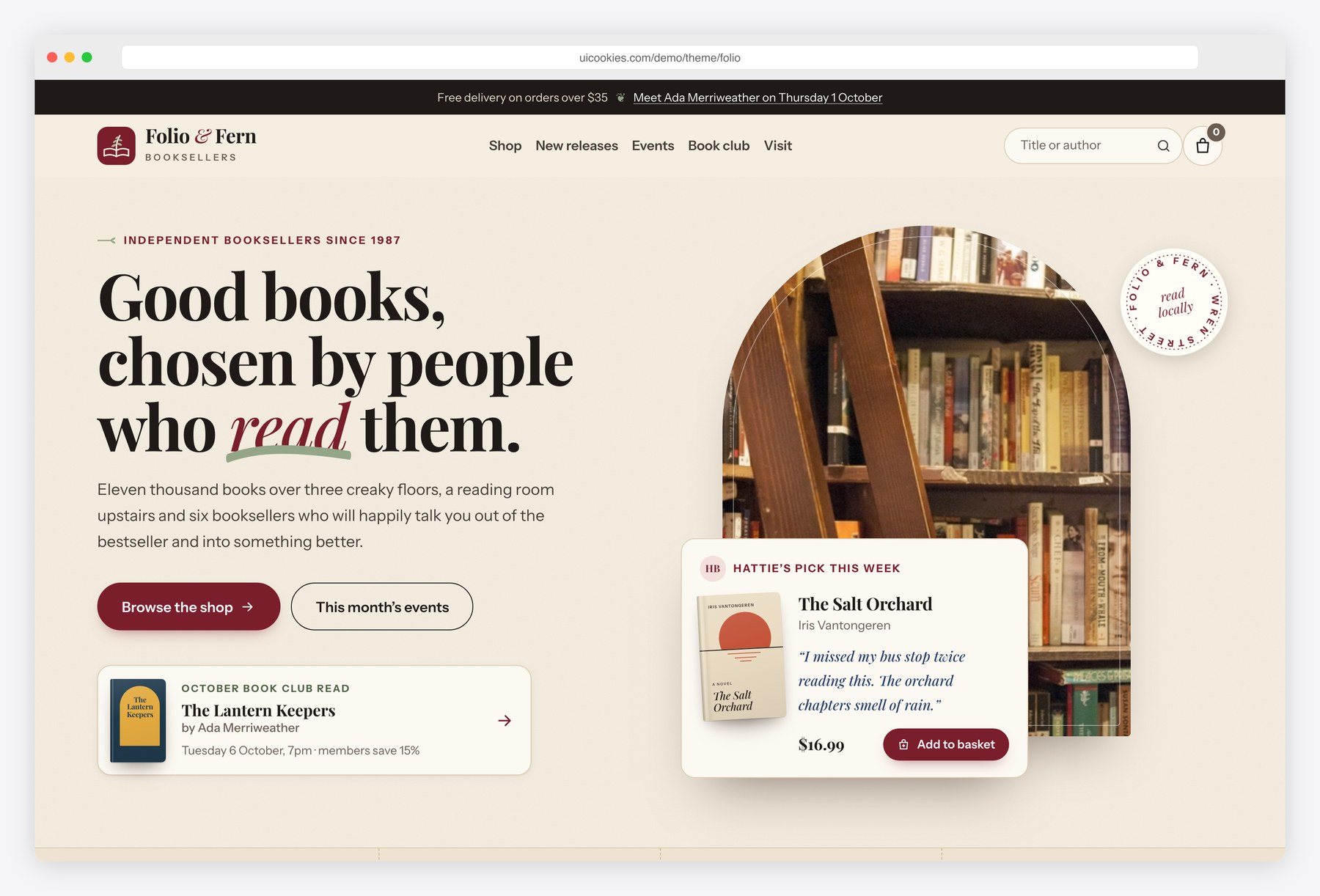
Folio gives an independent bookshop a site that feels like its shelves. Covers are typographic designs generated from the catalogue in js/main.js, so every title looks distinct on the new-releases shelf, in the shop grid and in the basket. The shop filters by genre, format, price and stock, sorts and searches, and keeps the basket in the browser. Book pages show formats with prices, a synopsis, a details table and reader reviews. Around them sit the parts that make a shop local: shelf-talker notes, author events, a book club and opening hours.
Key features
- Three pages: home, shop and a book detail page that renders any title from book.html?id=
- 30 book covers designed in HTML and CSS from 22 layouts, generated from the data in js/main.js
- Shop filters for genre, format, price range, in stock and staff picks, plus sort, search, result count and removable filter chips
- Basket drawer (Bootstrap offcanvas) with quantity controls, subtotal, a free-delivery progress bar and localStorage persistence
- Book page with format picker, quantity stepper, synopsis, details table (ISBN, pages, publisher), review summary and a related-books shelf
- Horizontal new-releases shelf with scroll-snap and arrow buttons
- Staff picks on handwritten-style shelf-talker cards
- Author events list with a seat reservation modal and form validation
- Book club section with the current read, meeting details, discussion questions and upcoming picks
- Opening hours that highlight today and show open or closed, next to an inline SVG street map
Best for
- Independent bookshops and secondhand booksellers
- Small presses and publishers selling direct
- Library shops, reading rooms and literary cafés
- Book clubs and literary event series
At a glance
- Bootstrap 5.3.8 with vanilla JavaScript, no jQuery
- 3 pages: index.html, shop.html, book.html
- 30-book catalogue in js/main.js with covers generated in HTML and CSS
- Basket saved in localStorage; newsletter and reservation forms validate in the browser
- Free for personal and commercial use; attribution optional but welcome. Full terms: uicookies.com/license
How to use it
Unzip the folder and open index.html in a browser. Edit the page copy in the HTML files and the catalogue (titles, prices, formats, cover colours) in the BOOKS array at the top of js/main.js. Swap the photos in img/ for your own. Colours and fonts are custom properties at the top of css/style.css. The forms and checkout need a form service or shop backend to go live. Upload the files to any static host.
Frequently asked questions
Is Folio free for a commercial bookshop website?
Yes. Folio is free for personal and commercial projects, including a real shop that sells books. Attribution is optional but always welcome. The full terms are on the uiCookies license page.
What is Folio built with?
Folio uses Bootstrap 5.3.8 and plain vanilla JavaScript, with no jQuery and no other libraries. Bootstrap’s own bundle powers the mobile menu, the basket and filter drawers and the reservation modal. Everything else, from the filters to the basket, is in js/main.js.
Which pages and sections are included?
There are three pages. The home page has a hero with a staff pick and the book club read, a new-releases shelf, genre tiles, staff picks, author events, the book club, a newsletter sign-up and opening hours with a map. The shop page lists 30 books with filters and sorting, and the book page shows one title with formats, details, reviews and related books.
How do I add books and change the covers?
Each book is an entry in the BOOKS array in js/main.js with its title, author, genre, prices, stock and details. The cover is built from a small cover setting: a layout name, colours and a title style. Change those values and the cover updates on every page, with no image file needed.
Does the shop take payments?
Not on its own. The basket works in the browser and remembers items between visits, but the Checkout button and the forms are front-end only. Connect the checkout to your shop platform or payment provider, and point the forms at a form service or your own backend.