
Aftercare — Free E-commerce Customer Account Template
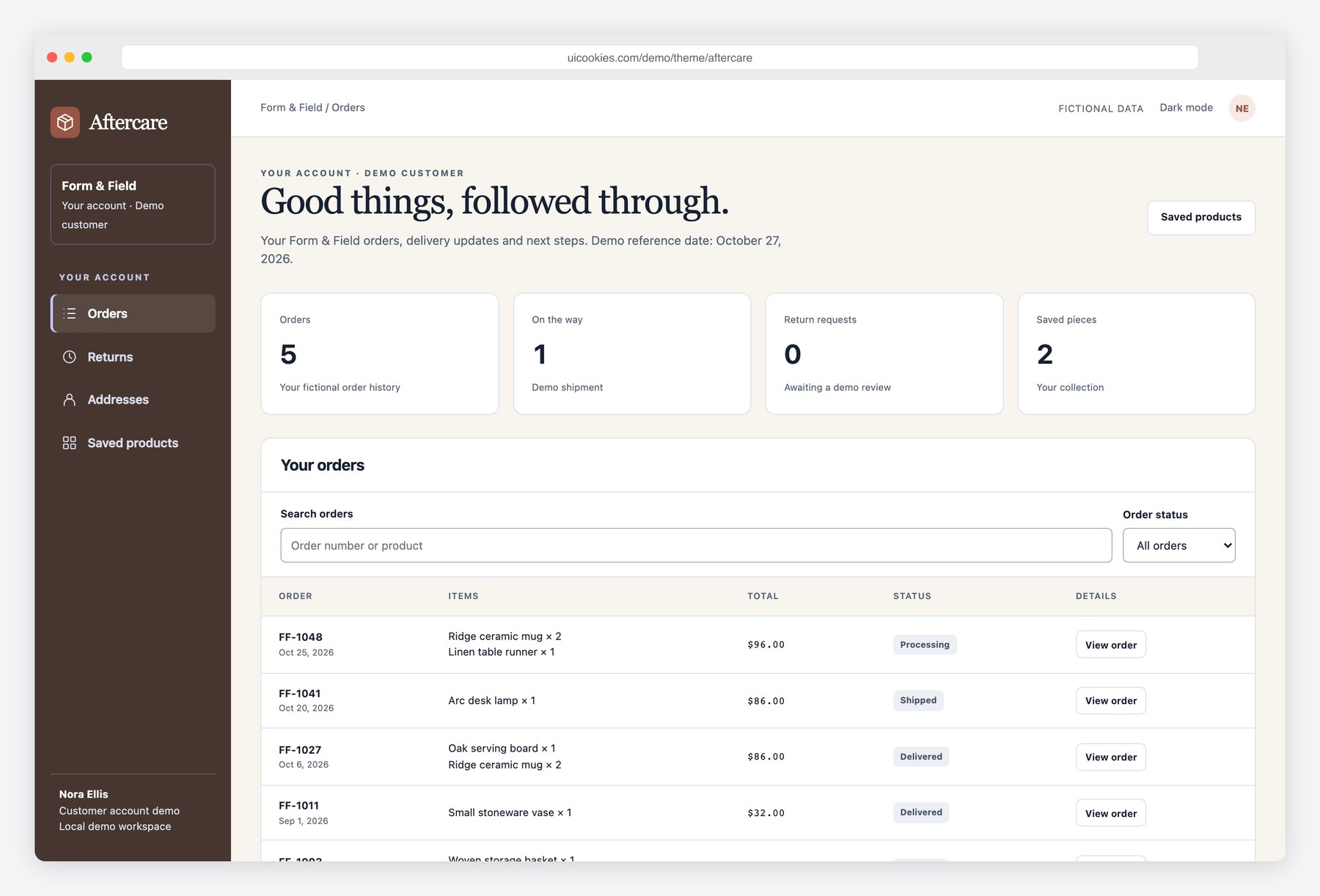
Aftercare gives an online shop a customer area that continues beyond the buy button. Customers can find an order, follow its shipment timeline, print a summary, request an eligible return, manage delivery addresses and keep a list of products for later. Quantity checks prevent the same purchased units being returned twice in the demo. Each screen uses fictional orders and browser-local storage, so no cancellation, return, payment or message is sent. The five-page Bootstrap 5 download is ready for a developer to connect to a real commerce backend.
Key features
- Searchable order history with status filters and order totals
- Order detail with shipment milestones, line items and historical shipping address
- Printable order summary with dedicated print styles
- Cancellation of processing orders with confirmation
- Per-item return quantities checked against purchased and already-requested units
- 30-day demo return window and cancellation of pending requests
- Address creation, editing, removal and default-address selection
- Saved product collection with add/remove controls
- Browser-local persistence, light/dark modes and isolated reset
Best for
- Developers adding customer accounts to storefronts
- Commerce teams prototyping post-purchase journeys
- Designers building order, return and address interfaces
At a glance
- Bootstrap 5.3.8 and vanilla JavaScript; no jQuery
- 5 pages: index.html, order.html, returns.html, addresses.html, saved.html
- Browser-local demo records; no backend, authentication or server writes
- Responsive layouts, keyboard controls, light and dark modes
- Free for personal and commercial use; attribution optional but welcome. Full terms: uicookies.com/license
How to use it
Unzip aftercare and open index.html in a browser. Edit the HTML copy, the demo arrays in js/main.js and the palette in css/style.css. The supplied Bootstrap files are self-hosted, so there is no build step or external script dependency. Changes are stored only in this browser; connect your own authenticated API before using real records. Deploy the folder to any static host.
Frequently asked questions
Is Aftercare free for commercial use?
Yes. Free for personal and commercial use, including client work. Attribution is optional but always welcome. Full terms: uicookies.com/license
What does the download include?
5 HTML pages (index.html, order.html, returns.html, addresses.html, saved.html), Bootstrap 5.3.8, one design stylesheet and one vanilla JavaScript file. No npm installation or build command is required.
Does it connect to a backend?
No. All people and records are fictional, and changes are saved in localStorage in this browser only. No emails, payments or real bookings are sent. Replace the data and persistence helpers with your own authenticated API for production.
How do I customize the template?
Change colors and typography using the custom properties at the top of css/style.css. Edit content in the HTML pages and the initial data arrays in js/main.js. Reset demo clears only this template’s saved demo records.
Does Aftercare submit real returns or refunds?
No. Return requests and cancellations change only fictional records in this browser. Refund estimates are demo item totals; a commerce backend must validate eligibility, authorize the customer and process any real refund.