Open demo

CSS code

HTML
<div><span class="lbl">Profile photo with actions</span><div class="card">
<div class="av" data-av>
  <div class="av-row">
    <div class="av-frame" aria-hidden="true"><div class="av-pic">MR<img alt="" hidden data-av-img></div><span class="av-badge"><svg viewBox="0 0 24 24" fill="none" stroke="currentColor" stroke-width="2.2" stroke-linecap="round" stroke-linejoin="round" focusable="false"><path d="M14.5 4h-5L7 7H4a2 2 0 0 0-2 2v9a2 2 0 0 0 2 2h16a2 2 0 0 0 2-2V9a2 2 0 0 0-2-2h-3z"/><circle cx="12" cy="13" r="3"/></svg></span></div>
    <div class="av-body">
      <p class="av-name">Maya Rosen</p>
      <div class="av-actions">
        <input class="av-sr" type="file" id="av-maya" accept="image/jpeg,image/png,image/webp" data-max-size="2097152" data-min-px="400" data-types="JPG, PNG or WebP" aria-describedby="av-maya-hint av-maya-error">
        <label class="av-btn primary" for="av-maya"><svg viewBox="0 0 24 24" fill="none" stroke="currentColor" stroke-width="2" stroke-linecap="round" stroke-linejoin="round" aria-hidden="true" focusable="false"><path d="M12 3v12M7 8l5-5 5 5"/><path d="M5 21h14"/></svg>Upload new photo</label>
        <button class="av-btn ghost" type="button" hidden data-av-remove>Remove</button>
      </div>
      <p class="av-hint" id="av-maya-hint">JPG, PNG or WebP, at least 400 × 400 px, up to 2 MB.</p>
      <p class="av-error" id="av-maya-error" hidden></p>
    </div>
  </div>
  <p class="av-sr" aria-live="polite" data-av-live></p>
</div></div></div>

<div><span class="lbl">Click the avatar to change it</span><div class="card">
<div class="av lg av-center" data-av>
  <div class="av-zone">
    <input type="file" id="av-theo" accept="image/jpeg,image/png,image/webp" data-max-size="2097152" data-min-px="400" data-types="JPG, PNG or WebP" aria-describedby="av-theo-hint av-theo-error">
    <label class="av-sr" for="av-theo">Change profile photo</label>
    <div class="av-pic" aria-hidden="true">TO<img alt="" hidden data-av-img>
      <span class="av-over"><svg viewBox="0 0 24 24" fill="none" stroke="currentColor" stroke-width="2" stroke-linecap="round" stroke-linejoin="round" focusable="false"><path d="M14.5 4h-5L7 7H4a2 2 0 0 0-2 2v9a2 2 0 0 0 2 2h16a2 2 0 0 0 2-2V9a2 2 0 0 0-2-2h-3z"/><circle cx="12" cy="13" r="3"/></svg>Change photo</span></div>
  </div>
  <p class="av-name">Theo Okafor</p>
  <p class="av-role">Product designer · Lisbon</p>
  <p class="av-hint" id="av-theo-hint">Click or drop a square photo, at least 400 × 400 px.</p>
  <p class="av-error" id="av-theo-error" hidden></p>
  <button class="av-btn ghost" type="button" hidden data-av-remove>Remove photo</button>
  <p class="av-sr" aria-live="polite" data-av-live></p>
</div></div></div>

<div><span class="lbl">Workspace logo with size previews</span><div class="card">
<div class="av logo" data-av>
  <div class="av-row">
    <div class="av-zone">
      <input type="file" id="av-logo" accept="image/png,image/svg+xml,image/webp" data-max-size="1048576" data-min-px="256" data-types="PNG, SVG or WebP" aria-describedby="av-logo-hint av-logo-error">
      <div class="av-pic" aria-hidden="true"><svg width="30" height="30" viewBox="0 0 24 24" fill="none" stroke="currentColor" stroke-width="2" stroke-linecap="round" focusable="false"><path d="M12 5v14M5 12h14"/></svg><img alt="" hidden data-av-img></div>
    </div>
    <div class="av-body">
      <label class="av-name" for="av-logo">Northwind Studio logo</label>
      <p class="av-hint" id="av-logo-hint">PNG, SVG or WebP, at least 256 × 256 px, up to 1 MB. Transparent backgrounds work best.</p>
      <p class="av-error" id="av-logo-error" hidden></p>
      <div class="av-sizes" aria-hidden="true">
        <span><i class="av-mini" style="--s:40px"><img alt="" hidden data-av-img></i>40 px</span>
        <span><i class="av-mini" style="--s:28px"><img alt="" hidden data-av-img></i>28 px</span>
        <span><i class="av-mini" style="--s:20px"><img alt="" hidden data-av-img></i>20 px</span>
      </div>
      <div><button class="av-btn ghost" type="button" hidden data-av-remove>Remove logo</button></div>
    </div>
  </div>
  <p class="av-sr" aria-live="polite" data-av-live></p>
</div></div></div>
CSS
/* Avatar uploaders. The preview is an <img> fed by URL.createObjectURL laid over an initials fallback. The script
   checks type, file size and pixel size before a photo is accepted, and the Remove button returns to the initials. */
.av{--av-accent:#3b5bdb;--av-accent-ink:#2f4ac0;--av-ink:#0f172a;--av-muted:#5b6474;--av-danger:#b42318;--av-size:96px;color:var(--av-ink)}
.av-sr{position:absolute;width:1px;height:1px;padding:0;margin:-1px;overflow:hidden;clip:rect(0,0,0,0);white-space:nowrap;border:0}
.av-pic{position:relative;display:grid;place-items:center;flex:none;width:var(--av-size);height:var(--av-size);border-radius:50%;overflow:hidden;
  font-size:calc(var(--av-size) * .36);font-weight:700;letter-spacing:.02em;color:#fff;background:linear-gradient(135deg,#3b5bdb,#7c3aed)}
.av-pic img{position:absolute;inset:0;width:100%;height:100%;object-fit:cover}
.av-pic img[hidden]{display:none}
.av-error{margin:0;font-size:.82rem;font-weight:600;color:var(--av-danger)}
.av-error[hidden]{display:none}
.av-hint{margin:0;font-size:.82rem;color:var(--av-muted)}
.av-btn{display:inline-flex;align-items:center;gap:7px;padding:8px 14px;font:inherit;font-size:.85rem;font-weight:600;border-radius:9px;cursor:pointer;
  transition:background-color .15s,border-color .15s}
.av-btn svg{width:16px;height:16px}
.av-btn.primary{color:#fff;background:var(--av-accent);border:1px solid var(--av-accent)}
.av-btn.primary:hover{background:var(--av-accent-ink)}
.av-btn.ghost{color:var(--av-danger);background:#fff;border:1px solid #d0d5dd}
.av-btn.ghost:hover{background:#fef3f2;border-color:#fecdca}
.av-btn[hidden]{display:none}
.av-btn:focus-visible,.av-sr:focus-visible + .av-btn{outline:3px solid var(--av-accent);outline-offset:2px}
/* A: photo beside actions */
.av-row{display:flex;align-items:center;gap:20px}
.av-frame{position:relative;flex:none}
.av-badge{position:absolute;right:-2px;bottom:-2px;display:grid;place-items:center;width:30px;height:30px;color:#fff;background:#0f172a;border:3px solid #fff;border-radius:50%}
.av-badge svg{width:14px;height:14px}
.av-body{display:grid;gap:10px;min-width:0}
.av-name{margin:0;font-size:1rem;font-weight:700}
.av-actions{display:flex;flex-wrap:wrap;gap:8px}
/* B: the avatar is the button */
.av-center{display:grid;justify-items:center;gap:10px;text-align:center}
.av.lg{--av-size:128px}
.av-zone{position:relative;border-radius:50%}
.av-zone input{position:absolute;inset:0;z-index:2;width:100%;height:100%;margin:0;border-radius:50%;opacity:0;cursor:pointer}
.av-zone input::file-selector-button{cursor:pointer}
.av-over{position:absolute;inset:0;z-index:1;display:grid;place-content:center;justify-items:center;gap:3px;font-size:.78rem;font-weight:600;letter-spacing:0;
  color:#fff;background:rgba(15,23,42,.62);opacity:0;transition:opacity .2s}
.av-over svg{width:22px;height:22px}
.av-zone input:hover ~ .av-pic .av-over,.av-zone input:focus-visible ~ .av-pic .av-over,.av-zone[data-drag] .av-over{opacity:1}
.av-zone input:focus-visible ~ .av-pic{outline:3px solid var(--av-accent);outline-offset:4px}
.av-role{margin:-6px 0 0;font-size:.85rem;color:var(--av-muted)}
/* C: square logo with size previews */
.av.logo .av-pic{border-radius:22%;background:#f8faff;color:var(--av-accent);border:2px dashed #8391a7}
.av.logo[data-filled] .av-pic{border-style:solid;border-color:#e2e8f0}
.av.logo .av-zone,.av.logo .av-zone input{border-radius:22%}
.av.logo .av-zone input:hover ~ .av-pic,.av.logo .av-zone[data-drag] .av-pic{border-color:var(--av-accent)}
.av.logo .av-name{display:block}
.av.logo .av-row{align-items:flex-start}
.av-sizes{display:flex;align-items:flex-end;gap:14px;margin-top:4px}
.av-sizes span{display:grid;justify-items:center;gap:4px;font-size:.72rem;color:var(--av-muted)}
.av-mini{display:block;width:var(--s);height:var(--s);overflow:hidden;border-radius:22%;background:#e2e8f0}
.av-mini img{display:block;width:100%;height:100%;object-fit:cover}
.av-mini img[hidden]{display:none}
@media (max-width:480px){.av-row{flex-direction:column;align-items:flex-start}}
@media (prefers-reduced-motion:reduce){.av-btn,.av-over{transition:none}}
JavaScript
// Avatar uploader: accepts one image after checking its type, file size and pixel size, previews it with
// URL.createObjectURL, keeps input.files in step and announces the change. Remove goes back to the fallback.
document.querySelectorAll('[data-av]').forEach(av => {
  const input = av.querySelector('input[type="file"]');
  const imgs = av.querySelectorAll('[data-av-img]');
  const removeBtn = av.querySelector('[data-av-remove]');
  const error = document.getElementById(input.id + '-error');
  const live = av.querySelector('[data-av-live]');
  const zone = input.closest('.av-zone');
  const maxSize = Number(input.dataset.maxSize) || Infinity, minPx = Number(input.dataset.minPx) || 0;
  const types = input.accept.split(',').map(t => t.trim());
  let current = null, url = null;
  const fmt = b => b < 1048576 ? Math.round(b / 1024) + ' KB' : (b / 1048576).toFixed(1).replace(/\.0$/, '') + ' MB';

  function keep(file) {          // the input always holds exactly the photo on screen
    const dt = new DataTransfer(); if (file) dt.items.add(file); input.files = dt.files;
  }
  function show(file) {
    if (url) URL.revokeObjectURL(url);
    current = file; url = file ? URL.createObjectURL(file) : null;
    imgs.forEach(img => { if (url) img.src = url; else img.removeAttribute('src'); img.hidden = !url; });
    av.toggleAttribute('data-filled', !!file);
    if (removeBtn) removeBtn.hidden = !file;
    keep(file);
  }
  function fail(message) {
    error.textContent = message; error.hidden = false; live.textContent = message; keep(current);
  }
  input.addEventListener('change', () => {
    const f = input.files[0];
    if (!f) return keep(current);
    if (!types.includes(f.type)) return fail(f.name + ' isn’t a ' + input.dataset.types + ' image.');
    if (f.size > maxSize) return fail(f.name + ' is ' + fmt(f.size) + '. Choose an image under ' + fmt(maxSize) + '.');
    const probe = new Image(), probeUrl = URL.createObjectURL(f);
    probe.onload = () => {
      URL.revokeObjectURL(probeUrl);
      if (f.type !== 'image/svg+xml' && (probe.naturalWidth < minPx || probe.naturalHeight < minPx))
        return fail(f.name + ' is ' + probe.naturalWidth + ' × ' + probe.naturalHeight + ' px. Use one at least ' + minPx + ' × ' + minPx + ' px.');
      error.hidden = true; show(f); live.textContent = 'New image selected: ' + f.name + '.';
    };
    probe.onerror = () => { URL.revokeObjectURL(probeUrl); fail(f.name + ' could not be read as an image.'); };
    probe.src = probeUrl;
  });
  if (removeBtn) removeBtn.addEventListener('click', () => {
    show(null); error.hidden = true; live.textContent = 'Image removed.'; input.focus();
  });
  if (zone) {
    input.addEventListener('dragenter', () => zone.setAttribute('data-drag', ''));
    ['dragleave', 'drop'].forEach(t => input.addEventListener(t, () => zone.removeAttribute('data-drag')));
  }
});

Bootstrap 5 code

Requires: Bootstrap 5.3.8 CSS

HTML
<div><span class="lbl">Profile photo with actions</span><div class="card demo-card"><div class="card-body">
<div class="av" data-av>
  <div class="av-row d-flex align-items-center gap-4">
    <div class="position-relative flex-shrink-0" aria-hidden="true"><div class="av-pic position-relative d-grid rounded-circle overflow-hidden align-items-center justify-content-center">MR<img class="position-absolute w-100 h-100" alt="" hidden data-av-img></div><span class="av-badge position-absolute d-grid rounded-circle text-white align-items-center justify-content-center"><svg viewBox="0 0 24 24" fill="none" stroke="currentColor" stroke-width="2.2" stroke-linecap="round" stroke-linejoin="round" focusable="false"><path d="M14.5 4h-5L7 7H4a2 2 0 0 0-2 2v9a2 2 0 0 0 2 2h16a2 2 0 0 0 2-2V9a2 2 0 0 0-2-2h-3z"/><circle cx="12" cy="13" r="3"/></svg></span></div>
    <div class="d-grid gap-2" style="min-width:0">
      <p class="fw-bold mb-0">Maya Rosen</p>
      <div class="d-flex flex-wrap gap-2">
        <input class="visually-hidden" type="file" id="av-maya" accept="image/jpeg,image/png,image/webp" data-max-size="2097152" data-min-px="400" data-types="JPG, PNG or WebP" aria-describedby="av-maya-hint av-maya-error">
        <label class="btn btn-primary d-inline-flex align-items-center gap-2" for="av-maya"><svg viewBox="0 0 24 24" fill="none" stroke="currentColor" stroke-width="2" stroke-linecap="round" stroke-linejoin="round" aria-hidden="true" focusable="false"><path d="M12 3v12M7 8l5-5 5 5"/><path d="M5 21h14"/></svg>Upload new photo</label>
        <button class="btn btn-outline-danger" type="button" hidden data-av-remove>Remove</button>
      </div>
      <p class="av-hint mb-0" id="av-maya-hint">JPG, PNG or WebP, at least 400 × 400 px, up to 2 MB.</p>
      <p class="av-error mb-0" id="av-maya-error" hidden></p>
    </div>
  </div>
  <p class="visually-hidden" aria-live="polite" data-av-live></p>
</div></div></div></div>

<div><span class="lbl">Click the avatar to change it</span><div class="card demo-card"><div class="card-body">
<div class="av lg d-grid justify-content-center text-center gap-2" data-av>
  <div class="av-zone position-relative rounded-circle mx-auto">
    <input class="position-absolute w-100 h-100 m-0 opacity-0 rounded-circle" type="file" id="av-theo" accept="image/jpeg,image/png,image/webp" data-max-size="2097152" data-min-px="400" data-types="JPG, PNG or WebP" aria-describedby="av-theo-hint av-theo-error">
    <label class="visually-hidden" for="av-theo">Change profile photo</label>
    <div class="av-pic position-relative d-grid rounded-circle overflow-hidden align-items-center justify-content-center" aria-hidden="true">TO<img class="position-absolute w-100 h-100" alt="" hidden data-av-img>
      <span class="av-over position-absolute d-flex flex-column align-items-center justify-content-center gap-1 text-white"><svg viewBox="0 0 24 24" fill="none" stroke="currentColor" stroke-width="2" stroke-linecap="round" stroke-linejoin="round" focusable="false"><path d="M14.5 4h-5L7 7H4a2 2 0 0 0-2 2v9a2 2 0 0 0 2 2h16a2 2 0 0 0 2-2V9a2 2 0 0 0-2-2h-3z"/><circle cx="12" cy="13" r="3"/></svg>Change photo</span></div>
  </div>
  <p class="fw-bold mb-0 mt-1">Theo Okafor</p>
  <p class="av-hint mb-0" style="font-size:.85rem">Product designer · Lisbon</p>
  <p class="av-hint mb-0" id="av-theo-hint">Click or drop a square photo, at least 400 × 400 px.</p>
  <p class="av-error mb-0" id="av-theo-error" hidden></p>
  <div><button class="btn btn-outline-danger" type="button" hidden data-av-remove>Remove photo</button></div>
  <p class="visually-hidden" aria-live="polite" data-av-live></p>
</div></div></div></div>

<div><span class="lbl">Workspace logo with size previews</span><div class="card demo-card"><div class="card-body">
<div class="av logo" data-av>
  <div class="av-row d-flex align-items-start gap-4">
    <div class="av-zone position-relative flex-shrink-0">
      <input class="position-absolute w-100 h-100 m-0 opacity-0" type="file" id="av-logo" accept="image/png,image/svg+xml,image/webp" data-max-size="1048576" data-min-px="256" data-types="PNG, SVG or WebP" aria-describedby="av-logo-hint av-logo-error">
      <div class="av-pic position-relative d-grid overflow-hidden align-items-center justify-content-center" aria-hidden="true"><svg width="30" height="30" viewBox="0 0 24 24" fill="none" stroke="currentColor" stroke-width="2" stroke-linecap="round" focusable="false"><path d="M12 5v14M5 12h14"/></svg><img class="position-absolute w-100 h-100" alt="" hidden data-av-img></div>
    </div>
    <div class="d-grid gap-2" style="min-width:0">
      <label class="fw-bold" for="av-logo">Northwind Studio logo</label>
      <p class="av-hint mb-0" id="av-logo-hint">PNG, SVG or WebP, at least 256 × 256 px, up to 1 MB. Transparent backgrounds work best.</p>
      <p class="av-error mb-0" id="av-logo-error" hidden></p>
      <div class="av-sizes d-flex align-items-end gap-3 mt-1" aria-hidden="true">
        <span class="d-grid justify-items-center text-center gap-1"><i class="av-mini d-block overflow-hidden mx-auto" style="--s:40px"><img class="d-block w-100 h-100" alt="" hidden data-av-img></i>40 px</span>
        <span class="d-grid text-center gap-1"><i class="av-mini d-block overflow-hidden mx-auto" style="--s:28px"><img class="d-block w-100 h-100" alt="" hidden data-av-img></i>28 px</span>
        <span class="d-grid text-center gap-1"><i class="av-mini d-block overflow-hidden mx-auto" style="--s:20px"><img class="d-block w-100 h-100" alt="" hidden data-av-img></i>20 px</span>
      </div>
      <div><button class="btn btn-outline-danger" type="button" hidden data-av-remove>Remove logo</button></div>
    </div>
  </div>
  <p class="visually-hidden" aria-live="polite" data-av-live></p>
</div></div></div></div>
CSS
/* Avatar uploaders for Bootstrap 5: .rounded-circle previews, .btn actions, .visually-hidden inputs.
   The <img> preview sits over an initials fallback; the script validates and swaps it. */
.av{--av-accent:#3b5bdb;--av-accent-ink:#2f4ac0;--av-muted:#5b6474;--av-danger:#b42318;--av-size:96px;color:#0f172a}
.av-hint{font-size:.82rem;color:var(--av-muted)}
.av-error{font-size:.82rem;font-weight:600;color:var(--av-danger)}
.av-pic{width:var(--av-size);height:var(--av-size);font-size:calc(var(--av-size) * .36);font-weight:700;letter-spacing:.02em;color:#fff;
  background:linear-gradient(135deg,#3b5bdb,#7c3aed)}
.av-pic img{inset:0;object-fit:cover}
.av-pic img[hidden],.av .btn[hidden]{display:none!important}
.av .btn{--bs-btn-padding-x:14px;--bs-btn-padding-y:8px;--bs-btn-font-size:.85rem;--bs-btn-font-weight:600;--bs-btn-border-radius:9px}
.av .btn svg{width:16px;height:16px}
.av .btn-primary{--bs-btn-bg:var(--av-accent);--bs-btn-border-color:var(--av-accent);--bs-btn-hover-bg:var(--av-accent-ink);--bs-btn-hover-border-color:var(--av-accent-ink)}
.av .btn-outline-danger{--bs-btn-color:var(--av-danger);--bs-btn-border-color:#d0d5dd;--bs-btn-hover-color:var(--av-danger);--bs-btn-hover-bg:#fef3f2;
  --bs-btn-hover-border-color:#fecdca;--bs-btn-bg:#fff}
.av .btn:focus-visible,.av .visually-hidden:focus-visible + .btn{outline:3px solid var(--av-accent);outline-offset:2px;box-shadow:none}
.av-badge{right:-2px;bottom:-2px;width:30px;height:30px;background:#0f172a;border:3px solid #fff}
.av-badge svg{width:14px;height:14px}
.av.lg{--av-size:128px}
.av-zone input{inset:0;z-index:2;cursor:pointer}
.av-zone input::file-selector-button{cursor:pointer}
.av-over{inset:0;z-index:1;font-size:.78rem;font-weight:600;letter-spacing:0;background:rgba(15,23,42,.62);opacity:0;transition:opacity .2s}
.av-over svg{width:22px;height:22px}
.av-zone input:hover ~ .av-pic .av-over,.av-zone input:focus-visible ~ .av-pic .av-over,.av-zone[data-drag] .av-over{opacity:1}
.av-zone input:focus-visible ~ .av-pic{outline:3px solid var(--av-accent);outline-offset:4px}
.av.logo .av-pic{border-radius:22%!important;background:#f8faff;color:var(--av-accent);border:2px dashed #8391a7}
.av.logo[data-filled] .av-pic{border-style:solid;border-color:#e2e8f0}
.av.logo .av-zone,.av.logo .av-zone input{border-radius:22%}
.av.logo .av-zone input:hover ~ .av-pic,.av.logo .av-zone[data-drag] .av-pic{border-color:var(--av-accent)}
.av-mini{width:var(--s);height:var(--s);border-radius:22%;background:#e2e8f0}
.av-mini img{object-fit:cover}
.av-sizes{font-size:.72rem;color:var(--av-muted)}
@media (max-width:480px){.av-row{flex-direction:column;align-items:flex-start!important}}
@media (prefers-reduced-motion:reduce){.av .btn,.av-over{transition:none}}
JavaScript
// Avatar uploader: accepts one image after checking its type, file size and pixel size, previews it with
// URL.createObjectURL, keeps input.files in step and announces the change. Remove goes back to the fallback.
document.querySelectorAll('[data-av]').forEach(av => {
  const input = av.querySelector('input[type="file"]');
  const imgs = av.querySelectorAll('[data-av-img]');
  const removeBtn = av.querySelector('[data-av-remove]');
  const error = document.getElementById(input.id + '-error');
  const live = av.querySelector('[data-av-live]');
  const zone = input.closest('.av-zone');
  const maxSize = Number(input.dataset.maxSize) || Infinity, minPx = Number(input.dataset.minPx) || 0;
  const types = input.accept.split(',').map(t => t.trim());
  let current = null, url = null;
  const fmt = b => b < 1048576 ? Math.round(b / 1024) + ' KB' : (b / 1048576).toFixed(1).replace(/\.0$/, '') + ' MB';

  function keep(file) {          // the input always holds exactly the photo on screen
    const dt = new DataTransfer(); if (file) dt.items.add(file); input.files = dt.files;
  }
  function show(file) {
    if (url) URL.revokeObjectURL(url);
    current = file; url = file ? URL.createObjectURL(file) : null;
    imgs.forEach(img => { if (url) img.src = url; else img.removeAttribute('src'); img.hidden = !url; });
    av.toggleAttribute('data-filled', !!file);
    if (removeBtn) removeBtn.hidden = !file;
    keep(file);
  }
  function fail(message) {
    error.textContent = message; error.hidden = false; live.textContent = message; keep(current);
  }
  input.addEventListener('change', () => {
    const f = input.files[0];
    if (!f) return keep(current);
    if (!types.includes(f.type)) return fail(f.name + ' isn’t a ' + input.dataset.types + ' image.');
    if (f.size > maxSize) return fail(f.name + ' is ' + fmt(f.size) + '. Choose an image under ' + fmt(maxSize) + '.');
    const probe = new Image(), probeUrl = URL.createObjectURL(f);
    probe.onload = () => {
      URL.revokeObjectURL(probeUrl);
      if (f.type !== 'image/svg+xml' && (probe.naturalWidth < minPx || probe.naturalHeight < minPx))
        return fail(f.name + ' is ' + probe.naturalWidth + ' × ' + probe.naturalHeight + ' px. Use one at least ' + minPx + ' × ' + minPx + ' px.');
      error.hidden = true; show(f); live.textContent = 'New image selected: ' + f.name + '.';
    };
    probe.onerror = () => { URL.revokeObjectURL(probeUrl); fail(f.name + ' could not be read as an image.'); };
    probe.src = probeUrl;
  });
  if (removeBtn) removeBtn.addEventListener('click', () => {
    show(null); error.hidden = true; live.textContent = 'Image removed.'; input.focus();
  });
  if (zone) {
    input.addEventListener('dragenter', () => zone.setAttribute('data-drag', ''));
    ['dragleave', 'drop'].forEach(t => input.addEventListener(t, () => zone.removeAttribute('data-drag')));
  }
});

Tailwind 4 code

Requires: Tailwind CSS 4

HTML
<div><span class="mb-3 block text-[.72rem] tracking-[.12em] text-av-muted uppercase">Profile photo with actions</span><div class="rounded-2xl border border-slate-200 bg-white p-6 shadow-[0_1px_2px_rgba(15,23,42,.05)] max-sm:p-[18px]">
<div data-av>
  <div class="flex items-center gap-5 max-[480px]:flex-col max-[480px]:items-start">
    <div class="relative flex-none" aria-hidden="true"><div class="relative grid size-24 place-items-center overflow-hidden rounded-full bg-linear-135 from-[#3b5bdb] to-[#7c3aed] text-[2.16rem] font-bold tracking-[.02em] text-white">MR<img class="absolute inset-0 size-full object-cover" alt="" hidden data-av-img></div><span class="absolute -right-0.5 -bottom-0.5 grid size-[30px] place-items-center rounded-full border-3 border-white bg-slate-900 text-white"><svg class="size-3.5" viewBox="0 0 24 24" fill="none" stroke="currentColor" stroke-width="2.2" stroke-linecap="round" stroke-linejoin="round" focusable="false"><path d="M14.5 4h-5L7 7H4a2 2 0 0 0-2 2v9a2 2 0 0 0 2 2h16a2 2 0 0 0 2-2V9a2 2 0 0 0-2-2h-3z"/><circle cx="12" cy="13" r="3"/></svg></span></div>
    <div class="grid min-w-0 gap-2.5">
      <p class="font-bold">Maya Rosen</p>
      <div class="flex flex-wrap gap-2">
        <input class="peer sr-only" type="file" id="av-maya" accept="image/jpeg,image/png,image/webp" data-max-size="2097152" data-min-px="400" data-types="JPG, PNG or WebP" aria-describedby="av-maya-hint av-maya-error">
        <label class="inline-flex cursor-pointer items-center gap-[7px] rounded-[9px] border border-av-accent bg-av-accent px-3.5 py-2 text-[.85rem] font-semibold text-white transition-[background-color] peer-focus-visible:outline-3 peer-focus-visible:outline-offset-2 peer-focus-visible:outline-av-accent hover:bg-av-accent-ink motion-reduce:transition-none" for="av-maya"><svg class="size-4" viewBox="0 0 24 24" fill="none" stroke="currentColor" stroke-width="2" stroke-linecap="round" stroke-linejoin="round" aria-hidden="true" focusable="false"><path d="M12 3v12M7 8l5-5 5 5"/><path d="M5 21h14"/></svg>Upload new photo</label>
        <button class="cursor-pointer rounded-[9px] border border-[#d0d5dd] bg-white px-3.5 py-2 text-[.85rem] font-semibold text-av-danger transition-[background-color,border-color] hover:border-[#fecdca] hover:bg-[#fef3f2] focus-visible:outline-3 focus-visible:outline-offset-2 focus-visible:outline-av-accent motion-reduce:transition-none" type="button" hidden data-av-remove>Remove</button>
      </div>
      <p class="text-[.82rem] text-av-muted" id="av-maya-hint">JPG, PNG or WebP, at least 400 × 400 px, up to 2 MB.</p>
      <p class="text-[.82rem] font-semibold text-av-danger" id="av-maya-error" hidden></p>
    </div>
  </div>
  <p class="sr-only" aria-live="polite" data-av-live></p>
</div></div></div>

<div><span class="mb-3 block text-[.72rem] tracking-[.12em] text-av-muted uppercase">Click the avatar to change it</span><div class="rounded-2xl border border-slate-200 bg-white p-6 shadow-[0_1px_2px_rgba(15,23,42,.05)] max-sm:p-[18px]">
<div class="grid justify-items-center gap-2.5 text-center" data-av>
  <div class="group/zone relative rounded-full">
    <input class="peer absolute inset-0 z-[2] m-0 size-full cursor-pointer rounded-full opacity-0 file:cursor-pointer" type="file" id="av-theo" accept="image/jpeg,image/png,image/webp" data-max-size="2097152" data-min-px="400" data-types="JPG, PNG or WebP" aria-describedby="av-theo-hint av-theo-error">
    <label class="sr-only" for="av-theo">Change profile photo</label>
    <div class="group/pic relative grid size-32 place-items-center overflow-hidden rounded-full bg-linear-135 from-[#3b5bdb] to-[#7c3aed] text-[2.88rem] font-bold tracking-[.02em] text-white peer-focus-visible:outline-3 peer-focus-visible:outline-offset-4 peer-focus-visible:outline-av-accent" aria-hidden="true">TO<img class="absolute inset-0 size-full object-cover" alt="" hidden data-av-img>
      <span class="absolute inset-0 z-[1] grid place-content-center justify-items-center gap-[3px] bg-slate-900/60 text-[.78rem] font-semibold tracking-normal text-white opacity-0 transition-opacity duration-200 group-data-[drag]/zone:opacity-100 motion-reduce:transition-none [.peer:hover~*_&]:opacity-100 [.peer:focus-visible~*_&]:opacity-100"><svg class="size-[22px]" viewBox="0 0 24 24" fill="none" stroke="currentColor" stroke-width="2" stroke-linecap="round" stroke-linejoin="round" focusable="false"><path d="M14.5 4h-5L7 7H4a2 2 0 0 0-2 2v9a2 2 0 0 0 2 2h16a2 2 0 0 0 2-2V9a2 2 0 0 0-2-2h-3z"/><circle cx="12" cy="13" r="3"/></svg>Change photo</span></div>
  </div>
  <p class="font-bold">Theo Okafor</p>
  <p class="-mt-1.5 text-[.85rem] text-av-muted">Product designer · Lisbon</p>
  <p class="text-[.82rem] text-av-muted" id="av-theo-hint">Click or drop a square photo, at least 400 × 400 px.</p>
  <p class="text-[.82rem] font-semibold text-av-danger" id="av-theo-error" hidden></p>
  <button class="cursor-pointer rounded-[9px] border border-[#d0d5dd] bg-white px-3.5 py-2 text-[.85rem] font-semibold text-av-danger transition-[background-color,border-color] hover:border-[#fecdca] hover:bg-[#fef3f2] focus-visible:outline-3 focus-visible:outline-offset-2 focus-visible:outline-av-accent motion-reduce:transition-none" type="button" hidden data-av-remove>Remove photo</button>
  <p class="sr-only" aria-live="polite" data-av-live></p>
</div></div></div>

<div><span class="mb-3 block text-[.72rem] tracking-[.12em] text-av-muted uppercase">Workspace logo with size previews</span><div class="rounded-2xl border border-slate-200 bg-white p-6 shadow-[0_1px_2px_rgba(15,23,42,.05)] max-sm:p-[18px]">
<div class="group/av" data-av>
  <div class="flex items-start gap-5 max-[480px]:flex-col">
    <div class="group/zone relative flex-none rounded-[22%]">
      <input class="peer absolute inset-0 z-[2] m-0 size-full cursor-pointer rounded-[22%] opacity-0 file:cursor-pointer" type="file" id="av-logo" accept="image/png,image/svg+xml,image/webp" data-max-size="1048576" data-min-px="256" data-types="PNG, SVG or WebP" aria-describedby="av-logo-hint av-logo-error">
      <div class="relative grid size-24 place-items-center overflow-hidden rounded-[22%] border-2 border-dashed border-[#8391a7] bg-[#f8faff] text-av-accent peer-hover:border-av-accent peer-focus-visible:outline-3 peer-focus-visible:outline-offset-4 peer-focus-visible:outline-av-accent group-data-[drag]/zone:border-av-accent group-data-filled/av:border-solid group-data-filled/av:border-slate-200" aria-hidden="true"><svg width="30" height="30" viewBox="0 0 24 24" fill="none" stroke="currentColor" stroke-width="2" stroke-linecap="round" focusable="false"><path d="M12 5v14M5 12h14"/></svg><img class="absolute inset-0 size-full object-cover" alt="" hidden data-av-img></div>
    </div>
    <div class="grid min-w-0 gap-2.5">
      <label class="block font-bold" for="av-logo">Northwind Studio logo</label>
      <p class="text-[.82rem] text-av-muted" id="av-logo-hint">PNG, SVG or WebP, at least 256 × 256 px, up to 1 MB. Transparent backgrounds work best.</p>
      <p class="text-[.82rem] font-semibold text-av-danger" id="av-logo-error" hidden></p>
      <div class="mt-1 flex items-end gap-3.5 text-[.72rem] text-av-muted" aria-hidden="true">
        <span class="grid justify-items-center gap-1"><i class="block size-10 overflow-hidden rounded-[22%] bg-slate-200"><img class="block size-full object-cover" alt="" hidden data-av-img></i>40 px</span>
        <span class="grid justify-items-center gap-1"><i class="block size-7 overflow-hidden rounded-[22%] bg-slate-200"><img class="block size-full object-cover" alt="" hidden data-av-img></i>28 px</span>
        <span class="grid justify-items-center gap-1"><i class="block size-5 overflow-hidden rounded-[22%] bg-slate-200"><img class="block size-full object-cover" alt="" hidden data-av-img></i>20 px</span>
      </div>
      <div><button class="cursor-pointer rounded-[9px] border border-[#d0d5dd] bg-white px-3.5 py-2 text-[.85rem] font-semibold text-av-danger transition-[background-color,border-color] hover:border-[#fecdca] hover:bg-[#fef3f2] focus-visible:outline-3 focus-visible:outline-offset-2 focus-visible:outline-av-accent motion-reduce:transition-none" type="button" hidden data-av-remove>Remove logo</button></div>
    </div>
  </div>
  <p class="sr-only" aria-live="polite" data-av-live></p>
</div></div></div>
CSS
@theme {
  --color-av-accent: #3b5bdb;
  --color-av-accent-ink: #2f4ac0;
  --color-av-muted: #5b6474;
  --color-av-danger: #b42318;
}
JavaScript
// Avatar uploader: accepts one image after checking its type, file size and pixel size, previews it with
// URL.createObjectURL, keeps input.files in step and announces the change. Remove goes back to the fallback.
document.querySelectorAll('[data-av]').forEach(av => {
  const input = av.querySelector('input[type="file"]');
  const imgs = av.querySelectorAll('[data-av-img]');
  const removeBtn = av.querySelector('[data-av-remove]');
  const error = document.getElementById(input.id + '-error');
  const live = av.querySelector('[data-av-live]');
  const zone = input.closest('.av-zone');
  const maxSize = Number(input.dataset.maxSize) || Infinity, minPx = Number(input.dataset.minPx) || 0;
  const types = input.accept.split(',').map(t => t.trim());
  let current = null, url = null;
  const fmt = b => b < 1048576 ? Math.round(b / 1024) + ' KB' : (b / 1048576).toFixed(1).replace(/\.0$/, '') + ' MB';

  function keep(file) {          // the input always holds exactly the photo on screen
    const dt = new DataTransfer(); if (file) dt.items.add(file); input.files = dt.files;
  }
  function show(file) {
    if (url) URL.revokeObjectURL(url);
    current = file; url = file ? URL.createObjectURL(file) : null;
    imgs.forEach(img => { if (url) img.src = url; else img.removeAttribute('src'); img.hidden = !url; });
    av.toggleAttribute('data-filled', !!file);
    if (removeBtn) removeBtn.hidden = !file;
    keep(file);
  }
  function fail(message) {
    error.textContent = message; error.hidden = false; live.textContent = message; keep(current);
  }
  input.addEventListener('change', () => {
    const f = input.files[0];
    if (!f) return keep(current);
    if (!types.includes(f.type)) return fail(f.name + ' isn’t a ' + input.dataset.types + ' image.');
    if (f.size > maxSize) return fail(f.name + ' is ' + fmt(f.size) + '. Choose an image under ' + fmt(maxSize) + '.');
    const probe = new Image(), probeUrl = URL.createObjectURL(f);
    probe.onload = () => {
      URL.revokeObjectURL(probeUrl);
      if (f.type !== 'image/svg+xml' && (probe.naturalWidth < minPx || probe.naturalHeight < minPx))
        return fail(f.name + ' is ' + probe.naturalWidth + ' × ' + probe.naturalHeight + ' px. Use one at least ' + minPx + ' × ' + minPx + ' px.');
      error.hidden = true; show(f); live.textContent = 'New image selected: ' + f.name + '.';
    };
    probe.onerror = () => { URL.revokeObjectURL(probeUrl); fail(f.name + ' could not be read as an image.'); };
    probe.src = probeUrl;
  });
  if (removeBtn) removeBtn.addEventListener('click', () => {
    show(null); error.hidden = true; live.textContent = 'Image removed.'; input.focus();
  });
  if (zone) {
    input.addEventListener('dragenter', () => zone.setAttribute('data-drag', ''));
    ['dragleave', 'drop'].forEach(t => input.addEventListener(t, () => zone.removeAttribute('data-drag')));
  }
});

About this set

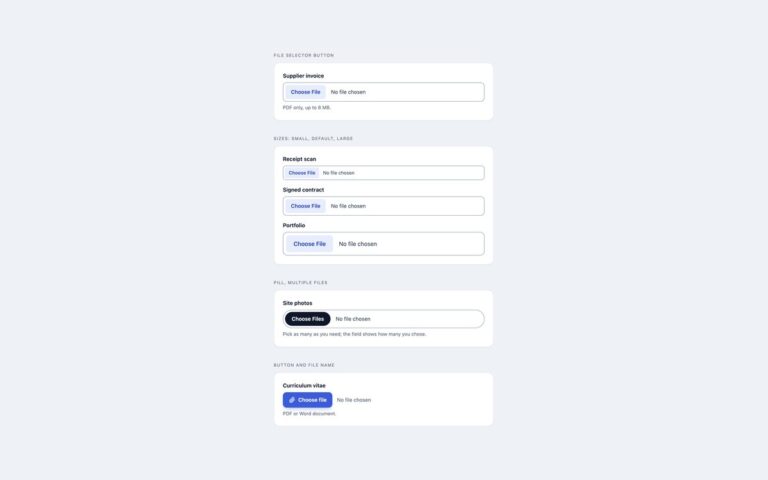
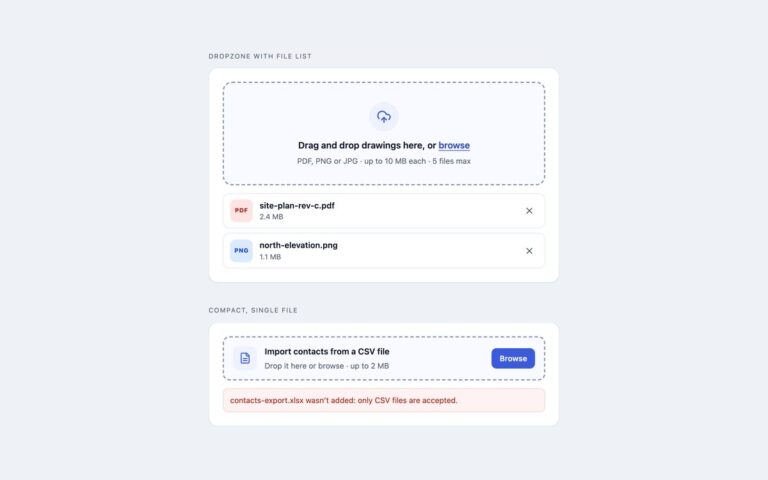
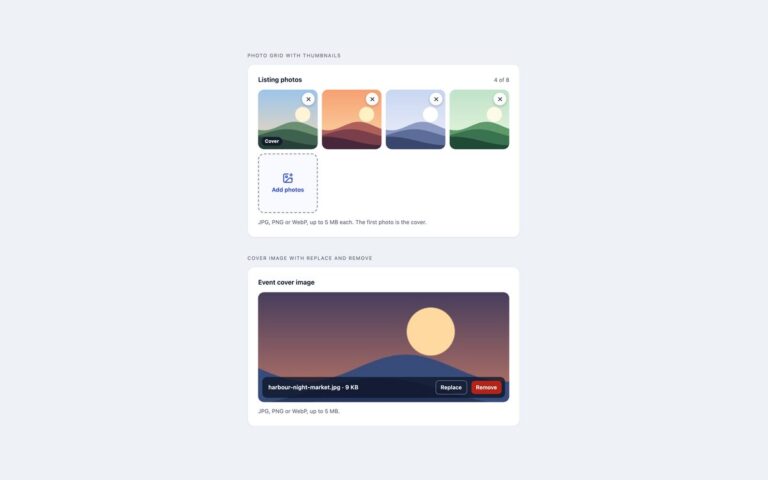
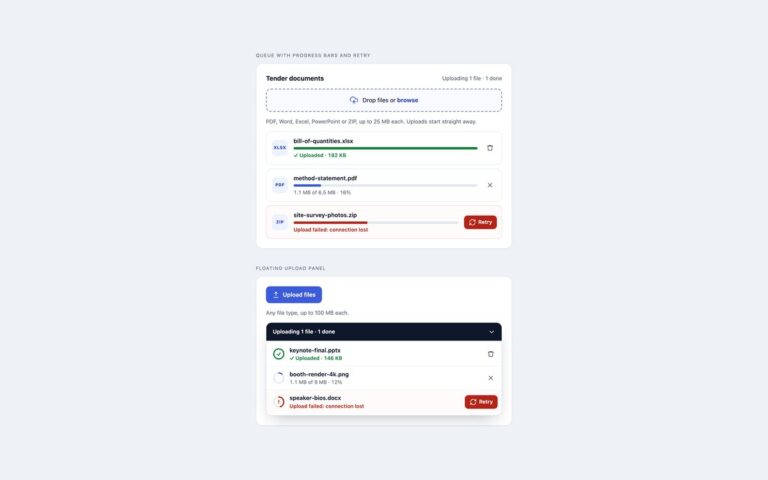
Profile photo uploaders with a round preview and sensible checks. Profile photo with actions sets a 96 pixel avatar with a camera badge beside the person’s name, an Upload new photo button, a Remove button that only appears once there is a photo, and the rules underneath. Click the avatar to change it makes the 128 pixel circle itself the button: the file input is laid over it, so clicking, pressing Enter or dropping an image on it all work, and a dark Change photo overlay appears on hover and keyboard focus. Workspace logo with size previews uses a rounded square for a team or company logo and shows the chosen image at 40, 28 and 20 pixels, the sizes it will appear at in a sidebar or a tab. Each avatar falls back to initials or a plus sign when empty. The script checks the file type, the file size and, by loading the image first, its pixel size, and it explains exactly what is wrong, for example that a photo is 320 by 240 pixels when 400 by 400 is needed. The preview uses URL.createObjectURL, and the input always holds exactly the image on screen.

What’s included

  • Round preview over an initials fallback
  • Remove button that appears only when a photo is set
  • Click or drop on the avatar with a Change photo overlay
  • Logo previews at 40, 28 and 20 pixels
  • Minimum pixel size check as well as type and file size

Accessibility

Every input has a label, visible or visually hidden, and is described by the hint and the error message. The visible button or avatar shows a focus ring when the input has keyboard focus, and the overlay appears on focus as well as hover. Remove returns focus to the upload control, and new, rejected and removed images are announced in a polite live region. The overlay fade switches off under prefers-reduced-motion.

Customise it

Change --av-size, --av-accent and the initials gradient on .av, and the limits with accept, data-max-size and data-min-px on the input. Bootstrap uses .rounded-circle, .btn-primary and .btn-outline-danger; Tailwind sets sizes with size-24 and size-32 and colours in @theme.