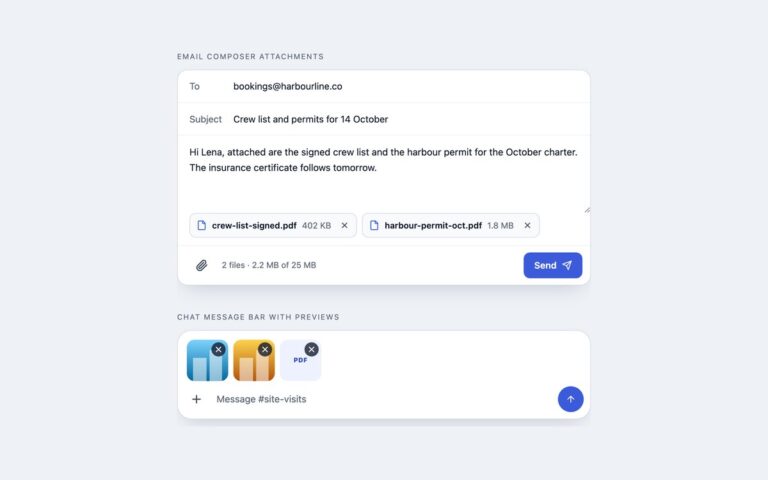
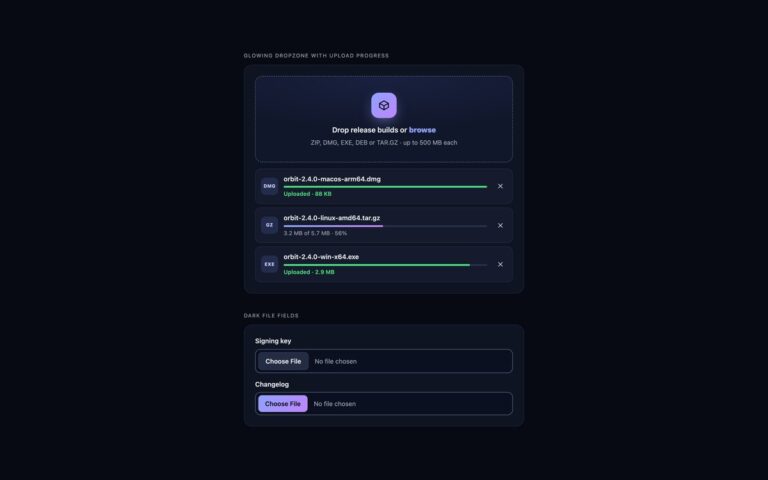
Open demo

CSS code

HTML
<div><span class="lbl">Dropzone with file list</span><div class="card">
<div class="dz" data-dz>
  <div class="dz-zone">
    <input class="dz-input" type="file" id="dz-plans" name="plans" multiple accept=".pdf,.png,.jpg,.jpeg"
      data-max-size="10485760" data-max-files="5" data-types="PDF, PNG or JPG" aria-describedby="dz-plans-hint dz-plans-error">
    <div class="dz-face">
      <span class="dz-icon" aria-hidden="true"><svg viewBox="0 0 24 24" fill="none" stroke="currentColor" stroke-width="2" stroke-linecap="round" stroke-linejoin="round" focusable="false"><path d="M12 13v8"/><path d="M4 14.9A7 7 0 1 1 15.7 8h1.8a4.5 4.5 0 0 1 2.5 8.2"/><path d="m8 17 4-4 4 4"/></svg></span>
      <p class="dz-title"><label for="dz-plans">Drag and drop drawings here, or <span class="dz-link">browse</span></label></p>
      <p class="dz-hint" id="dz-plans-hint">PDF, PNG or JPG · up to 10 MB each · 5 files max</p>
    </div>
  </div>
  <p class="dz-error" id="dz-plans-error" hidden></p>
  <ul class="dz-list" aria-label="Files to upload" data-dz-list></ul>
  <p class="dz-sr" aria-live="polite" data-dz-live></p>
  <template><li class="dz-item"><span class="dz-type" aria-hidden="true" data-ext></span><span class="dz-meta"><span class="dz-name" data-name></span><span class="dz-size" data-size></span></span><button class="dz-remove" type="button" data-remove><svg viewBox="0 0 24 24" fill="none" stroke="currentColor" stroke-width="2" stroke-linecap="round" aria-hidden="true" focusable="false"><path d="M18 6 6 18M6 6l12 12"/></svg></button></li></template>
</div></div></div>

<div><span class="lbl">Compact, single file</span><div class="card">
<div class="dz" data-dz>
  <div class="dz-zone">
    <input class="dz-input" type="file" id="dz-contacts" name="contacts" accept=".csv,text/csv"
      data-max-size="2097152" data-types="CSV" aria-describedby="dz-contacts-hint dz-contacts-error">
    <div class="dz-face row">
      <span class="dz-icon" aria-hidden="true"><svg viewBox="0 0 24 24" fill="none" stroke="currentColor" stroke-width="2" stroke-linecap="round" stroke-linejoin="round" focusable="false"><path d="M15 2H6a2 2 0 0 0-2 2v16a2 2 0 0 0 2 2h12a2 2 0 0 0 2-2V7Z"/><path d="M14 2v4a2 2 0 0 0 2 2h4"/><path d="M8 13h8M8 17h8"/></svg></span>
      <p class="dz-title"><label for="dz-contacts">Import contacts from a CSV file</label></p>
      <p class="dz-hint" id="dz-contacts-hint">Drop it here or browse · up to 2 MB</p>
      <span class="dz-browse" aria-hidden="true">Browse</span>
    </div>
  </div>
  <p class="dz-error" id="dz-contacts-error" hidden></p>
  <ul class="dz-list" aria-label="File to upload" data-dz-list></ul>
  <p class="dz-sr" aria-live="polite" data-dz-live></p>
  <template><li class="dz-item"><span class="dz-type" aria-hidden="true" data-ext></span><span class="dz-meta"><span class="dz-name" data-name></span><span class="dz-size" data-size></span></span><button class="dz-remove" type="button" data-remove><svg viewBox="0 0 24 24" fill="none" stroke="currentColor" stroke-width="2" stroke-linecap="round" aria-hidden="true" focusable="false"><path d="M18 6 6 18M6 6l12 12"/></svg></button></li></template>
</div></div></div>
CSS
/* Drag-and-drop dropzone. The real <input type="file"> is stretched over the zone with opacity 0, so a click,
   Enter/Space and a dropped file all reach it natively. The face underneath shows hover, focus and drag states. */
.dz{--dz-accent:#3b5bdb;--dz-accent-ink:#2f4ac0;--dz-tint:#eef2ff;--dz-ink:#0f172a;--dz-muted:#5b6474;--dz-line:#8391a7;
  --dz-danger:#b42318;display:grid;gap:14px;color:var(--dz-ink)}
.dz-sr{position:absolute;width:1px;height:1px;padding:0;margin:-1px;overflow:hidden;clip:rect(0,0,0,0);white-space:nowrap;border:0}
.dz-zone{position:relative}
.dz-input{position:absolute;inset:0;z-index:1;width:100%;height:100%;margin:0;opacity:0;cursor:pointer}
.dz-input::file-selector-button{cursor:pointer}
.dz-face{display:grid;justify-items:center;gap:6px;padding:34px 24px 30px;text-align:center;background:#f8faff;
  border:2px dashed var(--dz-line);border-radius:16px;transition:border-color .15s,background-color .15s}
.dz-icon{display:grid;place-items:center;width:52px;height:52px;margin-bottom:6px;border-radius:50%;background:var(--dz-tint);color:var(--dz-accent);
  transition:transform .2s}
.dz-icon svg{width:26px;height:26px}
.dz-title{margin:0;font-size:1rem;font-weight:600}
.dz-link{color:var(--dz-accent-ink);text-decoration:underline;text-underline-offset:3px}
.dz-hint{margin:0;font-size:.85rem;color:var(--dz-muted)}
.dz-input:hover + .dz-face{border-color:var(--dz-accent);background:var(--dz-tint)}
.dz-input:focus-visible + .dz-face{border-color:var(--dz-accent);outline:3px solid var(--dz-accent);outline-offset:3px}
.dz-zone[data-drag] .dz-face{border-style:solid;border-color:var(--dz-accent);background:var(--dz-tint)}
.dz-zone[data-drag] .dz-icon{transform:translateY(-4px) scale(1.08)}
.dz-error{margin:0;padding:10px 12px;font-size:.85rem;color:var(--dz-danger);background:#fef3f2;border:1px solid #fecdca;border-radius:10px}
.dz-error[hidden]{display:none}
/* compact: one row, one file */
.dz-face.row{grid-template-columns:auto 1fr auto;justify-items:start;align-items:center;gap:4px 14px;padding:14px 16px;text-align:left;border-radius:12px}
.dz-face.row .dz-icon{grid-row:span 2;width:42px;height:42px;margin:0;border-radius:10px}
.dz-face.row .dz-icon svg{width:21px;height:21px}
.dz-face.row .dz-title{font-size:.92rem}
.dz-face.row .dz-hint{grid-column:2}
.dz-browse{grid-column:3;grid-row:1 / span 2;padding:8px 14px;font-size:.85rem;font-weight:600;color:#fff;background:var(--dz-accent);border-radius:9px}
/* file list, drawn from the <template> */
.dz-list{display:grid;gap:8px;margin:0;padding:0;list-style:none}
.dz-list:empty{display:none}
.dz-item{display:flex;align-items:center;gap:12px;padding:10px 10px 10px 12px;background:#fff;border:1px solid #e2e8f0;border-radius:12px}
.dz-type{display:grid;place-items:center;flex:none;width:40px;height:40px;border-radius:10px;font-size:.66rem;font-weight:800;letter-spacing:.04em;
  color:#344054;background:#eef1f6}
.dz-item[data-kind="pdf"] .dz-type{color:#b42318;background:#fee4e2}
.dz-item[data-kind="image"] .dz-type{color:#1d4ed8;background:#dbeafe}
.dz-item[data-kind="sheet"] .dz-type{color:#067647;background:#dcfae6}
.dz-meta{display:grid;min-width:0;flex:1}
.dz-name{overflow:hidden;font-size:.9rem;font-weight:600;text-overflow:ellipsis;white-space:nowrap}
.dz-size{font-size:.8rem;color:var(--dz-muted)}
.dz-remove{display:grid;place-items:center;flex:none;width:34px;height:34px;padding:0;color:#475467;background:none;border:0;border-radius:9px;cursor:pointer}
.dz-remove:hover{color:var(--dz-danger);background:#fef3f2}
.dz-remove:focus-visible{outline:3px solid var(--dz-accent);outline-offset:1px}
.dz-remove svg{width:18px;height:18px}
@media (max-width:480px){.dz-face.row{grid-template-columns:auto 1fr}.dz-browse{display:none}}
@media (prefers-reduced-motion:reduce){.dz-face,.dz-icon{transition:none}.dz-zone[data-drag] .dz-icon{transform:none}}
JavaScript
// Dropzone: validates type and size, keeps a running list, and writes it back to input.files with DataTransfer
// so the form submits exactly the files shown. Rows come from the <template>; changes are announced politely.
document.querySelectorAll('[data-dz]').forEach(dz => {
  const input = dz.querySelector('input[type="file"]');
  const zone = input.parentElement;
  const list = dz.querySelector('[data-dz-list]');
  const tpl = dz.querySelector('template');
  const error = document.getElementById(input.id + '-error');
  const live = dz.querySelector('[data-dz-live]');
  const maxSize = Number(input.dataset.maxSize) || Infinity;
  const maxFiles = input.multiple ? Number(input.dataset.maxFiles) || Infinity : 1;
  const accept = input.accept.split(',').map(a => a.trim().toLowerCase()).filter(Boolean);
  let files = [];

  const fmt = b => b < 1024 ? b + ' B' : b < 1048576 ? Math.round(b / 1024) + ' KB' : (b / 1048576).toFixed(1).replace(/\.0$/, '') + ' MB';
  const ext = f => f.name.includes('.') ? f.name.split('.').pop().toLowerCase() : '';
  const kind = f => /^(pdf)$/.test(ext(f)) ? 'pdf' : f.type.startsWith('image/') ? 'image' : /^(csv|xlsx?|numbers)$/.test(ext(f)) ? 'sheet' : 'file';
  const typeOk = f => !accept.length || accept.some(a => a[0] === '.' ? f.name.toLowerCase().endsWith(a)
    : a.endsWith('/*') ? f.type.startsWith(a.slice(0, -1)) : f.type === a);

  function sync() { const dt = new DataTransfer(); files.forEach(f => dt.items.add(f)); input.files = dt.files; }
  function render() {
    list.replaceChildren(...files.map(f => {
      const row = tpl.content.firstElementChild.cloneNode(true);
      row.dataset.kind = kind(f);
      row.querySelector('[data-ext]').textContent = (ext(f) || 'file').slice(0, 4).toUpperCase();
      row.querySelector('[data-name]').textContent = f.name;
      row.querySelector('[data-size]').textContent = fmt(f.size);
      const btn = row.querySelector('[data-remove]');
      btn.setAttribute('aria-label', 'Remove ' + f.name);
      btn.addEventListener('click', () => remove(f));
      return row;
    }));
  }
  function remove(f) {
    const i = files.indexOf(f);
    files.splice(i, 1); sync(); render();
    live.textContent = 'Removed ' + f.name + '. ' + (files.length ? files.length + ' left.' : 'No files selected.');
    const next = list.querySelectorAll('[data-remove]')[Math.min(i, files.length - 1)];
    (next || input).focus();
  }

  input.addEventListener('change', () => {
    const added = [], problems = [];
    for (const f of input.files) {
      if (files.some(g => g.name === f.name && g.size === f.size)) continue;
      if (!typeOk(f)) problems.push(f.name + ' wasn’t added: only ' + (input.dataset.types || 'the listed') + ' files are accepted.');
      else if (f.size > maxSize) problems.push(f.name + ' wasn’t added: it is ' + fmt(f.size) + ', the limit is ' + fmt(maxSize) + '.');
      else if (maxFiles === 1) { files = [f]; added.push(f.name); }
      else if (files.length >= maxFiles) problems.push(f.name + ' wasn’t added: you can upload up to ' + maxFiles + ' files.');
      else { files.push(f); added.push(f.name); }
    }
    sync(); render();
    error.textContent = problems.join(' ');
    error.hidden = !problems.length;
    live.textContent = (added.length ? 'Added ' + added.join(', ') + '. ' : '') + problems.join(' ');
  });

  // Drag state for the face; the drop itself is handled by the browser because the input is underneath the pointer.
  input.addEventListener('dragenter', () => zone.setAttribute('data-drag', ''));
  ['dragleave', 'drop'].forEach(t => input.addEventListener(t, () => zone.removeAttribute('data-drag')));
});

Bootstrap 5 code

Requires: Bootstrap 5.3.8 CSS

HTML
<div><span class="lbl">Dropzone with file list</span><div class="card demo-card"><div class="card-body">
<div class="dz d-grid gap-3" data-dz>
  <div class="dz-zone position-relative">
    <input class="dz-input position-absolute w-100 h-100 m-0 opacity-0" type="file" id="dz-plans" name="plans" multiple accept=".pdf,.png,.jpg,.jpeg"
      data-max-size="10485760" data-max-files="5" data-types="PDF, PNG or JPG" aria-describedby="dz-plans-hint dz-plans-error">
    <div class="dz-face d-grid text-center gap-1">
      <span class="dz-icon d-grid mx-auto rounded-circle align-items-center justify-content-center" aria-hidden="true"><svg viewBox="0 0 24 24" fill="none" stroke="currentColor" stroke-width="2" stroke-linecap="round" stroke-linejoin="round" focusable="false"><path d="M12 13v8"/><path d="M4 14.9A7 7 0 1 1 15.7 8h1.8a4.5 4.5 0 0 1 2.5 8.2"/><path d="m8 17 4-4 4 4"/></svg></span>
      <p class="fw-semibold mb-0"><label for="dz-plans">Drag and drop drawings here, or <span class="dz-link text-decoration-underline">browse</span></label></p>
      <p class="small text-body-secondary mb-0" id="dz-plans-hint">PDF, PNG or JPG · up to 10 MB each · 5 files max</p>
    </div>
  </div>
  <p class="alert alert-danger mb-0" id="dz-plans-error" hidden></p>
  <ul class="dz-list list-unstyled d-grid gap-2 mb-0" aria-label="Files to upload" data-dz-list></ul>
  <p class="visually-hidden" aria-live="polite" data-dz-live></p>
  <template><li class="dz-item d-flex align-items-center gap-3 py-2 pe-2 ps-3 bg-white border rounded-3"><span class="dz-type d-grid flex-shrink-0 rounded-3 align-items-center justify-content-center" aria-hidden="true" data-ext></span><span class="d-grid flex-grow-1" style="min-width:0"><span class="dz-name fw-semibold text-truncate" data-name></span><span class="small text-body-secondary" data-size></span></span><button class="btn-close flex-shrink-0" type="button" data-remove></button></li></template>
</div></div></div></div>

<div><span class="lbl">Compact, single file</span><div class="card demo-card"><div class="card-body">
<div class="dz d-grid gap-3" data-dz>
  <div class="dz-zone position-relative">
    <input class="dz-input position-absolute w-100 h-100 m-0 opacity-0" type="file" id="dz-contacts" name="contacts" accept=".csv,text/csv"
      data-max-size="2097152" data-types="CSV" aria-describedby="dz-contacts-hint dz-contacts-error">
    <div class="dz-face row-face">
      <span class="dz-icon d-grid rounded-3 align-items-center justify-content-center" aria-hidden="true"><svg viewBox="0 0 24 24" fill="none" stroke="currentColor" stroke-width="2" stroke-linecap="round" stroke-linejoin="round" focusable="false"><path d="M15 2H6a2 2 0 0 0-2 2v16a2 2 0 0 0 2 2h12a2 2 0 0 0 2-2V7Z"/><path d="M14 2v4a2 2 0 0 0 2 2h4"/><path d="M8 13h8M8 17h8"/></svg></span>
      <p class="fw-semibold mb-0" style="font-size:.92rem"><label for="dz-contacts">Import contacts from a CSV file</label></p>
      <p class="small text-body-secondary mb-0" id="dz-contacts-hint">Drop it here or browse · up to 2 MB</p>
      <span class="btn btn-primary" aria-hidden="true">Browse</span>
    </div>
  </div>
  <p class="alert alert-danger mb-0" id="dz-contacts-error" hidden></p>
  <ul class="dz-list list-unstyled d-grid gap-2 mb-0" aria-label="File to upload" data-dz-list></ul>
  <p class="visually-hidden" aria-live="polite" data-dz-live></p>
  <template><li class="dz-item d-flex align-items-center gap-3 py-2 pe-2 ps-3 bg-white border rounded-3"><span class="dz-type d-grid flex-shrink-0 rounded-3 align-items-center justify-content-center" aria-hidden="true" data-ext></span><span class="d-grid flex-grow-1" style="min-width:0"><span class="dz-name fw-semibold text-truncate" data-name></span><span class="small text-body-secondary" data-size></span></span><button class="btn-close flex-shrink-0" type="button" data-remove></button></li></template>
</div></div></div></div>
CSS
/* Dropzone for Bootstrap 5: the real file input is stretched over the zone (.opacity-0 .position-absolute),
   Bootstrap supplies the grid, buttons, alert and .btn-close; these rules draw the dashed face and its states. */
.dz{--dz-accent:#3b5bdb;--dz-accent-ink:#2f4ac0;--dz-tint:#eef2ff;--dz-line:#8391a7;--dz-muted:#5b6474;
  --bs-primary:#3b5bdb;--bs-primary-rgb:59,91,219;--bs-link-color:#2f4ac0;color:#0f172a}
.dz-input{inset:0;z-index:1;cursor:pointer}
.dz-input::file-selector-button{cursor:pointer}
.dz-face{padding:34px 24px 30px;background:#f8faff;border:2px dashed var(--dz-line);border-radius:16px;transition:border-color .15s,background-color .15s}
.dz-icon{width:52px;height:52px;margin-bottom:6px;background:var(--dz-tint);color:var(--dz-accent);transition:transform .2s}
.dz-icon svg{width:26px;height:26px}
.dz-link{color:var(--dz-accent-ink);text-underline-offset:3px}
.dz .text-body-secondary{color:var(--dz-muted)!important}
.dz-input:hover + .dz-face{border-color:var(--dz-accent);background:var(--dz-tint)}
.dz-input:focus-visible + .dz-face{border-color:var(--dz-accent);outline:3px solid var(--dz-accent);outline-offset:3px}
.dz-zone[data-drag] .dz-face{border-style:solid;border-color:var(--dz-accent);background:var(--dz-tint)}
.dz-zone[data-drag] .dz-icon{transform:translateY(-4px) scale(1.08)}
.dz-face.row-face{display:grid!important;grid-template-columns:auto 1fr auto;align-items:center;gap:4px 14px;padding:14px 16px;border-radius:12px}
.dz-face.row-face .dz-icon{grid-row:span 2;width:42px;height:42px;margin:0}
.dz-face.row-face .dz-icon svg{width:21px;height:21px}
.dz-face.row-face .btn{grid-column:3;grid-row:1 / span 2;--bs-btn-bg:var(--dz-accent);--bs-btn-border-color:var(--dz-accent);--bs-btn-font-weight:600;
  --bs-btn-padding-x:14px;--bs-btn-padding-y:8px;--bs-btn-font-size:.85rem;--bs-btn-border-radius:9px;pointer-events:none}
.dz .alert-danger{--bs-alert-color:#b42318;--bs-alert-bg:#fef3f2;--bs-alert-border-color:#fecdca;--bs-alert-border-radius:10px;
  --bs-alert-padding-x:12px;--bs-alert-padding-y:10px;font-size:.85rem}
.dz-list:empty{display:none}
.dz-item{border-color:#e2e8f0!important}
.dz-type{width:40px;height:40px;font-size:.66rem;font-weight:800;letter-spacing:.04em;color:#344054;background:#eef1f6}
.dz-item[data-kind="pdf"] .dz-type{color:#b42318;background:#fee4e2}
.dz-item[data-kind="image"] .dz-type{color:#1d4ed8;background:#dbeafe}
.dz-item[data-kind="sheet"] .dz-type{color:#067647;background:#dcfae6}
.dz-name{font-size:.9rem}
.dz-item .btn-close{--bs-btn-close-opacity:.7;--bs-btn-close-focus-shadow:0 0 0 3px #3b5bdb;width:34px;height:34px;padding:0;
  background-size:12px;border-radius:9px}
.dz-item .btn-close:hover{background-color:#fef3f2}
@media (max-width:480px){.dz-face.row-face{grid-template-columns:auto 1fr}.dz-face.row-face .btn{display:none}}
@media (prefers-reduced-motion:reduce){.dz-face,.dz-icon{transition:none}.dz-zone[data-drag] .dz-icon{transform:none}}
JavaScript
// Dropzone: validates type and size, keeps a running list, and writes it back to input.files with DataTransfer
// so the form submits exactly the files shown. Rows come from the <template>; changes are announced politely.
document.querySelectorAll('[data-dz]').forEach(dz => {
  const input = dz.querySelector('input[type="file"]');
  const zone = input.parentElement;
  const list = dz.querySelector('[data-dz-list]');
  const tpl = dz.querySelector('template');
  const error = document.getElementById(input.id + '-error');
  const live = dz.querySelector('[data-dz-live]');
  const maxSize = Number(input.dataset.maxSize) || Infinity;
  const maxFiles = input.multiple ? Number(input.dataset.maxFiles) || Infinity : 1;
  const accept = input.accept.split(',').map(a => a.trim().toLowerCase()).filter(Boolean);
  let files = [];

  const fmt = b => b < 1024 ? b + ' B' : b < 1048576 ? Math.round(b / 1024) + ' KB' : (b / 1048576).toFixed(1).replace(/\.0$/, '') + ' MB';
  const ext = f => f.name.includes('.') ? f.name.split('.').pop().toLowerCase() : '';
  const kind = f => /^(pdf)$/.test(ext(f)) ? 'pdf' : f.type.startsWith('image/') ? 'image' : /^(csv|xlsx?|numbers)$/.test(ext(f)) ? 'sheet' : 'file';
  const typeOk = f => !accept.length || accept.some(a => a[0] === '.' ? f.name.toLowerCase().endsWith(a)
    : a.endsWith('/*') ? f.type.startsWith(a.slice(0, -1)) : f.type === a);

  function sync() { const dt = new DataTransfer(); files.forEach(f => dt.items.add(f)); input.files = dt.files; }
  function render() {
    list.replaceChildren(...files.map(f => {
      const row = tpl.content.firstElementChild.cloneNode(true);
      row.dataset.kind = kind(f);
      row.querySelector('[data-ext]').textContent = (ext(f) || 'file').slice(0, 4).toUpperCase();
      row.querySelector('[data-name]').textContent = f.name;
      row.querySelector('[data-size]').textContent = fmt(f.size);
      const btn = row.querySelector('[data-remove]');
      btn.setAttribute('aria-label', 'Remove ' + f.name);
      btn.addEventListener('click', () => remove(f));
      return row;
    }));
  }
  function remove(f) {
    const i = files.indexOf(f);
    files.splice(i, 1); sync(); render();
    live.textContent = 'Removed ' + f.name + '. ' + (files.length ? files.length + ' left.' : 'No files selected.');
    const next = list.querySelectorAll('[data-remove]')[Math.min(i, files.length - 1)];
    (next || input).focus();
  }

  input.addEventListener('change', () => {
    const added = [], problems = [];
    for (const f of input.files) {
      if (files.some(g => g.name === f.name && g.size === f.size)) continue;
      if (!typeOk(f)) problems.push(f.name + ' wasn’t added: only ' + (input.dataset.types || 'the listed') + ' files are accepted.');
      else if (f.size > maxSize) problems.push(f.name + ' wasn’t added: it is ' + fmt(f.size) + ', the limit is ' + fmt(maxSize) + '.');
      else if (maxFiles === 1) { files = [f]; added.push(f.name); }
      else if (files.length >= maxFiles) problems.push(f.name + ' wasn’t added: you can upload up to ' + maxFiles + ' files.');
      else { files.push(f); added.push(f.name); }
    }
    sync(); render();
    error.textContent = problems.join(' ');
    error.hidden = !problems.length;
    live.textContent = (added.length ? 'Added ' + added.join(', ') + '. ' : '') + problems.join(' ');
  });

  // Drag state for the face; the drop itself is handled by the browser because the input is underneath the pointer.
  input.addEventListener('dragenter', () => zone.setAttribute('data-drag', ''));
  ['dragleave', 'drop'].forEach(t => input.addEventListener(t, () => zone.removeAttribute('data-drag')));
});

Tailwind 4 code

Requires: Tailwind CSS 4

HTML
<div><span class="mb-3 block text-[.72rem] tracking-[.12em] text-dz-muted uppercase">Dropzone with file list</span><div class="rounded-2xl border border-slate-200 bg-white p-6 shadow-[0_1px_2px_rgba(15,23,42,.05)] max-sm:p-[18px]">
<div class="grid gap-3.5" data-dz>
  <div class="group/zone relative">
    <input class="peer absolute inset-0 z-[1] m-0 size-full cursor-pointer opacity-0 file:cursor-pointer" type="file" id="dz-plans" name="plans" multiple accept=".pdf,.png,.jpg,.jpeg"
      data-max-size="10485760" data-max-files="5" data-types="PDF, PNG or JPG" aria-describedby="dz-plans-hint dz-plans-error">
    <div class="grid justify-items-center gap-1.5 rounded-2xl border-2 border-dashed border-dz-line bg-[#f8faff] px-6 pt-[34px] pb-[30px] text-center transition-[border-color,background-color] peer-hover:border-dz-accent peer-hover:bg-dz-tint peer-focus-visible:border-dz-accent peer-focus-visible:outline-3 peer-focus-visible:outline-offset-3 peer-focus-visible:outline-dz-accent group-data-[drag]/zone:border-solid group-data-[drag]/zone:border-dz-accent group-data-[drag]/zone:bg-dz-tint motion-reduce:transition-none">
      <span class="mb-1.5 grid size-[52px] place-items-center rounded-full bg-dz-tint text-dz-accent transition-transform duration-200 group-data-[drag]/zone:-translate-y-1 group-data-[drag]/zone:scale-108 motion-reduce:transition-none motion-reduce:group-data-[drag]/zone:transform-none" aria-hidden="true"><svg class="size-[26px]" viewBox="0 0 24 24" fill="none" stroke="currentColor" stroke-width="2" stroke-linecap="round" stroke-linejoin="round" focusable="false"><path d="M12 13v8"/><path d="M4 14.9A7 7 0 1 1 15.7 8h1.8a4.5 4.5 0 0 1 2.5 8.2"/><path d="m8 17 4-4 4 4"/></svg></span>
      <p class="font-semibold"><label for="dz-plans">Drag and drop drawings here, or <span class="text-dz-accent-ink underline underline-offset-3">browse</span></label></p>
      <p class="text-[.85rem] text-dz-muted" id="dz-plans-hint">PDF, PNG or JPG · up to 10 MB each · 5 files max</p>
    </div>
  </div>
  <p class="rounded-[10px] border border-[#fecdca] bg-[#fef3f2] px-3 py-2.5 text-[.85rem] text-dz-danger" id="dz-plans-error" hidden></p>
  <ul class="grid gap-2 empty:hidden" aria-label="Files to upload" data-dz-list></ul>
  <p class="sr-only" aria-live="polite" data-dz-live></p>
  <template><li class="group flex items-center gap-3 rounded-xl border border-slate-200 bg-white py-2.5 pr-2.5 pl-3"><span class="grid size-10 flex-none place-items-center rounded-[10px] bg-[#eef1f6] text-[.66rem] font-extrabold tracking-[.04em] text-[#344054] group-data-[kind=pdf]:bg-[#fee4e2] group-data-[kind=pdf]:text-[#b42318] group-data-[kind=image]:bg-[#dbeafe] group-data-[kind=image]:text-[#1d4ed8] group-data-[kind=sheet]:bg-[#dcfae6] group-data-[kind=sheet]:text-[#067647]" aria-hidden="true" data-ext></span><span class="grid min-w-0 flex-1"><span class="truncate text-[.9rem] font-semibold" data-name></span><span class="text-[.8rem] text-dz-muted" data-size></span></span><button class="grid size-[34px] flex-none cursor-pointer place-items-center rounded-[9px] text-[#475467] hover:bg-[#fef3f2] hover:text-dz-danger focus-visible:outline-3 focus-visible:outline-offset-1 focus-visible:outline-dz-accent" type="button" data-remove><svg class="size-[18px]" viewBox="0 0 24 24" fill="none" stroke="currentColor" stroke-width="2" stroke-linecap="round" aria-hidden="true" focusable="false"><path d="M18 6 6 18M6 6l12 12"/></svg></button></li></template>
</div></div></div>

<div><span class="mb-3 block text-[.72rem] tracking-[.12em] text-dz-muted uppercase">Compact, single file</span><div class="rounded-2xl border border-slate-200 bg-white p-6 shadow-[0_1px_2px_rgba(15,23,42,.05)] max-sm:p-[18px]">
<div class="grid gap-3.5" data-dz>
  <div class="group/zone relative">
    <input class="peer absolute inset-0 z-[1] m-0 size-full cursor-pointer opacity-0 file:cursor-pointer" type="file" id="dz-contacts" name="contacts" accept=".csv,text/csv"
      data-max-size="2097152" data-types="CSV" aria-describedby="dz-contacts-hint dz-contacts-error">
    <div class="grid grid-cols-[auto_1fr_auto] items-center gap-x-3.5 gap-y-1 rounded-xl border-2 border-dashed border-dz-line bg-[#f8faff] px-4 py-3.5 transition-[border-color,background-color] peer-hover:border-dz-accent peer-hover:bg-dz-tint peer-focus-visible:border-dz-accent peer-focus-visible:outline-3 peer-focus-visible:outline-offset-3 peer-focus-visible:outline-dz-accent group-data-[drag]/zone:border-solid group-data-[drag]/zone:border-dz-accent group-data-[drag]/zone:bg-dz-tint motion-reduce:transition-none max-[480px]:grid-cols-[auto_1fr]">
      <span class="row-span-2 grid size-[42px] place-items-center rounded-[10px] bg-dz-tint text-dz-accent" aria-hidden="true"><svg class="size-[21px]" viewBox="0 0 24 24" fill="none" stroke="currentColor" stroke-width="2" stroke-linecap="round" stroke-linejoin="round" focusable="false"><path d="M15 2H6a2 2 0 0 0-2 2v16a2 2 0 0 0 2 2h12a2 2 0 0 0 2-2V7Z"/><path d="M14 2v4a2 2 0 0 0 2 2h4"/><path d="M8 13h8M8 17h8"/></svg></span>
      <p class="text-[.92rem] font-semibold"><label for="dz-contacts">Import contacts from a CSV file</label></p>
      <p class="col-start-2 text-[.85rem] text-dz-muted" id="dz-contacts-hint">Drop it here or browse · up to 2 MB</p>
      <span class="col-start-3 row-span-2 row-start-1 rounded-[9px] bg-dz-accent px-3.5 py-2 text-[.85rem] font-semibold text-white max-[480px]:hidden" aria-hidden="true">Browse</span>
    </div>
  </div>
  <p class="rounded-[10px] border border-[#fecdca] bg-[#fef3f2] px-3 py-2.5 text-[.85rem] text-dz-danger" id="dz-contacts-error" hidden></p>
  <ul class="grid gap-2 empty:hidden" aria-label="File to upload" data-dz-list></ul>
  <p class="sr-only" aria-live="polite" data-dz-live></p>
  <template><li class="group flex items-center gap-3 rounded-xl border border-slate-200 bg-white py-2.5 pr-2.5 pl-3"><span class="grid size-10 flex-none place-items-center rounded-[10px] bg-[#eef1f6] text-[.66rem] font-extrabold tracking-[.04em] text-[#344054] group-data-[kind=pdf]:bg-[#fee4e2] group-data-[kind=pdf]:text-[#b42318] group-data-[kind=image]:bg-[#dbeafe] group-data-[kind=image]:text-[#1d4ed8] group-data-[kind=sheet]:bg-[#dcfae6] group-data-[kind=sheet]:text-[#067647]" aria-hidden="true" data-ext></span><span class="grid min-w-0 flex-1"><span class="truncate text-[.9rem] font-semibold" data-name></span><span class="text-[.8rem] text-dz-muted" data-size></span></span><button class="grid size-[34px] flex-none cursor-pointer place-items-center rounded-[9px] text-[#475467] hover:bg-[#fef3f2] hover:text-dz-danger focus-visible:outline-3 focus-visible:outline-offset-1 focus-visible:outline-dz-accent" type="button" data-remove><svg class="size-[18px]" viewBox="0 0 24 24" fill="none" stroke="currentColor" stroke-width="2" stroke-linecap="round" aria-hidden="true" focusable="false"><path d="M18 6 6 18M6 6l12 12"/></svg></button></li></template>
</div></div></div>
CSS
@theme {
  --color-dz-accent: #3b5bdb;
  --color-dz-accent-ink: #2f4ac0;
  --color-dz-tint: #eef2ff;
  --color-dz-line: #8391a7;
  --color-dz-muted: #5b6474;
  --color-dz-danger: #b42318;
}
JavaScript
// Dropzone: validates type and size, keeps a running list, and writes it back to input.files with DataTransfer
// so the form submits exactly the files shown. Rows come from the <template>; changes are announced politely.
document.querySelectorAll('[data-dz]').forEach(dz => {
  const input = dz.querySelector('input[type="file"]');
  const zone = input.parentElement;
  const list = dz.querySelector('[data-dz-list]');
  const tpl = dz.querySelector('template');
  const error = document.getElementById(input.id + '-error');
  const live = dz.querySelector('[data-dz-live]');
  const maxSize = Number(input.dataset.maxSize) || Infinity;
  const maxFiles = input.multiple ? Number(input.dataset.maxFiles) || Infinity : 1;
  const accept = input.accept.split(',').map(a => a.trim().toLowerCase()).filter(Boolean);
  let files = [];

  const fmt = b => b < 1024 ? b + ' B' : b < 1048576 ? Math.round(b / 1024) + ' KB' : (b / 1048576).toFixed(1).replace(/\.0$/, '') + ' MB';
  const ext = f => f.name.includes('.') ? f.name.split('.').pop().toLowerCase() : '';
  const kind = f => /^(pdf)$/.test(ext(f)) ? 'pdf' : f.type.startsWith('image/') ? 'image' : /^(csv|xlsx?|numbers)$/.test(ext(f)) ? 'sheet' : 'file';
  const typeOk = f => !accept.length || accept.some(a => a[0] === '.' ? f.name.toLowerCase().endsWith(a)
    : a.endsWith('/*') ? f.type.startsWith(a.slice(0, -1)) : f.type === a);

  function sync() { const dt = new DataTransfer(); files.forEach(f => dt.items.add(f)); input.files = dt.files; }
  function render() {
    list.replaceChildren(...files.map(f => {
      const row = tpl.content.firstElementChild.cloneNode(true);
      row.dataset.kind = kind(f);
      row.querySelector('[data-ext]').textContent = (ext(f) || 'file').slice(0, 4).toUpperCase();
      row.querySelector('[data-name]').textContent = f.name;
      row.querySelector('[data-size]').textContent = fmt(f.size);
      const btn = row.querySelector('[data-remove]');
      btn.setAttribute('aria-label', 'Remove ' + f.name);
      btn.addEventListener('click', () => remove(f));
      return row;
    }));
  }
  function remove(f) {
    const i = files.indexOf(f);
    files.splice(i, 1); sync(); render();
    live.textContent = 'Removed ' + f.name + '. ' + (files.length ? files.length + ' left.' : 'No files selected.');
    const next = list.querySelectorAll('[data-remove]')[Math.min(i, files.length - 1)];
    (next || input).focus();
  }

  input.addEventListener('change', () => {
    const added = [], problems = [];
    for (const f of input.files) {
      if (files.some(g => g.name === f.name && g.size === f.size)) continue;
      if (!typeOk(f)) problems.push(f.name + ' wasn’t added: only ' + (input.dataset.types || 'the listed') + ' files are accepted.');
      else if (f.size > maxSize) problems.push(f.name + ' wasn’t added: it is ' + fmt(f.size) + ', the limit is ' + fmt(maxSize) + '.');
      else if (maxFiles === 1) { files = [f]; added.push(f.name); }
      else if (files.length >= maxFiles) problems.push(f.name + ' wasn’t added: you can upload up to ' + maxFiles + ' files.');
      else { files.push(f); added.push(f.name); }
    }
    sync(); render();
    error.textContent = problems.join(' ');
    error.hidden = !problems.length;
    live.textContent = (added.length ? 'Added ' + added.join(', ') + '. ' : '') + problems.join(' ');
  });

  // Drag state for the face; the drop itself is handled by the browser because the input is underneath the pointer.
  input.addEventListener('dragenter', () => zone.setAttribute('data-drag', ''));
  ['dragleave', 'drop'].forEach(t => input.addEventListener(t, () => zone.removeAttribute('data-drag')));
});

About this set

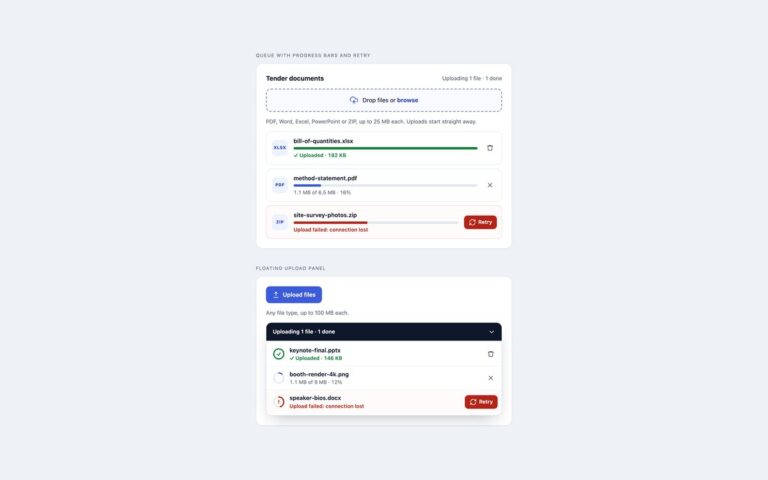
Two drag-and-drop file upload zones built around a real file input. Dropzone with file list is the familiar dashed box with an upload icon, a Drag and drop or browse line and the rules spelled out underneath: PDF, PNG or JPG, up to 10 MB each, five files at most. Chosen files appear below as rows with a coloured type badge, the name, the size and a remove button. Compact, single file squeezes the same idea into one row for a CSV import, with a Browse button on the right that hides on narrow screens. The technique is simple and robust: the input is stretched over the zone with opacity 0, so a click, Enter or Space, and a file dropped from the desktop all land on the input itself and need no drop handler. A short script adds the rest: a dragover state on the face, checks against the accept list, size and file count with messages that name the file and the rule it broke, a running list that is written back to input.files with DataTransfer so the form submits exactly what is shown, and announcements in a live region. Use the large zone when uploading is the main task on the page and the compact row inside longer forms.

What’s included

  • Real file input stretched over the zone, so drop and click are native
  • Hover, keyboard focus and dragover states
  • Type, size and file-count checks with specific messages
  • File list with type badges and remove buttons
  • input.files kept in step with the list through DataTransfer

Accessibility

The input is labelled by the visible drop text and described by the limits and the error message. Keyboard users tab to the zone, see a focus ring around it and open the picker with Enter or Space. Each remove button is named after its file, focus moves to the next file or back to the zone after a removal, and additions, removals and rejections are announced in a polite live region. The hover and drag animations switch off under prefers-reduced-motion.

Customise it

Set --dz-accent, --dz-accent-ink, --dz-tint and --dz-line on .dz, and the limits with accept, data-max-size (bytes), data-max-files and data-types on the input. Bootstrap uses the same variables plus .alert and .btn-close; Tailwind reads the dz colours from @theme.