Open demo

CSS code

HTML
<div><span class="lbl">Photo grid with thumbnails</span><div class="card">
<div class="ip" data-ip="gallery">
  <div class="ip-head"><p class="ip-title" id="ip-photos-title">Listing photos</p><span class="ip-count" data-ip-count>0 of 8</span></div>
  <ul class="ip-grid" aria-labelledby="ip-photos-title" data-ip-list>
    <li class="ip-add">
      <input class="ip-input" type="file" id="ip-photos" name="photos" multiple accept="image/jpeg,image/png,image/webp"
        data-max-size="5242880" data-max-files="8" data-types="JPG, PNG or WebP" aria-describedby="ip-photos-hint ip-photos-error">
      <label class="ip-add-face" for="ip-photos"><svg viewBox="0 0 24 24" fill="none" stroke="currentColor" stroke-width="2" stroke-linecap="round" stroke-linejoin="round" aria-hidden="true" focusable="false"><path d="M16 5h6M19 2v6"/><path d="M21 11.5V19a2 2 0 0 1-2 2H5a2 2 0 0 1-2-2V5a2 2 0 0 1 2-2h7.5"/><path d="m21 15-3.1-3.1a2 2 0 0 0-2.8 0L6 21"/><circle cx="9" cy="9" r="2"/></svg>Add photos</label>
    </li>
  </ul>
  <p class="ip-hint" id="ip-photos-hint">JPG, PNG or WebP, up to 5 MB each. The first photo is the cover.</p>
  <p class="ip-error" id="ip-photos-error" hidden></p>
  <p class="ip-sr" aria-live="polite" data-ip-live></p>
  <template><li class="ip-thumb"><img alt=""><button class="ip-remove" type="button" data-remove><svg viewBox="0 0 24 24" fill="none" stroke="currentColor" stroke-width="2.5" stroke-linecap="round" aria-hidden="true" focusable="false"><path d="M18 6 6 18M6 6l12 12"/></svg></button></li></template>
</div></div></div>

<div><span class="lbl">Cover image with replace and remove</span><div class="card">
<div class="ip" data-ip="cover">
  <label class="ip-title" for="ip-cover">Event cover image</label>
  <div class="ip-cover">
    <input class="ip-input" type="file" id="ip-cover" name="cover" accept="image/jpeg,image/png,image/webp"
      data-max-size="5242880" data-types="JPG, PNG or WebP" aria-describedby="ip-cover-hint ip-cover-error">
    <div class="ip-cover-face" aria-hidden="true">
      <svg viewBox="0 0 24 24" fill="none" stroke="currentColor" stroke-width="2" stroke-linecap="round" stroke-linejoin="round" focusable="false"><rect x="3" y="3" width="18" height="18" rx="3"/><circle cx="9" cy="9" r="2"/><path d="m21 15-3.1-3.1a2 2 0 0 0-2.8 0L6 21"/></svg>
      <b>Drop an image or click to upload</b><span>1600 × 700 px works best</span>
    </div>
    <figure class="ip-preview" hidden data-ip-preview><img alt=""></figure>
    <div class="ip-bar" hidden data-ip-bar><span class="ip-bar-name" data-name></span><span class="ip-bar-replace" aria-hidden="true">Replace</span><button class="ip-remove" type="button" data-remove>Remove</button></div>
  </div>
  <p class="ip-hint" id="ip-cover-hint">JPG, PNG or WebP, up to 5 MB.</p>
  <p class="ip-error" id="ip-cover-error" hidden></p>
  <p class="ip-sr" aria-live="polite" data-ip-live></p>
</div></div></div>
CSS
/* Image upload with previews. Thumbnails come from URL.createObjectURL (nothing leaves the browser) and every
   tile has a named remove button. The file input itself is stretched over the "Add photos" tile and the cover zone. */
.ip{--ip-accent:#3b5bdb;--ip-accent-ink:#2f4ac0;--ip-tint:#eef2ff;--ip-ink:#0f172a;--ip-muted:#5b6474;--ip-line:#8391a7;
  --ip-danger:#b42318;--ip-radius:14px;display:grid;gap:12px;color:var(--ip-ink)}
.ip-sr{position:absolute;width:1px;height:1px;padding:0;margin:-1px;overflow:hidden;clip:rect(0,0,0,0);white-space:nowrap;border:0}
.ip-head{display:flex;align-items:baseline;justify-content:space-between;gap:12px}
.ip-title{margin:0;font-size:.95rem;font-weight:600}
.ip-count{font-size:.82rem;color:var(--ip-muted);font-variant-numeric:tabular-nums}
.ip-hint{margin:0;font-size:.82rem;color:var(--ip-muted)}
.ip-error{margin:0;padding:10px 12px;font-size:.85rem;color:var(--ip-danger);background:#fef3f2;border:1px solid #fecdca;border-radius:10px}
.ip-input{position:absolute;inset:0;z-index:1;width:100%;height:100%;margin:0;opacity:0;cursor:pointer}
.ip-input::file-selector-button{cursor:pointer}
/* gallery grid */
.ip-grid{display:grid;grid-template-columns:repeat(auto-fill,minmax(112px,1fr));gap:10px;margin:0;padding:0;list-style:none}
.ip-thumb{position:relative;aspect-ratio:1;overflow:hidden;border-radius:var(--ip-radius);background:#e2e8f0}
.ip-thumb img{display:block;width:100%;height:100%;object-fit:cover}
.ip-thumb:first-child::after{content:"Cover";position:absolute;left:8px;bottom:8px;padding:2px 8px;font-size:.7rem;font-weight:700;
  color:#fff;background:rgba(15,23,42,.82);border-radius:999px}
.ip-remove{position:absolute;top:7px;right:7px;display:grid;place-items:center;width:30px;height:30px;padding:0;color:#0f172a;background:rgba(255,255,255,.94);
  border:0;border-radius:50%;box-shadow:0 2px 6px rgba(15,23,42,.25);cursor:pointer;transition:color .15s,background-color .15s}
.ip-remove:hover{color:#fff;background:var(--ip-danger)}
.ip-remove:focus-visible{outline:3px solid var(--ip-accent);outline-offset:2px}
.ip-remove svg{width:15px;height:15px}
.ip-add{position:relative;aspect-ratio:1}
.ip-add-face{display:grid;place-content:center;justify-items:center;gap:4px;height:100%;padding:10px;text-align:center;font-size:.85rem;font-weight:600;
  color:var(--ip-accent-ink);background:#f8faff;border:2px dashed var(--ip-line);border-radius:var(--ip-radius);transition:border-color .15s,background-color .15s}
.ip-add-face svg{width:26px;height:26px}
.ip-input:hover + .ip-add-face,.ip-input:hover + .ip-cover-face{border-color:var(--ip-accent);background:var(--ip-tint)}
.ip-input:focus-visible + .ip-add-face,.ip-input:focus-visible + .ip-cover-face{border-color:var(--ip-accent);outline:3px solid var(--ip-accent);outline-offset:3px}
[data-drag] > .ip-add-face,[data-drag] > .ip-cover-face{border-style:solid;border-color:var(--ip-accent);background:var(--ip-tint)}
/* cover image */
.ip-cover{position:relative;aspect-ratio:16/7}
@media (max-width:480px){.ip-cover{aspect-ratio:4/3}}
.ip-cover-face{display:grid;place-content:center;justify-items:center;gap:6px;height:100%;padding:18px;text-align:center;background:#f8faff;
  border:2px dashed var(--ip-line);border-radius:var(--ip-radius);transition:border-color .15s,background-color .15s}
.ip-cover-face svg{width:30px;height:30px;color:var(--ip-accent)}
.ip-cover-face b{font-size:.95rem}
.ip-cover-face span{font-size:.82rem;color:var(--ip-muted)}
.ip-preview{position:absolute;inset:0;margin:0;overflow:hidden;border-radius:var(--ip-radius)}
.ip-preview[hidden]{display:none}
.ip-preview img{display:block;width:100%;height:100%;object-fit:cover}
.ip-bar{position:absolute;left:10px;right:10px;bottom:10px;z-index:2;display:flex;align-items:center;gap:10px;padding:8px 8px 8px 14px;
  color:#fff;background:rgba(15,23,42,.8);border-radius:11px;pointer-events:none}
.ip-bar-name{flex:1;min-width:0;overflow:hidden;font-size:.85rem;font-weight:600;text-overflow:ellipsis;white-space:nowrap}
.ip-bar-replace{font-size:.8rem;font-weight:600;padding:6px 11px;border:1px solid rgba(255,255,255,.5);border-radius:8px}
.ip-bar .ip-remove{position:static;width:auto;height:auto;padding:6px 11px;font:inherit;font-size:.8rem;font-weight:600;color:#fff;background:var(--ip-danger);
  border-radius:8px;box-shadow:none;pointer-events:auto}
.ip-bar .ip-remove:hover{background:#912018}
.ip-bar .ip-remove:focus-visible{outline-color:#fff}
.ip-cover[data-filled] .ip-input:focus-visible ~ .ip-preview{outline:3px solid var(--ip-accent);outline-offset:3px}
@media (prefers-reduced-motion:reduce){.ip-add-face,.ip-cover-face,.ip-remove{transition:none}}
JavaScript
// Image upload with previews: validates each file, previews it with URL.createObjectURL (revoked on remove),
// keeps input.files in step through DataTransfer and announces every change in the live region.
document.querySelectorAll('[data-ip]').forEach(box => {
  const input = box.querySelector('input[type="file"]');
  const zone = input.parentElement;
  const error = document.getElementById(input.id + '-error');
  const live = box.querySelector('[data-ip-live]');
  const maxSize = Number(input.dataset.maxSize) || Infinity;
  const maxFiles = input.multiple ? Number(input.dataset.maxFiles) || Infinity : 1;
  const types = input.accept.split(',').map(t => t.trim());
  const urls = new Map();
  let files = [];
  const fmt = b => b < 1048576 ? Math.round(b / 1024) + ' KB' : (b / 1048576).toFixed(1).replace(/\.0$/, '') + ' MB';
  const url = f => { if (!urls.has(f)) urls.set(f, URL.createObjectURL(f)); return urls.get(f); };
  const sync = () => { const dt = new DataTransfer(); files.forEach(f => dt.items.add(f)); input.files = dt.files; };

  function render() {
    if (box.dataset.ip === 'gallery') {
      const list = box.querySelector('[data-ip-list]'), tpl = box.querySelector('template');
      list.querySelectorAll('[data-thumb]').forEach(li => li.remove());
      files.forEach(f => {
        const li = tpl.content.firstElementChild.cloneNode(true);
        li.setAttribute('data-thumb', '');
        li.querySelector('img').src = url(f);
        li.querySelector('img').alt = f.name;
        const btn = li.querySelector('[data-remove]');
        btn.setAttribute('aria-label', 'Remove ' + f.name);
        btn.addEventListener('click', () => remove(f));
        list.insertBefore(li, zone);
      });
      box.querySelector('[data-ip-count]').textContent = files.length + ' of ' + maxFiles;
    } else {
      const f = files[0], fig = box.querySelector('[data-ip-preview]'), bar = box.querySelector('[data-ip-bar]');
      fig.hidden = bar.hidden = !f;
      zone.toggleAttribute('data-filled', !!f);
      if (f) {
        fig.querySelector('img').src = url(f);
        fig.querySelector('img').alt = 'Cover preview: ' + f.name;
        bar.querySelector('[data-name]').textContent = f.name + ' · ' + fmt(f.size);
        bar.querySelector('[data-remove]').setAttribute('aria-label', 'Remove ' + f.name);
      }
    }
  }
  function remove(f) {
    const i = files.indexOf(f);
    files.splice(i, 1); URL.revokeObjectURL(urls.get(f)); urls.delete(f);
    sync(); render();
    live.textContent = 'Removed ' + f.name + '.';
    const next = box.querySelectorAll('[data-thumb] [data-remove]')[Math.min(i, files.length - 1)];
    (next || input).focus();
  }
  const cover = box.querySelector('[data-ip-bar] [data-remove]');
  if (cover) cover.addEventListener('click', () => files[0] && remove(files[0]));

  input.addEventListener('change', () => {
    const added = [], problems = [];
    for (const f of input.files) {
      if (files.some(g => g.name === f.name && g.size === f.size)) continue;
      if (!types.includes(f.type)) problems.push(f.name + ' wasn’t added: only ' + input.dataset.types + ' images are accepted.');
      else if (f.size > maxSize) problems.push(f.name + ' wasn’t added: it is ' + fmt(f.size) + ', the limit is ' + fmt(maxSize) + '.');
      else if (maxFiles === 1) { files.forEach(g => { URL.revokeObjectURL(urls.get(g)); urls.delete(g); }); files = [f]; added.push(f.name); }
      else if (files.length >= maxFiles) problems.push(f.name + ' wasn’t added: the limit is ' + maxFiles + ' photos.');
      else { files.push(f); added.push(f.name); }
    }
    sync(); render();
    error.textContent = problems.join(' ');
    error.hidden = !problems.length;
    live.textContent = (added.length ? 'Added ' + added.join(', ') + '. ' : '') + problems.join(' ');
  });
  input.addEventListener('dragenter', () => zone.setAttribute('data-drag', ''));
  ['dragleave', 'drop'].forEach(t => input.addEventListener(t, () => zone.removeAttribute('data-drag')));
});

Bootstrap 5 code

Requires: Bootstrap 5.3.8 CSS

HTML
<div><span class="lbl">Photo grid with thumbnails</span><div class="card demo-card"><div class="card-body">
<div class="ip d-grid gap-3" data-ip="gallery">
  <div class="d-flex align-items-baseline justify-content-between gap-3"><p class="ip-title mb-0" id="ip-photos-title">Listing photos</p><span class="ip-count" data-ip-count>0 of 8</span></div>
  <ul class="ip-grid list-unstyled mb-0" aria-labelledby="ip-photos-title" data-ip-list>
    <li class="ip-add position-relative">
      <input class="ip-input position-absolute w-100 h-100 m-0 opacity-0" type="file" id="ip-photos" name="photos" multiple accept="image/jpeg,image/png,image/webp"
        data-max-size="5242880" data-max-files="8" data-types="JPG, PNG or WebP" aria-describedby="ip-photos-hint ip-photos-error">
      <label class="ip-face d-flex flex-column align-items-center justify-content-center gap-1 h-100 text-center fw-semibold" for="ip-photos"><svg viewBox="0 0 24 24" fill="none" stroke="currentColor" stroke-width="2" stroke-linecap="round" stroke-linejoin="round" aria-hidden="true" focusable="false"><path d="M16 5h6M19 2v6"/><path d="M21 11.5V19a2 2 0 0 1-2 2H5a2 2 0 0 1-2-2V5a2 2 0 0 1 2-2h7.5"/><path d="m21 15-3.1-3.1a2 2 0 0 0-2.8 0L6 21"/><circle cx="9" cy="9" r="2"/></svg>Add photos</label>
    </li>
  </ul>
  <p class="form-text" id="ip-photos-hint">JPG, PNG or WebP, up to 5 MB each. The first photo is the cover.</p>
  <p class="alert alert-danger mb-0" id="ip-photos-error" hidden></p>
  <p class="visually-hidden" aria-live="polite" data-ip-live></p>
  <template><li class="ip-thumb position-relative overflow-hidden"><img class="d-block w-100 h-100" alt=""><span class="badge rounded-pill position-absolute" aria-hidden="true">Cover</span><button class="btn-close position-absolute" type="button" data-remove></button></li></template>
</div></div></div></div>

<div><span class="lbl">Cover image with replace and remove</span><div class="card demo-card"><div class="card-body">
<div class="ip d-grid gap-3" data-ip="cover">
  <label class="form-label mb-0" for="ip-cover">Event cover image</label>
  <div class="ip-cover position-relative">
    <input class="ip-input position-absolute w-100 h-100 m-0 opacity-0" type="file" id="ip-cover" name="cover" accept="image/jpeg,image/png,image/webp"
      data-max-size="5242880" data-types="JPG, PNG or WebP" aria-describedby="ip-cover-hint ip-cover-error">
    <div class="ip-face d-flex flex-column align-items-center justify-content-center gap-2 h-100 text-center" aria-hidden="true">
      <svg viewBox="0 0 24 24" fill="none" stroke="currentColor" stroke-width="2" stroke-linecap="round" stroke-linejoin="round" focusable="false"><rect x="3" y="3" width="18" height="18" rx="3"/><circle cx="9" cy="9" r="2"/><path d="m21 15-3.1-3.1a2 2 0 0 0-2.8 0L6 21"/></svg>
      <b>Drop an image or click to upload</b><span class="small" style="color:var(--ip-muted)">1600 × 700 px works best</span>
    </div>
    <figure class="ip-preview position-absolute m-0 overflow-hidden" hidden data-ip-preview><img class="d-block w-100 h-100" alt=""></figure>
    <div class="ip-bar position-absolute d-flex align-items-center gap-2 text-white" hidden data-ip-bar><span class="flex-grow-1 small fw-semibold text-truncate" data-name></span><span class="btn btn-outline-light" aria-hidden="true">Replace</span><button class="btn btn-danger" type="button" data-remove>Remove</button></div>
  </div>
  <p class="form-text" id="ip-cover-hint">JPG, PNG or WebP, up to 5 MB.</p>
  <p class="alert alert-danger mb-0" id="ip-cover-error" hidden></p>
  <p class="visually-hidden" aria-live="polite" data-ip-live></p>
</div></div></div></div>
CSS
/* Image upload with previews for Bootstrap 5: .btn-close on each thumbnail, .badge for the cover, .btn for the
   cover bar and .alert for errors. The file input is stretched over the add tile and the cover zone. */
.ip{--ip-accent:#3b5bdb;--ip-accent-ink:#2f4ac0;--ip-tint:#eef2ff;--ip-line:#8391a7;--ip-muted:#5b6474;--ip-radius:14px;color:#0f172a}
.ip .form-label,.ip-title{font-size:.95rem;font-weight:600}
.ip .form-text{margin:0;font-size:.82rem;color:var(--ip-muted)}
.ip-count{font-size:.82rem;color:var(--ip-muted)}
.ip .alert-danger{--bs-alert-color:#b42318;--bs-alert-bg:#fef3f2;--bs-alert-border-color:#fecdca;--bs-alert-border-radius:10px;
  --bs-alert-padding-x:12px;--bs-alert-padding-y:10px;font-size:.85rem}
.ip-input{inset:0;z-index:1;cursor:pointer}
.ip-input::file-selector-button{cursor:pointer}
.ip-grid{display:grid;grid-template-columns:repeat(auto-fill,minmax(112px,1fr));gap:10px}
.ip-thumb{aspect-ratio:1;border-radius:var(--ip-radius);background:#e2e8f0}
.ip-thumb img{object-fit:cover}
.ip-thumb .badge{left:8px;bottom:8px;--bs-badge-font-size:.7rem;--bs-badge-padding-x:8px;--bs-badge-padding-y:4px;background:rgba(15,23,42,.82)}
.ip-thumb:not(:first-child) .badge{display:none}
.ip-thumb .btn-close{top:7px;right:7px;width:30px;height:30px;padding:0;background-size:11px;background-color:rgba(255,255,255,.94);
  border-radius:50%;opacity:1;box-shadow:0 2px 6px rgba(15,23,42,.25);--bs-btn-close-focus-shadow:0 0 0 3px #fff,0 0 0 5px #3b5bdb}
.ip-thumb .btn-close:hover{background-color:#fee4e2}
.ip-thumb .btn-close:focus-visible{box-shadow:0 0 0 3px #fff,0 0 0 5px #3b5bdb}
.ip-add{aspect-ratio:1}
.ip-face{padding:10px;font-size:.85rem;color:var(--ip-accent-ink);background:#f8faff;border:2px dashed var(--ip-line);border-radius:var(--ip-radius);
  transition:border-color .15s,background-color .15s}
.ip-face svg{width:26px;height:26px}
.ip-cover{aspect-ratio:16/7}
@media (max-width:480px){.ip-cover{aspect-ratio:4/3}}
.ip-cover .ip-face{color:#0f172a}
.ip-cover .ip-face svg{width:30px;height:30px;color:var(--ip-accent)}
.ip-input:hover + .ip-face{border-color:var(--ip-accent);background:var(--ip-tint)}
.ip-input:focus-visible + .ip-face{border-color:var(--ip-accent);outline:3px solid var(--ip-accent);outline-offset:3px}
[data-drag] > .ip-face{border-style:solid;border-color:var(--ip-accent);background:var(--ip-tint)}
.ip-preview{inset:0;border-radius:var(--ip-radius)}
.ip-preview[hidden],.ip-bar[hidden]{display:none!important}
.ip-preview img{object-fit:cover}
.ip-bar{left:10px;right:10px;bottom:10px;z-index:2;padding:8px 8px 8px 14px;background:rgba(15,23,42,.8);border-radius:11px;pointer-events:none}
.ip-bar .btn{--bs-btn-padding-x:11px;--bs-btn-padding-y:5px;--bs-btn-font-size:.8rem;--bs-btn-font-weight:600;--bs-btn-border-radius:8px}
.ip-bar .btn-danger{--bs-btn-bg:#b42318;--bs-btn-border-color:#b42318;--bs-btn-hover-bg:#912018;--bs-btn-hover-border-color:#912018;
  --bs-btn-focus-box-shadow:0 0 0 3px #fff;pointer-events:auto}
.ip-bar .btn-outline-light{--bs-btn-border-color:rgba(255,255,255,.5)}
.ip-cover[data-filled] .ip-input:focus-visible ~ .ip-preview{outline:3px solid var(--ip-accent);outline-offset:3px}
@media (prefers-reduced-motion:reduce){.ip-face,.ip .btn,.ip .btn-close{transition:none}}
JavaScript
// Image upload with previews: validates each file, previews it with URL.createObjectURL (revoked on remove),
// keeps input.files in step through DataTransfer and announces every change in the live region.
document.querySelectorAll('[data-ip]').forEach(box => {
  const input = box.querySelector('input[type="file"]');
  const zone = input.parentElement;
  const error = document.getElementById(input.id + '-error');
  const live = box.querySelector('[data-ip-live]');
  const maxSize = Number(input.dataset.maxSize) || Infinity;
  const maxFiles = input.multiple ? Number(input.dataset.maxFiles) || Infinity : 1;
  const types = input.accept.split(',').map(t => t.trim());
  const urls = new Map();
  let files = [];
  const fmt = b => b < 1048576 ? Math.round(b / 1024) + ' KB' : (b / 1048576).toFixed(1).replace(/\.0$/, '') + ' MB';
  const url = f => { if (!urls.has(f)) urls.set(f, URL.createObjectURL(f)); return urls.get(f); };
  const sync = () => { const dt = new DataTransfer(); files.forEach(f => dt.items.add(f)); input.files = dt.files; };

  function render() {
    if (box.dataset.ip === 'gallery') {
      const list = box.querySelector('[data-ip-list]'), tpl = box.querySelector('template');
      list.querySelectorAll('[data-thumb]').forEach(li => li.remove());
      files.forEach(f => {
        const li = tpl.content.firstElementChild.cloneNode(true);
        li.setAttribute('data-thumb', '');
        li.querySelector('img').src = url(f);
        li.querySelector('img').alt = f.name;
        const btn = li.querySelector('[data-remove]');
        btn.setAttribute('aria-label', 'Remove ' + f.name);
        btn.addEventListener('click', () => remove(f));
        list.insertBefore(li, zone);
      });
      box.querySelector('[data-ip-count]').textContent = files.length + ' of ' + maxFiles;
    } else {
      const f = files[0], fig = box.querySelector('[data-ip-preview]'), bar = box.querySelector('[data-ip-bar]');
      fig.hidden = bar.hidden = !f;
      zone.toggleAttribute('data-filled', !!f);
      if (f) {
        fig.querySelector('img').src = url(f);
        fig.querySelector('img').alt = 'Cover preview: ' + f.name;
        bar.querySelector('[data-name]').textContent = f.name + ' · ' + fmt(f.size);
        bar.querySelector('[data-remove]').setAttribute('aria-label', 'Remove ' + f.name);
      }
    }
  }
  function remove(f) {
    const i = files.indexOf(f);
    files.splice(i, 1); URL.revokeObjectURL(urls.get(f)); urls.delete(f);
    sync(); render();
    live.textContent = 'Removed ' + f.name + '.';
    const next = box.querySelectorAll('[data-thumb] [data-remove]')[Math.min(i, files.length - 1)];
    (next || input).focus();
  }
  const cover = box.querySelector('[data-ip-bar] [data-remove]');
  if (cover) cover.addEventListener('click', () => files[0] && remove(files[0]));

  input.addEventListener('change', () => {
    const added = [], problems = [];
    for (const f of input.files) {
      if (files.some(g => g.name === f.name && g.size === f.size)) continue;
      if (!types.includes(f.type)) problems.push(f.name + ' wasn’t added: only ' + input.dataset.types + ' images are accepted.');
      else if (f.size > maxSize) problems.push(f.name + ' wasn’t added: it is ' + fmt(f.size) + ', the limit is ' + fmt(maxSize) + '.');
      else if (maxFiles === 1) { files.forEach(g => { URL.revokeObjectURL(urls.get(g)); urls.delete(g); }); files = [f]; added.push(f.name); }
      else if (files.length >= maxFiles) problems.push(f.name + ' wasn’t added: the limit is ' + maxFiles + ' photos.');
      else { files.push(f); added.push(f.name); }
    }
    sync(); render();
    error.textContent = problems.join(' ');
    error.hidden = !problems.length;
    live.textContent = (added.length ? 'Added ' + added.join(', ') + '. ' : '') + problems.join(' ');
  });
  input.addEventListener('dragenter', () => zone.setAttribute('data-drag', ''));
  ['dragleave', 'drop'].forEach(t => input.addEventListener(t, () => zone.removeAttribute('data-drag')));
});

Tailwind 4 code

Requires: Tailwind CSS 4

HTML
<div><span class="mb-3 block text-[.72rem] tracking-[.12em] text-ip-muted uppercase">Photo grid with thumbnails</span><div class="rounded-2xl border border-slate-200 bg-white p-6 shadow-[0_1px_2px_rgba(15,23,42,.05)] max-sm:p-[18px]">
<div class="grid gap-3" data-ip="gallery">
  <div class="flex items-baseline justify-between gap-3"><p class="text-[.95rem] font-semibold" id="ip-photos-title">Listing photos</p><span class="text-[.82rem] text-ip-muted tabular-nums" data-ip-count>0 of 8</span></div>
  <ul class="grid grid-cols-[repeat(auto-fill,minmax(112px,1fr))] gap-2.5" aria-labelledby="ip-photos-title" data-ip-list>
    <li class="group/zone relative aspect-square">
      <input class="peer absolute inset-0 z-[1] m-0 size-full cursor-pointer opacity-0 file:cursor-pointer" type="file" id="ip-photos" name="photos" multiple accept="image/jpeg,image/png,image/webp"
        data-max-size="5242880" data-max-files="8" data-types="JPG, PNG or WebP" aria-describedby="ip-photos-hint ip-photos-error">
      <label class="grid h-full place-content-center justify-items-center gap-1 rounded-[14px] border-2 border-dashed border-ip-line bg-[#f8faff] p-2.5 text-center text-[.85rem] font-semibold text-ip-accent-ink transition-[border-color,background-color] peer-hover:border-ip-accent peer-hover:bg-ip-tint peer-focus-visible:border-ip-accent peer-focus-visible:outline-3 peer-focus-visible:outline-offset-3 peer-focus-visible:outline-ip-accent group-data-[drag]/zone:border-solid group-data-[drag]/zone:border-ip-accent group-data-[drag]/zone:bg-ip-tint motion-reduce:transition-none" for="ip-photos"><svg class="size-[26px]" viewBox="0 0 24 24" fill="none" stroke="currentColor" stroke-width="2" stroke-linecap="round" stroke-linejoin="round" aria-hidden="true" focusable="false"><path d="M16 5h6M19 2v6"/><path d="M21 11.5V19a2 2 0 0 1-2 2H5a2 2 0 0 1-2-2V5a2 2 0 0 1 2-2h7.5"/><path d="m21 15-3.1-3.1a2 2 0 0 0-2.8 0L6 21"/><circle cx="9" cy="9" r="2"/></svg>Add photos</label>
    </li>
  </ul>
  <p class="text-[.82rem] text-ip-muted" id="ip-photos-hint">JPG, PNG or WebP, up to 5 MB each. The first photo is the cover.</p>
  <p class="rounded-[10px] border border-[#fecdca] bg-[#fef3f2] px-3 py-2.5 text-[.85rem] text-ip-danger" id="ip-photos-error" hidden></p>
  <p class="sr-only" aria-live="polite" data-ip-live></p>
  <template><li class="group relative aspect-square overflow-hidden rounded-[14px] bg-slate-200"><img class="block size-full object-cover" alt=""><span class="absolute bottom-2 left-2 hidden rounded-full bg-slate-900/80 px-2 py-0.5 text-[.7rem] font-bold text-white group-first:block" aria-hidden="true">Cover</span><button class="absolute top-[7px] right-[7px] grid size-[30px] cursor-pointer place-items-center rounded-full bg-white/95 text-slate-900 shadow-[0_2px_6px_rgba(15,23,42,.25)] transition-[color,background-color] hover:bg-ip-danger hover:text-white focus-visible:outline-3 focus-visible:outline-offset-2 focus-visible:outline-ip-accent motion-reduce:transition-none" type="button" data-remove><svg class="size-[15px]" viewBox="0 0 24 24" fill="none" stroke="currentColor" stroke-width="2.5" stroke-linecap="round" aria-hidden="true" focusable="false"><path d="M18 6 6 18M6 6l12 12"/></svg></button></li></template>
</div></div></div>

<div><span class="mb-3 block text-[.72rem] tracking-[.12em] text-ip-muted uppercase">Cover image with replace and remove</span><div class="rounded-2xl border border-slate-200 bg-white p-6 shadow-[0_1px_2px_rgba(15,23,42,.05)] max-sm:p-[18px]">
<div class="grid gap-3" data-ip="cover">
  <label class="text-[.95rem] font-semibold" for="ip-cover">Event cover image</label>
  <div class="group/zone relative aspect-[16/7] max-[480px]:aspect-[4/3]">
    <input class="peer absolute inset-0 z-[1] m-0 size-full cursor-pointer opacity-0 file:cursor-pointer" type="file" id="ip-cover" name="cover" accept="image/jpeg,image/png,image/webp"
      data-max-size="5242880" data-types="JPG, PNG or WebP" aria-describedby="ip-cover-hint ip-cover-error">
    <div class="grid h-full place-content-center justify-items-center gap-1.5 rounded-[14px] border-2 border-dashed border-ip-line bg-[#f8faff] p-[18px] text-center transition-[border-color,background-color] peer-hover:border-ip-accent peer-hover:bg-ip-tint peer-focus-visible:border-ip-accent peer-focus-visible:outline-3 peer-focus-visible:outline-offset-3 peer-focus-visible:outline-ip-accent group-data-[drag]/zone:border-solid group-data-[drag]/zone:border-ip-accent group-data-[drag]/zone:bg-ip-tint motion-reduce:transition-none" aria-hidden="true">
      <svg class="size-[30px] text-ip-accent" viewBox="0 0 24 24" fill="none" stroke="currentColor" stroke-width="2" stroke-linecap="round" stroke-linejoin="round" focusable="false"><rect x="3" y="3" width="18" height="18" rx="3"/><circle cx="9" cy="9" r="2"/><path d="m21 15-3.1-3.1a2 2 0 0 0-2.8 0L6 21"/></svg>
      <b class="text-[.95rem]">Drop an image or click to upload</b><span class="text-[.82rem] text-ip-muted">1600 × 700 px works best</span>
    </div>
    <figure class="absolute inset-0 m-0 overflow-hidden rounded-[14px] peer-focus-visible:outline-3 peer-focus-visible:outline-offset-3 peer-focus-visible:outline-ip-accent" hidden data-ip-preview><img class="block size-full object-cover" alt=""></figure>
    <div class="pointer-events-none absolute right-2.5 bottom-2.5 left-2.5 z-[2] flex items-center gap-2.5 rounded-[11px] bg-slate-900/80 py-2 pr-2 pl-3.5 text-white" hidden data-ip-bar><span class="min-w-0 flex-1 truncate text-[.85rem] font-semibold" data-name></span><span class="rounded-lg border border-white/50 px-[11px] py-1.5 text-[.8rem] font-semibold" aria-hidden="true">Replace</span><button class="pointer-events-auto cursor-pointer rounded-lg bg-ip-danger px-[11px] py-1.5 text-[.8rem] font-semibold text-white hover:bg-[#912018] focus-visible:outline-3 focus-visible:outline-offset-2 focus-visible:outline-white" type="button" data-remove>Remove</button></div>
  </div>
  <p class="text-[.82rem] text-ip-muted" id="ip-cover-hint">JPG, PNG or WebP, up to 5 MB.</p>
  <p class="rounded-[10px] border border-[#fecdca] bg-[#fef3f2] px-3 py-2.5 text-[.85rem] text-ip-danger" id="ip-cover-error" hidden></p>
  <p class="sr-only" aria-live="polite" data-ip-live></p>
</div></div></div>
CSS
@theme {
  --color-ip-accent: #3b5bdb;
  --color-ip-accent-ink: #2f4ac0;
  --color-ip-tint: #eef2ff;
  --color-ip-line: #8391a7;
  --color-ip-muted: #5b6474;
  --color-ip-danger: #b42318;
}
JavaScript
// Image upload with previews: validates each file, previews it with URL.createObjectURL (revoked on remove),
// keeps input.files in step through DataTransfer and announces every change in the live region.
document.querySelectorAll('[data-ip]').forEach(box => {
  const input = box.querySelector('input[type="file"]');
  const zone = input.parentElement;
  const error = document.getElementById(input.id + '-error');
  const live = box.querySelector('[data-ip-live]');
  const maxSize = Number(input.dataset.maxSize) || Infinity;
  const maxFiles = input.multiple ? Number(input.dataset.maxFiles) || Infinity : 1;
  const types = input.accept.split(',').map(t => t.trim());
  const urls = new Map();
  let files = [];
  const fmt = b => b < 1048576 ? Math.round(b / 1024) + ' KB' : (b / 1048576).toFixed(1).replace(/\.0$/, '') + ' MB';
  const url = f => { if (!urls.has(f)) urls.set(f, URL.createObjectURL(f)); return urls.get(f); };
  const sync = () => { const dt = new DataTransfer(); files.forEach(f => dt.items.add(f)); input.files = dt.files; };

  function render() {
    if (box.dataset.ip === 'gallery') {
      const list = box.querySelector('[data-ip-list]'), tpl = box.querySelector('template');
      list.querySelectorAll('[data-thumb]').forEach(li => li.remove());
      files.forEach(f => {
        const li = tpl.content.firstElementChild.cloneNode(true);
        li.setAttribute('data-thumb', '');
        li.querySelector('img').src = url(f);
        li.querySelector('img').alt = f.name;
        const btn = li.querySelector('[data-remove]');
        btn.setAttribute('aria-label', 'Remove ' + f.name);
        btn.addEventListener('click', () => remove(f));
        list.insertBefore(li, zone);
      });
      box.querySelector('[data-ip-count]').textContent = files.length + ' of ' + maxFiles;
    } else {
      const f = files[0], fig = box.querySelector('[data-ip-preview]'), bar = box.querySelector('[data-ip-bar]');
      fig.hidden = bar.hidden = !f;
      zone.toggleAttribute('data-filled', !!f);
      if (f) {
        fig.querySelector('img').src = url(f);
        fig.querySelector('img').alt = 'Cover preview: ' + f.name;
        bar.querySelector('[data-name]').textContent = f.name + ' · ' + fmt(f.size);
        bar.querySelector('[data-remove]').setAttribute('aria-label', 'Remove ' + f.name);
      }
    }
  }
  function remove(f) {
    const i = files.indexOf(f);
    files.splice(i, 1); URL.revokeObjectURL(urls.get(f)); urls.delete(f);
    sync(); render();
    live.textContent = 'Removed ' + f.name + '.';
    const next = box.querySelectorAll('[data-thumb] [data-remove]')[Math.min(i, files.length - 1)];
    (next || input).focus();
  }
  const cover = box.querySelector('[data-ip-bar] [data-remove]');
  if (cover) cover.addEventListener('click', () => files[0] && remove(files[0]));

  input.addEventListener('change', () => {
    const added = [], problems = [];
    for (const f of input.files) {
      if (files.some(g => g.name === f.name && g.size === f.size)) continue;
      if (!types.includes(f.type)) problems.push(f.name + ' wasn’t added: only ' + input.dataset.types + ' images are accepted.');
      else if (f.size > maxSize) problems.push(f.name + ' wasn’t added: it is ' + fmt(f.size) + ', the limit is ' + fmt(maxSize) + '.');
      else if (maxFiles === 1) { files.forEach(g => { URL.revokeObjectURL(urls.get(g)); urls.delete(g); }); files = [f]; added.push(f.name); }
      else if (files.length >= maxFiles) problems.push(f.name + ' wasn’t added: the limit is ' + maxFiles + ' photos.');
      else { files.push(f); added.push(f.name); }
    }
    sync(); render();
    error.textContent = problems.join(' ');
    error.hidden = !problems.length;
    live.textContent = (added.length ? 'Added ' + added.join(', ') + '. ' : '') + problems.join(' ');
  });
  input.addEventListener('dragenter', () => zone.setAttribute('data-drag', ''));
  ['dragleave', 'drop'].forEach(t => input.addEventListener(t, () => zone.removeAttribute('data-drag')));
});

About this set

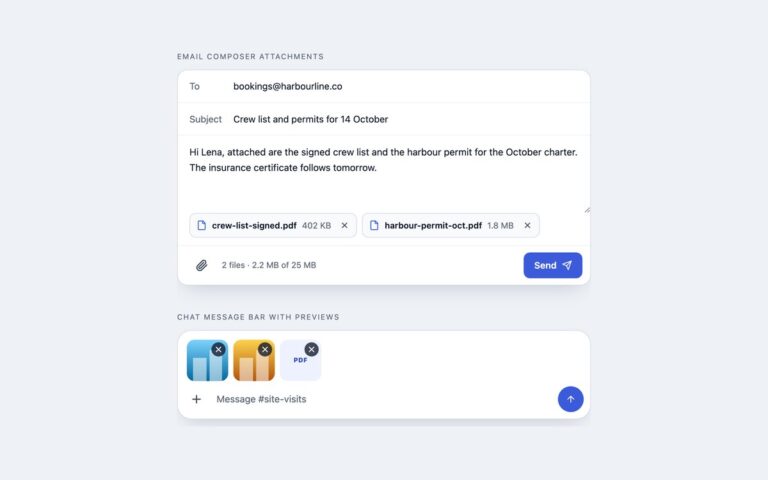
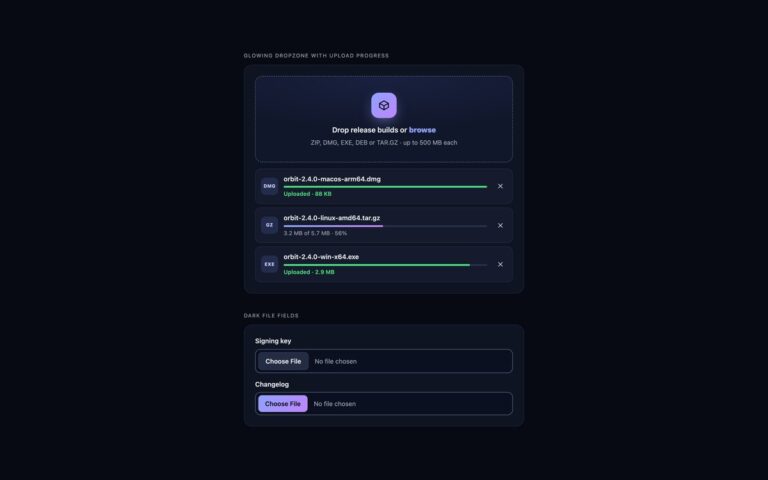
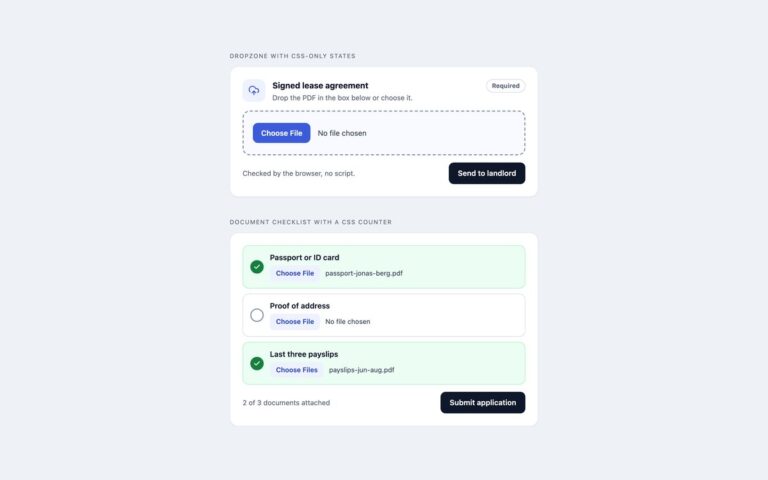
Image uploaders that show the picture straight away. Photo grid with thumbnails is built for listings and galleries: chosen photos appear as square thumbnails with a round remove button in the corner, the first one carries a Cover badge, a counter reads 4 of 8, and the last tile is a dashed Add photos target that accepts clicks and dropped files. Cover image with replace and remove is a wide banner zone for an event or profile header: empty, it asks for an image and suggests 1600 by 700 pixels; filled, it shows the preview edge to edge with a dark bar holding the file name and size, a Replace hint and a Remove button. Previews come from URL.createObjectURL, so nothing is uploaded to show them, and each object URL is revoked when its image is removed or replaced. The script checks the MIME type against the accept list and the size against data-max-size, reports rejected files by name, and keeps input.files equal to the images on screen with DataTransfer. Use the grid wherever people upload several photos, and the cover zone for a single hero image.

What’s included

  • Instant previews with URL.createObjectURL, revoked on remove
  • Photo grid with remove buttons, a Cover badge and a counter
  • Add tile and cover zone that accept dropped images
  • Cover image with Replace and Remove
  • Type, size and photo-count checks

Accessibility

Each thumbnail uses the file name as its alt text and its remove button is named Remove plus the file name. The add tile and the cover zone are real file inputs with visible or associated labels and a focus ring on the visible tile. Added, removed and rejected files are announced in a polite live region, and focus moves to the next remove button after a removal. Transitions switch off under prefers-reduced-motion.

Customise it

Change --ip-accent, --ip-tint, --ip-line and --ip-radius on .ip, the tile size in the grid's minmax(112px, 1fr), and the limits with accept, data-max-size and data-max-files. Bootstrap uses .btn-close and .badge; Tailwind reads the ip colours from @theme.