Open demo

CSS code

HTML
<div class="pd-grid">
  <article class="pd-card">
    <div class="pd-media pd-m1">
      <span class="pd-badge">New</span>
      <button class="pd-wish" type="button" aria-pressed="false" aria-label="Save Cloudstep Racer 2 to wishlist"></button>
      <span class="pd-pic" aria-hidden="true">πŸ‘Ÿ</span>
    </div>
    <div class="pd-body">
      <p class="pd-cat">Running</p>
      <h2 class="pd-title"><a class="pd-link" href="#">Cloudstep Racer 2</a></h2>
      <p class="pd-stars"><span aria-hidden="true">β˜…β˜…β˜…β˜…β˜…<span class="pd-count">4.9 (212)</span></span><span class="pd-sr">Rated 4.9 out of 5 from 212 reviews</span></p>
      <div class="pd-row">
        <p class="pd-price">$129</p>
        <button class="pd-add" type="button">Add to cart<span class="pd-sr">, Cloudstep Racer 2</span></button>
      </div>
    </div>
  </article>
  <article class="pd-card">
    <div class="pd-media pd-m2">
      <span class="pd-badge pd-sale">βˆ’30%<span class="pd-sr"> off</span></span>
      <button class="pd-wish" type="button" aria-pressed="false" aria-label="Save Canvas Daypack 20L to wishlist"></button>
      <span class="pd-pic" aria-hidden="true">πŸŽ’</span>
    </div>
    <div class="pd-body">
      <p class="pd-cat">Everyday carry</p>
      <h2 class="pd-title"><a class="pd-link" href="#">Canvas Daypack 20L</a></h2>
      <p class="pd-stars"><span aria-hidden="true">β˜…β˜…β˜…β˜…β˜†<span class="pd-count">4.6 (98)</span></span><span class="pd-sr">Rated 4.6 out of 5 from 98 reviews</span></p>
      <div class="pd-row">
        <p class="pd-price"><s><span class="pd-sr">Was </span>$89</s><span class="pd-sr">, now </span>$62</p>
        <button class="pd-add" type="button">Add to cart<span class="pd-sr">, Canvas Daypack 20L</span></button>
      </div>
    </div>
  </article>
</div>
CSS
/* Product cards. The product name is a stretched link (its ::after covers the card), and the
   wishlist and Add to cart buttons sit above that layer so they stay separately clickable. */
.pd-grid,.pd-grid *,.pd-grid *::before,.pd-grid *::after{box-sizing:border-box}
.pd-grid{display:flex;flex-wrap:wrap;justify-content:center;gap:26px}
.pd-card{position:relative;width:270px;background:#fff;border-radius:16px;overflow:hidden;box-shadow:0 1px 2px rgba(20,20,20,.05),0 14px 34px -14px rgba(20,20,20,.15)}
.pd-media{position:relative;height:210px;display:flex;align-items:center;justify-content:center;overflow:hidden}
.pd-m1{background:linear-gradient(160deg,#e8ebf0,#cfd6e0)}
.pd-m2{background:linear-gradient(160deg,#efe6dc,#e0cdb9)}
.pd-pic{font-size:5rem;transition:transform .25s ease}
.pd-card:hover .pd-pic{transform:scale(1.12) rotate(-8deg)}
.pd-badge{position:absolute;top:12px;left:12px;background:#111;color:#fff;font-size:.68rem;font-weight:800;letter-spacing:.06em;padding:5px 10px;border-radius:999px}
.pd-badge.pd-sale{background:#dc2626}
.pd-wish{position:absolute;z-index:2;top:10px;right:10px;width:34px;height:34px;border-radius:50%;border:0;background:#fff;cursor:pointer;font-size:1rem;line-height:1;color:#111;box-shadow:0 2px 8px rgba(0,0,0,.12);transition:transform .15s,color .15s}
.pd-wish::before{content:"β™‘"}
.pd-wish[aria-pressed="true"]{color:#dc2626}
.pd-wish[aria-pressed="true"]::before{content:"β™₯"}
.pd-wish:hover{transform:scale(1.12)}
.pd-body{padding:18px 18px 20px}
.pd-cat{font-size:.72rem;font-weight:700;letter-spacing:.07em;text-transform:uppercase;color:#6b7280;margin:0}
.pd-title{font-size:1rem;letter-spacing:-.01em;margin:4px 0 6px}
.pd-link{color:#111;text-decoration:none}
.pd-link::after{content:"";position:absolute;inset:0;z-index:1}
.pd-stars{font-size:.78rem;color:#f59e0b;letter-spacing:1px;margin:0}
.pd-count{color:#6b7280;margin-left:6px;letter-spacing:0}
.pd-row{display:flex;align-items:center;justify-content:space-between;margin-top:14px}
.pd-price{font-size:1.15rem;font-weight:800;color:#111;margin:0}
.pd-price s{font-size:.8rem;color:#6b7280;font-weight:500;margin-right:6px}
.pd-add{position:relative;z-index:2;border:0;background:#111;color:#fff;font:inherit;font-size:.82rem;font-weight:700;padding:10px 16px;border-radius:10px;cursor:pointer;transition:filter .15s}
.pd-add:hover{filter:brightness(1.3)}
.pd-wish:focus-visible,.pd-add:focus-visible{outline:3px solid #111;outline-offset:2px}
.pd-link:focus-visible{outline:2px solid transparent}
.pd-card:has(.pd-link:focus-visible){outline:3px solid #111;outline-offset:3px}
@supports not selector(:has(*)){.pd-link:focus-visible{outline-color:#111;outline-offset:2px}}
.pd-sr{position:absolute;width:1px;height:1px;margin:-1px;padding:0;overflow:hidden;clip:rect(0,0,0,0);white-space:nowrap;border:0}
@media (prefers-reduced-motion:reduce){.pd-pic,.pd-wish,.pd-add{transition:none}.pd-card:hover .pd-pic,.pd-wish:hover{transform:none}}
JavaScript
// Wishlist toggle: flips aria-pressed; the CSS swaps the outline heart for a filled red one.
document.querySelectorAll('.pd-wish').forEach(function (btn) {
  btn.addEventListener('click', function () {
    btn.setAttribute('aria-pressed', btn.getAttribute('aria-pressed') === 'true' ? 'false' : 'true');
  });
});

Bootstrap 5 code

Requires: Bootstrap 5.3.8 CSS

HTML
<div class="row row-cols-auto justify-content-center g-4">
  <div class="col">
    <article class="card h-100 pd-card">
      <div class="card-img-top pd-media pd-m1 position-relative d-flex align-items-center justify-content-center">
        <span class="badge rounded-pill position-absolute pd-badge">New</span>
        <button class="btn rounded-circle position-absolute z-2 pd-wish" type="button" aria-pressed="false" aria-label="Save Cloudstep Racer 2 to wishlist"></button>
        <span class="pd-pic" aria-hidden="true">πŸ‘Ÿ</span>
      </div>
      <div class="card-body">
        <p class="pd-cat">Running</p>
        <h2 class="card-title pd-title"><a class="stretched-link" href="#">Cloudstep Racer 2</a></h2>
        <p class="pd-stars"><span aria-hidden="true">β˜…β˜…β˜…β˜…β˜…<span class="pd-count">4.9 (212)</span></span><span class="visually-hidden">Rated 4.9 out of 5 from 212 reviews</span></p>
        <div class="pd-row d-flex align-items-center justify-content-between">
          <p class="pd-price">$129</p>
          <button class="btn btn-dark position-relative z-2 pd-add" type="button">Add to cart<span class="visually-hidden">, Cloudstep Racer 2</span></button>
        </div>
      </div>
    </article>
  </div>
  <div class="col">
    <article class="card h-100 pd-card">
      <div class="card-img-top pd-media pd-m2 position-relative d-flex align-items-center justify-content-center">
        <span class="badge rounded-pill position-absolute pd-badge pd-sale">βˆ’30%<span class="visually-hidden"> off</span></span>
        <button class="btn rounded-circle position-absolute z-2 pd-wish" type="button" aria-pressed="false" aria-label="Save Canvas Daypack 20L to wishlist"></button>
        <span class="pd-pic" aria-hidden="true">πŸŽ’</span>
      </div>
      <div class="card-body">
        <p class="pd-cat">Everyday carry</p>
        <h2 class="card-title pd-title"><a class="stretched-link" href="#">Canvas Daypack 20L</a></h2>
        <p class="pd-stars"><span aria-hidden="true">β˜…β˜…β˜…β˜…β˜†<span class="pd-count">4.6 (98)</span></span><span class="visually-hidden">Rated 4.6 out of 5 from 98 reviews</span></p>
        <div class="pd-row d-flex align-items-center justify-content-between">
          <p class="pd-price"><s><span class="visually-hidden">Was </span>$89</s><span class="visually-hidden">, now </span>$62</p>
          <button class="btn btn-dark position-relative z-2 pd-add" type="button">Add to cart<span class="visually-hidden">, Canvas Daypack 20L</span></button>
        </div>
      </div>
    </article>
  </div>
</div>
CSS
/* Bootstrap .card + .card-img-top + .badge + .stretched-link + .btn. The product name is the
   stretched link; the wishlist and Add to cart buttons are lifted above it with .z-2. */
.pd-card{--bs-card-border-width:0;--bs-card-border-radius:16px;--bs-card-inner-border-radius:16px;--bs-card-spacer-x:18px;--bs-card-spacer-y:18px;
  width:270px;overflow:hidden;box-shadow:0 1px 2px rgba(20,20,20,.05),0 14px 34px -14px rgba(20,20,20,.15)}
.pd-card .card-body{padding-bottom:20px}
.pd-media{height:210px;overflow:hidden}
.pd-m1{background:linear-gradient(160deg,#e8ebf0,#cfd6e0)}
.pd-m2{background:linear-gradient(160deg,#efe6dc,#e0cdb9)}
.pd-pic{font-size:5rem;transition:transform .25s ease}
.pd-card:hover .pd-pic{transform:scale(1.12) rotate(-8deg)}
.pd-badge{--bs-badge-font-size:.68rem;--bs-badge-font-weight:800;--bs-badge-padding-x:10px;--bs-badge-padding-y:5px;top:12px;left:12px;letter-spacing:.06em;background:#111}
.pd-badge.pd-sale{background:#dc2626}
.pd-wish{--bs-btn-padding-x:0;--bs-btn-padding-y:0;--bs-btn-font-size:1rem;--bs-btn-line-height:1;--bs-btn-color:#111;--bs-btn-bg:#fff;--bs-btn-border-width:0;
  --bs-btn-hover-color:#111;--bs-btn-hover-bg:#fff;--bs-btn-active-color:#dc2626;--bs-btn-active-bg:#fff;
  top:10px;right:10px;width:34px;height:34px;box-shadow:0 2px 8px rgba(0,0,0,.12);transition:transform .15s,color .15s}
.pd-wish::before{content:"β™‘"}
.pd-wish[aria-pressed="true"]{color:#dc2626}
.pd-wish[aria-pressed="true"]::before{content:"β™₯"}
.pd-wish:hover{transform:scale(1.12)}
.pd-cat{font-size:.72rem;font-weight:700;letter-spacing:.07em;text-transform:uppercase;color:#6b7280;margin:0}
.pd-title{font-size:1rem;font-weight:700;line-height:normal;letter-spacing:-.01em;margin:4px 0 6px}
.pd-title a{color:#111;text-decoration:none}
.pd-stars{font-size:.78rem;color:#f59e0b;letter-spacing:1px;margin:0}
.pd-count{color:#6b7280;margin-left:6px;letter-spacing:0}
.pd-row{margin-top:14px}
.pd-price{font-size:1.15rem;font-weight:800;color:#111;margin:0}
.pd-price s{font-size:.8rem;color:#6b7280;font-weight:500;margin-right:6px}
.pd-add{--bs-btn-bg:#111;--bs-btn-border-color:#111;--bs-btn-hover-bg:#111;--bs-btn-hover-border-color:#111;--bs-btn-active-bg:#111;
  --bs-btn-padding-x:16px;--bs-btn-padding-y:10px;--bs-btn-font-size:.82rem;--bs-btn-font-weight:700;--bs-btn-border-radius:10px;transition:filter .15s}
.pd-add:hover{filter:brightness(1.3)}
.pd-card .btn{--bs-btn-focus-box-shadow:none}
.pd-card .btn:focus-visible{outline:3px solid #111;outline-offset:2px}
.pd-title a:focus-visible{outline:2px solid transparent}
.pd-card:has(.stretched-link:focus-visible){outline:3px solid #111;outline-offset:3px}
@supports not selector(:has(*)){.pd-title a:focus-visible{outline-color:#111;outline-offset:2px}}
@media (prefers-reduced-motion:reduce){.pd-pic,.pd-card .btn{transition:none}.pd-card:hover .pd-pic,.pd-wish:hover{transform:none}}
JavaScript
// Wishlist toggle: flips aria-pressed; the CSS swaps the outline heart for a filled red one.
document.querySelectorAll('.pd-wish').forEach(function (btn) {
  btn.addEventListener('click', function () {
    btn.setAttribute('aria-pressed', btn.getAttribute('aria-pressed') === 'true' ? 'false' : 'true');
  });
});

Tailwind 4 code

Requires: Tailwind CSS 4

HTML
<div class="flex flex-wrap justify-center gap-[26px]">
  <article class="group relative w-[270px] overflow-hidden rounded-2xl bg-white shadow-[0_1px_2px_rgba(20,20,20,.05),0_14px_34px_-14px_rgba(20,20,20,.15)] has-[a:focus-visible]:outline-3 has-[a:focus-visible]:outline-offset-3 has-[a:focus-visible]:outline-[#111]">
    <div class="relative flex h-[210px] items-center justify-center overflow-hidden bg-linear-[160deg] from-[#e8ebf0] to-[#cfd6e0]">
      <span class="absolute top-3 left-3 rounded-full bg-[#111] px-2.5 py-[5px] text-[.68rem] font-extrabold tracking-[.06em] text-white">New</span>
      <button type="button" aria-pressed="false" aria-label="Save Cloudstep Racer 2 to wishlist" class="pd-wish absolute top-2.5 right-2.5 z-[2] size-[34px] cursor-pointer rounded-full bg-white text-base leading-none text-[#111] shadow-[0_2px_8px_rgba(0,0,0,.12)] transition-[scale,color] duration-150 before:content-['β™‘'] hover:scale-[1.12] focus-visible:outline-3 focus-visible:outline-offset-2 focus-visible:outline-[#111] aria-pressed:text-[#dc2626] aria-pressed:before:content-['β™₯'] motion-reduce:transition-none motion-reduce:hover:scale-100"></button>
      <span aria-hidden="true" class="text-[5rem] transition-transform duration-[250ms] ease-in-out group-hover:scale-[1.12] group-hover:-rotate-8 motion-reduce:transition-none motion-reduce:group-hover:scale-100 motion-reduce:group-hover:rotate-0">πŸ‘Ÿ</span>
    </div>
    <div class="px-[18px] pt-[18px] pb-5">
      <p class="text-[.72rem] font-bold tracking-[.07em] text-[#6b7280] uppercase">Running</p>
      <h2 class="mt-1 mb-1.5 text-base font-bold tracking-[-.01em]"><a href="#" class="text-[#111] after:absolute after:inset-0 after:z-[1] focus-visible:outline-2 focus-visible:outline-transparent">Cloudstep Racer 2</a></h2>
      <p class="text-[.78rem] tracking-[1px] text-[#f59e0b]"><span aria-hidden="true">β˜…β˜…β˜…β˜…β˜…<span class="ml-1.5 tracking-normal text-[#6b7280]">4.9 (212)</span></span><span class="sr-only">Rated 4.9 out of 5 from 212 reviews</span></p>
      <div class="mt-3.5 flex items-center justify-between">
        <p class="text-[1.15rem] font-extrabold text-[#111]">$129</p>
        <button type="button" class="relative z-[2] cursor-pointer rounded-[10px] bg-[#111] px-4 py-2.5 text-[.82rem] font-bold text-white transition-[filter] duration-150 hover:brightness-[1.3] focus-visible:outline-3 focus-visible:outline-offset-2 focus-visible:outline-[#111] motion-reduce:transition-none">Add to cart<span class="sr-only">, Cloudstep Racer 2</span></button>
      </div>
    </div>
  </article>
  <article class="group relative w-[270px] overflow-hidden rounded-2xl bg-white shadow-[0_1px_2px_rgba(20,20,20,.05),0_14px_34px_-14px_rgba(20,20,20,.15)] has-[a:focus-visible]:outline-3 has-[a:focus-visible]:outline-offset-3 has-[a:focus-visible]:outline-[#111]">
    <div class="relative flex h-[210px] items-center justify-center overflow-hidden bg-linear-[160deg] from-[#efe6dc] to-[#e0cdb9]">
      <span class="absolute top-3 left-3 rounded-full bg-[#dc2626] px-2.5 py-[5px] text-[.68rem] font-extrabold tracking-[.06em] text-white">βˆ’30%<span class="sr-only"> off</span></span>
      <button type="button" aria-pressed="false" aria-label="Save Canvas Daypack 20L to wishlist" class="pd-wish absolute top-2.5 right-2.5 z-[2] size-[34px] cursor-pointer rounded-full bg-white text-base leading-none text-[#111] shadow-[0_2px_8px_rgba(0,0,0,.12)] transition-[scale,color] duration-150 before:content-['β™‘'] hover:scale-[1.12] focus-visible:outline-3 focus-visible:outline-offset-2 focus-visible:outline-[#111] aria-pressed:text-[#dc2626] aria-pressed:before:content-['β™₯'] motion-reduce:transition-none motion-reduce:hover:scale-100"></button>
      <span aria-hidden="true" class="text-[5rem] transition-transform duration-[250ms] ease-in-out group-hover:scale-[1.12] group-hover:-rotate-8 motion-reduce:transition-none motion-reduce:group-hover:scale-100 motion-reduce:group-hover:rotate-0">πŸŽ’</span>
    </div>
    <div class="px-[18px] pt-[18px] pb-5">
      <p class="text-[.72rem] font-bold tracking-[.07em] text-[#6b7280] uppercase">Everyday carry</p>
      <h2 class="mt-1 mb-1.5 text-base font-bold tracking-[-.01em]"><a href="#" class="text-[#111] after:absolute after:inset-0 after:z-[1] focus-visible:outline-2 focus-visible:outline-transparent">Canvas Daypack 20L</a></h2>
      <p class="text-[.78rem] tracking-[1px] text-[#f59e0b]"><span aria-hidden="true">β˜…β˜…β˜…β˜…β˜†<span class="ml-1.5 tracking-normal text-[#6b7280]">4.6 (98)</span></span><span class="sr-only">Rated 4.6 out of 5 from 98 reviews</span></p>
      <div class="mt-3.5 flex items-center justify-between">
        <p class="text-[1.15rem] font-extrabold text-[#111]"><s class="mr-1.5 text-[.8rem] font-medium text-[#6b7280]"><span class="sr-only">Was </span>$89</s><span class="sr-only">, now </span>$62</p>
        <button type="button" class="relative z-[2] cursor-pointer rounded-[10px] bg-[#111] px-4 py-2.5 text-[.82rem] font-bold text-white transition-[filter] duration-150 hover:brightness-[1.3] focus-visible:outline-3 focus-visible:outline-offset-2 focus-visible:outline-[#111] motion-reduce:transition-none">Add to cart<span class="sr-only">, Canvas Daypack 20L</span></button>
      </div>
    </div>
  </article>
</div>
JavaScript
// Wishlist toggle: flips aria-pressed; the aria-pressed: utilities swap the heart and its colour.
document.querySelectorAll('.pd-wish').forEach(function (btn) {
  btn.addEventListener('click', function () {
    btn.setAttribute('aria-pressed', btn.getAttribute('aria-pressed') === 'true' ? 'false' : 'true');
  });
});

About this set

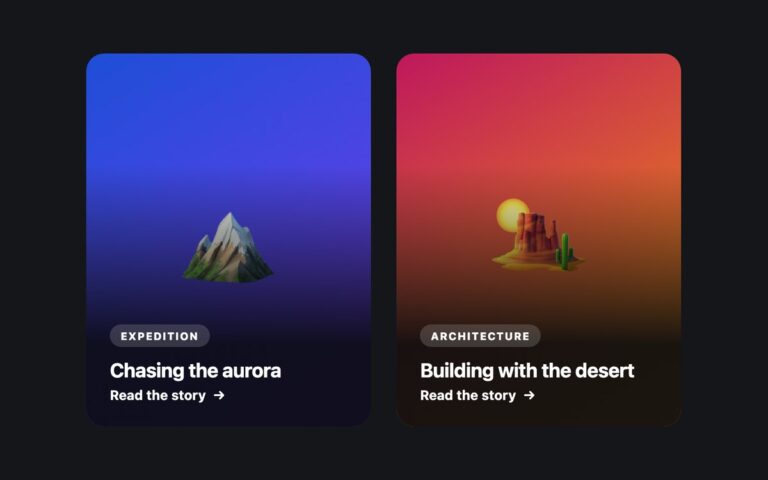
Shop product cards with a soft gradient image area, a New or sale badge, a round wishlist heart, the category, product name, star rating with review count, the price and an Add to cart button. The second card shows a sale: a red percentage badge and the old price struck through beside the new one. The product name is a stretched link that covers the card, so clicking the picture or any empty space opens the product page, while the wishlist and Add to cart buttons are lifted above that layer and stay separate targets. The wishlist button is a toggle: a few lines of JavaScript flip aria-pressed, and CSS swaps the outline heart for a filled red one. Hidden text gives screen readers the rating as a sentence, says Was and now around the two prices, and adds the product name to each Add to cart button. Hovering tilts and scales the product picture. Replace the emoji with an img and alt text for real products. Bootstrap builds it from .card-img-top, .badge, .stretched-link and .btn with .z-2; Tailwind uses the aria-pressed: variant for the heart.

What’s included

  • Product name as a stretched link with the buttons layered above it
  • Wishlist heart toggle that uses aria-pressed
  • New and sale badges, struck-through old price read out as Was and now
  • Star rating with a screen-reader sentence in place of the glyphs
  • Picture tilt on hover, off under prefers-reduced-motion

Accessibility

The product name is the card's one link, and the wishlist and cart buttons carry the product name in their accessible names. The wishlist button reports its state with aria-pressed; the stars and count are hidden in favour of text such as Rated 4.9 out of 5 from 212 reviews. Buttons show a 3px dark outline on focus, the card shows a ring while its link is focused, and motion is removed under prefers-reduced-motion.

Customise it

Change the image-area gradients in .pd-m1 and .pd-m2, the badge colours in .pd-badge and .pd-sale, and the button colour in .pd-add. In Bootstrap the Add to cart colours are --bs-btn-bg on .pd-add; in Tailwind edit the bg- utilities and the aria-pressed:text- colour on the heart.