Open demo

CSS code

HTML
<div class="ctx-zone" id="ctx-zone" tabindex="0" role="region" aria-label="Files" aria-describedby="ctx-hint">
  <p id="ctx-hint">Right-click or long-press this area, or focus it and press Shift+F10</p>
</div>
<div class="ctx" id="ctx-menu" role="menu" aria-label="File actions" hidden>
  <button type="button" role="menuitem" tabindex="-1"><span aria-hidden="true">📋</span> Copy <kbd aria-hidden="true">⌘C</kbd></button>
  <button type="button" role="menuitem" tabindex="-1"><span aria-hidden="true">✂️</span> Cut <kbd aria-hidden="true">⌘X</kbd></button>
  <button type="button" role="menuitem" tabindex="-1"><span aria-hidden="true">📄</span> Paste <kbd aria-hidden="true">⌘V</kbd></button>
  <div class="ctx-sep" role="separator"></div>
  <button type="button" role="menuitem" tabindex="-1"><span aria-hidden="true">✏️</span> Rename <kbd aria-hidden="true">↩</kbd></button>
  <button type="button" role="menuitem" tabindex="-1"><span aria-hidden="true">📁</span> Move to…</button>
  <div class="ctx-sep" role="separator"></div>
  <button type="button" role="menuitem" tabindex="-1" class="ctx-danger"><span aria-hidden="true">🗑️</span> Delete <kbd aria-hidden="true">⌫</kbd></button>
</div>
CSS
/* Context menu: a focusable area that opens an ARIA menu of actions on right-click, long-press, Shift+F10 or the Menu key. */
.ctx-zone{width:100%;max-width:560px;height:340px;border:2px dashed #333b48;border-radius:18px;display:flex;align-items:center;justify-content:center;padding:20px;text-align:center;color:#99a2b3;font-size:.9rem;user-select:none;-webkit-user-select:none;-webkit-touch-callout:none}
.ctx-zone p{margin:0;max-width:34ch}
.ctx-zone:focus-visible{outline:2px solid #8ab4ff;outline-offset:3px}
.ctx{position:fixed;width:230px;background:#232935;border:1px solid #333b48;border-radius:13px;box-shadow:0 26px 50px -18px rgba(0,0,0,.6);padding:6px;z-index:10;animation:ctx-pop .13s ease}
.ctx[hidden]{display:none}
@keyframes ctx-pop{from{opacity:0;transform:scale(.96)}}
.ctx button{display:flex;align-items:center;gap:11px;width:100%;border:0;background:none;padding:9px 12px;border-radius:8px;font:inherit;font-size:.86rem;font-weight:600;line-height:normal;color:#c3cad8;cursor:pointer;text-align:left;transition:background-color .1s}
.ctx button:hover,.ctx button:focus{background:#2d3546;color:#fff;outline:none}
.ctx button:focus-visible{outline:2px solid #8ab4ff;outline-offset:-2px}
.ctx kbd{margin-left:auto;font-family:inherit;font-size:.66rem;color:#a0a9b9}
.ctx-sep{height:1px;background:#333b48;margin:6px 4px}
.ctx button.ctx-danger{color:#fb8b9d}
@media (prefers-reduced-motion:reduce){.ctx{animation:none}.ctx button{transition:none}}
JavaScript
/* Context menu (WAI-ARIA menu pattern). Opens at the pointer on right-click, after a 500 ms touch long-press,
   or at the top-left of the area on Shift+F10 / the Menu key, and focuses the first item.
   Arrow keys, Home and End move; Esc or Tab closes and returns focus to the area; choosing an item or clicking outside closes it. */
(() => {
  const zone = document.getElementById('ctx-zone'), menu = document.getElementById('ctx-menu');
  if (!zone || !menu) return;
  const items = [...menu.querySelectorAll('[role="menuitem"]')];
  let press;
  const open = (x, y) => {
    menu.hidden = false;
    menu.style.left = Math.max(8, Math.min(x, innerWidth - menu.offsetWidth - 8)) + 'px';
    menu.style.top = Math.max(8, Math.min(y, innerHeight - menu.offsetHeight - 8)) + 'px';
    items[0].focus();
  };
  const close = refocus => { if (menu.hidden) return; menu.hidden = true; if (refocus) zone.focus(); };

  zone.addEventListener('contextmenu', e => { e.preventDefault(); open(e.clientX, e.clientY); });
  zone.addEventListener('keydown', e => {
    if (e.key !== 'ContextMenu' && !(e.shiftKey && e.key === 'F10')) return;
    e.preventDefault();
    const r = zone.getBoundingClientRect();
    open(r.left + 24, r.top + 24);
  });
  zone.addEventListener('pointerdown', e => { if (e.pointerType === 'touch') press = setTimeout(() => open(e.clientX, e.clientY), 500); });
  ['pointerup', 'pointerleave', 'pointercancel'].forEach(t => zone.addEventListener(t, () => clearTimeout(press)));

  menu.addEventListener('keydown', e => {
    const i = items.indexOf(document.activeElement);
    const next = { ArrowDown: items[(i + 1) % items.length], ArrowUp: items.at(i <= 0 ? -1 : i - 1), Home: items[0], End: items.at(-1) }[e.key];
    if (next) { e.preventDefault(); next.focus(); }
    else if (e.key === 'Escape' || e.key === 'Tab') { e.preventDefault(); close(true); }
  });
  menu.addEventListener('click', e => { if (e.target.closest('[role="menuitem"]')) close(true); });
  menu.addEventListener('focusout', e => { if (e.relatedTarget && !menu.contains(e.relatedTarget)) close(false); });
  document.addEventListener('pointerdown', e => { if (!menu.contains(e.target)) close(false); });
  addEventListener('resize', () => close(false));
})();

Bootstrap 5 code

Requires: Bootstrap 5.3.8 CSS

HTML
<div class="ctx-zone d-flex align-items-center justify-content-center text-center" id="ctx-zone" tabindex="0" role="region" aria-label="Files" aria-describedby="ctx-hint">
  <p class="m-0" id="ctx-hint">Right-click or long-press this area, or focus it and press Shift+F10</p>
</div>
<div class="ctx dropdown-menu dropdown-menu-dark" id="ctx-menu" role="menu" aria-label="File actions" hidden>
  <button class="dropdown-item" type="button" role="menuitem" tabindex="-1"><span aria-hidden="true">📋</span> Copy <kbd aria-hidden="true">⌘C</kbd></button>
  <button class="dropdown-item" type="button" role="menuitem" tabindex="-1"><span aria-hidden="true">✂️</span> Cut <kbd aria-hidden="true">⌘X</kbd></button>
  <button class="dropdown-item" type="button" role="menuitem" tabindex="-1"><span aria-hidden="true">📄</span> Paste <kbd aria-hidden="true">⌘V</kbd></button>
  <hr class="dropdown-divider">
  <button class="dropdown-item" type="button" role="menuitem" tabindex="-1"><span aria-hidden="true">✏️</span> Rename <kbd aria-hidden="true">↩</kbd></button>
  <button class="dropdown-item" type="button" role="menuitem" tabindex="-1"><span aria-hidden="true">📁</span> Move to…</button>
  <hr class="dropdown-divider">
  <button class="dropdown-item text-danger" type="button" role="menuitem" tabindex="-1"><span aria-hidden="true">🗑️</span> Delete <kbd aria-hidden="true">⌫</kbd></button>
</div>
CSS
/* Bootstrap .dropdown-menu-dark used as a context menu. Bootstrap's Dropdown plugin needs a toggle button,
   so a short script opens the menu at the pointer and handles the keyboard. */
.ctx-zone{width:100%;max-width:560px;height:340px;border:2px dashed #333b48;border-radius:18px;padding:20px;color:#99a2b3;font-size:.9rem;user-select:none;-webkit-user-select:none;-webkit-touch-callout:none}
.ctx-zone p{max-width:34ch}
.ctx-zone:focus-visible{outline:2px solid #8ab4ff;outline-offset:3px}
.ctx.dropdown-menu{--bs-dropdown-min-width:230px;--bs-dropdown-padding-x:6px;--bs-dropdown-padding-y:6px;--bs-dropdown-bg:#232935;--bs-dropdown-border-color:#333b48;--bs-dropdown-border-radius:13px;
  --bs-dropdown-font-size:.86rem;--bs-dropdown-link-color:#c3cad8;--bs-dropdown-link-hover-color:#fff;--bs-dropdown-link-hover-bg:#2d3546;--bs-dropdown-link-active-color:#fff;--bs-dropdown-link-active-bg:#2d3546;
  --bs-dropdown-item-padding-x:12px;--bs-dropdown-item-padding-y:9px;--bs-dropdown-item-border-radius:8px;--bs-dropdown-divider-bg:#333b48;--bs-dropdown-divider-margin-y:6px;
  position:fixed;width:230px;box-shadow:0 26px 50px -18px rgba(0,0,0,.6);z-index:10;animation:ctx-pop .13s ease}
.ctx.dropdown-menu:not([hidden]){display:block}
@keyframes ctx-pop{from{opacity:0;transform:scale(.96)}}
.ctx .dropdown-item{display:flex;align-items:center;gap:11px;font-weight:600;line-height:normal;transition:background-color .1s}
.ctx .dropdown-item:focus{background:var(--bs-dropdown-link-hover-bg);color:#fff;outline:none}
.ctx .dropdown-item:focus-visible{outline:2px solid #8ab4ff;outline-offset:-2px}
.ctx .dropdown-divider{margin-left:4px;margin-right:4px;opacity:1}
.ctx kbd{margin-left:auto;padding:0;background:none;font-family:inherit;font-size:.66rem;color:#a0a9b9}
.ctx .dropdown-item.text-danger{color:#fb8b9d!important}
@media (prefers-reduced-motion:reduce){.ctx.dropdown-menu{animation:none}.ctx .dropdown-item{transition:none}}
JavaScript
/* Context menu (WAI-ARIA menu pattern). Opens at the pointer on right-click, after a 500 ms touch long-press,
   or at the top-left of the area on Shift+F10 / the Menu key, and focuses the first item.
   Arrow keys, Home and End move; Esc or Tab closes and returns focus to the area; choosing an item or clicking outside closes it. */
(() => {
  const zone = document.getElementById('ctx-zone'), menu = document.getElementById('ctx-menu');
  if (!zone || !menu) return;
  const items = [...menu.querySelectorAll('[role="menuitem"]')];
  let press;
  const open = (x, y) => {
    menu.hidden = false;
    menu.style.left = Math.max(8, Math.min(x, innerWidth - menu.offsetWidth - 8)) + 'px';
    menu.style.top = Math.max(8, Math.min(y, innerHeight - menu.offsetHeight - 8)) + 'px';
    items[0].focus();
  };
  const close = refocus => { if (menu.hidden) return; menu.hidden = true; if (refocus) zone.focus(); };

  zone.addEventListener('contextmenu', e => { e.preventDefault(); open(e.clientX, e.clientY); });
  zone.addEventListener('keydown', e => {
    if (e.key !== 'ContextMenu' && !(e.shiftKey && e.key === 'F10')) return;
    e.preventDefault();
    const r = zone.getBoundingClientRect();
    open(r.left + 24, r.top + 24);
  });
  zone.addEventListener('pointerdown', e => { if (e.pointerType === 'touch') press = setTimeout(() => open(e.clientX, e.clientY), 500); });
  ['pointerup', 'pointerleave', 'pointercancel'].forEach(t => zone.addEventListener(t, () => clearTimeout(press)));

  menu.addEventListener('keydown', e => {
    const i = items.indexOf(document.activeElement);
    const next = { ArrowDown: items[(i + 1) % items.length], ArrowUp: items.at(i <= 0 ? -1 : i - 1), Home: items[0], End: items.at(-1) }[e.key];
    if (next) { e.preventDefault(); next.focus(); }
    else if (e.key === 'Escape' || e.key === 'Tab') { e.preventDefault(); close(true); }
  });
  menu.addEventListener('click', e => { if (e.target.closest('[role="menuitem"]')) close(true); });
  menu.addEventListener('focusout', e => { if (e.relatedTarget && !menu.contains(e.relatedTarget)) close(false); });
  document.addEventListener('pointerdown', e => { if (!menu.contains(e.target)) close(false); });
  addEventListener('resize', () => close(false));
})();

Tailwind 4 code

Requires: Tailwind CSS 4

HTML
<div class="flex h-[340px] w-full max-w-[560px] items-center justify-center rounded-[18px] border-2 border-dashed border-ctx-line p-5 text-center text-[.9rem] text-[#99a2b3] select-none [-webkit-touch-callout:none] focus-visible:outline-2 focus-visible:outline-offset-[3px] focus-visible:outline-ctx-focus" id="ctx-zone" tabindex="0" role="region" aria-label="Files" aria-describedby="ctx-hint">
  <p class="max-w-[34ch]" id="ctx-hint">Right-click or long-press this area, or focus it and press Shift+F10</p>
</div>
<div class="fixed z-10 w-[230px] animate-ctx-pop rounded-[13px] border border-ctx-line bg-ctx-bg p-1.5 shadow-[0_26px_50px_-18px_rgba(0,0,0,.6)] motion-reduce:animate-none" id="ctx-menu" role="menu" aria-label="File actions" hidden>
  <button class="flex w-full cursor-pointer items-center gap-[11px] rounded-lg px-3 py-[9px] text-left text-[.86rem] font-semibold text-[#c3cad8] transition-colors duration-100 hover:bg-ctx-hover hover:text-white focus:bg-ctx-hover focus:text-white focus:outline-none focus-visible:outline-2 focus-visible:-outline-offset-2 focus-visible:outline-ctx-focus motion-reduce:transition-none" type="button" role="menuitem" tabindex="-1"><span aria-hidden="true">📋</span> Copy <kbd class="ml-auto font-[inherit] text-[.66rem] text-[#a0a9b9]" aria-hidden="true">⌘C</kbd></button>
  <button class="flex w-full cursor-pointer items-center gap-[11px] rounded-lg px-3 py-[9px] text-left text-[.86rem] font-semibold text-[#c3cad8] transition-colors duration-100 hover:bg-ctx-hover hover:text-white focus:bg-ctx-hover focus:text-white focus:outline-none focus-visible:outline-2 focus-visible:-outline-offset-2 focus-visible:outline-ctx-focus motion-reduce:transition-none" type="button" role="menuitem" tabindex="-1"><span aria-hidden="true">✂️</span> Cut <kbd class="ml-auto font-[inherit] text-[.66rem] text-[#a0a9b9]" aria-hidden="true">⌘X</kbd></button>
  <button class="flex w-full cursor-pointer items-center gap-[11px] rounded-lg px-3 py-[9px] text-left text-[.86rem] font-semibold text-[#c3cad8] transition-colors duration-100 hover:bg-ctx-hover hover:text-white focus:bg-ctx-hover focus:text-white focus:outline-none focus-visible:outline-2 focus-visible:-outline-offset-2 focus-visible:outline-ctx-focus motion-reduce:transition-none" type="button" role="menuitem" tabindex="-1"><span aria-hidden="true">📄</span> Paste <kbd class="ml-auto font-[inherit] text-[.66rem] text-[#a0a9b9]" aria-hidden="true">⌘V</kbd></button>
  <div class="mx-1 my-1.5 h-px bg-ctx-line" role="separator"></div>
  <button class="flex w-full cursor-pointer items-center gap-[11px] rounded-lg px-3 py-[9px] text-left text-[.86rem] font-semibold text-[#c3cad8] transition-colors duration-100 hover:bg-ctx-hover hover:text-white focus:bg-ctx-hover focus:text-white focus:outline-none focus-visible:outline-2 focus-visible:-outline-offset-2 focus-visible:outline-ctx-focus motion-reduce:transition-none" type="button" role="menuitem" tabindex="-1"><span aria-hidden="true">✏️</span> Rename <kbd class="ml-auto font-[inherit] text-[.66rem] text-[#a0a9b9]" aria-hidden="true">↩</kbd></button>
  <button class="flex w-full cursor-pointer items-center gap-[11px] rounded-lg px-3 py-[9px] text-left text-[.86rem] font-semibold text-[#c3cad8] transition-colors duration-100 hover:bg-ctx-hover hover:text-white focus:bg-ctx-hover focus:text-white focus:outline-none focus-visible:outline-2 focus-visible:-outline-offset-2 focus-visible:outline-ctx-focus motion-reduce:transition-none" type="button" role="menuitem" tabindex="-1"><span aria-hidden="true">📁</span> Move to…</button>
  <div class="mx-1 my-1.5 h-px bg-ctx-line" role="separator"></div>
  <button class="flex w-full cursor-pointer items-center gap-[11px] rounded-lg px-3 py-[9px] text-left text-[.86rem] font-semibold text-[#fb8b9d] transition-colors duration-100 hover:bg-ctx-hover focus:bg-ctx-hover focus:outline-none focus-visible:outline-2 focus-visible:-outline-offset-2 focus-visible:outline-ctx-focus motion-reduce:transition-none" type="button" role="menuitem" tabindex="-1"><span aria-hidden="true">🗑️</span> Delete <kbd class="ml-auto font-[inherit] text-[.66rem] text-[#a0a9b9]" aria-hidden="true">⌫</kbd></button>
</div>
CSS
@theme {
  --color-ctx-bg: #232935;
  --color-ctx-line: #333b48;
  --color-ctx-hover: #2d3546;
  --color-ctx-focus: #8ab4ff;
  --animate-ctx-pop: ctx-pop .13s ease;
  @keyframes ctx-pop { from { opacity: 0; transform: scale(.96); } }
}
JavaScript
/* Context menu (WAI-ARIA menu pattern). Opens at the pointer on right-click, after a 500 ms touch long-press,
   or at the top-left of the area on Shift+F10 / the Menu key, and focuses the first item.
   Arrow keys, Home and End move; Esc or Tab closes and returns focus to the area; choosing an item or clicking outside closes it. */
(() => {
  const zone = document.getElementById('ctx-zone'), menu = document.getElementById('ctx-menu');
  if (!zone || !menu) return;
  const items = [...menu.querySelectorAll('[role="menuitem"]')];
  let press;
  const open = (x, y) => {
    menu.hidden = false;
    menu.style.left = Math.max(8, Math.min(x, innerWidth - menu.offsetWidth - 8)) + 'px';
    menu.style.top = Math.max(8, Math.min(y, innerHeight - menu.offsetHeight - 8)) + 'px';
    items[0].focus();
  };
  const close = refocus => { if (menu.hidden) return; menu.hidden = true; if (refocus) zone.focus(); };

  zone.addEventListener('contextmenu', e => { e.preventDefault(); open(e.clientX, e.clientY); });
  zone.addEventListener('keydown', e => {
    if (e.key !== 'ContextMenu' && !(e.shiftKey && e.key === 'F10')) return;
    e.preventDefault();
    const r = zone.getBoundingClientRect();
    open(r.left + 24, r.top + 24);
  });
  zone.addEventListener('pointerdown', e => { if (e.pointerType === 'touch') press = setTimeout(() => open(e.clientX, e.clientY), 500); });
  ['pointerup', 'pointerleave', 'pointercancel'].forEach(t => zone.addEventListener(t, () => clearTimeout(press)));

  menu.addEventListener('keydown', e => {
    const i = items.indexOf(document.activeElement);
    const next = { ArrowDown: items[(i + 1) % items.length], ArrowUp: items.at(i <= 0 ? -1 : i - 1), Home: items[0], End: items.at(-1) }[e.key];
    if (next) { e.preventDefault(); next.focus(); }
    else if (e.key === 'Escape' || e.key === 'Tab') { e.preventDefault(); close(true); }
  });
  menu.addEventListener('click', e => { if (e.target.closest('[role="menuitem"]')) close(true); });
  menu.addEventListener('focusout', e => { if (e.relatedTarget && !menu.contains(e.relatedTarget)) close(false); });
  document.addEventListener('pointerdown', e => { if (!menu.contains(e.target)) close(false); });
  addEventListener('resize', () => close(false));
})();

About this set

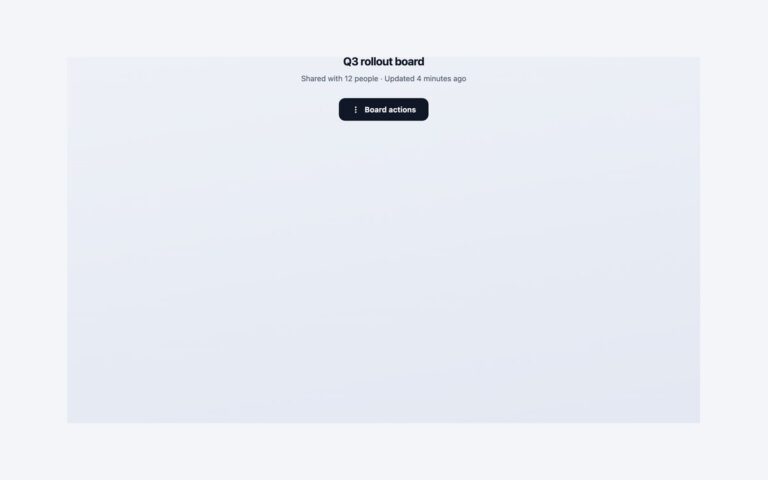
A dark context menu for file lists, canvases and editors. Right-clicking inside the dashed area opens a 230 pixel menu at the pointer with Copy, Cut, Paste, Rename, Move to and a red Delete, grouped by separators and showing shortcut hints on the right. Because a right-click alone would shut out keyboard and touch users, the area is focusable and the menu also opens with Shift+F10 or the Menu key, and after a half-second long-press on touch screens. The menu follows the WAI-ARIA menu pattern: it has role=”menu” with menuitem buttons, focus moves to the first item on open, the arrow keys move between items, Home and End jump to either end, and Esc or Tab closes it and returns focus to the area. The position is clamped so the menu never spills off the edge of the viewport. The Bootstrap version uses .dropdown-menu-dark and .dropdown-item for the look with the same short script, because Bootstrap’s Dropdown plugin needs a toggle button. The Tailwind version uses utility classes and a small @keyframes pop.

What’s included

  • Opens at the pointer, clamped inside the viewport
  • Keyboard access with Shift+F10 or the Menu key
  • Touch long-press after 500 ms
  • Arrow keys, Home, End and Esc inside the menu
  • Grouped actions with a red destructive item

Accessibility

The area is a focusable region named Files whose visible hint tells users how to open the menu. The menu is a labelled role="menu" whose items are buttons with role="menuitem"; the shortcut hints and emoji are hidden from screen readers. Focus is moved into the menu on open and back to the area on close, items show a blue outline on keyboard focus, and the pop-in animation is removed under prefers-reduced-motion.

Customise it

Change the menu background, border and hover colours in .ctx (plain CSS), the --bs-dropdown-* variables on .ctx.dropdown-menu (Bootstrap) or the --color-ctx-* theme colours (Tailwind). The long-press delay is the 500 in the script. The shortcut hints shown next to items are labels only; connect them to your own key handlers.