Open demo

CSS code

HTML
<footer class="fk">
  <div class="fk-in">
    <div class="fk-brand"><b>Northwind</b><p>Boards, reviews and release notes for teams that ship every week.</p></div>
    <nav class="fk-links" aria-label="Footer">
      <div><h2>Product</h2><ul><li><a href="#">Overview</a></li><li><a href="#">Pricing</a></li><li><a href="#">Changelog</a></li></ul></div>
      <div><h2>Company</h2><ul><li><a href="#">About</a></li><li><a href="#">Careers</a></li><li><a href="#">Contact</a></li></ul></div>
      <div><h2>Resources</h2><ul><li><a href="#">Docs</a></li><li><a href="#">Status</a></li><li><a href="#">Support</a></li></ul></div>
    </nav>
  </div>
  <div class="fk-base">
    <p>© Northwind Ltd.</p>
    <nav aria-label="Legal"><ul><li><a href="#">Privacy</a></li><li><a href="#">Terms</a></li></ul></nav>
  </div>
</footer>
<div class="fk-bar" role="region" aria-label="Cookie notice">
  <p><b>We use cookies.</b> Only what keeps the site working, plus analytics if you allow it.</p>
  <div class="fk-acts"><button class="fk-no" type="button" data-consent="essential">Essential only</button><button class="fk-go" type="button" data-consent="all">Allow all</button></div>
</div>
CSS
/* A light footer plus a cookie bar pinned to the bottom of the viewport. The bar is the last element on the
   page and uses position: sticky, so it stays in view while scrolling but keeps its own space at the end:
   it never covers the footer, however tall it grows on a narrow screen. */
.fk,.fk-bar{box-sizing:border-box}
.fk *,.fk-bar *{box-sizing:border-box}
:where(.fk) a{color:inherit;text-decoration:none}
:where(.fk) ul{list-style:none;margin:0;padding:0}
:where(.fk,.fk-bar) :is(p,h2){margin:0}
.fk a:focus-visible{outline:2px solid #0284c7;outline-offset:2px}

.fk{background:#f1f5f9;border-top:1px solid #e2e8f0;padding:36px 34px 22px;color:#5b6b80}
.fk-in{max-width:1020px;margin:0 auto;display:grid;grid-template-columns:1.3fr 3fr;gap:30px}
.fk-brand b{display:block;color:#0f172a;font-size:1rem;font-weight:800;letter-spacing:-.02em}
.fk-brand p{font-size:.84rem;line-height:1.65;margin-top:8px;max-width:30ch}
.fk-links{display:grid;grid-template-columns:repeat(3,1fr);gap:30px}
.fk h2{color:#0f172a;font-size:.74rem;font-weight:800;letter-spacing:.08em;text-transform:uppercase;margin-bottom:11px}
.fk-links ul{display:flex;flex-direction:column;gap:8px;font-size:.84rem}
.fk a:hover{color:#0f172a}
.fk-base{max-width:1020px;margin:28px auto 0;padding-top:18px;border-top:1px solid #e2e8f0;
  display:flex;justify-content:space-between;gap:14px;flex-wrap:wrap;font-size:.8rem}
.fk-base ul{display:flex;gap:16px}

.fk-bar{position:sticky;bottom:0;z-index:20;background:#1e293b;color:#cbd5e1;padding:12px 22px;
  display:flex;align-items:center;gap:16px;flex-wrap:wrap;box-shadow:0 -6px 24px rgba(15,23,42,.22)}
.fk-bar[hidden]{display:none}
.fk-bar p{font-size:.85rem;line-height:1.5;flex:1;min-width:190px}
.fk-bar b{color:#fff}
.fk-acts{display:flex;gap:8px;flex-wrap:wrap}
.fk-bar button{border:0;font:inherit;font-size:.82rem;font-weight:700;padding:9px 16px;border-radius:8px;cursor:pointer}
.fk-bar button:focus-visible{outline:2px solid #38bdf8;outline-offset:2px}
.fk-go{background:#38bdf8;color:#08283b}
.fk-go:hover{background:#0ea5e9}
.fk-no{background:rgba(255,255,255,.1);color:#e2e8f0}
.fk-no:hover{background:rgba(255,255,255,.18)}
@media (max-width:780px){.fk-in{grid-template-columns:1fr}.fk-links{grid-template-columns:1fr 1fr}}
@media (max-width:560px){.fk{padding:34px 20px 22px}.fk-bar{padding:12px 20px}}
JavaScript
/* Either button hides the bar. Store button.dataset.consent ("essential" or "all") wherever your
   consent logic reads it, and skip rendering the bar once a choice exists. */
document.querySelectorAll('[data-consent]').forEach(btn => {
  btn.addEventListener('click', () => { btn.closest('[role="region"]').hidden = true; });
});

Bootstrap 5 code

Requires: Bootstrap 5.3.8 CSS

HTML
<footer class="fk border-top">
  <div class="fk-in">
    <div class="row g-4">
      <div class="fk-brand col-md-4"><b>Northwind</b><p class="mt-2 mb-0">Boards, reviews and release notes for teams that ship every week.</p></div>
      <nav class="col-md-8" aria-label="Footer">
        <div class="row row-cols-2 row-cols-md-3 g-4">
          <div class="col"><h2>Product</h2><ul class="nav flex-column"><li class="nav-item"><a class="nav-link" href="#">Overview</a></li><li class="nav-item"><a class="nav-link" href="#">Pricing</a></li><li class="nav-item"><a class="nav-link" href="#">Changelog</a></li></ul></div>
          <div class="col"><h2>Company</h2><ul class="nav flex-column"><li class="nav-item"><a class="nav-link" href="#">About</a></li><li class="nav-item"><a class="nav-link" href="#">Careers</a></li><li class="nav-item"><a class="nav-link" href="#">Contact</a></li></ul></div>
          <div class="col"><h2>Resources</h2><ul class="nav flex-column"><li class="nav-item"><a class="nav-link" href="#">Docs</a></li><li class="nav-item"><a class="nav-link" href="#">Status</a></li><li class="nav-item"><a class="nav-link" href="#">Support</a></li></ul></div>
        </div>
      </nav>
    </div>
    <div class="fk-base border-top d-flex flex-wrap justify-content-between gap-3 mt-4 pt-3">
      <p class="mb-0">© Northwind Ltd.</p>
      <nav aria-label="Legal"><ul class="nav"><li class="nav-item"><a class="nav-link" href="#">Privacy</a></li><li class="nav-item"><a class="nav-link" href="#">Terms</a></li></ul></nav>
    </div>
  </div>
</footer>
<div class="fk-bar sticky-bottom d-flex flex-wrap align-items-center gap-3" role="region" aria-label="Cookie notice">
  <p class="mb-0"><b>We use cookies.</b> Only what keeps the site working, plus analytics if you allow it.</p>
  <div class="d-flex flex-wrap gap-2"><button class="btn fk-no" type="button" data-consent="essential">Essential only</button><button class="btn fk-go" type="button" data-consent="all">Allow all</button></div>
</div>
CSS
/* Bootstrap grid and .nav.flex-column lists, plus a cookie bar using .sticky-bottom (position: sticky) and
   two .btn buttons. Being the last element, the bar keeps its own space and never covers the footer. */
.fk{--bs-border-color:#e2e8f0;background:#f1f5f9;padding:36px 34px 22px;color:#5b6b80}
.fk a{text-decoration:none}
.fk a:focus-visible{outline:2px solid #0284c7;outline-offset:2px;box-shadow:none}
.fk-in{max-width:1020px;margin:0 auto}
.fk-brand b{display:block;color:#0f172a;font-size:1rem;font-weight:800;letter-spacing:-.02em}
.fk-brand p{font-size:.84rem;line-height:1.65;max-width:30ch}
.fk h2{color:#0f172a;font-size:.74rem;font-weight:800;letter-spacing:.08em;text-transform:uppercase;margin-bottom:11px;line-height:normal}
.fk .nav{--bs-nav-link-color:#5b6b80;--bs-nav-link-hover-color:#0f172a;--bs-nav-link-padding-x:0;--bs-nav-link-padding-y:0;
  --bs-nav-link-font-size:.84rem;gap:8px}
.fk-base{font-size:.8rem}
.fk-base .nav{--bs-nav-link-font-size:.8rem;gap:16px}
.fk-bar{z-index:20;background:#1e293b;color:#cbd5e1;padding:12px 22px;box-shadow:0 -6px 24px rgba(15,23,42,.22)}
.fk-bar[hidden]{display:none!important}
.fk-bar p{font-size:.85rem;line-height:1.5;flex:1;min-width:190px}
.fk-bar b{color:#fff}
.fk-bar .btn{--bs-btn-font-size:.82rem;--bs-btn-font-weight:700;--bs-btn-padding-x:16px;--bs-btn-padding-y:9px;
  --bs-btn-border-radius:8px;--bs-btn-border-width:0;--bs-btn-line-height:normal}
.fk-bar .btn:focus-visible{outline:2px solid #38bdf8;outline-offset:2px;box-shadow:none}
.fk-go{--bs-btn-bg:#38bdf8;--bs-btn-color:#08283b;--bs-btn-hover-bg:#0ea5e9;--bs-btn-hover-color:#08283b;
  --bs-btn-active-bg:#0ea5e9;--bs-btn-active-color:#08283b}
.fk-no{--bs-btn-bg:rgba(255,255,255,.1);--bs-btn-color:#e2e8f0;--bs-btn-hover-bg:rgba(255,255,255,.18);--bs-btn-hover-color:#e2e8f0;
  --bs-btn-active-bg:rgba(255,255,255,.18);--bs-btn-active-color:#e2e8f0}
@media (max-width:575.98px){.fk{padding:34px 20px 22px}.fk-bar{padding:12px 20px}}
JavaScript
/* Either button hides the bar. Store button.dataset.consent ("essential" or "all") wherever your
   consent logic reads it, and skip rendering the bar once a choice exists. */
document.querySelectorAll('[data-consent]').forEach(btn => {
  btn.addEventListener('click', () => { btn.closest('[role="region"]').hidden = true; });
});

Tailwind 4 code

Requires: Tailwind CSS 4

HTML
<footer class="border-t border-[#e2e8f0] bg-[#f1f5f9] px-5 pt-[34px] pb-[22px] text-[#5b6b80] min-[561px]:px-[34px] min-[561px]:pt-9">
  <div class="mx-auto grid max-w-[1020px] grid-cols-1 gap-[30px] min-[781px]:grid-cols-[1.3fr_3fr]">
    <div><b class="block text-base font-extrabold tracking-[-.02em] text-[#0f172a]">Northwind</b><p class="mt-2 max-w-[30ch] text-[.84rem] leading-[1.65]">Boards, reviews and release notes for teams that ship every week.</p></div>
    <nav class="grid grid-cols-2 gap-[30px] min-[781px]:grid-cols-3 [&_a]:hover:text-[#0f172a] [&_a]:focus-visible:outline-2 [&_a]:focus-visible:outline-offset-2 [&_a]:focus-visible:outline-[#0284c7]" aria-label="Footer">
      <div><h2 class="mb-[11px] text-[.74rem] font-extrabold tracking-[.08em] text-[#0f172a] uppercase">Product</h2><ul class="flex flex-col gap-2 text-[.84rem]"><li><a href="#">Overview</a></li><li><a href="#">Pricing</a></li><li><a href="#">Changelog</a></li></ul></div>
      <div><h2 class="mb-[11px] text-[.74rem] font-extrabold tracking-[.08em] text-[#0f172a] uppercase">Company</h2><ul class="flex flex-col gap-2 text-[.84rem]"><li><a href="#">About</a></li><li><a href="#">Careers</a></li><li><a href="#">Contact</a></li></ul></div>
      <div><h2 class="mb-[11px] text-[.74rem] font-extrabold tracking-[.08em] text-[#0f172a] uppercase">Resources</h2><ul class="flex flex-col gap-2 text-[.84rem]"><li><a href="#">Docs</a></li><li><a href="#">Status</a></li><li><a href="#">Support</a></li></ul></div>
    </nav>
  </div>
  <div class="mx-auto mt-7 flex max-w-[1020px] flex-wrap justify-between gap-3.5 border-t border-[#e2e8f0] pt-[18px] text-[.8rem]">
    <p>© Northwind Ltd.</p>
    <nav aria-label="Legal"><ul class="flex gap-4 [&_a]:hover:text-[#0f172a] [&_a]:focus-visible:outline-2 [&_a]:focus-visible:outline-offset-2 [&_a]:focus-visible:outline-[#0284c7]"><li><a href="#">Privacy</a></li><li><a href="#">Terms</a></li></ul></nav>
  </div>
</footer>
<div class="sticky bottom-0 z-20 flex flex-wrap items-center gap-4 bg-[#1e293b] px-5 py-3 text-[#cbd5e1] shadow-[0_-6px_24px_rgba(15,23,42,.22)] min-[561px]:px-[22px]" role="region" aria-label="Cookie notice">
  <p class="min-w-[190px] flex-1 text-[.85rem] leading-[1.5]"><b class="text-white">We use cookies.</b> Only what keeps the site working, plus analytics if you allow it.</p>
  <div class="flex flex-wrap gap-2 [&>button]:cursor-pointer [&>button]:rounded-lg [&>button]:px-4 [&>button]:py-[9px] [&>button]:text-[.82rem] [&>button]:font-bold [&>button]:focus-visible:outline-2 [&>button]:focus-visible:outline-offset-2 [&>button]:focus-visible:outline-[#38bdf8]"><button class="bg-white/10 text-[#e2e8f0] hover:bg-white/18" type="button" data-consent="essential">Essential only</button><button class="bg-[#38bdf8] text-[#08283b] hover:bg-[#0ea5e9]" type="button" data-consent="all">Allow all</button></div>
</div>
JavaScript
/* Either button hides the bar. Store button.dataset.consent ("essential" or "all") wherever your
   consent logic reads it, and skip rendering the bar once a choice exists. */
document.querySelectorAll('[data-consent]').forEach(btn => {
  btn.addEventListener('click', () => { btn.closest('[role="region"]').hidden = true; });
});

About this set

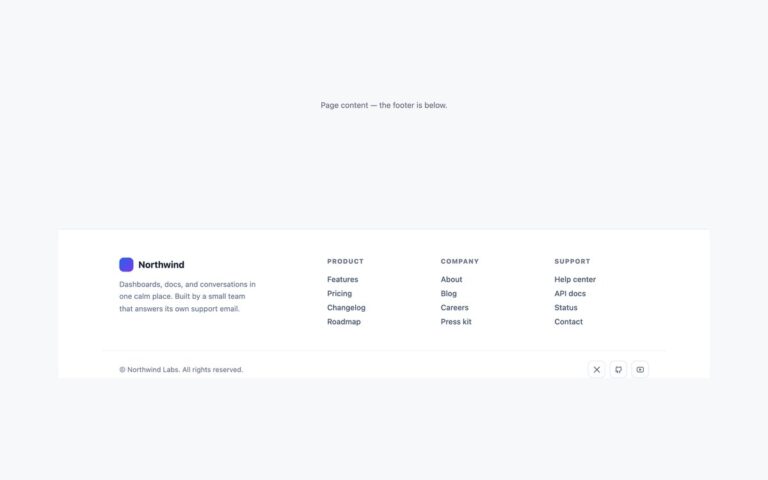
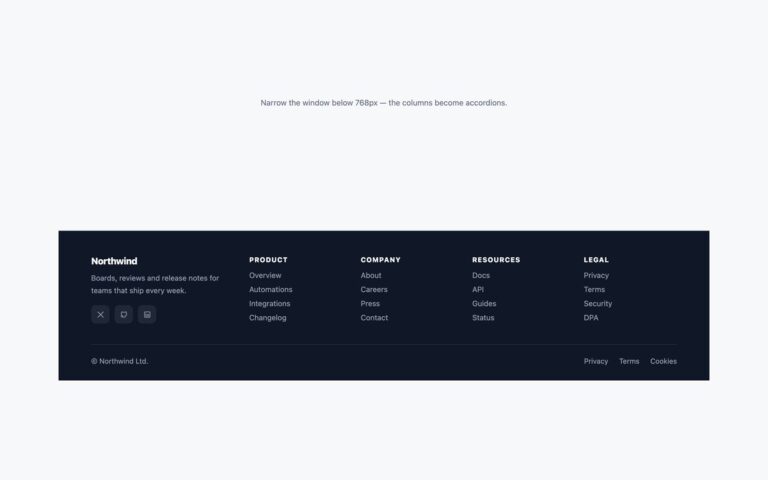
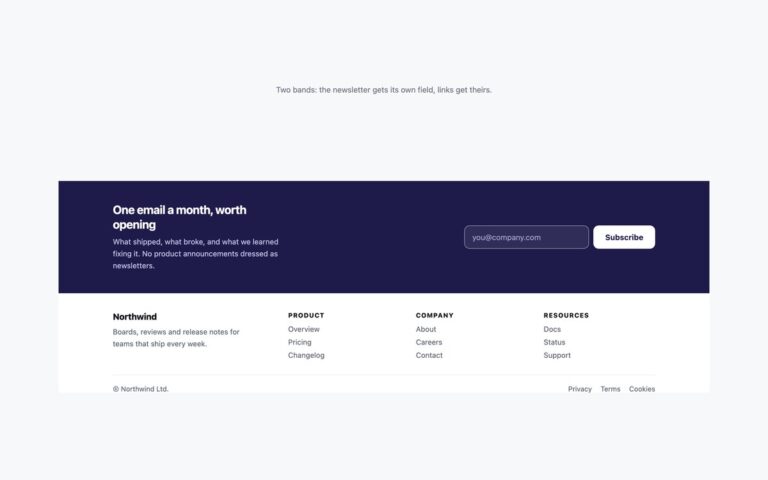
A light slate footer paired with a dark cookie bar pinned to the bottom of the screen. The footer has the brand with a description, three link columns (Product, Company, Resources) and a legal bar. The bar says what the site uses cookies for and offers two buttons, Essential only and Allow all. Instead of position: fixed plus a guessed amount of bottom padding, the bar is the last element on the page and uses position: sticky with bottom: 0. It stays in view while the visitor scrolls, but at the end of the page it takes up its own space below the footer, so it never hides the legal links, however tall it grows when its text wraps on a phone. A few lines of script hide the bar when either button is pressed and leave a comment where your consent logic should store the choice. Use it on any site that needs a consent notice but where the footer links, especially Privacy, must stay reachable. The Bootstrap version uses the .sticky-bottom utility and two .btn buttons.

What’s included

  • Cookie bar with position: sticky, so it never covers the footer
  • Two real buttons that hide the bar when pressed
  • data-consent values ready for your consent script
  • Footer grey text darkened to meet 4.5:1 on #f1f5f9
  • Bootstrap version uses .sticky-bottom and .btn

Accessibility

The bar is a region labelled Cookie notice, so screen-reader users can find it from the landmarks list, and both choices are real buttons. Links show a 2px blue outline on keyboard focus and the buttons a light blue one on the dark bar. Link columns sit in a nav labelled Footer and the legal links in one labelled Legal.

Customise it

Change #1e293b (bar), #38bdf8 (Allow all) and #f1f5f9 (footer) in the .fk and .fk-bar rules. In Bootstrap the button colours are --bs-btn-* on .fk-go and .fk-no; in Tailwind edit the bg- utilities on the bar and buttons. Replace the click handler with your consent storage.