
Commitlog — Free Developer Resume Website Template
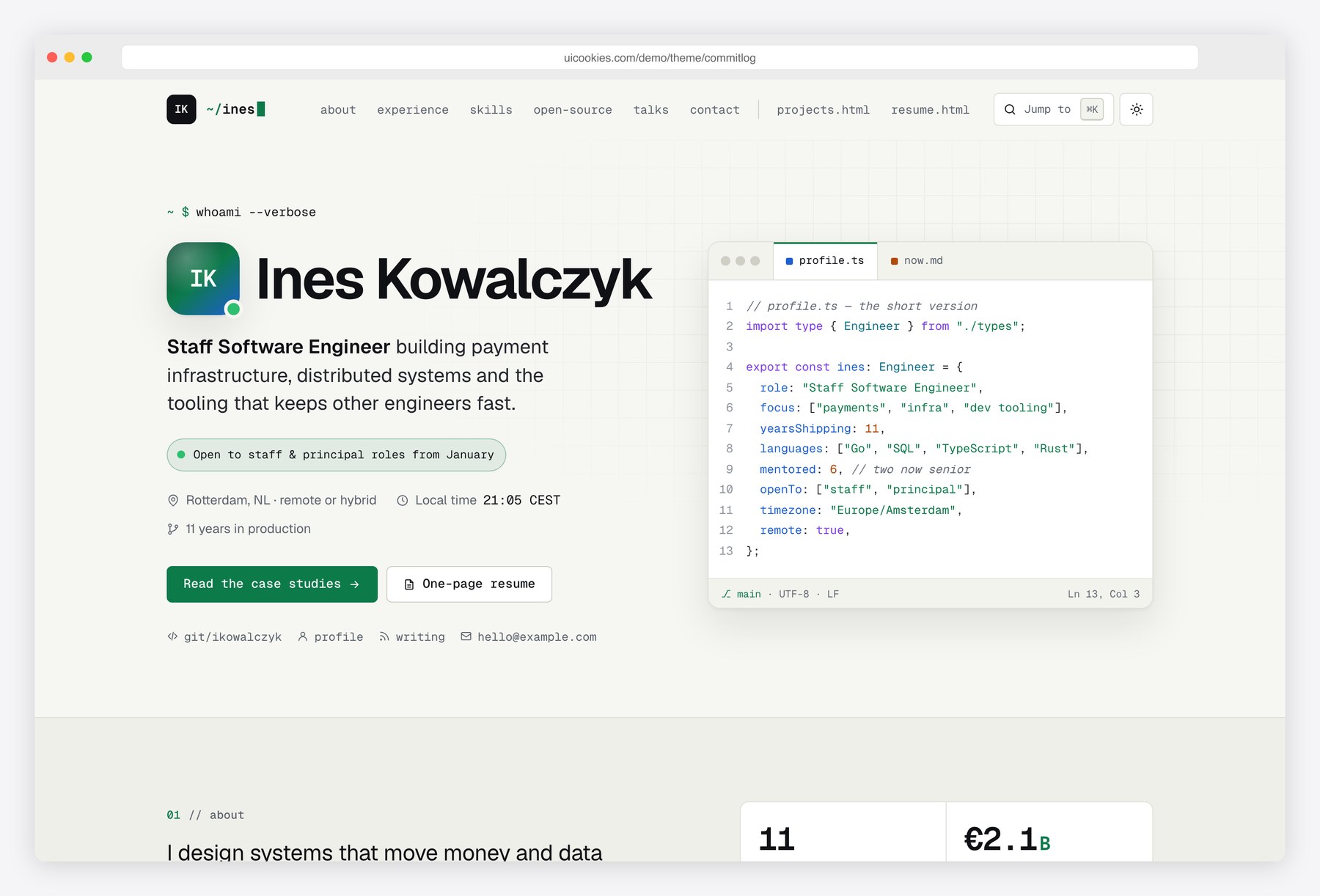
Commitlog is a personal CV site for developers that borrows from the tools they use every day without turning into a novelty. Headings stay in a clean sans-serif, while monospace labels, syntax colours and an editor window add the flavour. Experience reads like a git log with commit hashes and a HEAD marker, skills are rated on a labelled five-step scale, and the resume page prints to one page with link addresses spelled out. Light and dark themes follow the visitor’s system setting and remember a manual choice.
Key features
- Hero with an initials avatar, availability badge, live local time and an editor window with profile.ts and now.md tabs
- Experience timeline styled as a git log, with commit hashes, a HEAD marker, several roles per company and highlighted metrics
- Skills matrix in four groups, each skill rated with a five-step meter plus a written level and years of use
- Open-source section with repo cards, a language filter with a live count and an SVG contribution heatmap drawn from a data array
- Projects page with three case studies: problem, approach, stack, outcome, syntax-coloured code blocks with copy buttons and before-and-after SVG bar charts
- One-page resume with A4 and US Letter paper options, print rules that hide the site chrome and print link addresses, and a Download as PDF button
- Light and dark themes that follow the system setting and remember the visitor’s choice
- Jump-to command palette opened with Ctrl+K, Cmd+K or the slash key, listing sections, pages and actions
- Contact form with browser-side validation, a character counter and an honest success message, plus a copy-email button
- Skip link, landmarks, labelled fields, keyboard-friendly tabs and palette, and reduced-motion support
Best for
- Software, backend and platform engineers looking for their next role
- Developers who want a portfolio with written case studies, not just screenshots
- Engineers who give talks or write and want one page that links it all
- Anyone who needs a resume that prints cleanly from the browser
At a glance
- Bootstrap 5.3.8 with vanilla JavaScript, no jQuery
- 3 pages: index.html, projects.html, resume.html
- Light and dark themes, initials avatar and inline SVG icons, three public-domain photos for the case studies
- Geist and Geist Mono from Google Fonts
- Free for personal and commercial use; attribution optional but welcome. Full terms: uicookies.com/license
How to use it
Unzip the folder and open index.html in a browser. Replace the sample engineer’s details, experience and projects directly in the HTML, and swap the case-study photos in img/. Colours for both themes, the syntax palette and the fonts are custom properties at the top of css/style.css. The contact form only validates in the browser, so connect it to a form service before launch. Upload the folder to any static host.
Frequently asked questions
Is Commitlog free for commercial use?
Yes. You can use it for your own CV site or for client work, including commercial projects. Attribution is optional but always welcome, and the full terms are at uicookies.com/license.
What is it built with?
Bootstrap 5.3.8 for the grid and the mobile menu, one stylesheet for the design and one vanilla JavaScript file with no jQuery or other libraries. The heatmap and the case-study charts are inline SVG drawn from small data arrays.
Which pages and sections are included?
Three pages. The home page has the hero, summary, experience timeline, skills matrix, open-source repos, talks and writing, education and contact. The projects page holds three case studies, and resume.html is a one-page printable CV.
How do I turn the resume page into a PDF?
Open resume.html, choose A4 or Letter and press Download as PDF, then pick Save as PDF in the print dialog. The print styles hide the navigation and footer, keep the layout on one page and print the address of each link after its text.
Does the contact form send email?
Not on its own. It checks the fields in the browser and then shows a message saying nothing was sent. Point the form at a form service or your own backend to receive messages.