
Footnote — Free Academic CV Website Template
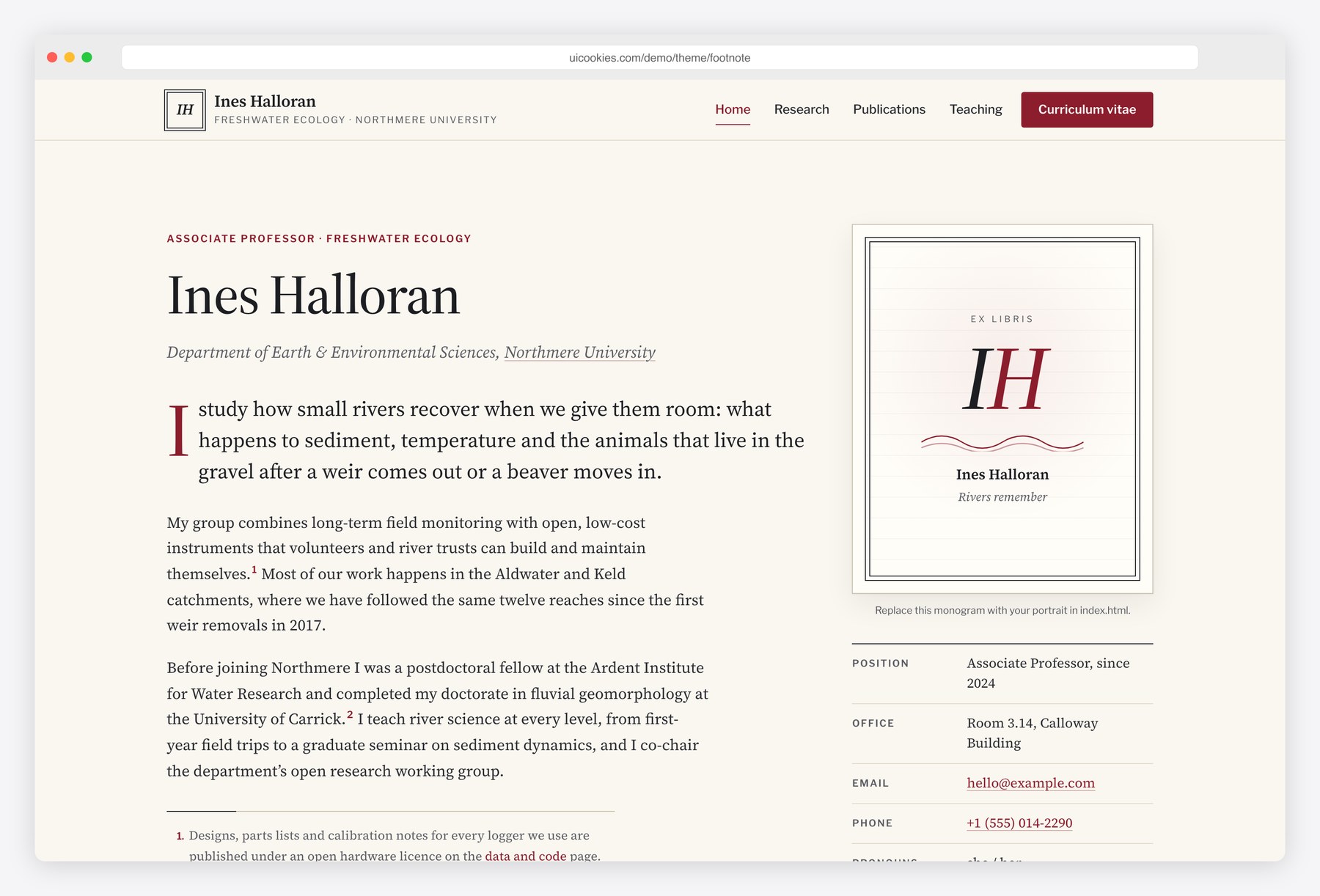
Footnote gives a researcher a quiet, readable home on the web. Source Serif 4 text on warm paper, Libre Franklin for labels and an oxblood accent borrow the look of a well-set university press page, down to numbered footnotes in the bio. Visitors can search and filter the full publication list, copy a BibTeX entry with one click, browse courses and syllabi, and book office hours. The CV page prints cleanly to A4 or US Letter, so the same content serves the website and the job application.
Key features
- Publication list grouped by year, filterable by journal, conference, preprint and book chapter
- Client-side search across titles, authors, venues and years, with a live result count
- Copy BibTeX button on every entry, generated from the markup and announced to screen readers
- Owner’s name bolded in every author list, with DOI-style and PDF links per paper
- Publications-per-year bar chart drawn in inline SVG from the list itself
- Print-optimised CV with an A4 or US Letter switch and a Download as PDF button
- Teaching page with course cards, syllabus links, student supervision and an office-hours timetable
- Office-hours booking and contact forms with browser-side validation and a success state
- Research page with funded projects and a grant timeline built from an accessible table
- Bio with numbered footnotes and back-links, plus an illustrated monogram in place of a portrait
Best for
- Faculty members and lecturers who need a personal academic site
- PhD students and postdocs preparing for the job market
- Research group leads who want projects, grants and students on one site
- Independent scholars who publish across journals, conferences and edited books
At a glance
- Bootstrap 5.3.8 with vanilla JavaScript, no jQuery
- 5 pages: index.html, publications.html, research.html, teaching.html, cv.html
- Publication filters, search, BibTeX copy and charts built without any JavaScript library
- Palette and fonts in CSS custom properties at the top of css/style.css
- Free for personal and commercial use; attribution optional but welcome. Full terms: uicookies.com/license
How to use it
Unzip the folder and open index.html in a browser. Replace the fictional researcher’s details in the five HTML files and the photos in img/ with your own. Each publication is one list item, so add a paper by copying an entry and editing it; filters, counts, the chart and BibTeX update automatically. Colours and fonts live in the custom properties at the top of css/style.css. Connect the forms to a form service, then deploy the folder to any static host or your university web space.
Frequently asked questions
Is Footnote free for commercial use?
Yes. Footnote is free for personal and commercial projects, including a site you build for a colleague or a research group. Attribution is optional but always welcome, and the full terms are on the uiCookies license page.
What is Footnote built with?
It uses Bootstrap 5.3.8, which is included in the download, plus one stylesheet and one vanilla JavaScript file. There is no jQuery and no other JavaScript library. The fonts are Source Serif 4 and Libre Franklin from Google Fonts.
Which pages are included?
There are five pages. The home page holds the bio, position, research interests, news, selected publications and contact details; the publications page lists every paper with filters, search and BibTeX; the teaching page covers courses, syllabi, supervision and office hours; the research page shows projects and grants; and the CV page is set up for printing.
How do I add a new publication?
Copy an existing list item in publications.html, change its year, type, authors, title, venue and links, and place it under the right year heading. The type filters, counts, per-year chart and the generated BibTeX entry all read from that markup, so nothing else needs editing.
How do I turn the CV page into a PDF?
Open cv.html, choose A4 or US Letter, and press Download as PDF. That opens the browser print dialog with a print stylesheet that hides the site navigation, sets the page margins and keeps entries from splitting across pages, so you can save it as a PDF.