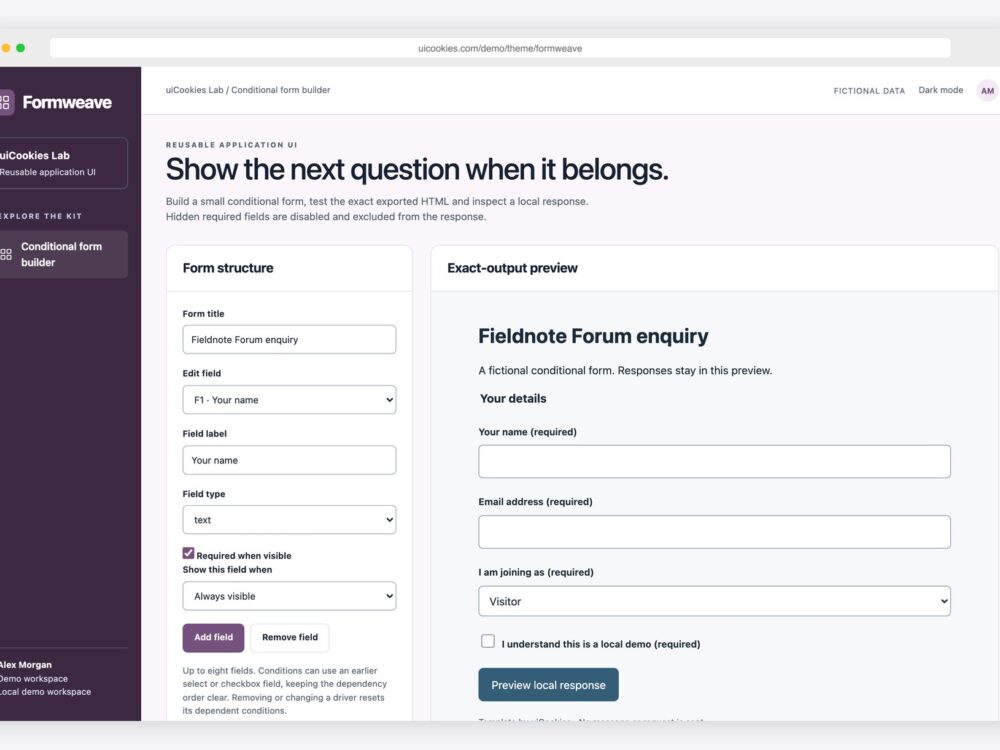
Conditional required fields should follow the answers a visitor gives. If a speaker must enter a talk title, a visitor should not be blocked by that same question. This guide uses Formweave, our free conditional form builder, to build and inspect that behavior in exported HTML.
Open the working Formweave demo. The builder and its generated form run locally in your browser. The preview displays a response summary; it does not send a message or save a server record.
Build a question that depends on an earlier answer
- Start with a select field for attendee type. Give it distinct options such as Visitor and Speaker.
- Add a text field for Talk title and mark it required.
- Set its visibility condition to the earlier attendee-type select, using Speaker as the matching answer.
- Switch the preview between Visitor and Speaker. The title question should appear only for Speaker.
- Export the standalone HTML and open it separately. Repeat the same checks there, rather than judging only the builder preview.
Formweave supports up to eight text, email, select and checkbox fields. Conditions refer to earlier select or checkbox questions. This ordering prevents circular dependencies. If you remove a driver or change its type, the builder resets conditions that depended on it. Review those dependent questions after changing a driver.
Hidden is a display state; disabled changes form behavior
Hiding a required input with CSS alone can leave a validation constraint on an unavailable control. In Formweave, visibility and participation change together: hidden questions become disabled, their required constraint is removed, and they stay out of the response preview. When a question becomes visible, its configured required status returns.
// Minimal pattern to adapt inside your form's visibility update:
function syncQuestion(wrapper, control, visible, requiredByConfig) {
  wrapper.hidden = !visible;
  control.disabled = !visible;
  control.required = visible && requiredByConfig;
}
This small pattern illustrates the rule; the downloaded builder includes the complete condition evaluation and generated form. Read MDN’s disabled attribute reference for the underlying browser behavior.
Test both paths, including changes of mind
| Action | Expected result |
|---|---|
| Choose Visitor and submit without a talk title | The hidden question does not block submission or appear in the local response. |
| Choose Speaker and leave the title empty | Native validation stops submission at the visible required question. |
| Enter a title, then switch back to Visitor | The hidden answer is excluded from the response preview. |
| Switch to Speaker again | The question is enabled and required again; check whether its retained value suits your application. |
| Remove the attendee-type driver | Dependent visibility rules reset; inspect the result before exporting. |
Export the exact form you reviewed
The HTML preview uses the generated source that the HTML download and copy controls expose. Configuration JSON is a separate export for working with the builder’s settings. Invalid labels or duplicate select options prevent a new valid output from replacing the last valid preview. Correct configuration errors before copying or downloading.
Before using real responses, connect the form to your authenticated endpoint and repeat the conditional rules on the server. Decide how to handle previously entered values when an answer changes. Client-side constraints improve the interaction; the receiving application must independently decide which fields are permitted and required.
For a predefined sequence rather than a form authoring interface, browse our form wizard examples. For smaller field patterns, see the form and input collection.