Form Wizards is a pack of eight sets of multi-step forms and steppers, designed and maintained in-house by uiCookies. Every set comes in three versions that look the same: plain HTML and CSS, Bootstrap 5.3 built on its own form controls, cards, list groups and buttons, and Tailwind CSS 4. The sets run from the everyday horizontal stepper to a vertical stepper, a checkout, onboarding flows with progress bars, a signup form with proper per-step validation, a set of stepper styles, a dark set and two wizards that need no JavaScript at all.
Build a conditional form
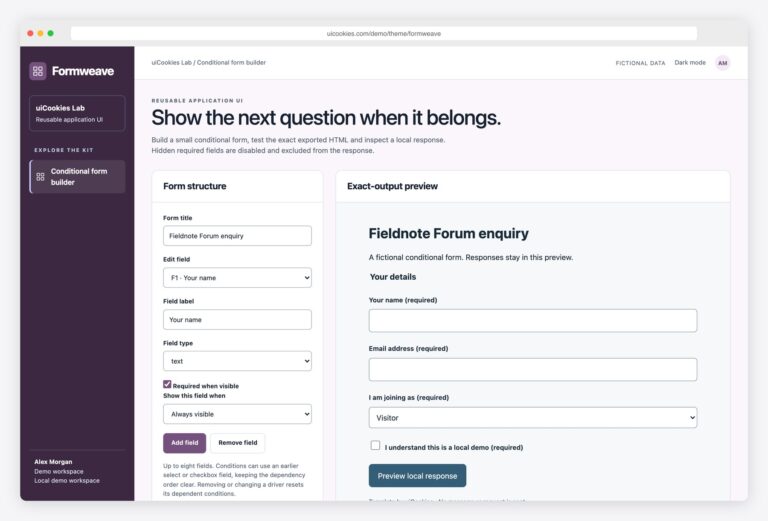
Formweave adds a conditional form authoring interface to these fixed wizard examples. Configure text, email, select and checkbox fields, show questions based on earlier answers, and export the exact standalone HTML preview. Hidden required fields are disabled and excluded from the local response. No form service or backend submission is connected.
A good form wizard is still one form. It keeps real labels and native inputs, checks each step before letting people move on and says what is wrong next to the field, not in a toast. The stepper is a list with aria-current="step" on the current item, so assistive technology knows where the user is, and focus moves to the new step’s heading so a screen reader announces "Step 2 of 4" instead of staying on a button that has disappeared. Back never loses what was typed, the last step shows a review of the answers, and without JavaScript the steps simply stack so the form can still be completed and sent.
Free download Browse live demos All snippets
The sets
1. Horizontal Stepper Wizards

A four-step workspace setup with a numbered stepper and a three-step job posting form with a compact segmented bar, each with a review or done panel.
Use it for any linear form of three to five steps. A short script shows one step at a time, validates it, sets aria-current="step" and moves focus to the new heading; without it every step shows.
Live Demo CSS, Bootstrap & Tailwind code
2. Vertical Stepper Form Wizards
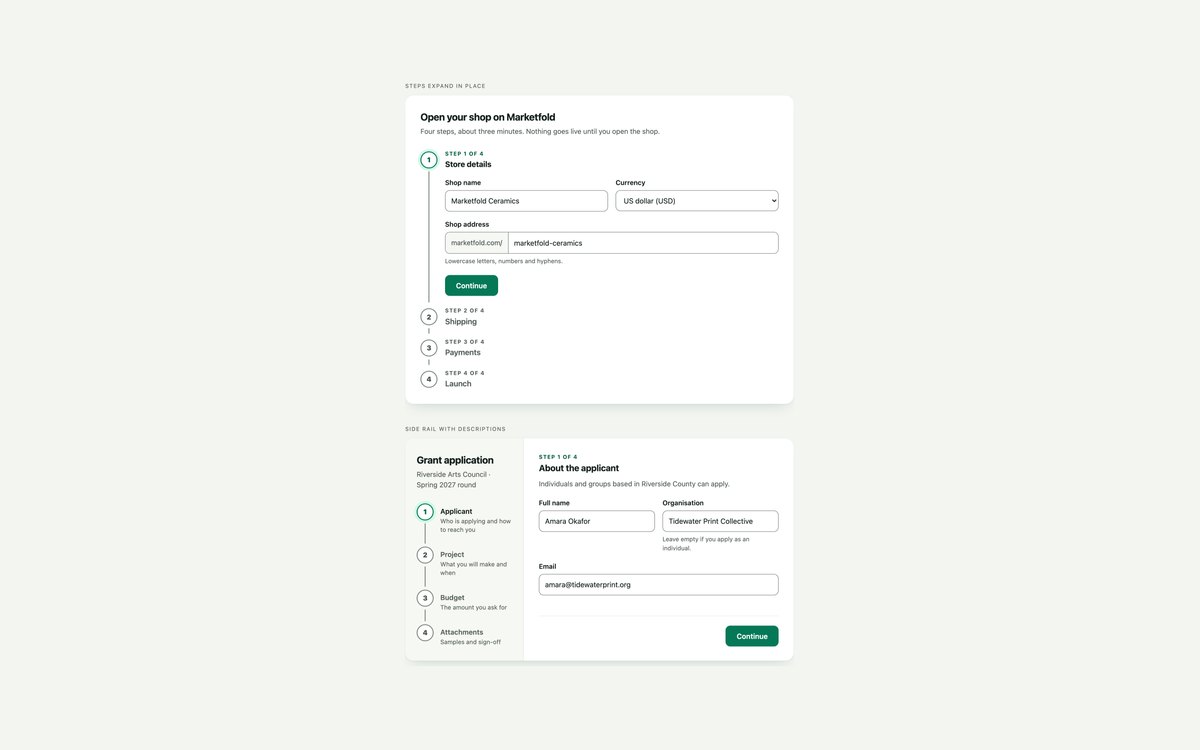
Two vertical form wizards: a Material-style stepper whose steps open in place and fold into one-line summaries, and a side rail with step descriptions next to the current step. Each comes in plain CSS, Bootstrap 5 and Tailwind CSS 4.
Use the expanding stepper for short single-column setup flows and the side rail for longer applications. A small vanilla script shows one step at a time, validates it with the browser’s own checks and moves focus to the new step’s heading.
Live Demo CSS, Bootstrap & Tailwind code
3. Checkout Wizards
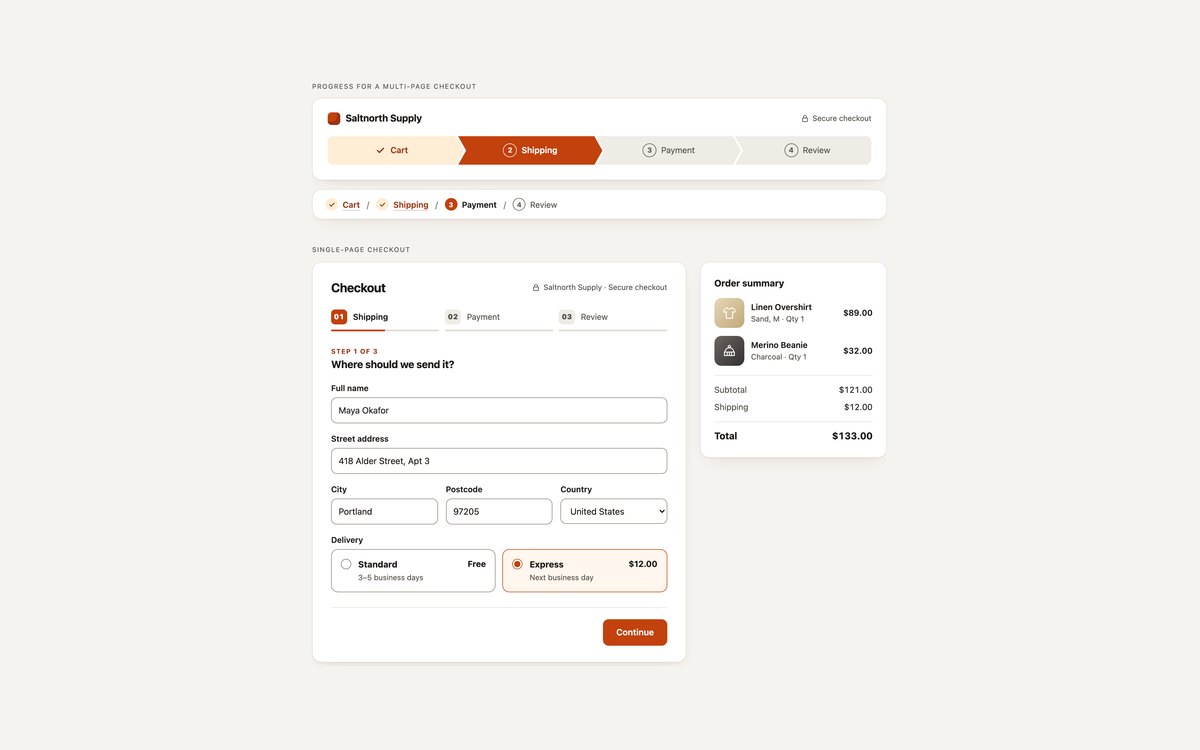
A static checkout progress trail in two styles, clip-path chevrons and a slim numbered line, plus a single-page checkout wizard with Shipping, Payment and Review steps beside an order summary. The delivery choice updates shipping, the total and the Pay button, and the review shows only the card’s last four digits.
Use the trail when each checkout step is its own page and the wizard when the whole checkout lives on one page. A few lines of vanilla JavaScript run the wizard, and without them every step shows and the form still submits.
Live Demo CSS, Bootstrap & Tailwind code
4. Onboarding Wizards

A four-step reading app onboarding with a segmented progress bar and Skip on optional steps, and a five-step team profile setup with a labelled progress bar and percentage.
Use it for first-run setup where people care more about how much is left than about step names. A short script shows one step at a time, validates it, updates the bar and moves focus to the new heading; without it every step shows.
Live Demo CSS, Bootstrap & Tailwind code
5. Signup Wizards

A three-step account signup with inline errors, a live password checklist and a confirm-password match, plus a compact passwordless sign-in with a one-time code and a resend cool-down. Both share one small vanilla script.
Use it when a form needs clear, specific error messages instead of browser bubbles. The browser’s own constraints decide what is wrong, the script writes the message, marks the field invalid and moves focus to the first problem.
Live Demo CSS, Bootstrap & Tailwind code
6. Stepper Styles
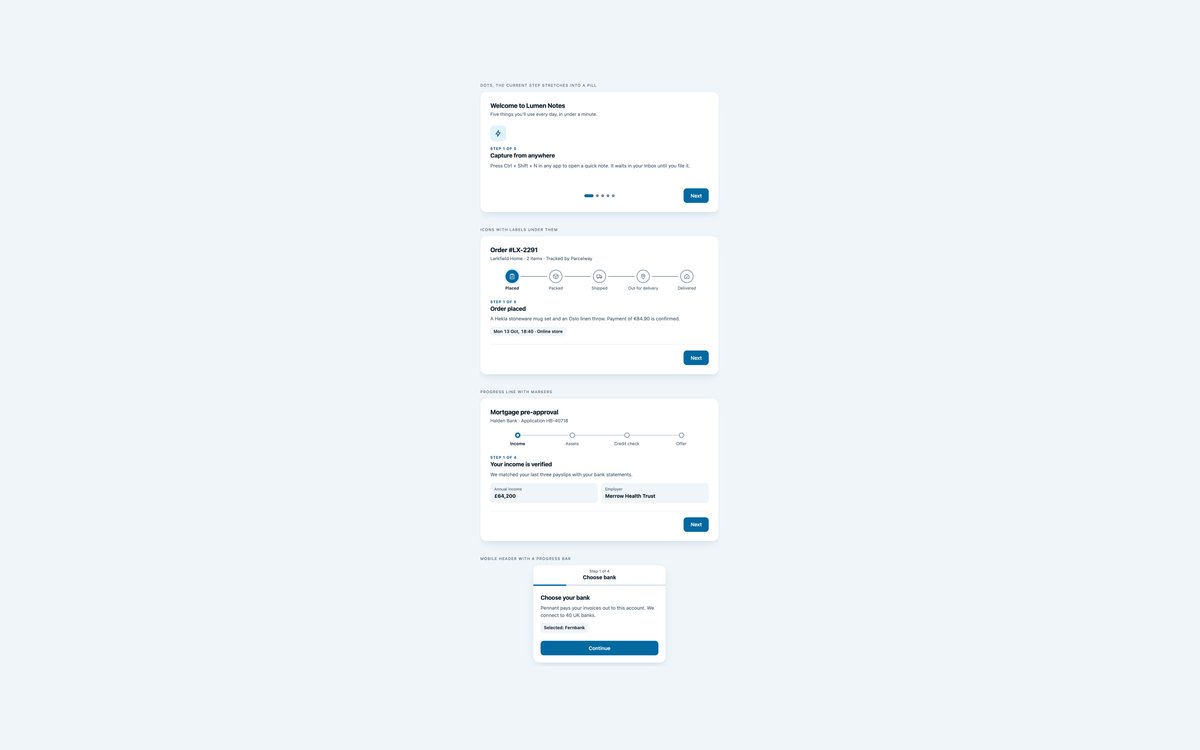
Four compact stepper designs, each as a small working wizard: pill dots for a product tour, icon circles for order tracking, a filling progress line with markers, and an app-style header with a progress bar.
Pick the stepper that fits the flow and keep the same markup and script. One vanilla script sets data-state, aria-current and the progress custom properties the styles read, and moves focus to each new step.
Live Demo CSS, Bootstrap & Tailwind code
7. Dark Form Wizards

Two dark multi-step forms: a deploy wizard with a glowing cyan stepper, repository list, environment variable rows and region cards, and a two-factor setup flow with an SVG progress ring, QR code, one-time code field and backup codes.
Use them in dashboards and developer tools with a dark theme. A few lines of vanilla JavaScript show one step at a time, validate each step natively and move focus to the new heading.
Live Demo CSS, Bootstrap & Tailwind code
8. CSS-only Form Wizards
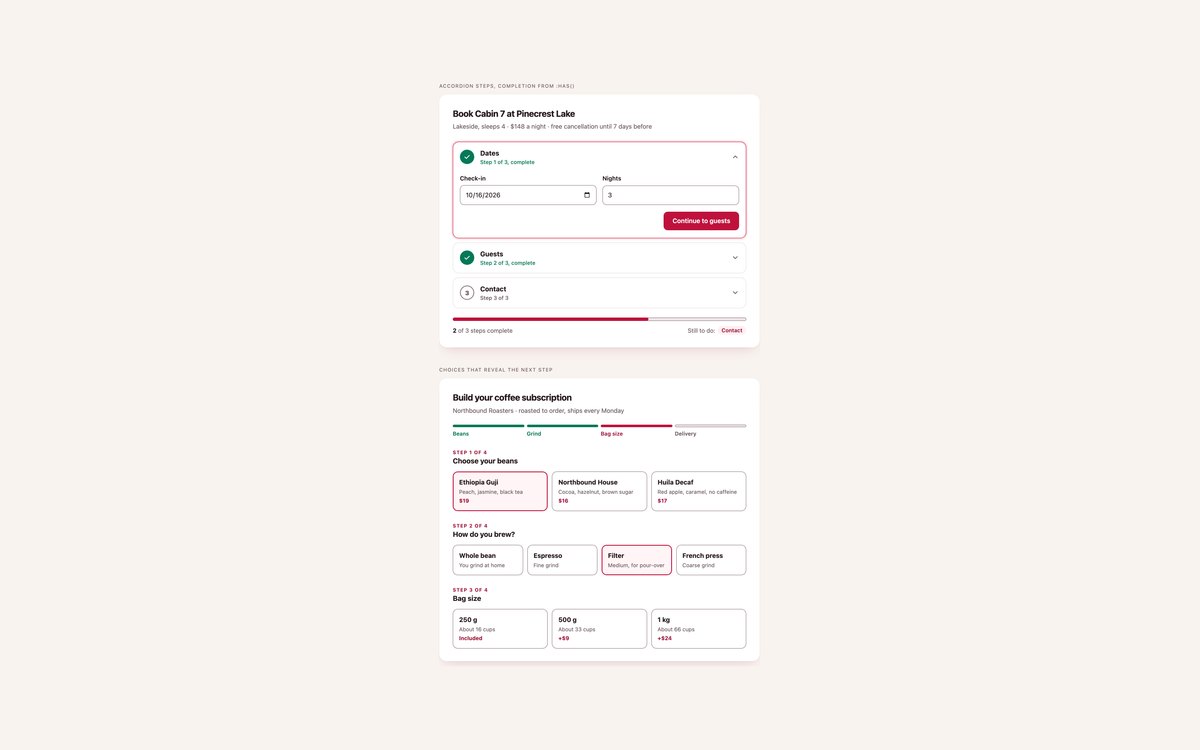
A cabin booking accordion whose steps tick themselves off as their fields become valid, and a coffee subscription builder whose steps appear as each choice is made.
Both run on HTML and CSS alone: details name, fieldset:valid, :has(), CSS counters and @starting-style do the work a wizard script usually does.
Live Demo CSS, Bootstrap & Tailwind code
Frequently asked questions
Are these form wizards free to use?
Yes. All eight sets are free for personal and commercial projects, including client work and products you sell. Attribution is optional but always welcome. The full terms are on the uiCookies licence page.
Do the wizards need JavaScript?
Moving between steps uses a short vanilla script in each set, with no libraries and no Bootstrap JavaScript bundle. Without it every step shows in order and the form still submits. The chevron checkout progress and the whole modern set use no JavaScript at all: the modern set moves between steps with details elements and links, and works out completed steps with :has().
Are the wizards accessible?
The stepper is an ordered list with aria-current="step" on the current step and visually hidden text on completed ones. Focus moves to the new step’s heading, which starts with Step 2 of 4, fields keep visible labels, errors in the signup set are linked with aria-describedby, and every control has a visible focus ring. All sets pass an axe-core WCAG 2.1 AA check and stop their animations under prefers-reduced-motion.
Which frameworks are covered?
Every set comes as plain HTML and CSS with no dependencies, as Bootstrap 5.3.8 using .form-control, .form-select, .form-check, .input-group, .card, .list-group, .progress and .btn restyled through Bootstrap’s CSS variables, and as Tailwind CSS 4 utility classes. The three versions of a set look the same, so you can switch stacks without redesigning.
How do I build a Bootstrap 5 form wizard without a plugin?
Put each step in a section inside one form, give the steps’ headings tabindex="-1", and use a few lines of script to hide every section but the current one, check its fields with checkValidity() before moving on, set aria-current="step" on the matching stepper item and focus the new heading. Bootstrap supplies the fields, buttons and cards; the stepper is a small custom list. Set 1 shows the full pattern in about forty lines.