
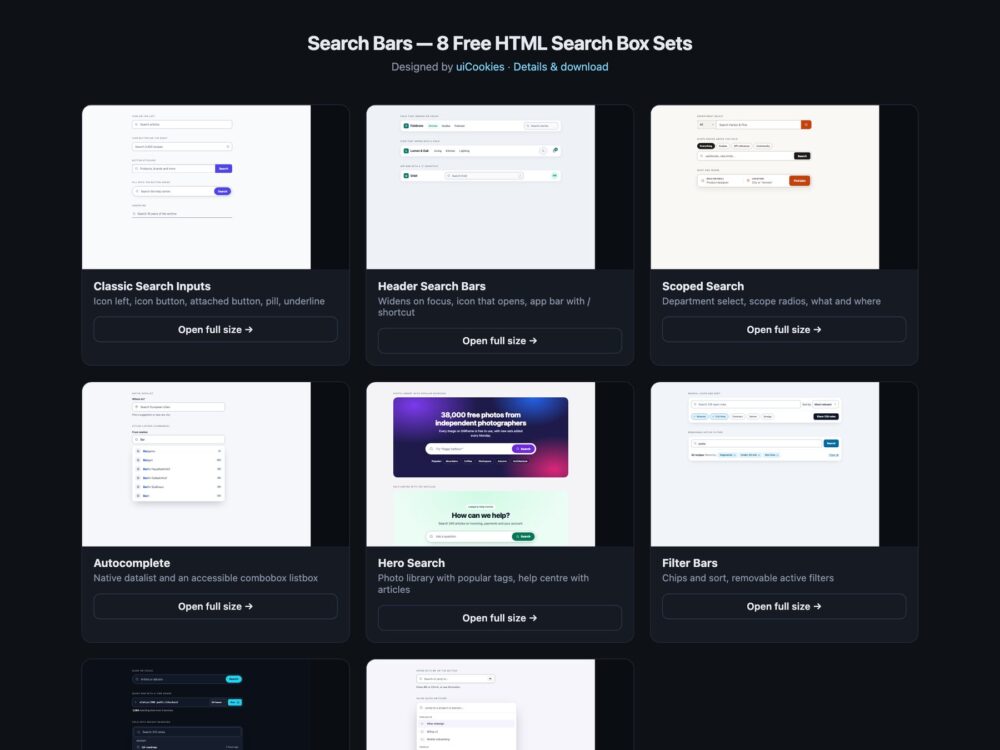
Search Bars is a free pack of eight search box sets, designed and maintained in-house by uiCookies. Each set is built three times, in plain CSS, Bootstrap 5.3.8 and Tailwind CSS 4, with the same design, markup and demo captions, so you can copy the version that matches your stack. The sets go from classic search inputs and header search to autocomplete, filter bars, dark themes and a keyboard-driven command palette.
A good search box starts with the basics many snippets skip. The input is type="search", so phones show a search keyboard and a clear control. It has a real label, even when that label is visually hidden, because a placeholder disappears as soon as someone types and is not a reliable accessible name. The form carries role="search" so screen reader users can jump to it as a landmark. The field needs a border that stands out from the page, a focus ring you can see, and a submit button with a name. Beyond that, the extras should earn their place: suggestions that work with the keyboard, filters that submit with the form, and shortcuts that do not fire while someone is typing elsewhere.
Free download Browse live demos All snippets
The sets
1. Classic Search Inputs
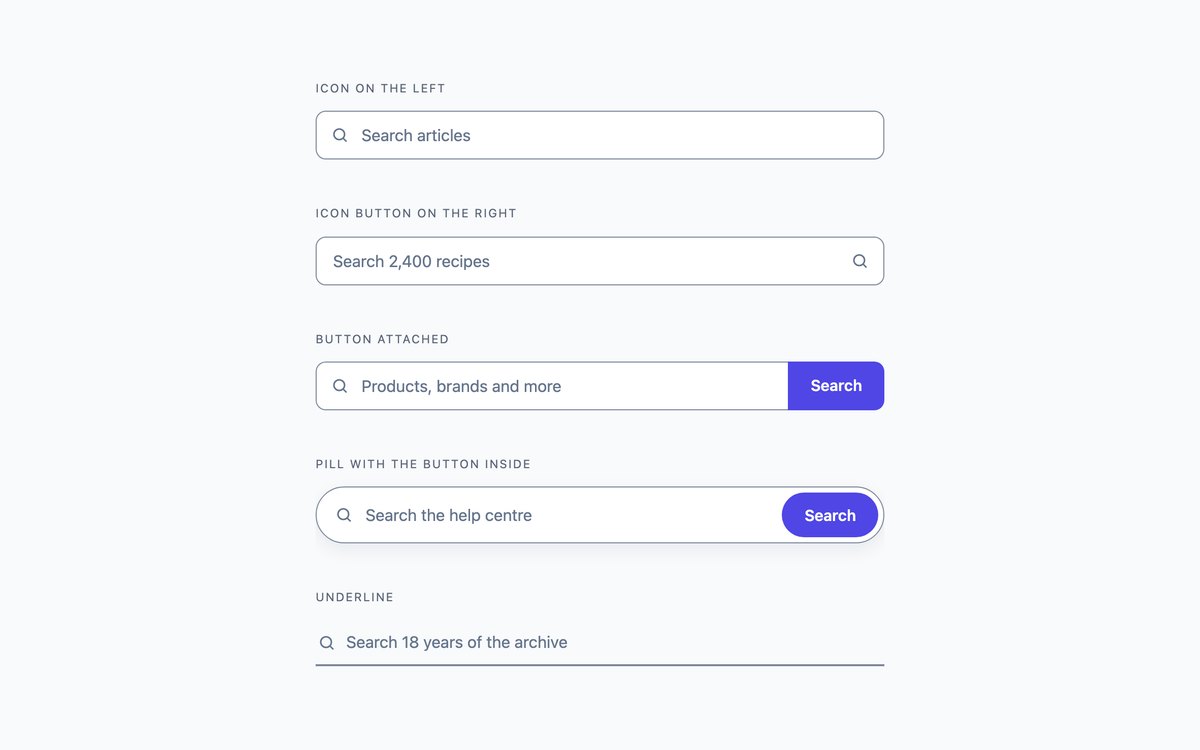
Five everyday search inputs: icon on the left, an icon submit button on the right, a button attached to the field, a pill with the button inside and a minimal underline.
Use them anywhere a page needs a plain search field. Each is a form with role="search", a visually hidden label and a focus ring drawn on the field itself.
Live Demo CSS, Bootstrap & Tailwind code
2. Header Search Bars
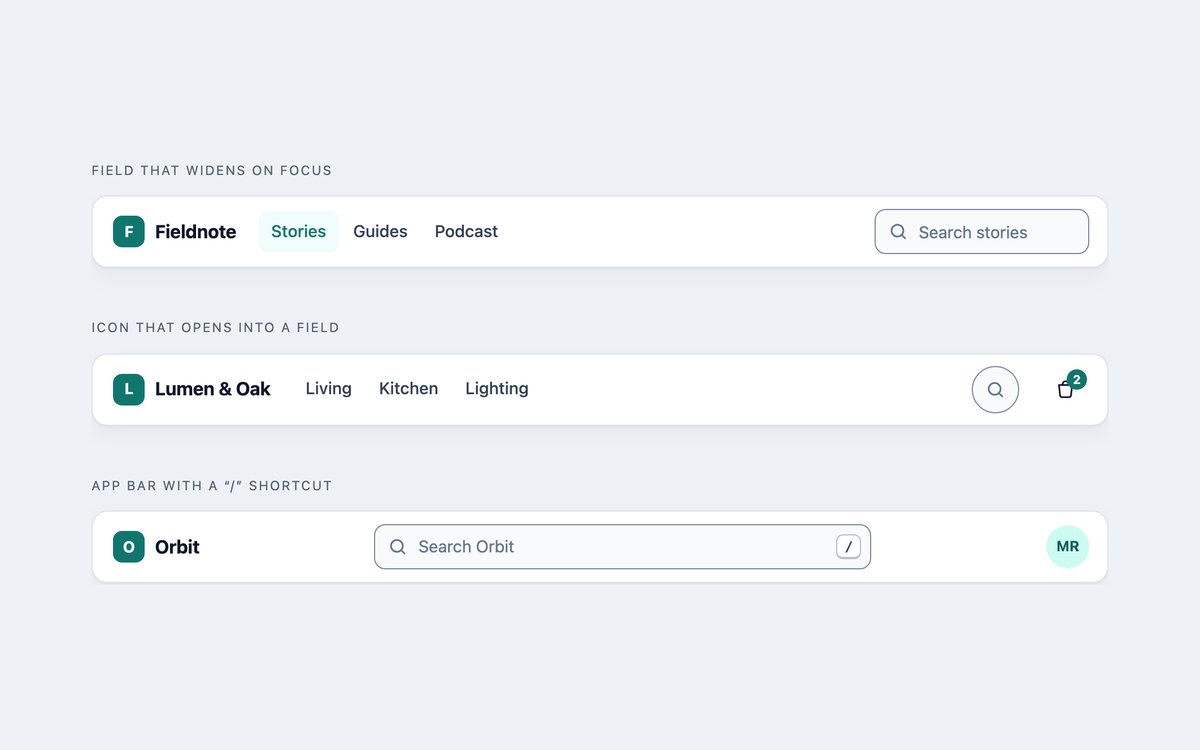
Three search bars built into site headers: a field that widens on focus, a round icon that opens into a field, and an app bar with a centred search and a slash shortcut.
The widening and opening are CSS transitions on :focus. Only the slash shortcut uses a few lines of JavaScript, and it ignores the key while someone types in another field.
Live Demo CSS, Bootstrap & Tailwind code
3. Scoped Search Bars
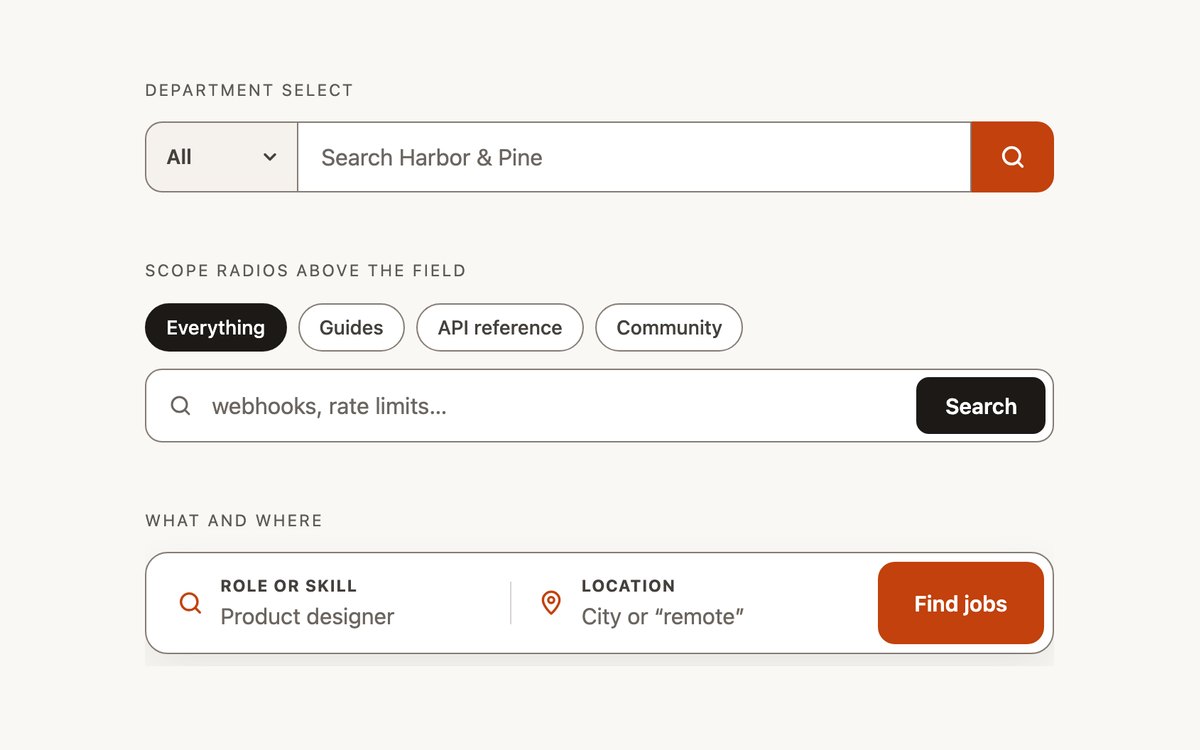
Search bars that narrow the query: a department select joined to the field, scope radios above a documentation search, and a two-field what and where bar.
Every control is a labelled native element, so the scope submits with the query as a normal form parameter and no script is involved.
Live Demo CSS, Bootstrap & Tailwind code
4. Autocomplete Search Boxes
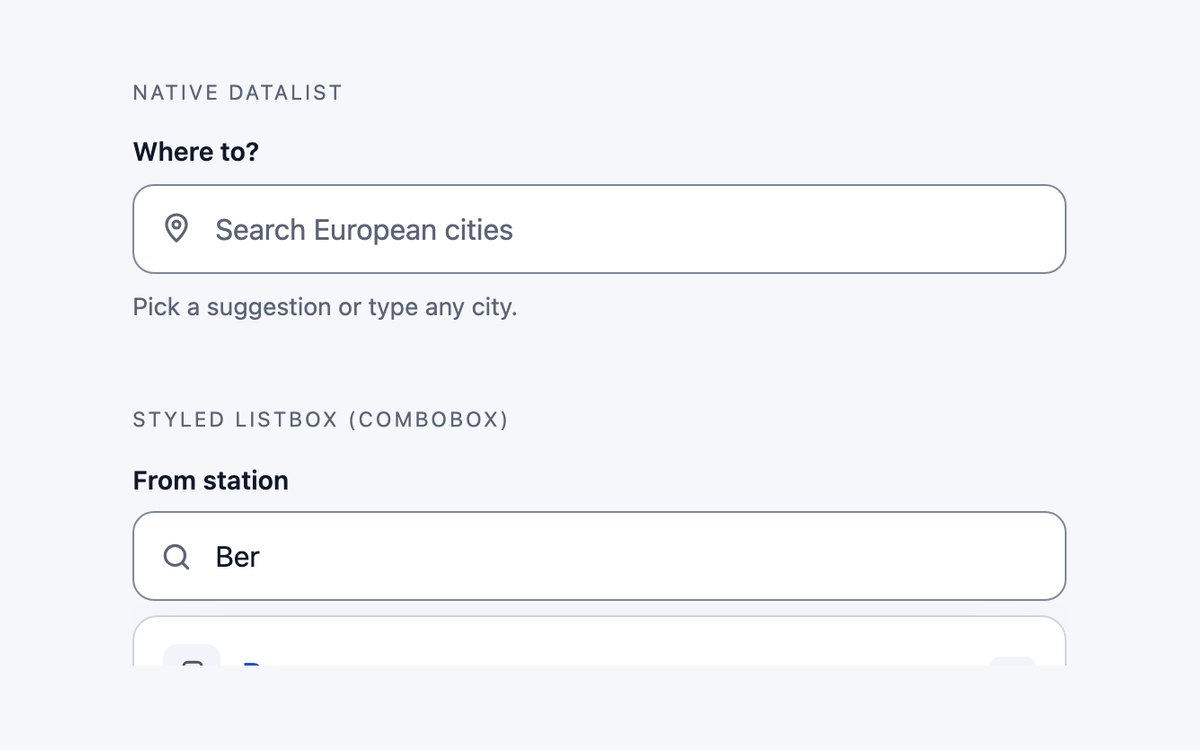
Two ways to suggest results while typing: a native datalist of cities and a styled station search built as a WAI-ARIA 1.2 combobox with a listbox.
Pick the datalist when plain text suggestions are enough. The combobox adds highlighted matches, arrow-key navigation and a spoken result count in about seventy lines of vanilla JavaScript.
Live Demo CSS, Bootstrap & Tailwind code
5. Hero Search Sections
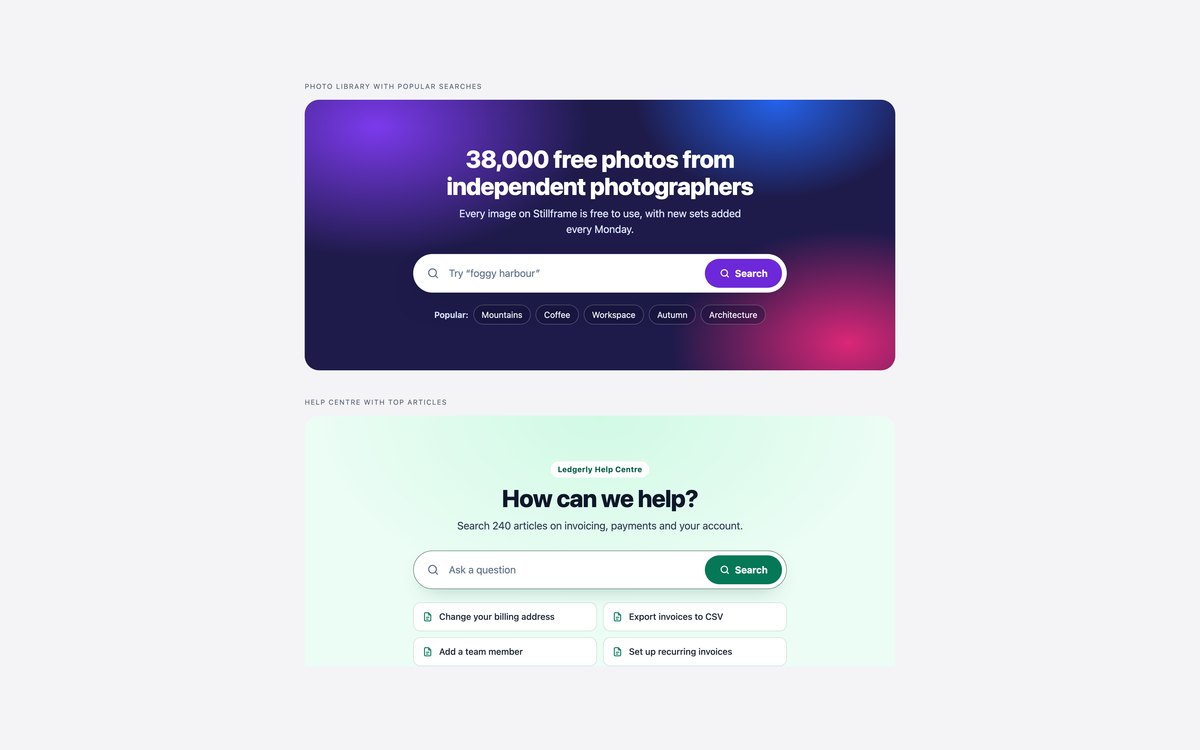
Two landing-page search sections: a dark gradient photo-library hero with popular search tags, and a light help-centre hero with top article links.
Use them where search is the main action of the page. The one-tap links give visitors who do not know what to type somewhere to start.
Live Demo CSS, Bootstrap & Tailwind code
6. Search Filter Bars
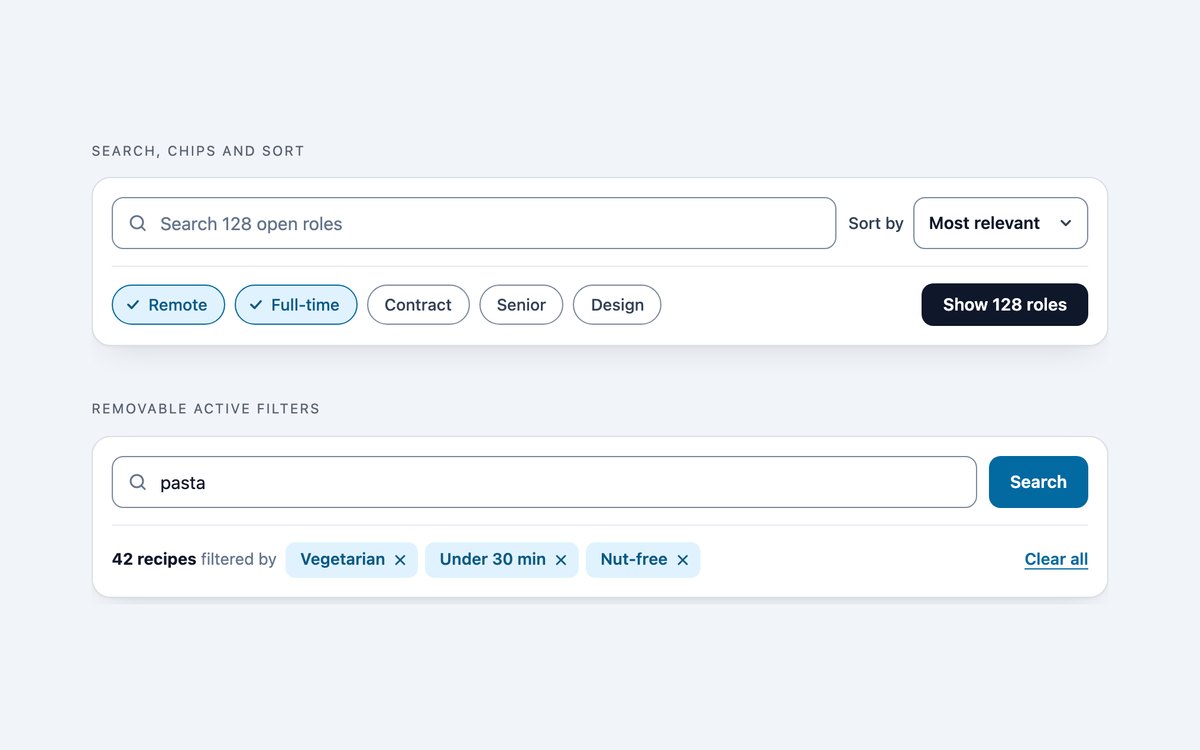
Filter bars for result pages: search with checkbox chips and a sort select, and a search that lists active filters as links you can remove.
Both are ordinary GET forms that work with server-rendered pages. Checked chips show a tick, so the state does not rely on colour alone.
Live Demo CSS, Bootstrap & Tailwind code
7. Dark Search Bars
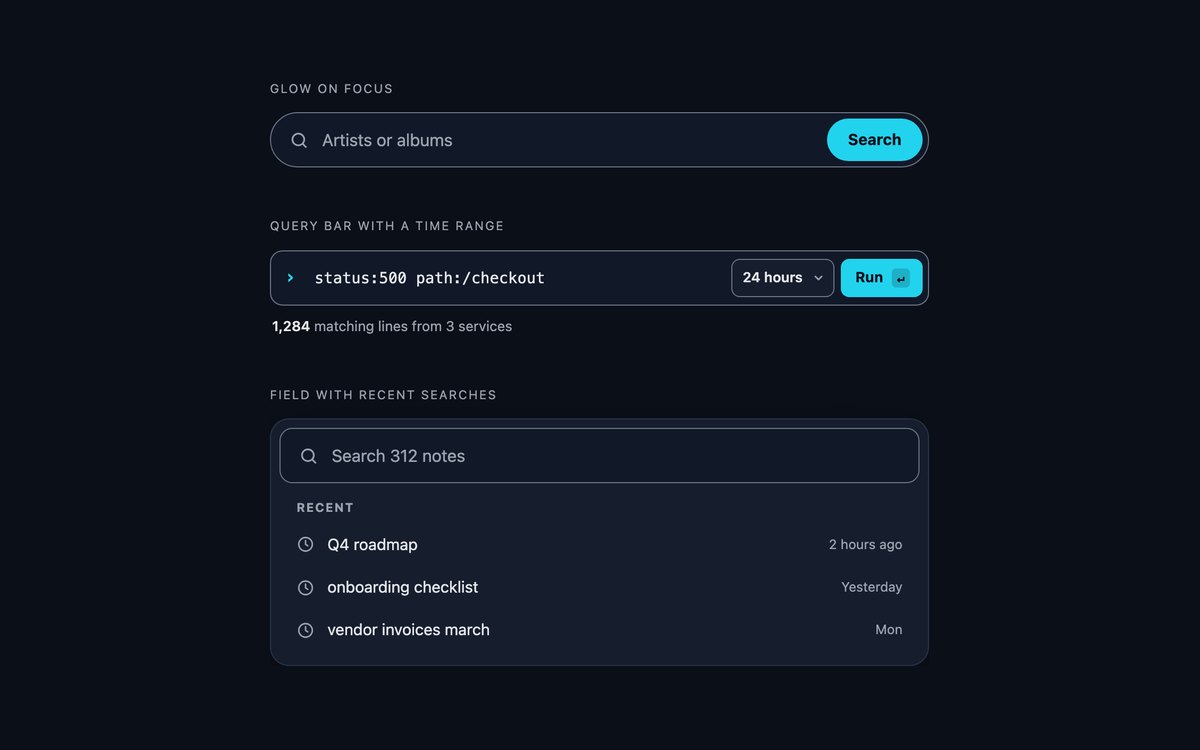
Search bars for dark interfaces: a pill that glows on focus, a monospace log query bar with a time range, and a panel with recent searches.
Borders and text are lifted to meet contrast on dark surfaces, and color-scheme: dark keeps native menus dark. The Bootstrap version uses data-bs-theme="dark".
Live Demo CSS, Bootstrap & Tailwind code
8. Command Palette Search
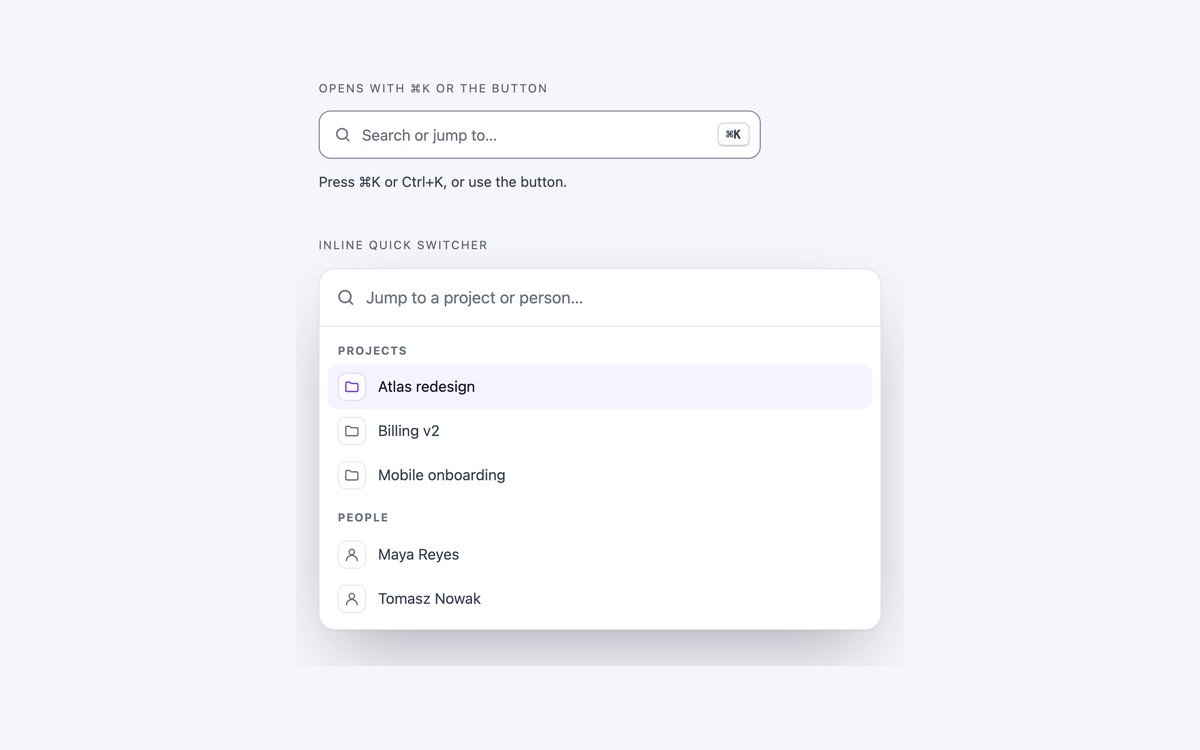
A command palette opened with Cmd K or Ctrl K, built on the dialog element, plus the same panel inline as a quick switcher for projects and people.
Invoker commands open the dialog without a modal library, @starting-style animates it, and :has() hides empty groups. A short script handles filtering and the keyboard.
Live Demo CSS, Bootstrap & Tailwind code
Frequently asked questions
Are these search boxes free to use?
Yes. Every set is free for personal and commercial projects, including client work and products you sell. Attribution is optional but always welcome. The full terms are on the uiCookies licence page.
Do the search bars need JavaScript?
Five of the eight sets use no JavaScript at all. The header set uses a few lines for the slash shortcut, the autocomplete combobox uses a short script for filtering and keyboard support, and the command palette uses one for the Cmd K shortcut, filtering and arrow keys. None of them uses a library or jQuery.
Are the search boxes accessible?
Every search input is type="search", has a real label and sits in a form with role="search". Borders meet 3:1 and text 4.5:1 contrast, every control shows a visible focus style, and animations stop under prefers-reduced-motion. Each set passes an automated axe-core WCAG 2.1 AA check in all three versions.
Can I use them with Bootstrap or Tailwind CSS?
Yes. Each set comes as plain CSS, as Bootstrap 5.3.8 using .form-control, .input-group, .btn-check and .navbar, and as Tailwind CSS 4 using utility classes. The three versions look the same, so you can switch frameworks without changing the design.
Should I use a datalist or a custom autocomplete?
A datalist needs no JavaScript and the browser handles the keyboard, but you cannot style the suggestions and Firefox for Android does not show them. A custom combobox lets you show highlighted matches, icons and extra details, but it must follow the ARIA combobox pattern, as the one in this pack does, to work with screen readers.
More search bars from the community
Examples by other designers and developers, collected before we built our own set. Each links to its original source.
Bouncy Search Box

Leading our collection is this exceptionally appealing search box design created by Guillaume Schlipak. This creative and stylish approach transforms a simple search box concept into something truly remarkable. Built with CSS, HTML, and JavaScript, the creator has elevated this minimalist design to professional standards.
The interface begins as a sleek button featuring the classic search icon. When activated, it expands with a distinctive bounce-like animation that adds sophisticated visual flair. The background showcases a multi-layered effect with harmonious color schemes that complement any modern design. Access the complete code structure through the link below.
Soft Search Box

This elegant example, crafted by Nikhil, follows established design principles for optimal style and functionality. Built with a pure CSS and HTML foundation, it remains simple enough to understand while being straightforward to implement.
The design eschews complex animations in favor of clarity. It features a clean input bar with intuitive placeholder text and a clickable search icon. The interface embraces modern material design principles with a refined minimal color palette. If you’re seeking something professional and business-focused, this provides an excellent foundation.
Wobbly Search Bar

This distinctive search bar design is perfect for creative and unconventional websites. A playful interpretation of traditional search functionality, it definitely commands attention in the most appealing way. Everything about this design is genuinely unique – from the organic shape of the input bar to the dynamic movement and strategic placement of colorful text and search icons.
The most impressive feature is the sophisticated hover animations and effects. The caterpillar-inspired shape transforms into a sleek rounded-edge input field where users can enter their search queries. This represents a truly innovative concept that’s both complex and refined in all the right ways.
Search Box
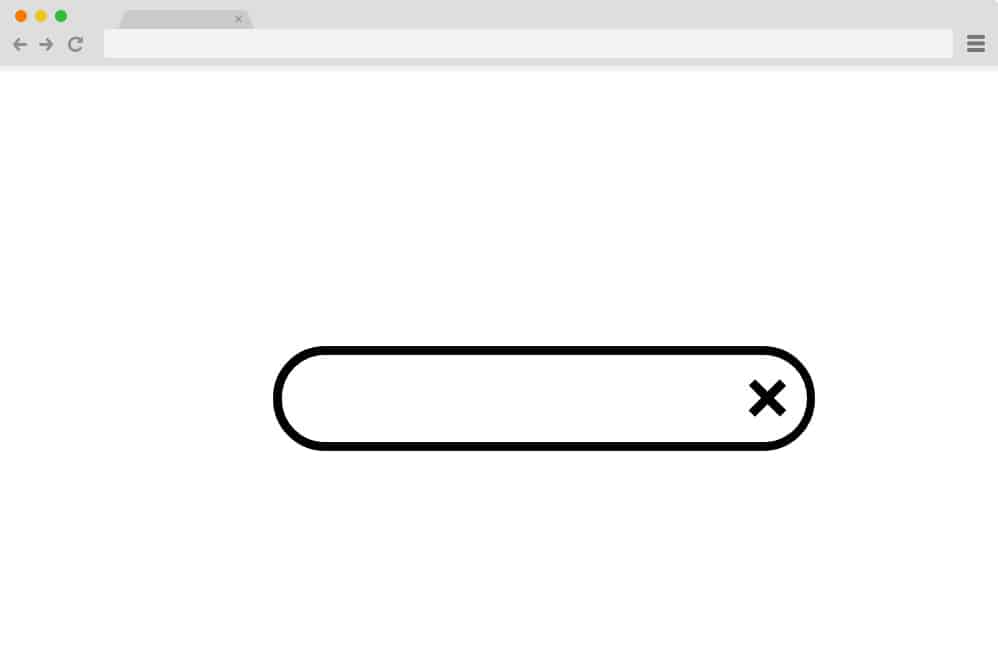
This design maintains elegant simplicity and clean aesthetics. It begins as a minimalist search icon that smoothly expands to reveal the input area for search queries. The handle seamlessly transitions into a close button, which returns the search box to its original compact state.
While this may appear straightforward, the underlying CSS, HTML, and JavaScript architecture is both powerful and sophisticated. The design is fully responsive, ensuring this search box adapts flawlessly across different screen sizes and devices.
Search Box Focus Effect

This visually engaging search box design offers a truly unique user experience. It features a fully functional search interface with a subtle colored background. However, when users interact with it, the background transforms into vibrant colors while the search box is highlighted with a colored outline effect.
Elegantly simple yet highly appealing, this represents an excellent way to integrate search functionality into your sites. Creator Chris Smith has utilized sophisticated CSS and HTML techniques to achieve this polished result, ensuring smooth and reliable performance across all interactions.
Search Input Animation

This variation employs the sophisticated shape transformation technique. Set against a vibrant and eye-catching background, the search icon is positioned centrally for maximum impact. When activated, the icon elegantly transforms into a single input line where users can enter their search queries.
Masterfully animated, the entire structure relies exclusively on CSS and HTML for its impressive results. The design is completely responsive and visually impactful. Follow the link below to explore the complete code snippets and interactive demos.
Pure CSS Animated Search Bar

This CSS search box is undoubtedly creative and distinctive. While maintaining familiar core functionality, it differentiates itself through various visual elements. The bold color palette creates the most striking visual impact.
Featuring a dynamic background with a contrasting black and white central icon, it will command attention on any website. When hovered over, the circular icon expands smoothly to reveal the text input area for search queries. The icon also intelligently changes color to maintain visibility against the expanded input background.
Simple, efficient, and genuinely creative – explore the complete code snippet and interactive demo through the link below.
CSS Search Box
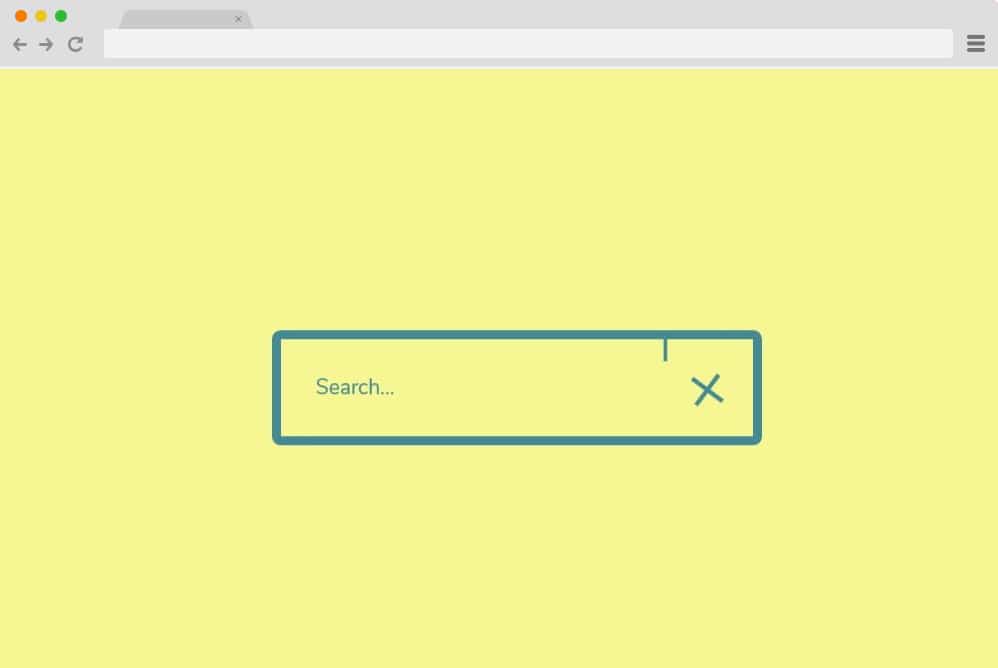
This represents another exceptional CSS search box perfect for your website. It features an intuitive shape-shifting icon that creates an attractive end result. The search button icon executes a smooth color transition when users hover over it.
When clicked, it transforms into a functional search box where users can input their queries. The close button on the bar then smoothly reverts the icon to its original state. Overall, this is a clean and professional-looking search bar design that relies entirely on HTML and CSS. The color scheme is both unique and attention-grabbing.
Search Input Animation
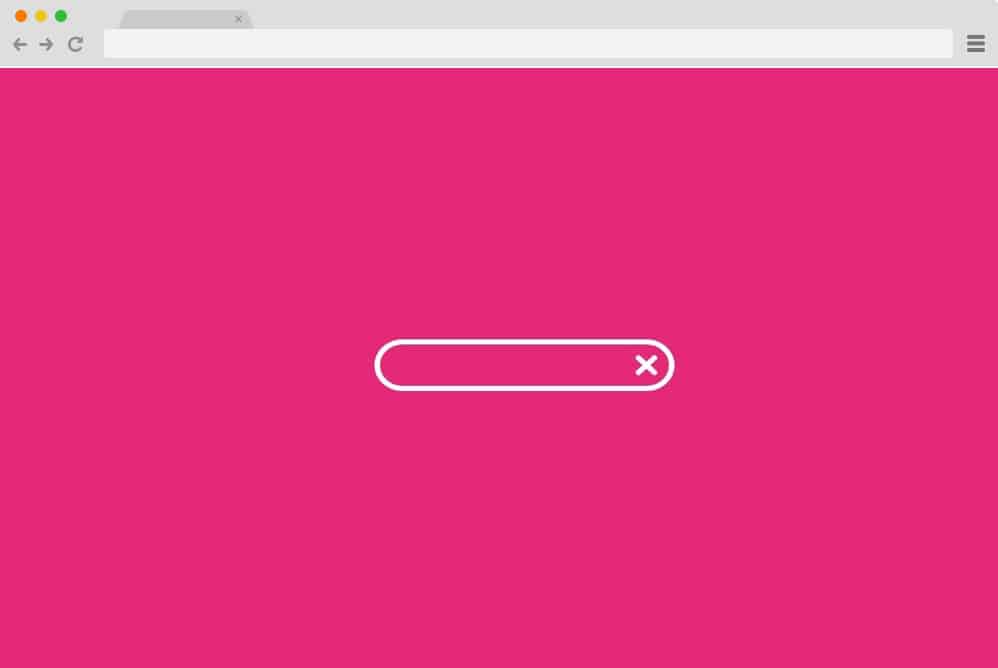
This represents another elegant CSS search bar that shares similar design principles and effects with previous examples. However, the distinguishing factor lies in the striking color palette and subtle variations in the geometric shapes used.
Creator Nikolay Talanov has employed CSS and HTML programming to achieve this polished result, ensuring optimal performance. The excellent feature is that the link below provides users with complete access to the code repository. Explore the demo and experience this variation firsthand.
Search Form with animated search button

An expertly animated example that serves perfectly as a search interface, this is a stylish and robust option to enhance our collection. The creator, using only fundamental CSS and HTML, has successfully incorporated appealing animations, effects, and interactive elements.
Beginning with a standard HTML search box featuring space for searchable text and the search icon positioned alongside, the interface is further enhanced with smooth transition effects. The peach and pink gradient color scheme combined with clean white accents creates an eye-catching and professional appearance.
The right-side icon dynamically transforms into an arrow while the “Search” placeholder text updates when users enter their queries. While all elements can be customized to meet specific requirements, the overall design structure and styling provide an excellent starting foundation.
A thoughtful detail that many other implementations overlook is the helpful notification that appears when users attempt to search without entering any query.
EXPANDABLE SEARCH BAR ANIMATION
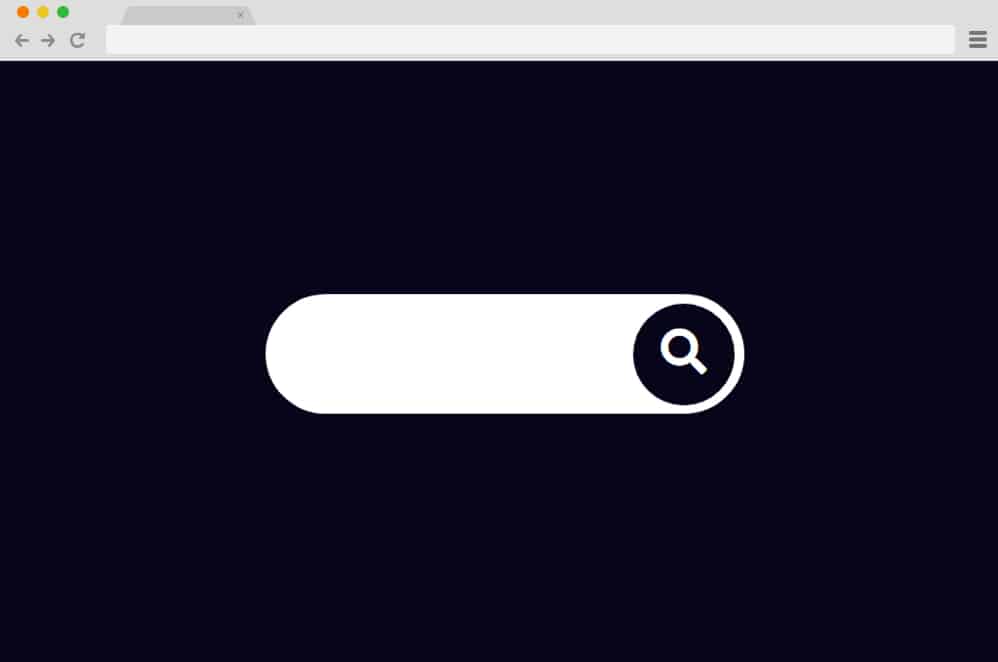
Another excellent example of HTML search functionality is this clean and retro-inspired expandable animated bar. Subtle yet highly effective, this thoughtful design makes it easier to integrate search boxes into text-heavy or content-rich websites.
The creator has achieved impressive visual detail with simple elements and smooth transitions while maintaining a minimalist aesthetic. When activated, the icon expands to full visibility to reveal the text input area where users can enter their search queries.
Due to the dark background and white text area contrast, the initially displayed icon intelligently adapts its color scheme to match the design requirements. The entire structure is built on HTML and CSS foundations, making this search box easy to implement on your website.
Animated Search Bar
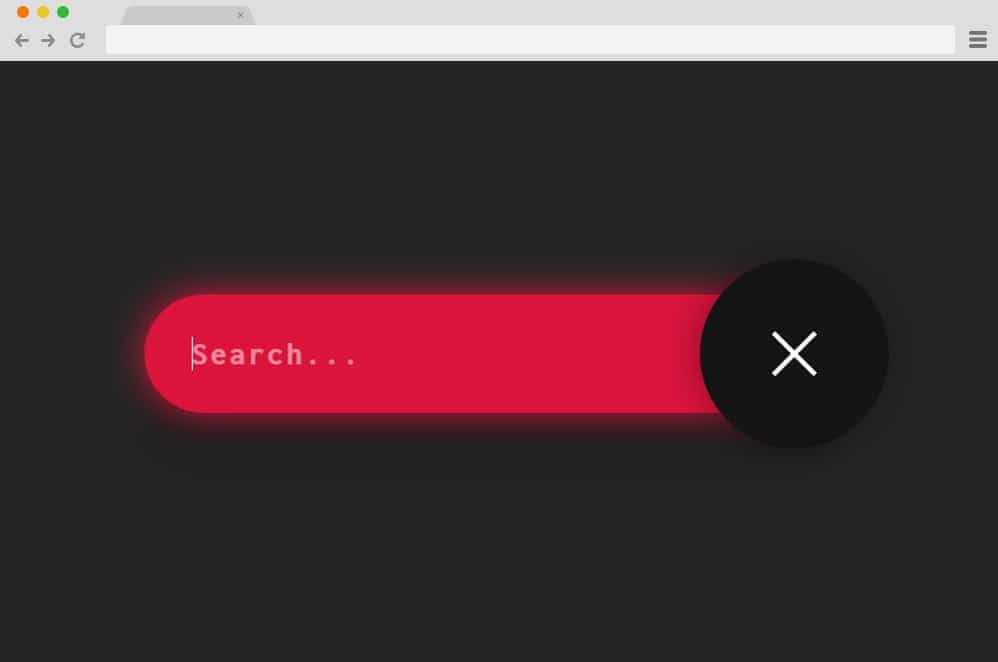
This design shares similarities with the previous example but leans toward a more sophisticated and complex implementation. While the icon concept is similar and expands to reveal the text input area, it’s completely different in terms of animation effects and user interaction.
Albert Feynman, the creator of this HTML search box, has enhanced the simple design with exceptional attention to detail. The icon, when clicked, reveals an input bar for users to enter their search queries. While it begins as a traditional search icon, it smoothly transforms into a close button during the transition.
The vibrant neon pink against a clean gray background makes it more visually appealing and engaging for users to interact with. Explore the complete coding structure by following the link below.
Simple Search Bar
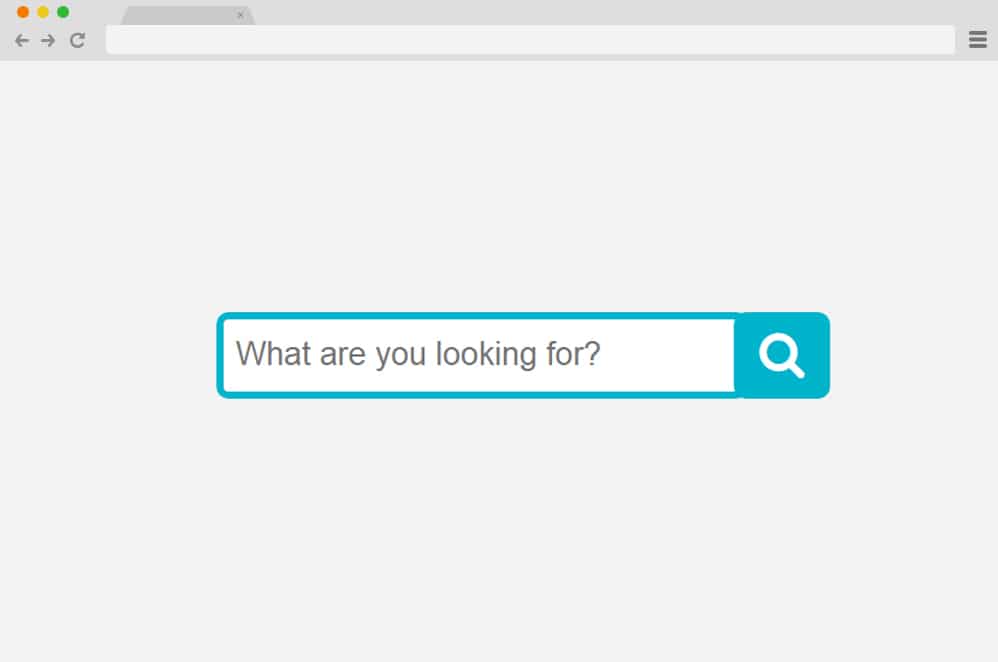
True to its name, this represents a cleaner and more straightforward design for HTML search boxes intended for professional appeal and business applications. This is a standard search interface featuring a text input area and search button.
The typography is clean and the blue and white color combination is visually pleasing and professional. Emily Huang, the creator, has focused on simplicity and kept the entire design more functionality-oriented. While all details including sizing, fonts, and text styling are pre-configured, simple modifications can give it a more customized appearance.
Search Button Animation

Another creative and innovative design, this animated HTML search box is a stunning addition to our collection. Created by Kristy Yeaton, this is an expanding button animated in a truly impressive manner.
Combining HTML, CSS, and sophisticated JavaScript animations, the creator has successfully elevated the entire design concept. It begins with a simple bordered container featuring the search icon. When activated, the search icon transforms into a search button and expands to display the text input area.
Using a sleek black background with vibrant neon blue highlighting for each interactive element, it creates a striking visual impact that captures users’ attention.
Pure CSS Expanding Search

Smooth, clean, and expertly coded, this pure CSS and HTML search box example is another standout in our collection. So fluid and impressive, it’s remarkable that the creator achieved this result without complex JavaScript programming.
The simple navigation icon that expands and reveals the search bar transition creates an almost mesmerizing animation effect. Another sophisticated detail is the dynamic color scheme transition from lime green to pink and purple. The icons also transform from search to close functionality.
Brilliantly executed – get a head start on your next project with the complete code snippet by following the link below.
Fancy Search Box
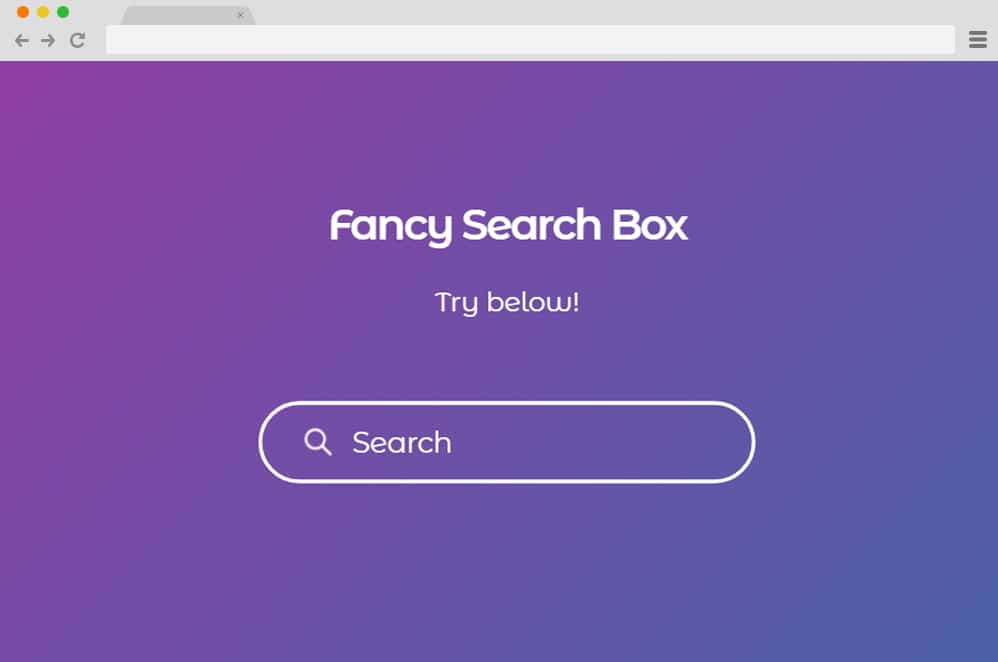
Living up to its name, this is a truly sophisticated, stylish, and cutting-edge design that will undoubtedly impress any user. Set against a rich purple gradient background, the interface is animated in an engaging and interactive manner.
It begins as a simple rounded-edge container with text and icon to designate the search functionality. However, when activated, the box elegantly transforms into a single underline beneath the text. The icon is also animated to smoothly transition positions from left to right.
The creator has utilized CSS, HTML, and JavaScript to implement the animation features. When a specific query is entered, the search button in the form of a sleek arrow appears on the right side. While it may seem complex, you can explore the complete coding structure and gain better understanding through the link below.
Search Box

If you’re seeking something unique and creative to implement HTML search functionality on your site, this is an excellent choice! Clean, simple, yet highly effective for engaging users, it employs the classic expand-and-reveal technique to showcase the search interface.
However, instead of displaying an entirely separate container on the side, this cleverly utilizes the search icon itself. The top portion expands in a way that forms a functional box where users can enter their searches or queries. The white and blue color combination creates a pleasing and professional appearance.
Animated Search Input
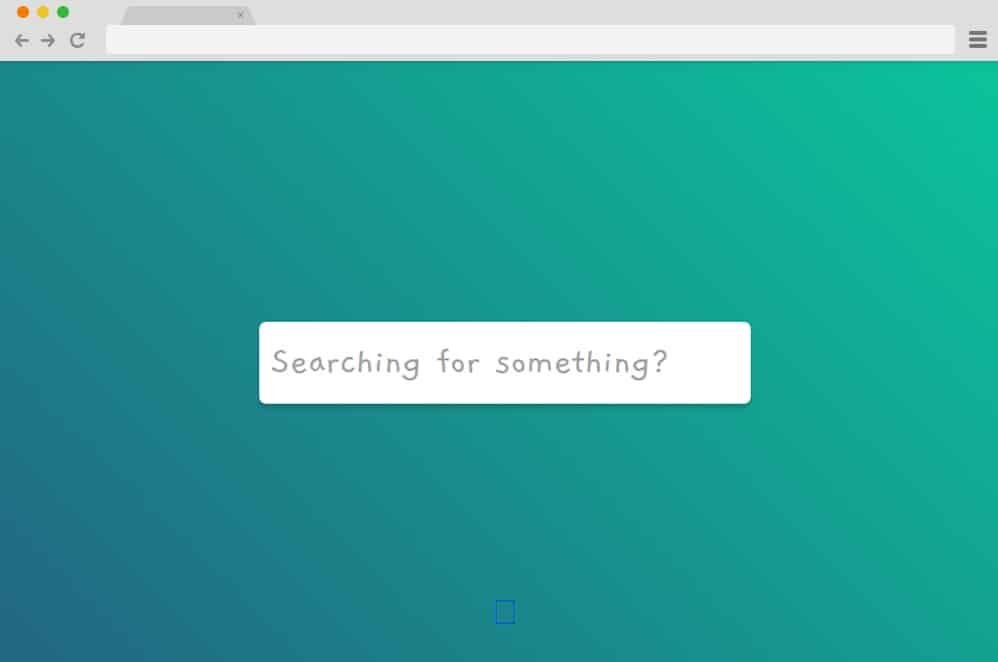
Speaking of creative and innovative design approaches, this animated search input is an outstanding option. The blue and green gradient background immediately catches viewers’ attention. Using only CSS and HTML, the creator has achieved this impressive visual result.
Beginning with what appears to be a simple white search icon, it dynamically changes position and expands to reveal the search area where users can enter their queries. While all aspects including sizing, colors, and typography are pre-configured, you can modify and customize them to your preferences if needed.
Expanding Input
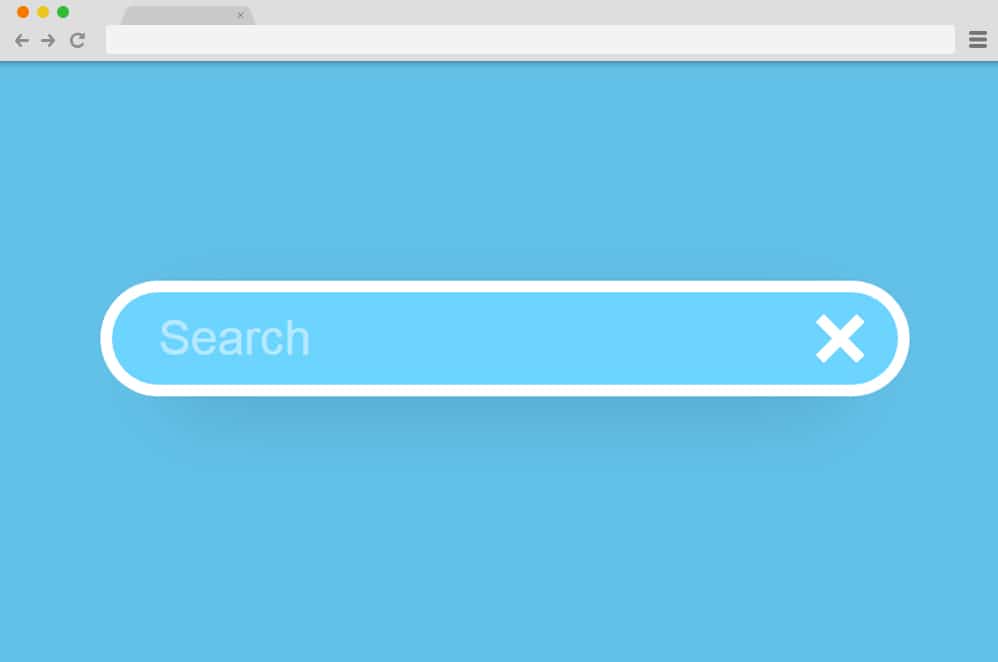
Steve Gardner, the creator of this exceptional HTML search box design, has implemented HTML, CSS, and JavaScript to achieve this outstanding result. The blue and white color palette alongside the professional-looking interface elements and icons are the standout features.
Of course, the smooth animations and interactive effects make it more engaging for users. The color transition from light blue to a deeper shade is executed flawlessly. The text input area is clearly defined with a simple rounded-edge container with a search button positioned alongside.
Everything about this design is minimal and clean, making it the perfect choice regardless of what design philosophy your site follows.
Search Input With Morphing Effect

This represents one of the most sophisticated and advanced search box designs in our entire collection. The morphing effect creates a truly unique user experience that sets it apart from conventional search interfaces.
The design begins with a minimalist approach but transforms dramatically when users interact with it. The fluid morphing animations create an almost organic feel to the interface transitions. Built with advanced CSS techniques and JavaScript, this search box demonstrates what’s possible with modern web development.
The professional color scheme and smooth animations make it suitable for high-end websites and applications. This is definitely a premium-quality search interface that will impress users and enhance your site’s overall user experience.

LITERALLY just used this article to restyle the default WooCommerce product search widget. Used the “Simple Search Bar” style. My theme already even had a font family icon for the search button to make it perfect. Excellent article and code examples.