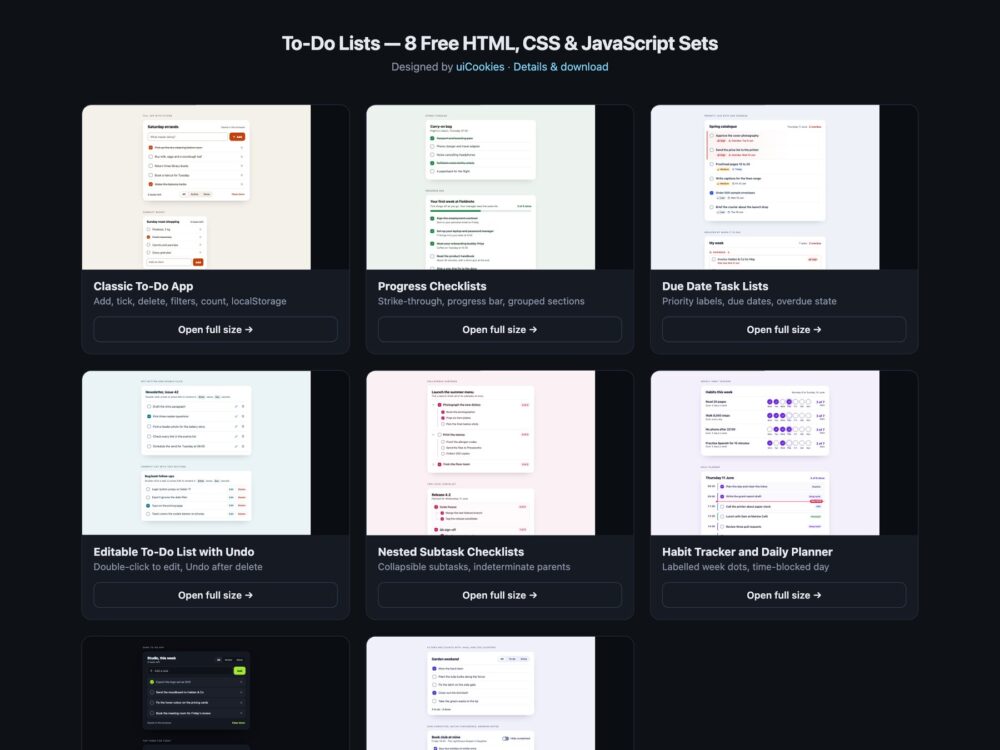
To-Do Lists is a pack of eight sets of to-do lists and task list interfaces, designed and maintained in-house by uiCookies. Every set comes in three versions that look the same: plain HTML and CSS, Bootstrap 5 using .card, .list-group, .form-check-input, .progress, .badge and .toast where they fit, and Tailwind CSS 4. The sets cover a working to-do app with filters and localStorage, progress checklists, tasks with due dates and priority labels, inline editing with undo after delete, subtasks with an indeterminate parent, a habit tracker and daily planner, a dark set, and a modern CSS set that filters and counts tasks with :has() and CSS counters and no JavaScript. Where a set needs a script it is a short piece of vanilla JavaScript with no library, and the same script runs in all three versions.
A good to-do list is built from real checkboxes with labels, so a task can be ticked with a click on its text, the space bar or a screen reader, rather than from clickable divs. Buttons that act on one task say which task they act on, such as Delete Buy milk, because a list of identical Delete buttons is useless out of context. When a task is added, ticked or deleted the change is announced politely, and focus moves somewhere sensible instead of falling back to the top of the page when the row it was on disappears. Priority and overdue state are written in words, not only shown in red, deletes can be undone, and a parent task whose subtasks are half done says so with the mixed state rather than looking unticked.
Free download Browse live demos All snippets
The sets
1. Classic To-Do App
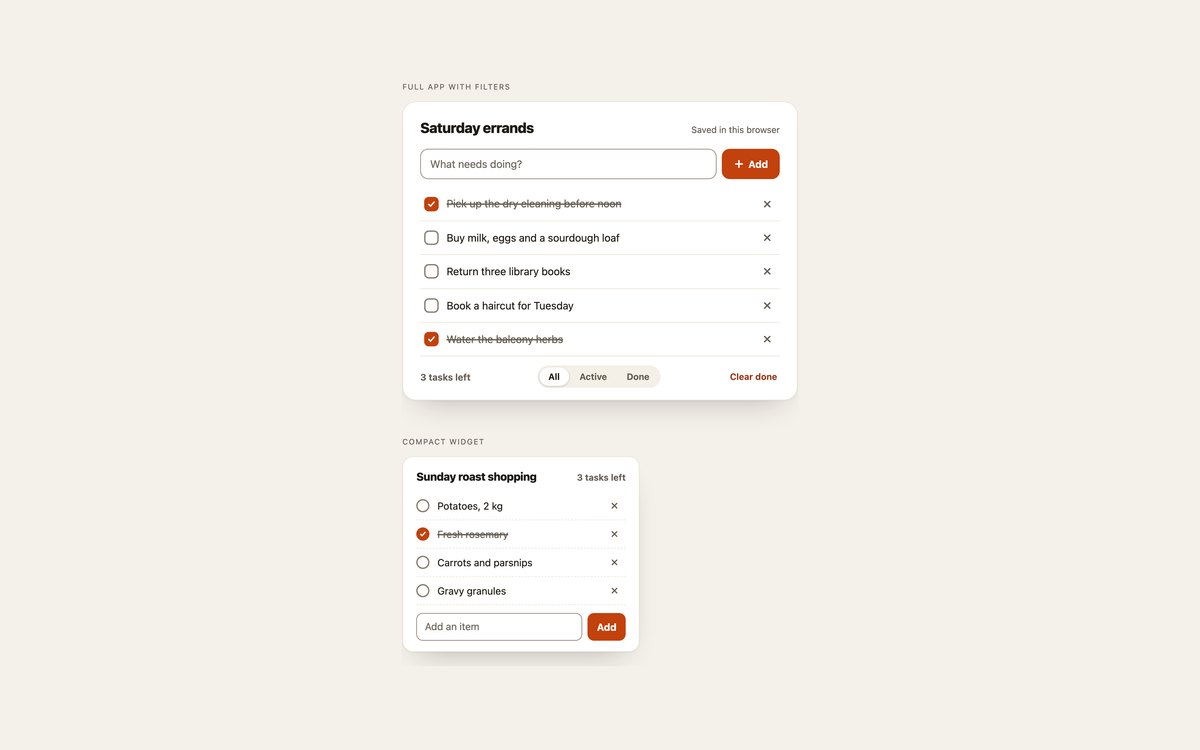
A working to-do app with an add field, delete buttons, All, Active and Done filters, a count of tasks left and a Clear done button, plus a compact widget version for a sidebar.
About a hundred lines of vanilla JavaScript clone rows from a template, save each list to localStorage and announce every change; focus moves to the next row after a delete.
Live Demo CSS, Bootstrap & Tailwind code
2. Progress Checklists
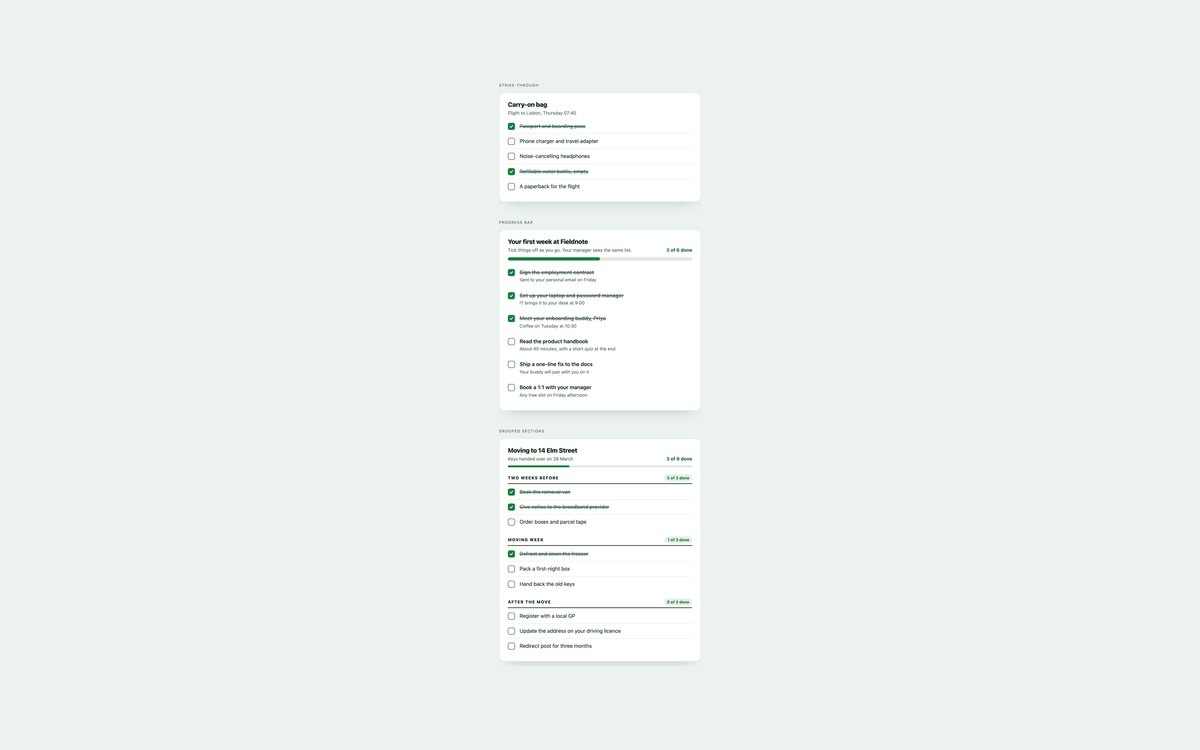
A packing list with an animated strike-through, an onboarding checklist with a progress bar, and a house move grouped into sections with a count for each.
The strike-through is pure CSS; a short script keeps the counts and the progress bar’s aria-valuenow in step and announces the new total.
Live Demo CSS, Bootstrap & Tailwind code
3. Due Date Task Lists
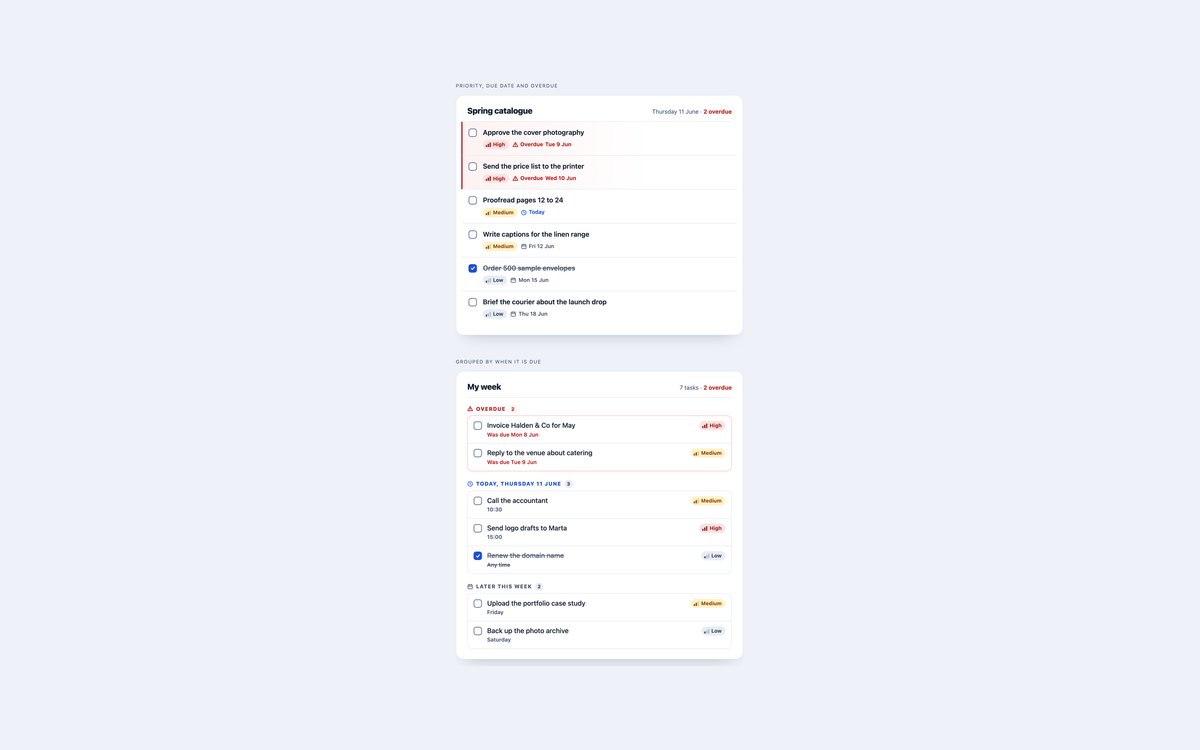
Task rows with High, Medium and Low priority labels, due dates in time elements and an overdue state, and a week grouped into Overdue, Today and Later.
Use them for project and client work. Priority and overdue are written in words beside their icons, and nothing in the set needs JavaScript.
Live Demo CSS, Bootstrap & Tailwind code
4. Editable To-Do List with Undo
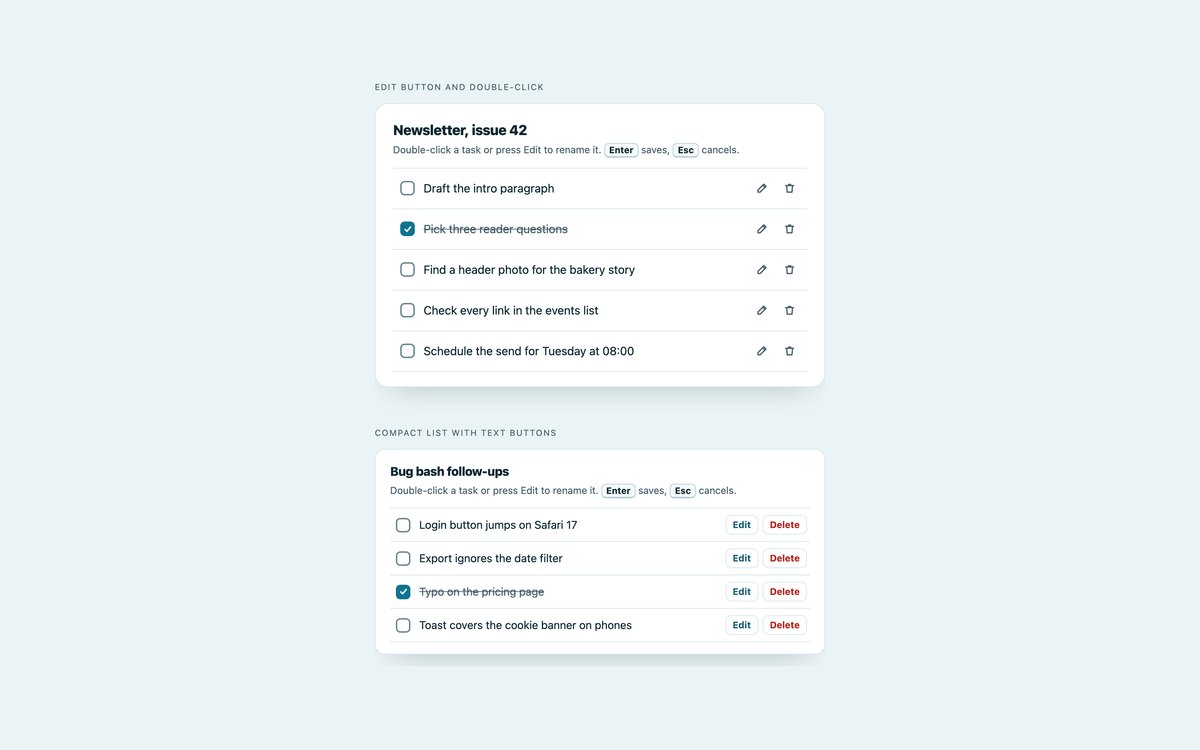
Two lists whose tasks can be renamed in place by double-clicking or pressing Edit, with a message bar that offers Undo after a delete.
Enter saves and Escape cancels, Undo puts the task back where it was, and the message waits while it has the pointer or keyboard focus.
Live Demo CSS, Bootstrap & Tailwind code
5. Nested Subtask Checklists
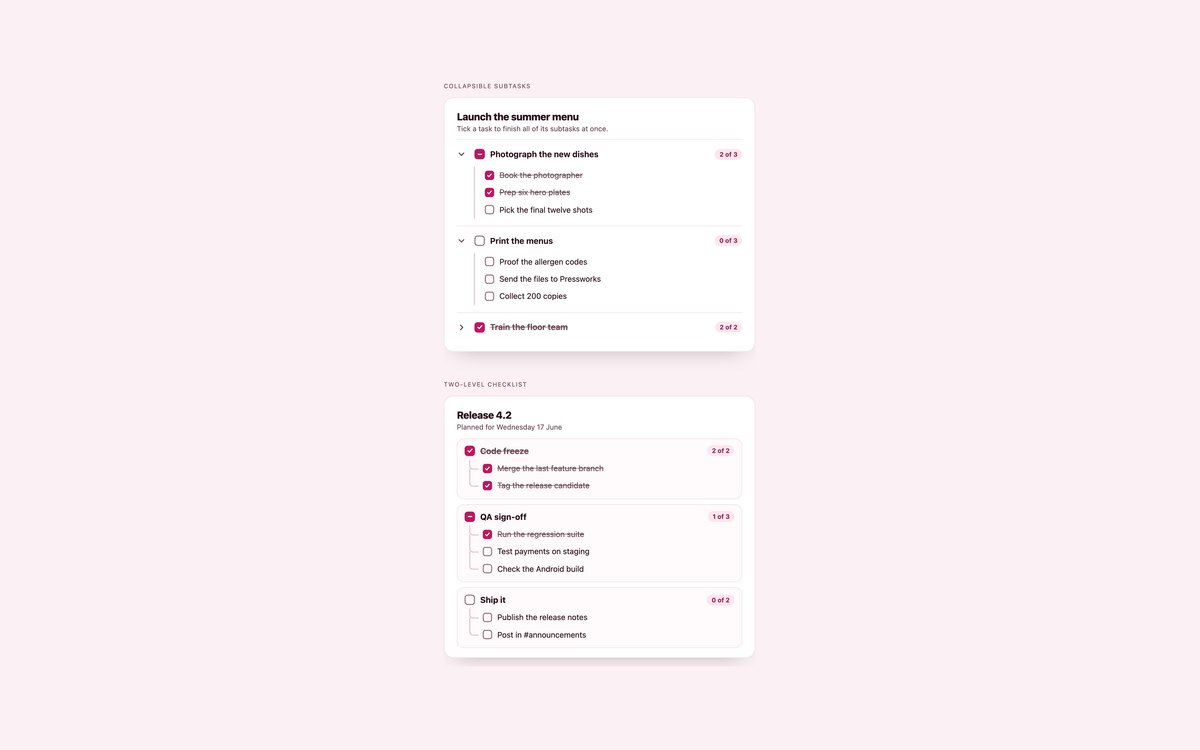
A project with collapsible subtasks and a release checklist with tree lines, where a parent box ticks all of its subtasks.
When only some subtasks are done the parent shows the indeterminate dash, set by about thirty lines of JavaScript and exposed to screen readers as mixed.
Live Demo CSS, Bootstrap & Tailwind code
6. Habit Tracker and Daily Planner
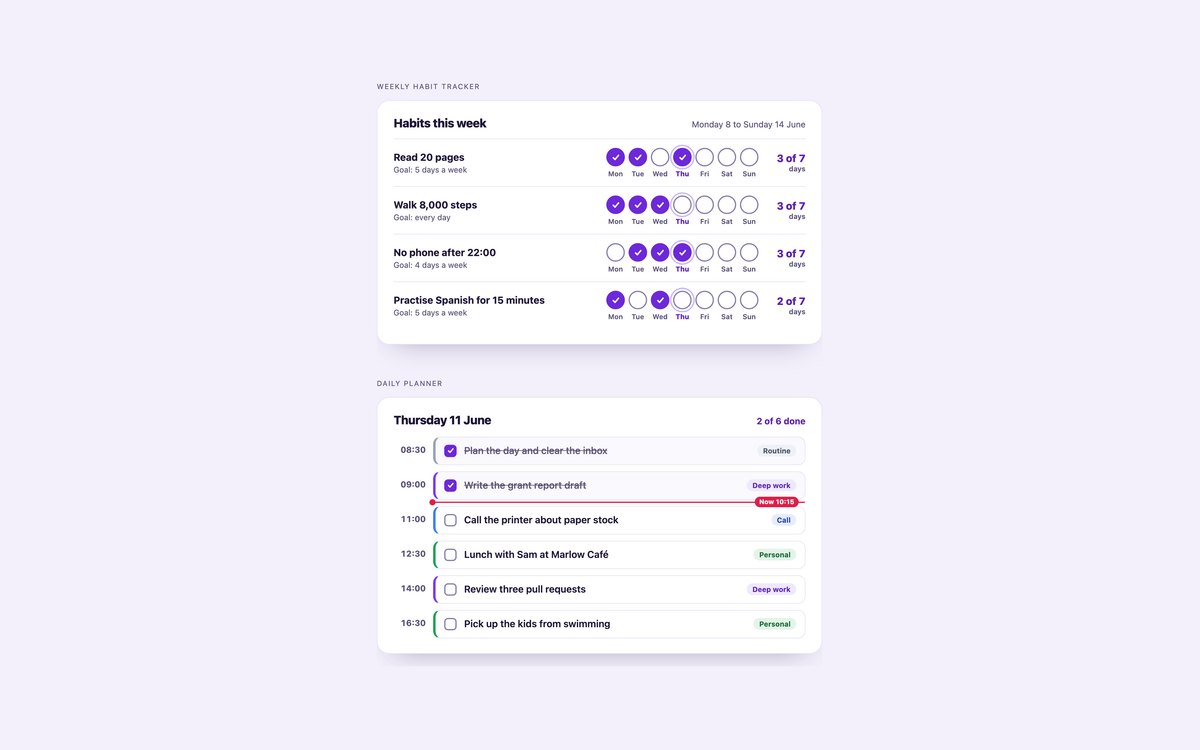
A weekly habit tracker with seven labelled day dots per habit and a tally, and a time-blocked daily planner with categories and a current-time line.
Each habit row is a group named by the habit, so every dot reads as the habit and the day, and a short script keeps the tallies current.
Live Demo CSS, Bootstrap & Tailwind code
7. Dark To-Do Lists
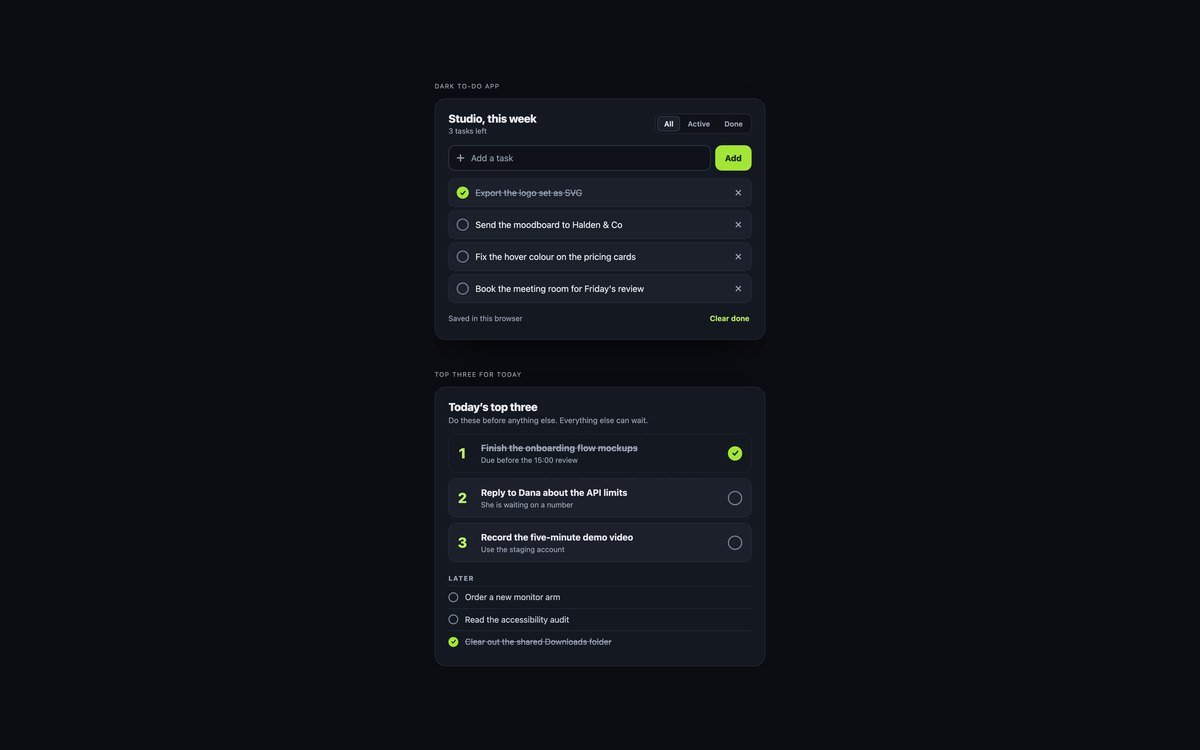
A dark to-do app with filters, a lime accent and localStorage, and a top three focus list with numbered tiles and a Later list.
Colours are checked for contrast on a near-black ground. Bootstrap runs it in data-bs-theme="dark", and the focus list needs no script.
Live Demo CSS, Bootstrap & Tailwind code
8. CSS-only To-Do List with :has()
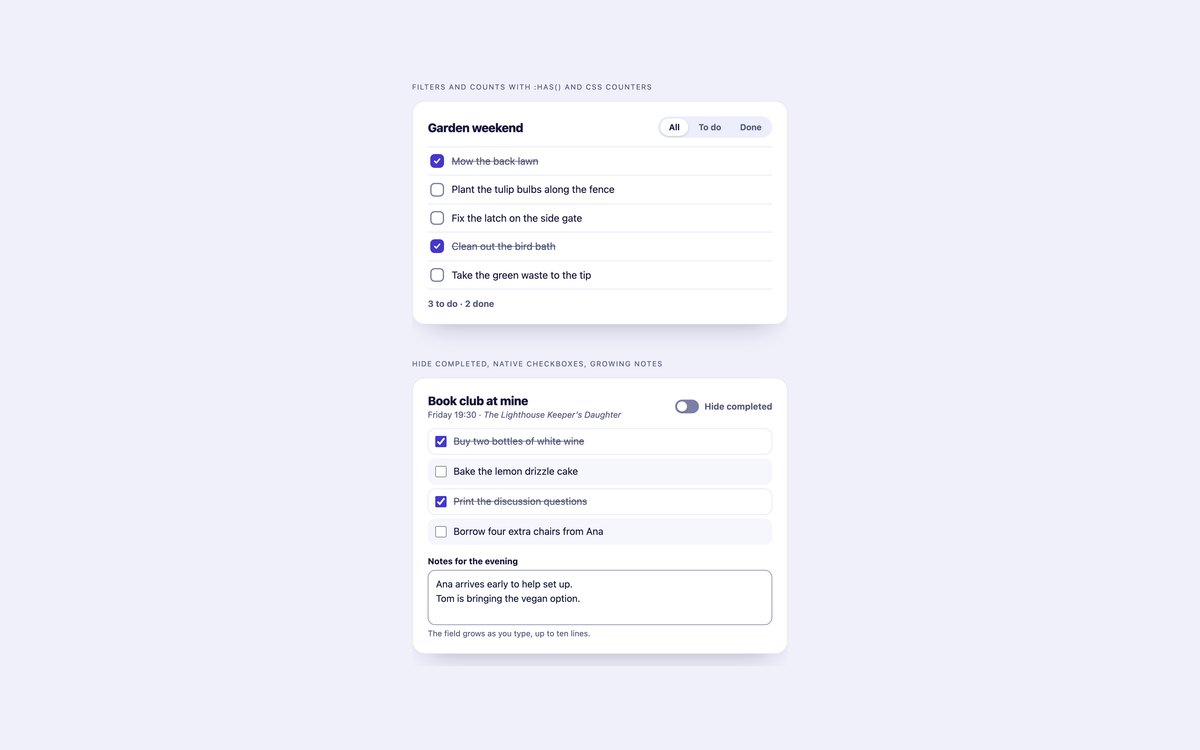
A to-do list with All, To do and Done filters, counts and empty states, and a checklist with a hide completed switch and a growing notes field.
No JavaScript: :has() reads the filter radios, CSS counters do the counting, accent-color colours the native boxes and field-sizing grows the notes field.
Live Demo CSS, Bootstrap & Tailwind code
Frequently asked questions
Are these to-do lists free for commercial projects?
Yes. Every set is free for personal and commercial projects, including client work and products you sell. Attribution is optional but always welcome. The licence is at uicookies.com/license/.
Do these to-do lists need JavaScript?
The interactive sets use short vanilla JavaScript with no library: the to-do apps in sets 1 and 7, the progress counts in set 2, editing and undo in set 4, the indeterminate parents in set 5 and the tallies in set 6. The due date lists, the dark top three list and the whole modern CSS set use no JavaScript. The Bootstrap versions do not load Bootstrap’s JavaScript bundle.
Are the to-do lists accessible?
Every task is a real checkbox with a label, and buttons that act on one task are named after it, such as Delete Buy milk. Adding, ticking and deleting are announced in a polite status region, focus moves to a neighbouring row after a delete, filter buttons use aria-pressed, and parents with half-done subtasks are exposed as mixed. Every control shows a visible focus outline, motion stops under prefers-reduced-motion, and every set passes an automated axe-core WCAG 2.1 AA check.
Which frameworks are included?
Every set has three files that look the same: plain HTML and CSS, Bootstrap 5.3.8 and Tailwind CSS 4. The Bootstrap files use .card, .list-group, .form-check-input, .form-control, .btn, .btn-check, .form-switch, .progress, .badge and .toast where they fit, with a small style block for the rest. The Tailwind files use utility classes in the markup and a style block only for the tick images and a few custom utilities. Where a set has a script, the same script runs in all three versions.
How do I save a to-do list in the browser with localStorage?
Keep the tasks in an array of objects with the text and a done flag, and after every change write it with localStorage.setItem and JSON.stringify under a key for that list. On load, read it back with JSON.parse inside a try block and fall back to the tasks in the HTML if storage is empty or blocked. Set 01 does exactly this, with one key per list, so two lists on one page do not overwrite each other.