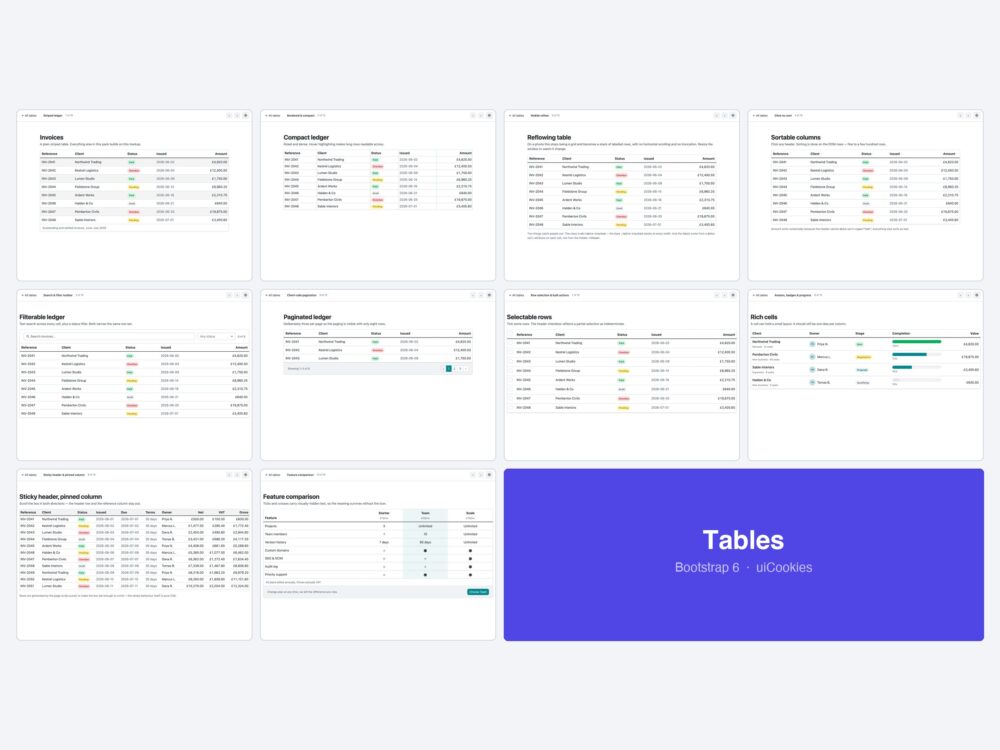
Ten table templates for Bootstrap 6 — striped and bordered basics, the new .table-stacked mobile reflow, click-to-sort headers, a Combobox filter bar, pagination, row selection, rich cells, a sticky header with a pinned column and a feature comparison.
Every screen was designed and coded in-house by uiCookies against the Bootstrap 6 alpha. Each design is its own page with prev/next navigation, there is no build step, and light and dark mode both work out of the box.
Download all 10 (free) Browse live demos
What changed for tables in Bootstrap 6
One genuinely new component, and it has traps that fail silently.
.table-stackedreplaces horizontal scrolling. Rows reflow into labelled blocks below the breakpoint instead of forcing a sideways scroll — the thing everyone previously hand-wrote withdata-labeland a media query. Three of the designs here use it.- Sorting is yours to wire, but the semantics are not optional. A sortable header has to set
aria-sorton the active column, or the direction is drawn and never announced. The sortable and paginated designs both do it. - Filter bars now have real components. The Combobox gives you a searchable, optionally multi-select filter with no library — in v5 this was a select element plus a plugin.
- Sticky headers and pinned columns are CSS. Both are
position: sticky; the pack’s version adds the edge shadow that stops a pinned column reading as a rendering fault.
The ten designs
1. Striped ledger
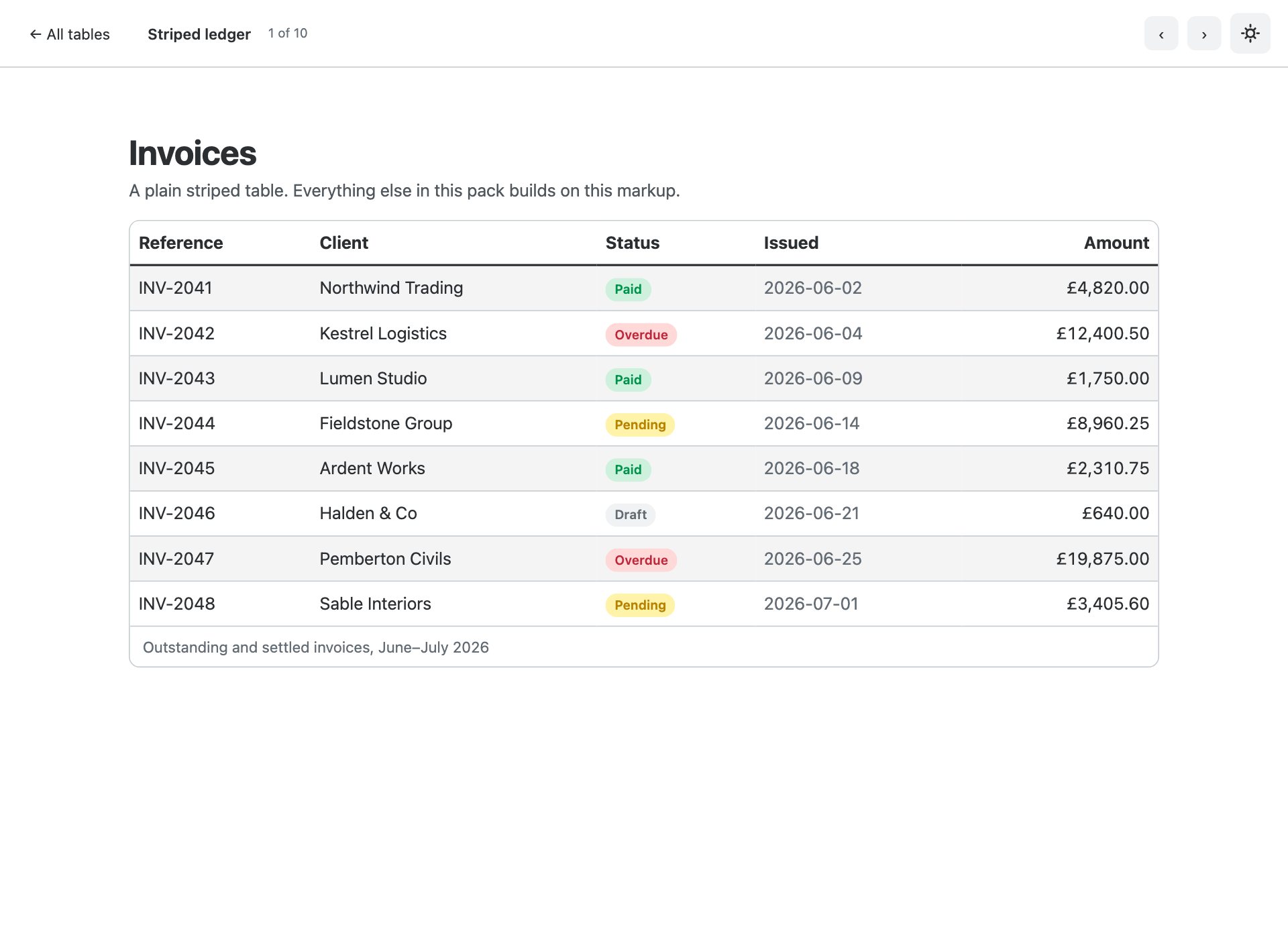
The default. Semantic markup with a caption, a proper row header per row and tabular figures so the money column lines up.
2. Bordered & compact
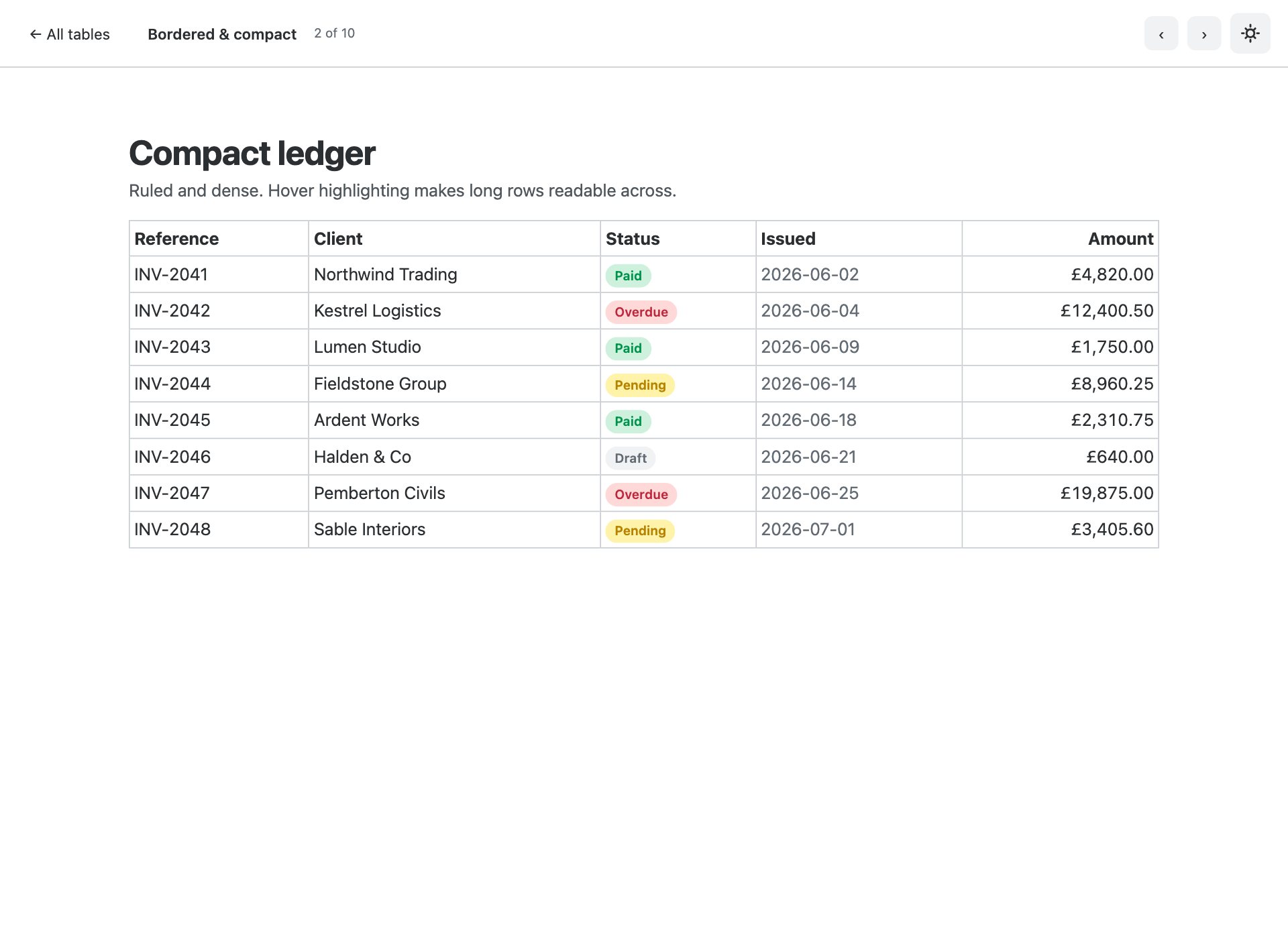
.table-bordered with .table-sm and .table-hover — the density finance and admin screens actually want.
3. Mobile reflow
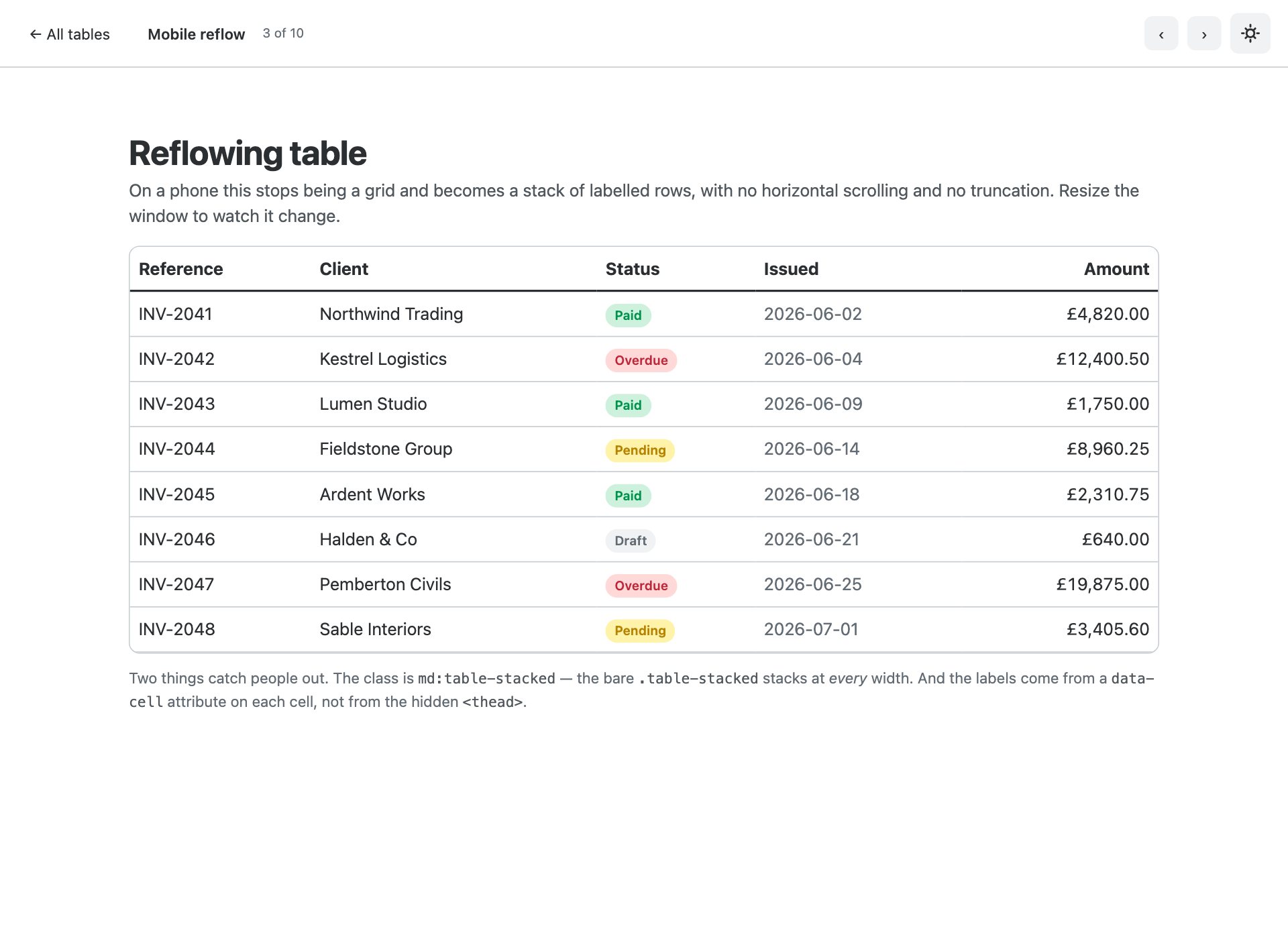
.md:table-stacked is new in v6 — below the breakpoint each row becomes a labelled block instead of forcing a horizontal scroll. Narrow the window to see it.
4. Click-to-sort
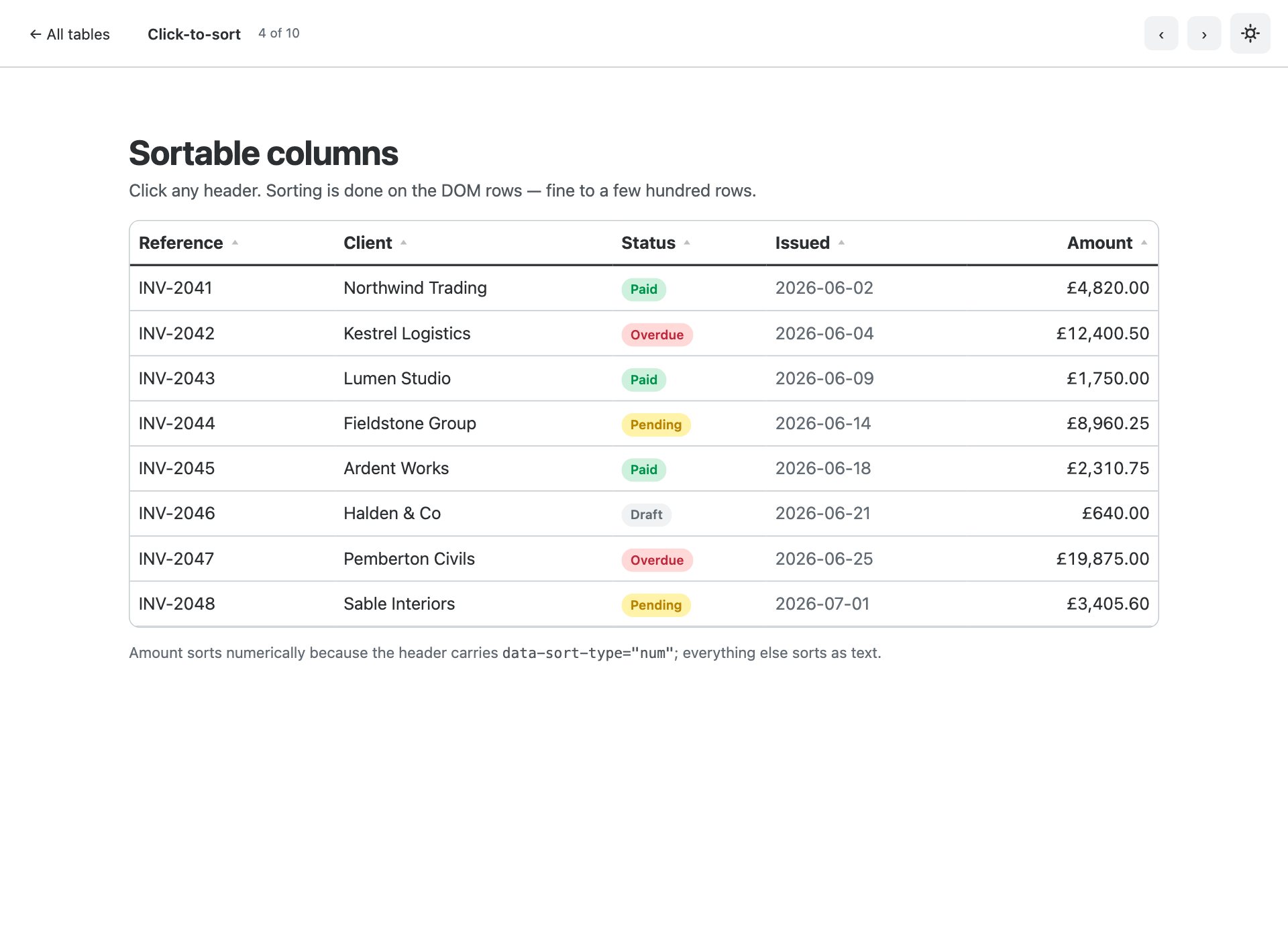
Header buttons that sort in place and set aria-sort, so screen readers announce the direction. No library.
5. Search & filter toolbar
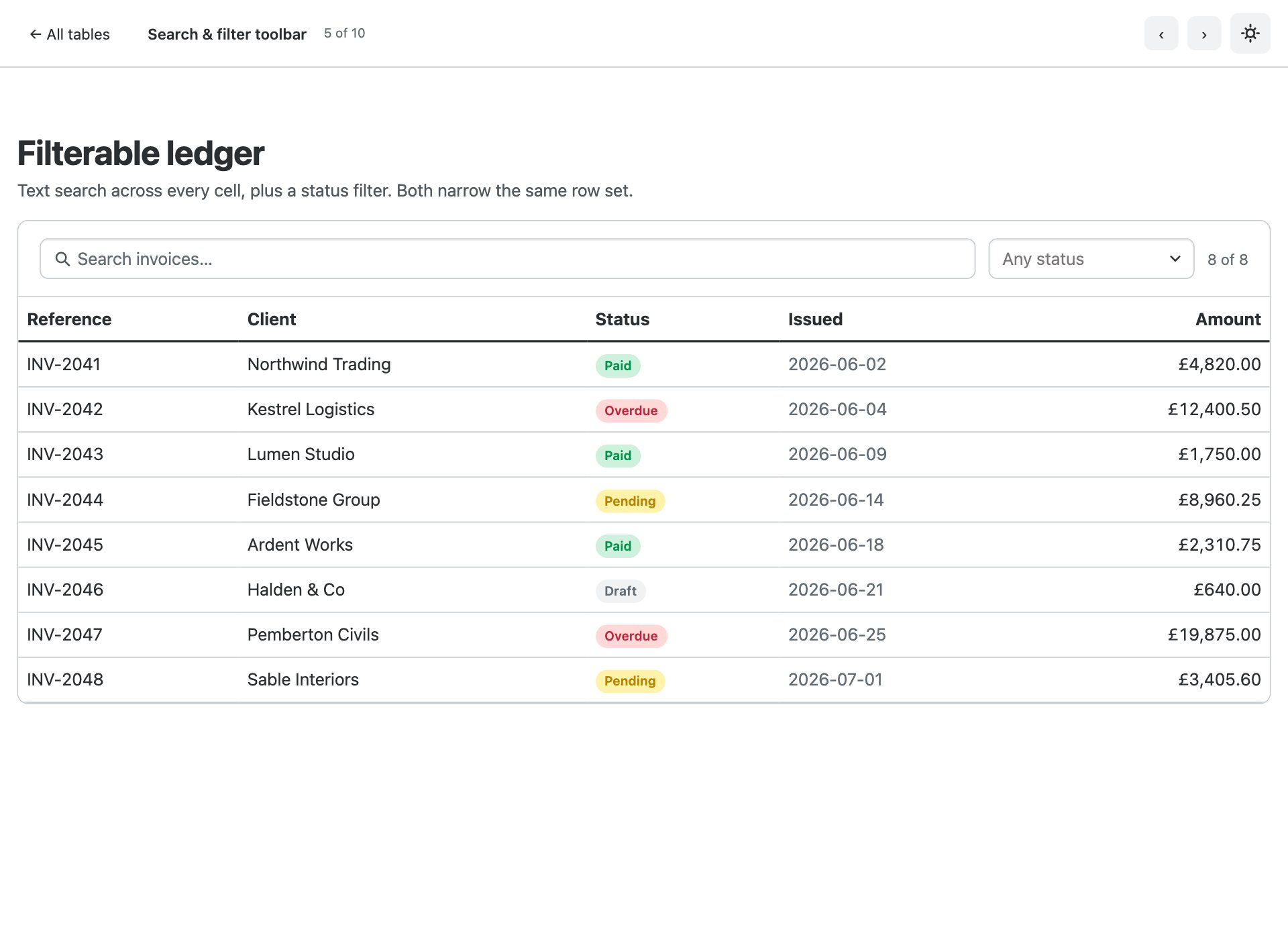
A search field and a Combobox status filter above the table, with a live result count and an empty state.
6. Client-side pagination
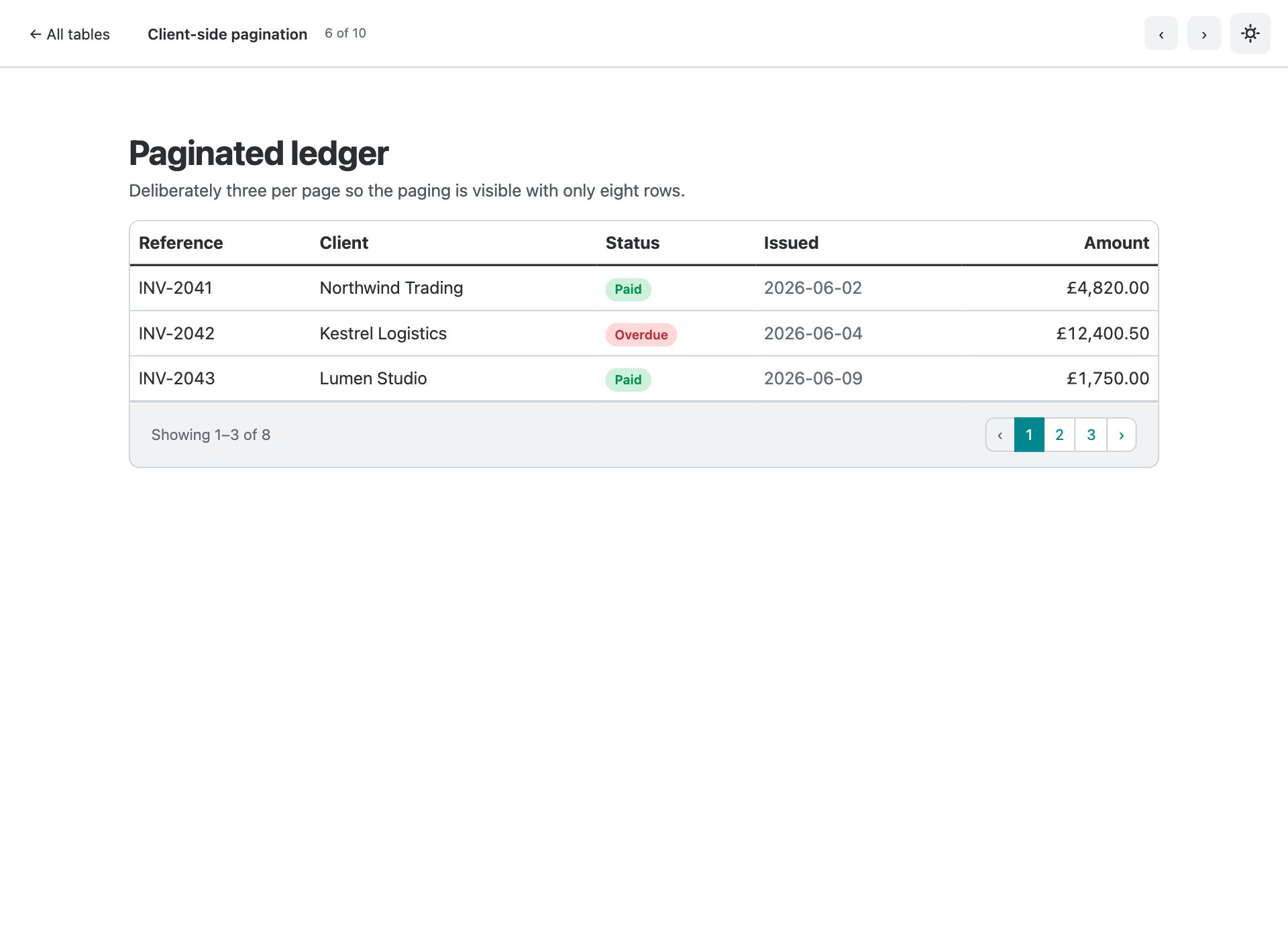
Three rows a page with real <nav> pagination, a live range readout and disabled end states.
7. Row selection & bulk actions
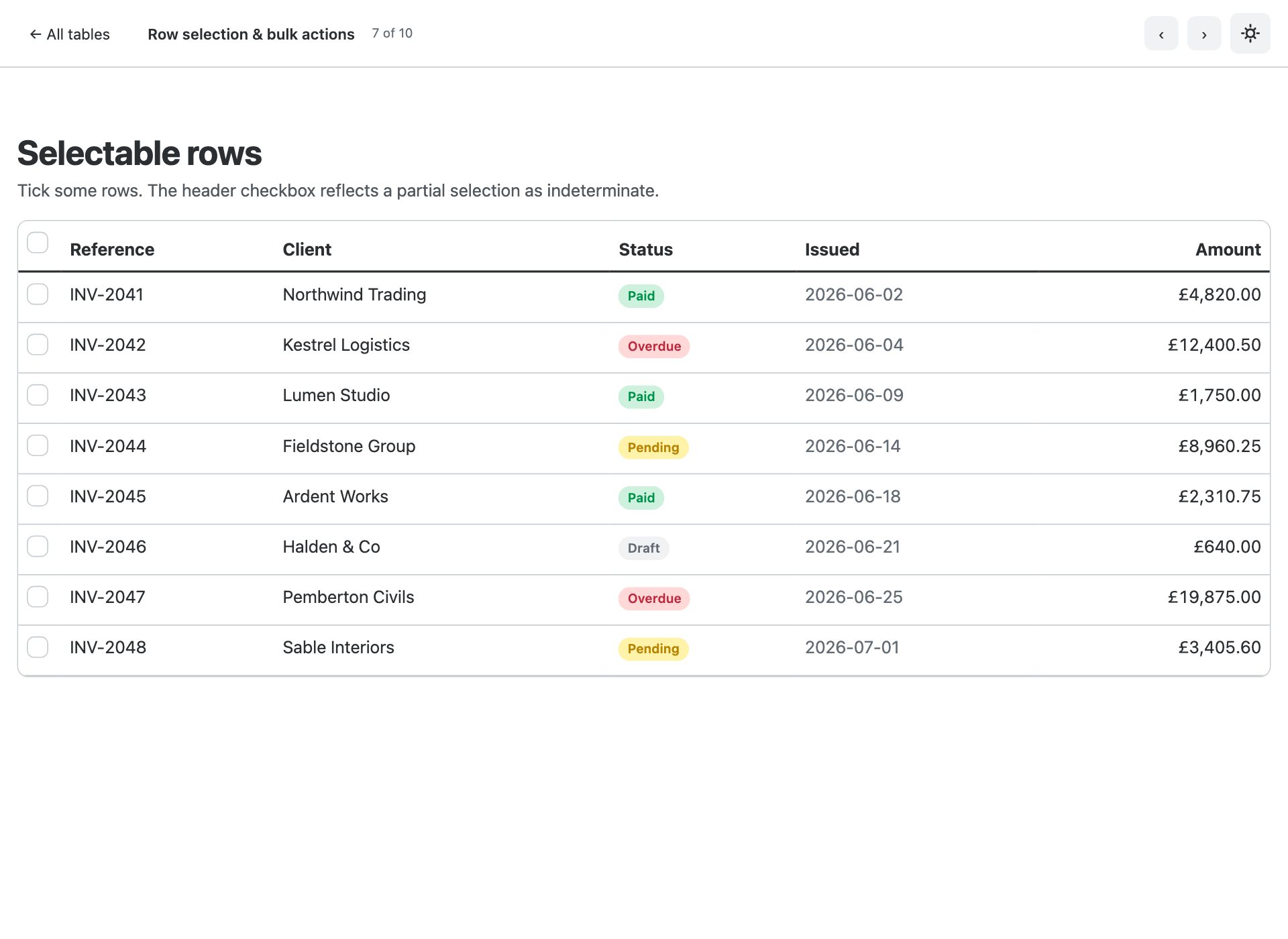
Checkbox column with a header that goes indeterminate on a partial selection, and a bulk-action bar that appears only when something is chosen.
8. Avatars, badges & progress
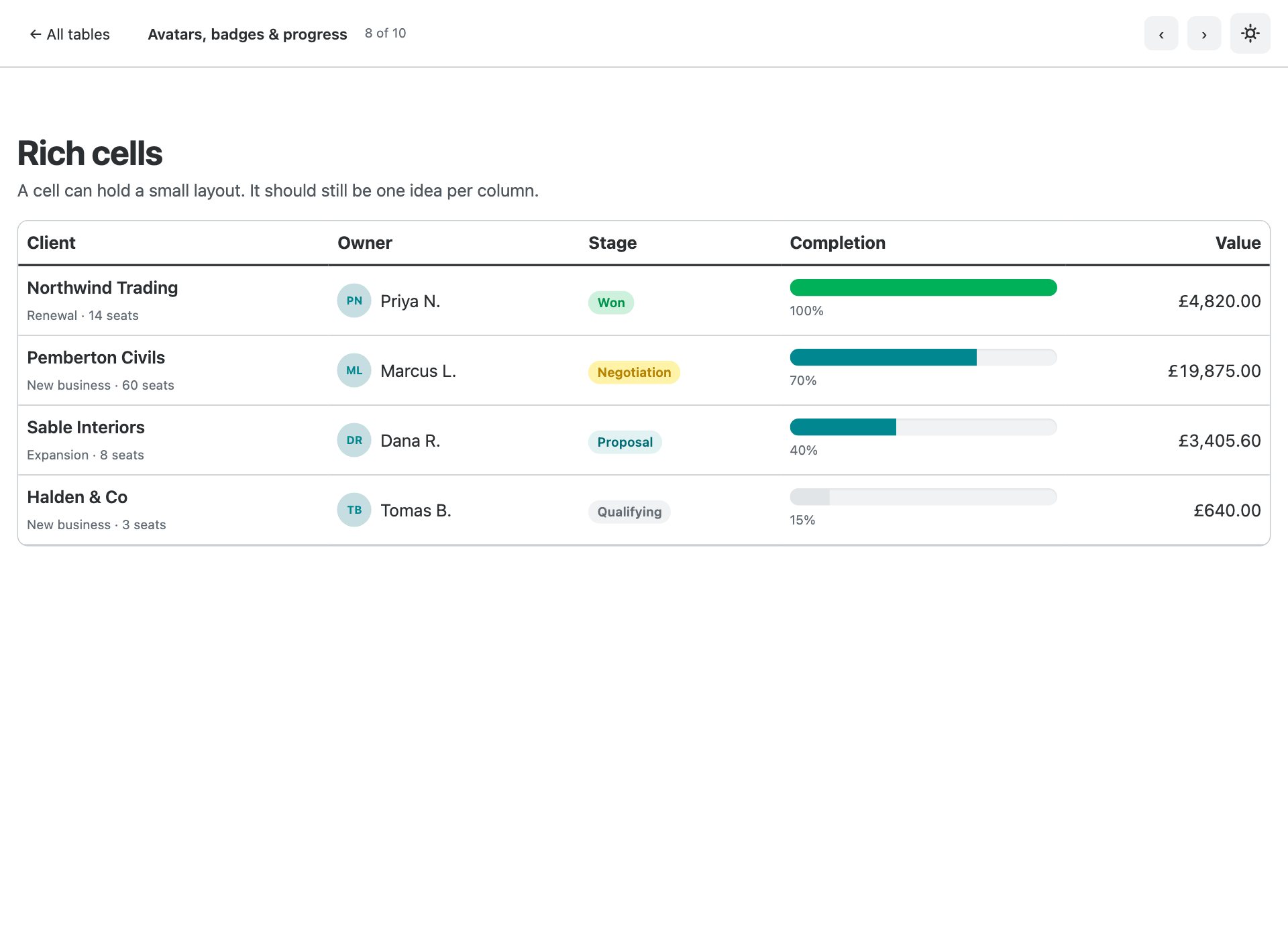
What a dashboard table actually holds — avatar and secondary line in one cell, status badges, and an inline progress bar.
9. Sticky header & pinned column
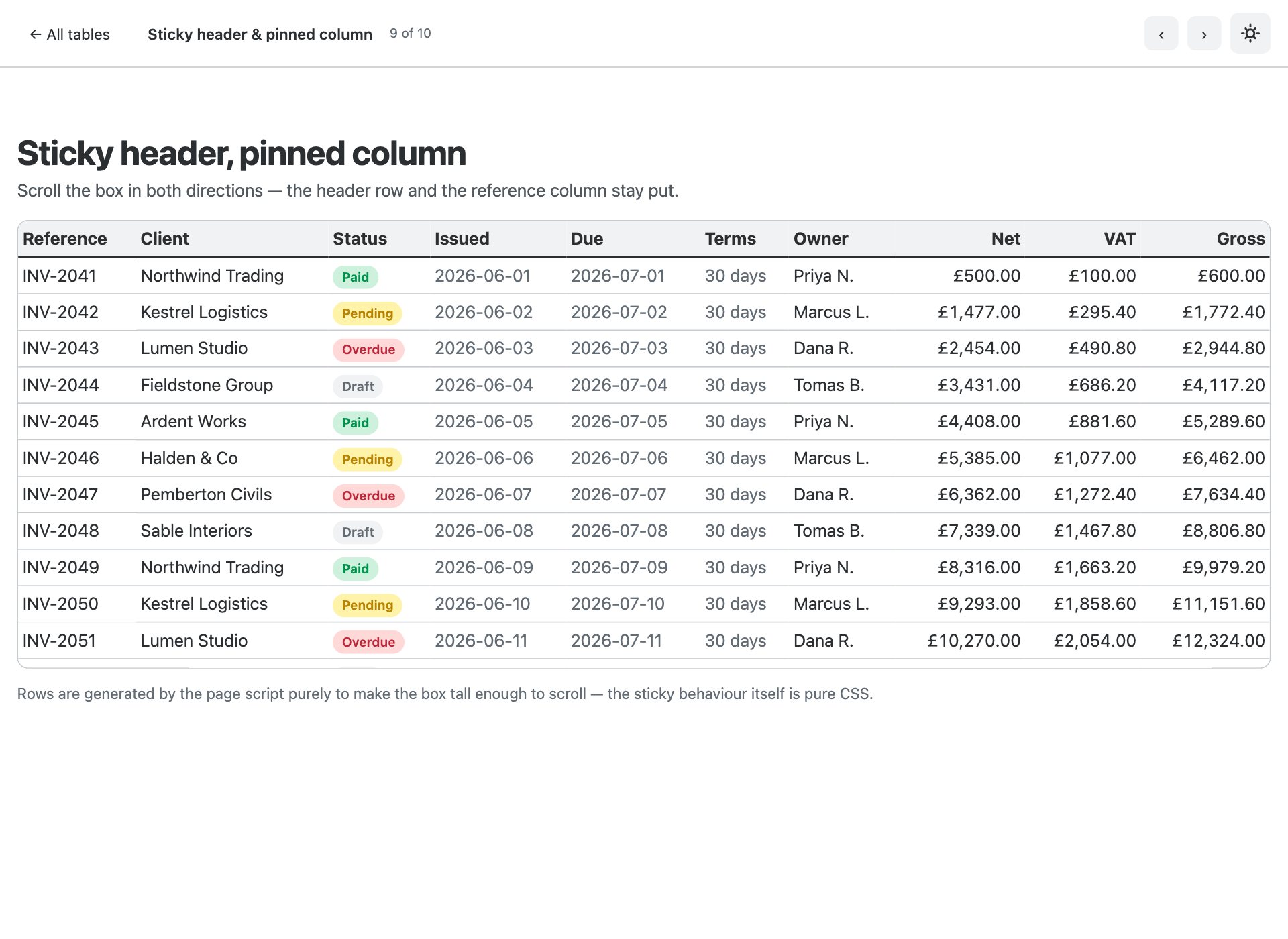
A tall, wide table that scrolls inside its own box — header stuck to the top, reference column pinned to the left.
10. Feature comparison
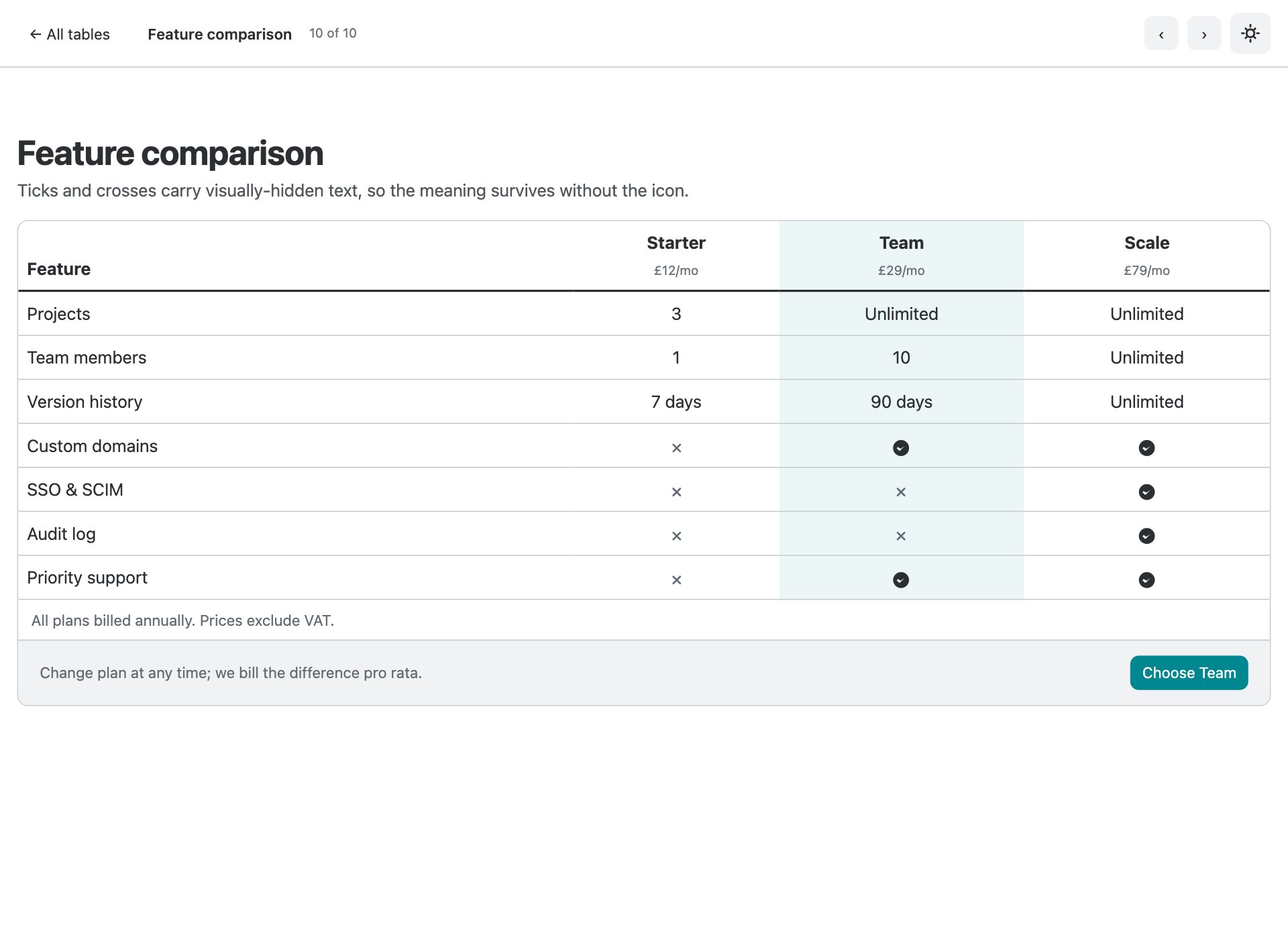
A pricing matrix with a highlighted column, ticks and crosses that are announced properly, and row headers down the side.
What is in the pack
- Ten standalone table pages plus an index gallery
- The new .table-stacked — rows reflow to labelled blocks on mobile, no horizontal scroll
- Click-to-sort headers that set aria-sort so the direction is announced
- Search and Combobox status filter with a live count and empty state
- Client-side pagination with real <nav> markup and disabled end states
- Row selection with an indeterminate select-all and a bulk-action bar
- Rich cells — avatar stacks, status badges and inline progress bars
- Sticky header with a pinned first column, scrolling in both directions
- Feature comparison matrix with visually-hidden text on every tick and cross
- Semantic markup throughout — th scope=row, captions, tabular figures
- Vanilla JavaScript operating on DOM rows — no datatable library
- Bootstrap 6 vendored at a pinned commit, ESM-only, no build step
Installing Bootstrap 6
The download carries its own copy of the Bootstrap 6 alpha dist under assets/vendor/bootstrap6/, pinned to the commit these were tested on. Bootstrap 6 has no npm release yet, so pointing at a CDN “latest” would mean your tables change under you between builds.
Frequently asked questions
Is Bootstrap 6 released yet?
Not as a stable version. Bootstrap 6 is in alpha, and it is not published to npm — npm i bootstrap@6 will not fetch it. These templates ship the compiled alpha dist they were built against, pinned to a specific commit, so they keep working regardless of what changes upstream.
Can I use these in production?
Treat them the way you would treat any alpha. They are complete, tested templates and the markup is correct for the build they ship with — but Bootstrap 6 class names and component APIs are still moving, so a later alpha may require changes. For a site you have to maintain today, Bootstrap 5 is still the safer answer.
Do I need a build step?
No. Every file is plain HTML with the compiled CSS and an ESM script tag. Open it from the folder and it runs. Bootstrap 6 is ESM-only, which means there is no window.bootstrap — you import the bundle for its side effects and that registers the data-attribute API.
Why does the console log an error about more than one instance?
On pages using a Combobox you will see “Bootstrap doesn’t allow more than one instance per element. Bound instance: bs.combobox.” That is an upstream bug in the alpha: the Combobox constructor creates a Menu on an element that already holds a combobox instance. It is a logged error, not a thrown one, and every component still works. We have deliberately not patched around it, because the fix belongs upstream.
Are these free for commercial use?
Yes — free for personal and commercial projects, including client work. What you cannot do is repackage the pack itself for redistribution.
More Bootstrap 6 templates
The rest of the Bootstrap 6 component packs, all built against the same pinned alpha build:
- Bootstrap 6 forms — 10 form layouts
- Bootstrap 6 cards — 10 card templates
- Bootstrap 6 navbars & menus — 8 navigation patterns
- Bootstrap 6 modals & drawers — 10 dialog templates
- Bootstrap 6 login forms — 8 auth screens
For complete sites and admin UIs rather than single components, see all 34 free Bootstrap 6 templates — which also covers what changed from Bootstrap 5 in full.
Download all 10 templates (free) Browse live demos