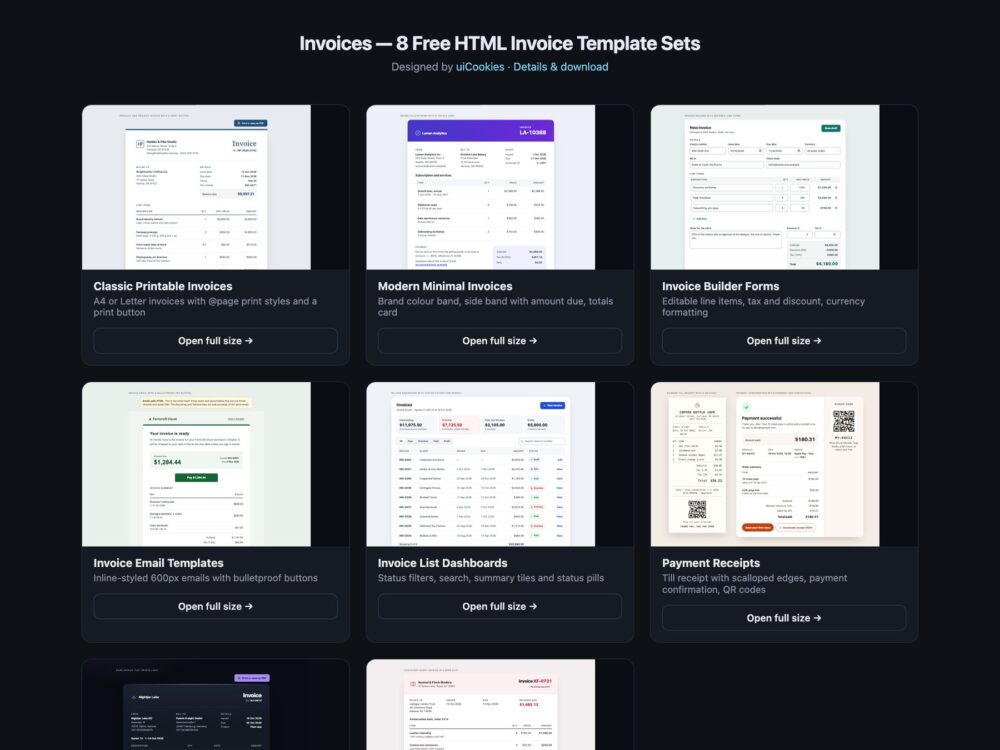
Invoices is a pack of eight sets of HTML invoice templates, designed and maintained in-house by uiCookies. Every set comes in three versions that look the same: plain HTML and CSS, Bootstrap 5.3 built on its own cards, tables, badges, buttons, form controls and dark colour mode, and Tailwind CSS 4. The sets cover classic printable invoices for A4 and US Letter, modern minimal invoices with a brand colour band, an invoice builder with editable line items and currency formatting, inline-styled invoice emails, a billing dashboard with status filters, till receipts and payment confirmations, a dark set that prints light, and a container-query invoice built on subgrid.
A good invoice answers three questions at a glance: how much, by when, and how to pay. The amount due and the due date sit near the top, the line items are a real table with column headers, item names as row headers and totals in the table footer, and every figure uses tabular numbers so the columns line up. Totals are rounded per line in the currency’s smallest unit so they always add up, and the currency is named. An invoice will be printed and saved as PDF, so it needs print styles: page margins, a header row that repeats on every page, rows that never split, no buttons or dark backgrounds on paper. Status labels such as Paid or Overdue need a word and an icon, not just a colour, and an invoice sent by email needs inline styles and layout tables, because email clients ignore most of a stylesheet.
Free download Browse live demos All snippets
The sets
1. Classic Printable Invoices
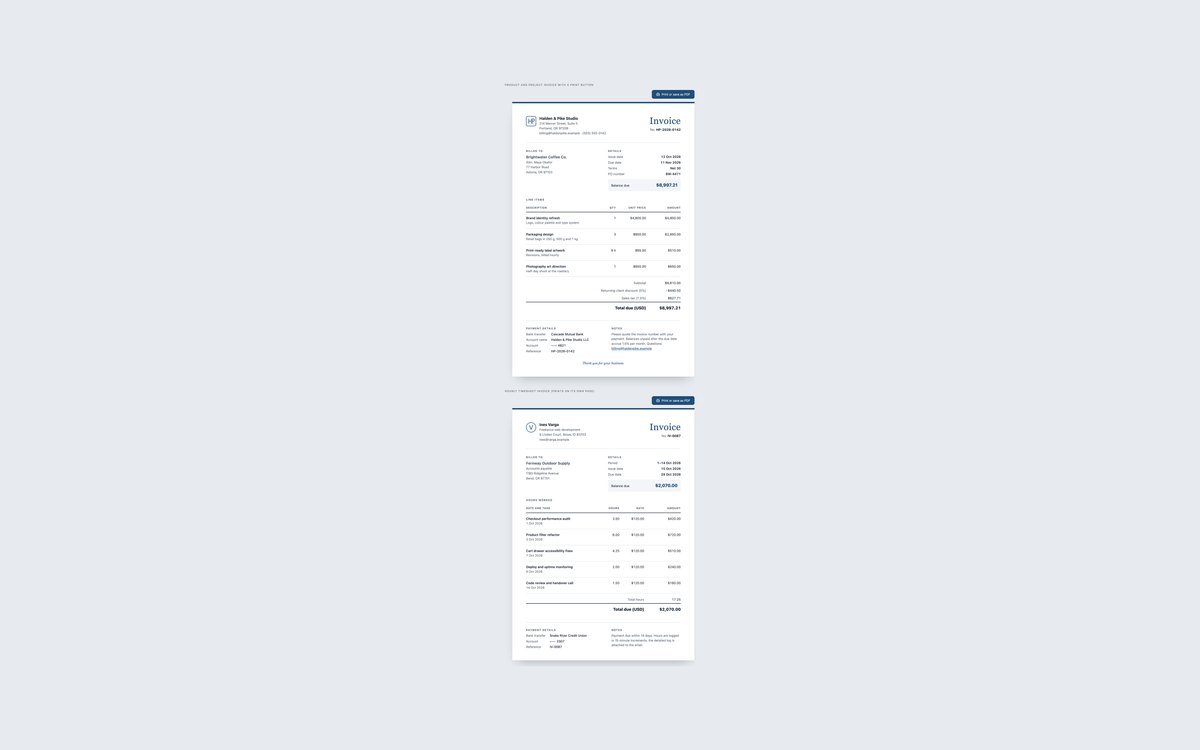
A product and project invoice for a design studio and an hourly timesheet invoice for a freelancer, each laid out as a sheet of A4 or US Letter paper.
Use them when the invoice will be printed or saved as PDF. An @page rule sets the margins, the table header repeats on each page, rows never split, and the Print button is hidden in print.
Live Demo CSS, Bootstrap & Tailwind code
2. Modern Minimal Invoices
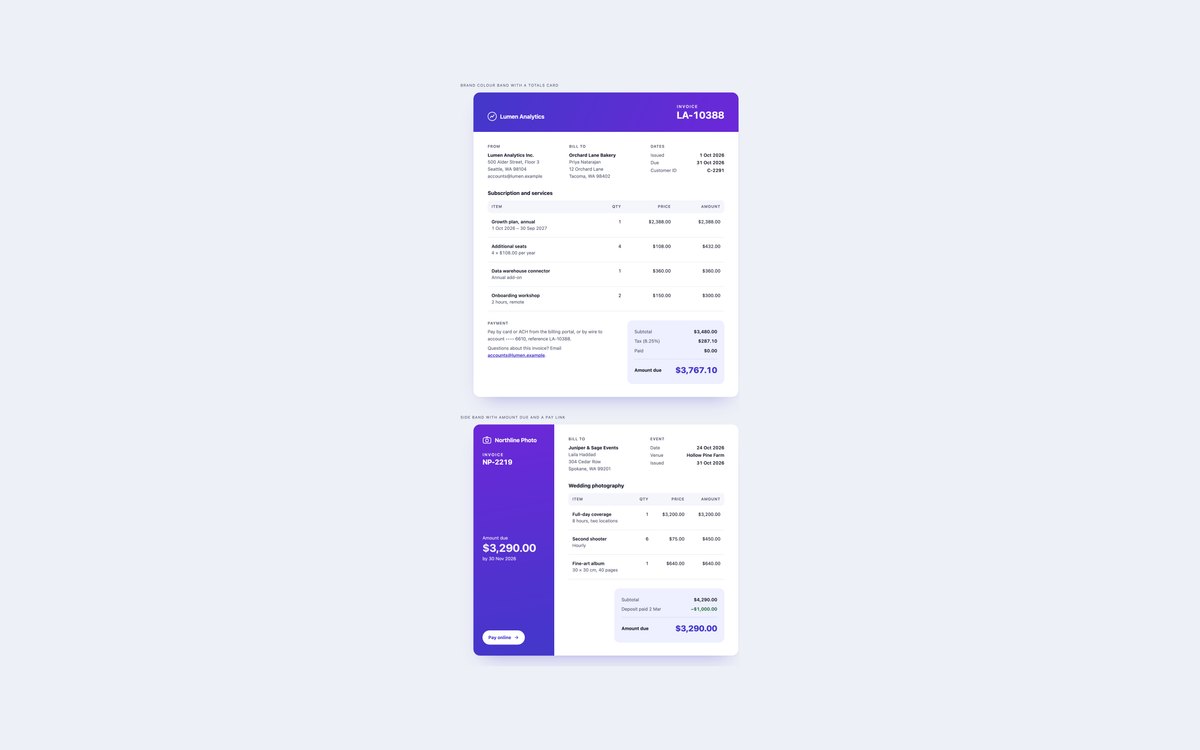
A SaaS subscription invoice under a gradient brand band with a totals card, and a photographer’s invoice whose side band holds the amount due, the due date and a Pay online link.
Use them for agencies, software and creative work. The band colour survives printing through print-color-adjust, and neither invoice needs JavaScript.
Live Demo CSS, Bootstrap & Tailwind code
3. Invoice Builder Forms
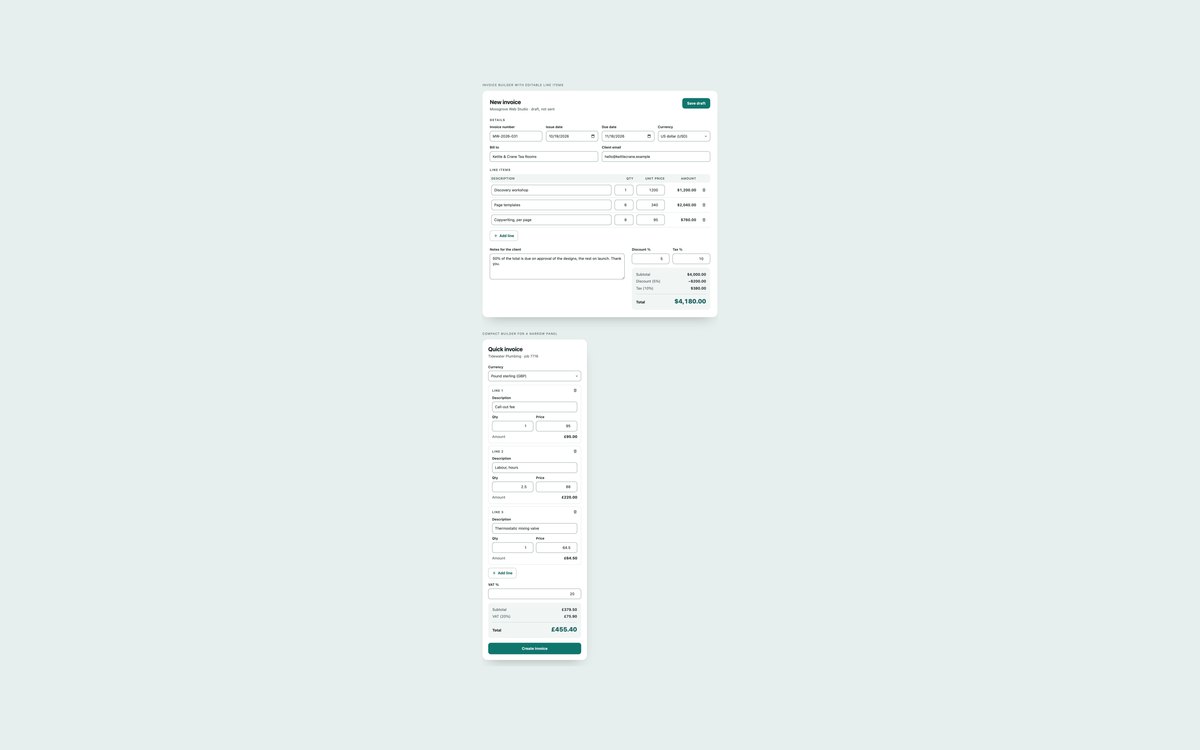
An editable invoice form with add and remove line items, quantity times price, discount and tax percentages and a currency select, plus a compact builder for a narrow panel.
Use it as the front end of an invoicing tool. A small vanilla script recalculates in the currency’s minor unit and formats every figure with Intl.NumberFormat; nothing is submitted.
Live Demo CSS, Bootstrap & Tailwind code
4. Invoice Email Templates
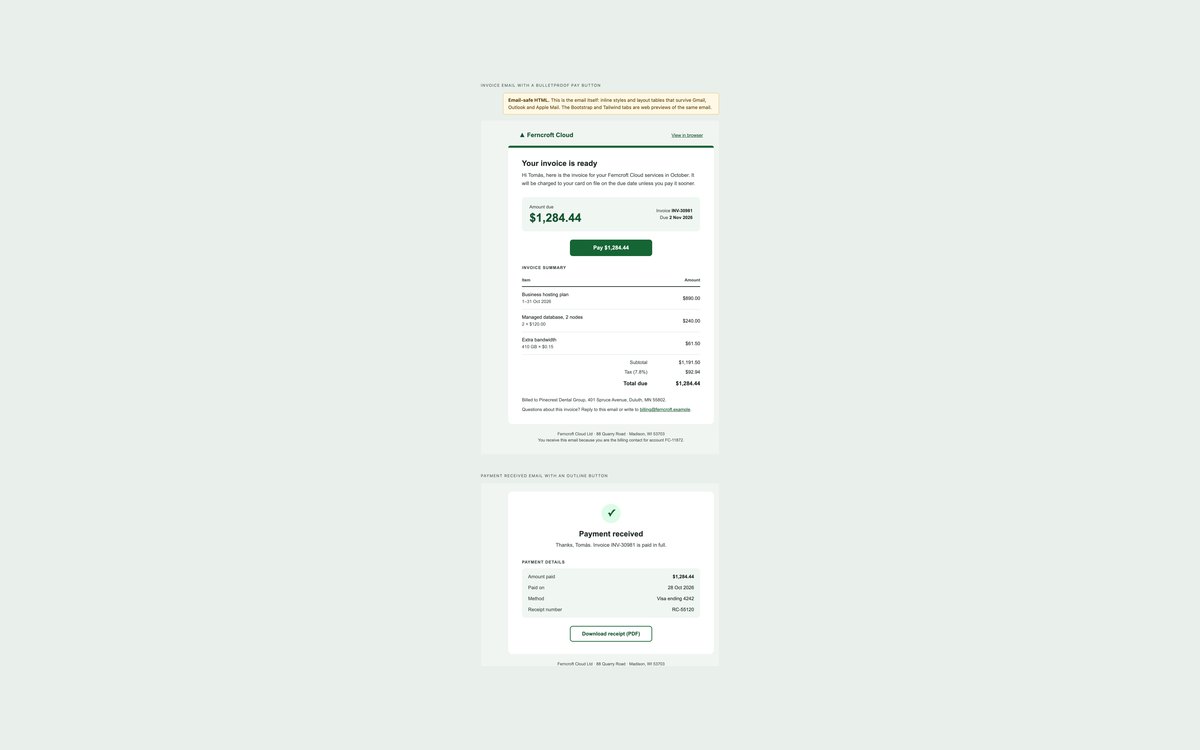
An invoice email with a bulletproof pay button and a payment received email, in inline-styled, table-based, 600px HTML that renders in Gmail, Outlook and Apple Mail.
Send the plain HTML file. The Bootstrap and Tailwind files are web previews of the same emails for a billing portal, with a note that email clients need the inline version.
Live Demo CSS, Bootstrap & Tailwind code
5. Invoice List Dashboards
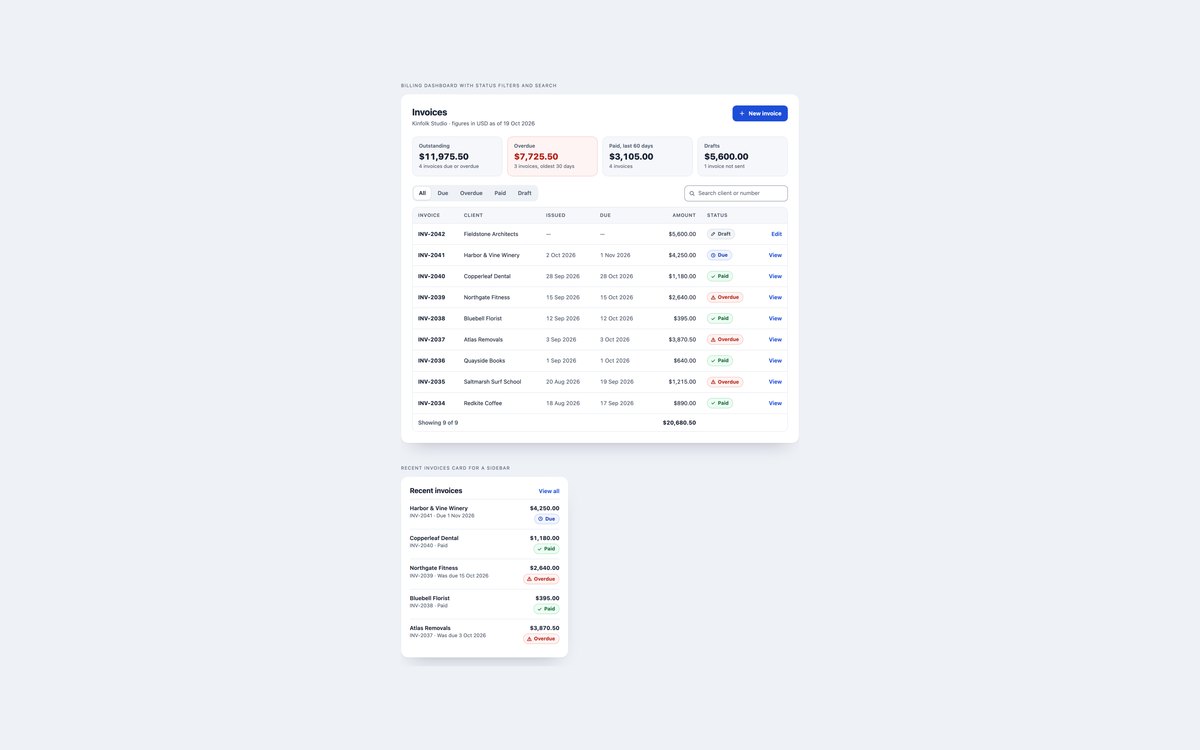
A billing dashboard with summary tiles, status filter buttons, search and a table of invoices with a live count and total, plus a recent invoices card for a sidebar.
Use it in an account or admin area. Every status pill pairs a word with an icon, and without JavaScript the full table still shows.
Live Demo CSS, Bootstrap & Tailwind code
6. Payment Receipts
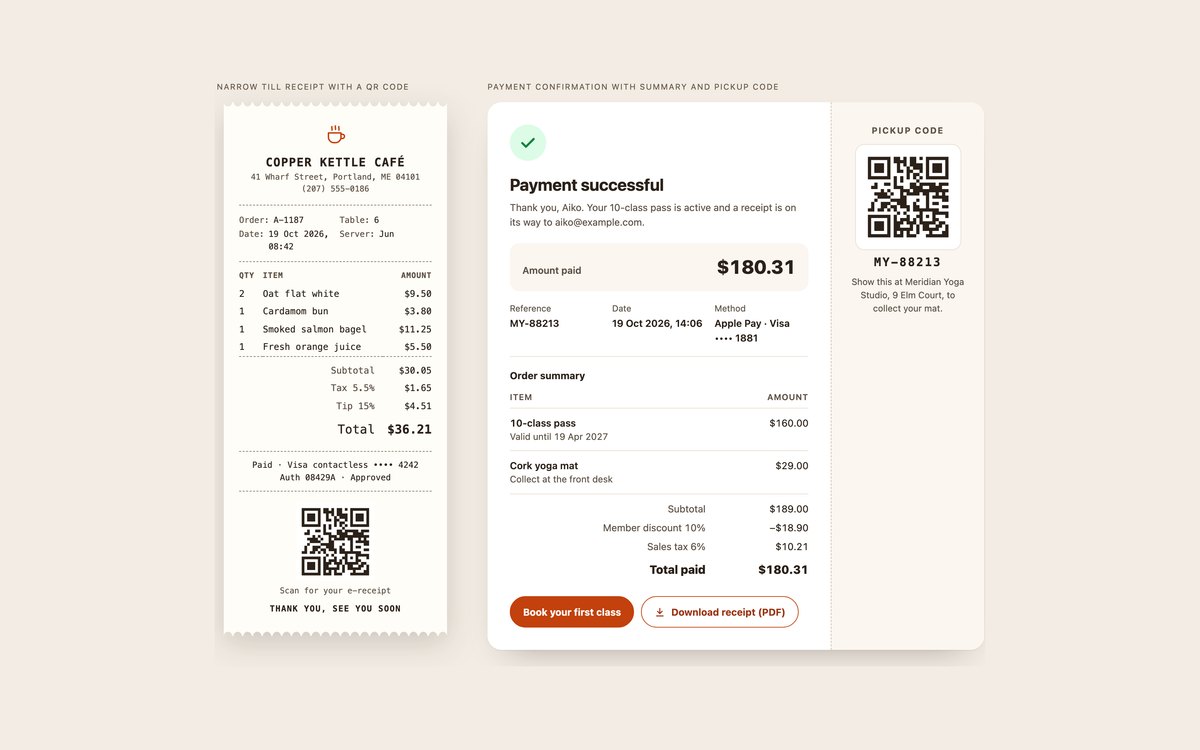
A narrow café till receipt with scalloped edges and a QR code, and a payment confirmation with the amount, reference, method, order summary and a pickup code.
Use them after checkout or at the counter. The scallops are a CSS mask, the QR codes are placeholder SVGs to replace, and there is no JavaScript.
Live Demo CSS, Bootstrap & Tailwind code
7. Dark Mode Invoices
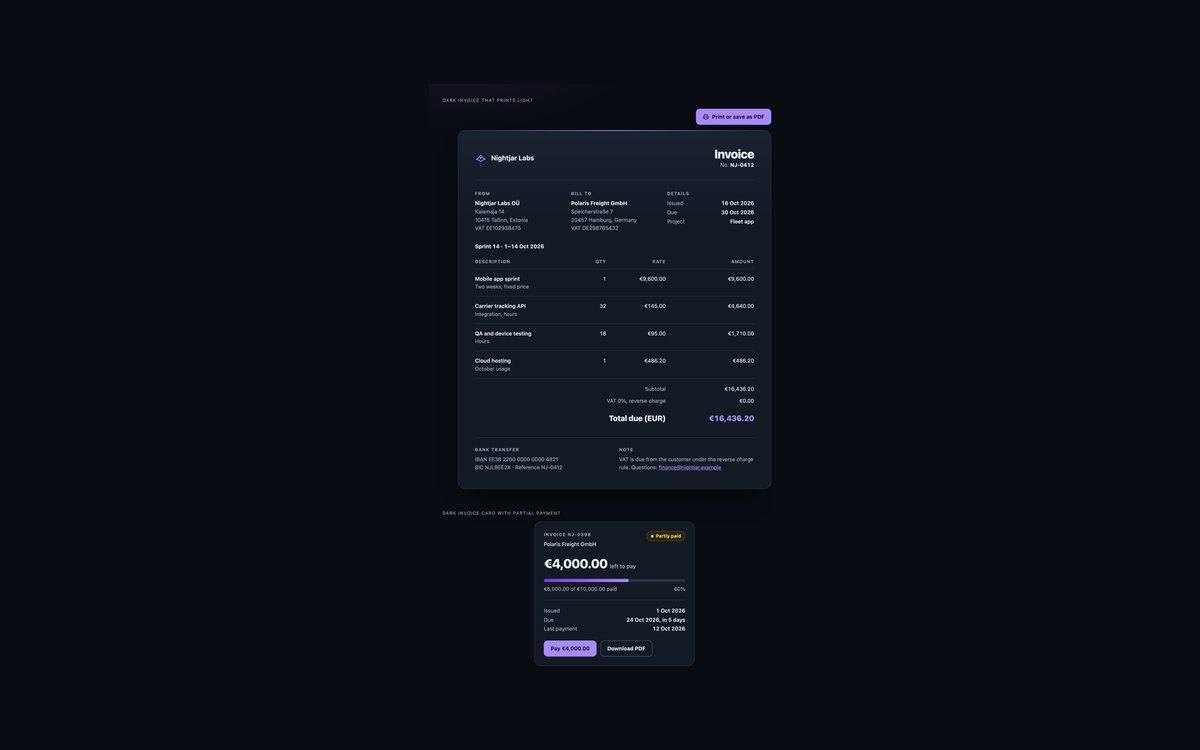
A dark software studio invoice in euros with a reverse charge VAT line, and a dark card for a partly paid invoice with a progress bar and Pay and Download links.
Use them in dark apps. Every colour is a token that flips to a light palette in print, so a saved PDF is black on white; Bootstrap runs in data-bs-theme="dark".
Live Demo CSS, Bootstrap & Tailwind code
8. Container Query Invoices
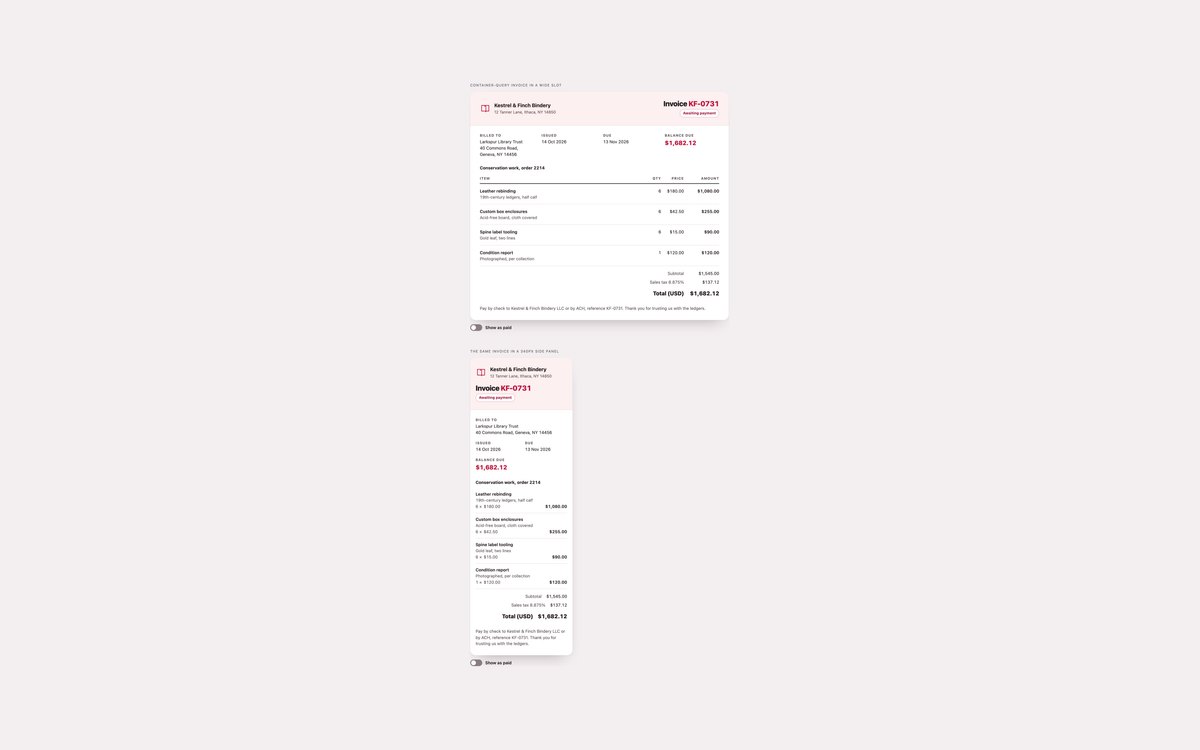
One bindery invoice shown in a wide slot and a 340px side panel, with line items on subgrid and a Show as paid switch that stamps it without JavaScript.
It reflows by its own width through container queries, keeps table semantics with explicit ARIA roles, and uses :has(), tabular-nums and color-mix().
Live Demo CSS, Bootstrap & Tailwind code
Frequently asked questions
Are these HTML invoice templates free to use?
Yes. All eight sets are free for personal and commercial projects, including client work, invoicing tools and products you sell. Attribution is optional but always welcome. The full terms are on the uiCookies licence page.
Do the invoice templates need JavaScript?
Most do not. Sets 02, 04, 06 and 08 use none at all; set 08’s paid stamp is pure CSS with :has(). Sets 01 and 07 add a two-line script for the Print button, set 03 uses a small vanilla script to recalculate the builder, and set 05 uses one to filter and search the invoice list. There are no libraries, and Bootstrap’s JavaScript bundle is not loaded.
Are the invoices accessible?
Line items are real tables with a caption, column headers with scope="col", item names as row headers and totals in a labelled table footer, so a screen reader can announce each amount with its row and column. Status pills use a word and an icon, not colour alone, form fields in the builder are labelled, and every control has a visible focus outline. All sets pass an axe-core WCAG 2.1 AA check and stop animations under prefers-reduced-motion.
Which frameworks are included?
Every set has three files that look the same: plain HTML and CSS with no dependencies, Bootstrap 5.3.8 using cards, tables, badges, buttons, button groups, form controls, progress bars and data-bs-theme="dark" restyled through Bootstrap’s CSS variables, and Tailwind CSS 4 utility classes with print:, @container and group-has variants. For email, use the plain HTML file of set 04.
How do I turn an HTML invoice into a PDF?
Open the invoice in a browser and choose Print, then Save as PDF. Sets 01, 02 and 07 include an @page rule for margins, a table header that repeats on every page, rows that never split and print styles that hide buttons, and set 07 switches its dark colours to light. For PDFs generated on a server, the same markup works with headless Chrome or Playwright using page.pdf() with preferCSSPageSize.