Open demo

CSS code

HTML
<div class="w">
  <div class="hd"><h2>Deep-linkable tabs</h2><p>Click a tab and watch the address bar.</p></div>
  <nav class="tabs" aria-label="Section">
    <a href="#pane-overview">Overview</a>
    <a href="#pane-pricing">Pricing</a>
    <a href="#pane-faq">FAQ</a>
  </nav>
  <div class="panels">
    <section class="panel" id="pane-overview" aria-labelledby="pane-overview-h"><h3 id="pane-overview-h">Overview</h3>
      <p>The hash in the URL is the state. Reload the page and you stay on this tab; paste the link to someone and they open on it too — neither of which a checkbox can do.</p></section>
    <section class="panel" id="pane-pricing" aria-labelledby="pane-pricing-h"><h3 id="pane-pricing-h">Pricing</h3>
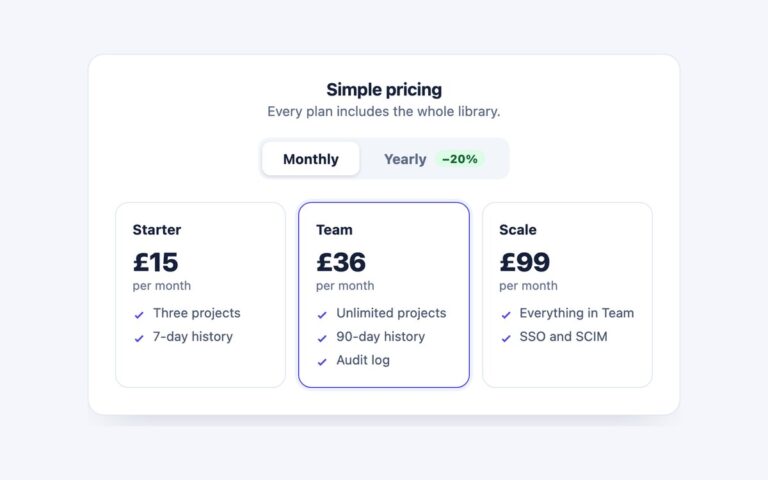
      <p>Three tiers, billed monthly or yearly. Every plan includes the whole component library; the difference is seats and support.</p></section>
    <section class="panel" id="pane-faq" aria-labelledby="pane-faq-h"><h3 id="pane-faq-h">FAQ</h3>
      <p>The trade-off worth knowing: clicking a tab adds a history entry, so the back button steps through tabs rather than leaving the page.</p></section>
  </div>
  <p class="hint">Try <code>#pane-faq</code> on the end of the URL. The <code>:not(:has(:target))</code>
    rule is what shows the first panel before any hash exists.</p>
</div>
CSS
/* Deep-linkable tabs: anchor links to the panel ids. :target shows the panel named in the URL hash,
   :has() highlights its link, and :not(:has(:target)) shows the first panel before any hash exists. */
.w{width:100%;max-width:560px;padding:24px 26px 26px;background:#fff;border:1px solid #e3e8f2;border-radius:16px;
  box-shadow:0 16px 38px -24px rgba(16,24,48,.24)}
.hd h2{font-size:1rem;margin:0 0 3px}
.hd p{font-size:.82rem;color:#5d6a86;margin:0 0 18px}
.tabs{display:flex;gap:4px;background:#f2f5fa;border-radius:11px;padding:4px;margin-bottom:18px}
.tabs a{flex:1;text-align:center;padding:9px;border-radius:8px;font-size:.86rem;font-weight:700;
  color:#5d6a86;text-decoration:none;transition:background-color .15s,color .15s}
.tabs a:hover{color:#16203a}
.tabs a:focus-visible{outline:2px solid #4f46e5;outline-offset:2px}
.panel{display:none}
.panel h3{font-size:.94rem;margin:0 0 6px}
.panel p{font-size:.89rem;line-height:1.7;color:#4a5670;margin:0}
/* No hash yet: show the first panel and mark its link. */
.panels:not(:has(:target)) #pane-overview{display:block}
.w:not(:has(:target)) .tabs a[href="#pane-overview"]{background:#4f46e5;color:#fff}
.panel:target{display:block}
.w:has(#pane-overview:target) .tabs a[href="#pane-overview"],
.w:has(#pane-pricing:target) .tabs a[href="#pane-pricing"],
.w:has(#pane-faq:target) .tabs a[href="#pane-faq"]{background:#4f46e5;color:#fff}
.hint{margin:16px 0 0;padding-top:14px;border-top:1px solid #eef1f7;font-size:.79rem;color:#5d6a86;line-height:1.6}
.hint code{background:#f2f5fa;padding:1px 5px;border-radius:4px}
@media (prefers-reduced-motion:reduce){.tabs a{transition:none}}

Bootstrap 5 code

Requires: Bootstrap 5.3.8 CSS, Bootstrap 5.3.8 JS bundle

HTML
<div class="w">
  <div class="hd"><h2>Deep-linkable tabs</h2><p>Click a tab and watch the address bar.</p></div>
  <div class="nav nav-pills tabs" role="tablist" aria-label="Section">
    <button class="nav-link active" id="tab-overview" data-bs-toggle="pill" data-bs-target="#pane-overview" type="button" role="tab" aria-controls="pane-overview" aria-selected="true">Overview</button>
    <button class="nav-link" id="tab-pricing" data-bs-toggle="pill" data-bs-target="#pane-pricing" type="button" role="tab" aria-controls="pane-pricing" aria-selected="false" tabindex="-1">Pricing</button>
    <button class="nav-link" id="tab-faq" data-bs-toggle="pill" data-bs-target="#pane-faq" type="button" role="tab" aria-controls="pane-faq" aria-selected="false" tabindex="-1">FAQ</button>
  </div>
  <div class="tab-content">
    <div class="tab-pane active" id="pane-overview" role="tabpanel" aria-labelledby="tab-overview" tabindex="0"><h3>Overview</h3>
      <p>The hash in the URL is the state. Reload the page and you stay on this tab; paste the link to someone and they open on it too — neither of which a checkbox can do.</p></div>
    <div class="tab-pane" id="pane-pricing" role="tabpanel" aria-labelledby="tab-pricing" tabindex="0"><h3>Pricing</h3>
      <p>Three tiers, billed monthly or yearly. Every plan includes the whole component library; the difference is seats and support.</p></div>
    <div class="tab-pane" id="pane-faq" role="tabpanel" aria-labelledby="tab-faq" tabindex="0"><h3>FAQ</h3>
      <p>The trade-off worth knowing: clicking a tab adds a history entry, so the back button steps through tabs rather than leaving the page.</p></div>
  </div>
  <p class="hint">Try <code>#pane-faq</code> on the end of the URL. The Tab plugin switches panels; a few lines of
    script read the hash on load and push it when a tab is shown.</p>
</div>
CSS
/* Deep-linkable tabs: Bootstrap .nav-pills with the Tab plugin, plus a few lines that sync the tab with the URL hash. */
.w{width:100%;max-width:560px;padding:24px 26px 26px;background:#fff;border:1px solid #e3e8f2;border-radius:16px;
  box-shadow:0 16px 38px -24px rgba(16,24,48,.24)}
.hd h2{font-size:1rem;font-weight:700;line-height:normal;margin:0 0 3px}
.hd p{font-size:.82rem;color:#5d6a86;margin:0 0 18px}
.tabs{--bs-nav-link-padding-x:9px;--bs-nav-link-padding-y:9px;--bs-nav-link-font-size:.86rem;--bs-nav-link-font-weight:700;
  --bs-nav-link-color:#5d6a86;--bs-nav-link-hover-color:#16203a;--bs-nav-pills-border-radius:8px;
  --bs-nav-pills-link-active-bg:#4f46e5;--bs-nav-pills-link-active-color:#fff;
  flex-wrap:nowrap;gap:4px;background:#f2f5fa;border-radius:11px;padding:4px;margin-bottom:18px}
.tabs .nav-link{flex:1;text-align:center}
.tabs .nav-link:focus-visible{box-shadow:none;outline:2px solid #4f46e5;outline-offset:2px}
.w .tab-pane:focus-visible{outline:2px solid #4f46e5;outline-offset:4px;border-radius:4px}
.w .tab-pane h3{font-size:.94rem;font-weight:700;line-height:normal;margin:0 0 6px}
.w .tab-pane p{font-size:.89rem;line-height:1.7;color:#4a5670;margin:0}
.hint{margin:16px 0 0;padding-top:14px;border-top:1px solid #eef1f7;font-size:.79rem;color:#5d6a86;line-height:1.6}
.hint code{color:inherit;font-size:.9em;background:#f2f5fa;padding:1px 5px;border-radius:4px}
JavaScript
// Deep links: open the tab named in the URL hash, and put the hash in the URL whenever a tab is shown.
const deepTabs = [...document.querySelectorAll('.tabs [data-bs-toggle="pill"]')];
let readingHash = false;
const openFromHash = () => {
  const tab = deepTabs.find(t => t.dataset.bsTarget === location.hash) || deepTabs[0];
  readingHash = true;
  bootstrap.Tab.getOrCreateInstance(tab).show();
  readingHash = false;
};
deepTabs.forEach(t => t.addEventListener('shown.bs.tab', () => {
  if (!readingHash && location.hash !== t.dataset.bsTarget) history.pushState(null, '', t.dataset.bsTarget);
}));
addEventListener('popstate', openFromHash);
openFromHash();

Tailwind 4 code

Requires: Tailwind CSS 4

HTML
<div class="w-full max-w-[560px] rounded-2xl border border-tab-line bg-white px-[26px] pt-6 pb-[26px] shadow-[0_16px_38px_-24px_rgba(16,24,48,.24)]">
  <div><h2 class="mb-[3px] text-base font-bold">Deep-linkable tabs</h2><p class="mb-[18px] text-[.82rem] text-tab-muted">Click a tab and watch the address bar.</p></div>
  <div class="mb-[18px] flex gap-1 rounded-[11px] bg-tab-soft p-1" role="tablist" aria-label="Section" data-hash-tabs>
    <button type="button" role="tab" id="tab-overview" aria-controls="pane-overview" aria-selected="true" class="flex-1 cursor-pointer rounded-lg p-[9px] text-[.86rem] font-bold text-tab-muted transition-[color,background-color] duration-150 hover:text-tab-ink focus-visible:outline-2 focus-visible:outline-offset-2 focus-visible:outline-tab-accent aria-selected:bg-tab-accent aria-selected:text-white motion-reduce:transition-none">Overview</button>
    <button type="button" role="tab" id="tab-pricing" aria-controls="pane-pricing" aria-selected="false" tabindex="-1" class="flex-1 cursor-pointer rounded-lg p-[9px] text-[.86rem] font-bold text-tab-muted transition-[color,background-color] duration-150 hover:text-tab-ink focus-visible:outline-2 focus-visible:outline-offset-2 focus-visible:outline-tab-accent aria-selected:bg-tab-accent aria-selected:text-white motion-reduce:transition-none">Pricing</button>
    <button type="button" role="tab" id="tab-faq" aria-controls="pane-faq" aria-selected="false" tabindex="-1" class="flex-1 cursor-pointer rounded-lg p-[9px] text-[.86rem] font-bold text-tab-muted transition-[color,background-color] duration-150 hover:text-tab-ink focus-visible:outline-2 focus-visible:outline-offset-2 focus-visible:outline-tab-accent aria-selected:bg-tab-accent aria-selected:text-white motion-reduce:transition-none">FAQ</button>
  </div>
  <div id="pane-overview" role="tabpanel" aria-labelledby="tab-overview" tabindex="0" class="rounded focus-visible:outline-2 focus-visible:outline-offset-4 focus-visible:outline-tab-accent"><h3 class="mb-1.5 text-[.94rem] font-bold">Overview</h3>
    <p class="text-[.89rem] leading-[1.7] text-tab-body">The hash in the URL is the state. Reload the page and you stay on this tab; paste the link to someone and they open on it too — neither of which a checkbox can do.</p></div>
  <div id="pane-pricing" role="tabpanel" aria-labelledby="tab-pricing" tabindex="0" hidden class="rounded focus-visible:outline-2 focus-visible:outline-offset-4 focus-visible:outline-tab-accent"><h3 class="mb-1.5 text-[.94rem] font-bold">Pricing</h3>
    <p class="text-[.89rem] leading-[1.7] text-tab-body">Three tiers, billed monthly or yearly. Every plan includes the whole component library; the difference is seats and support.</p></div>
  <div id="pane-faq" role="tabpanel" aria-labelledby="tab-faq" tabindex="0" hidden class="rounded focus-visible:outline-2 focus-visible:outline-offset-4 focus-visible:outline-tab-accent"><h3 class="mb-1.5 text-[.94rem] font-bold">FAQ</h3>
    <p class="text-[.89rem] leading-[1.7] text-tab-body">The trade-off worth knowing: clicking a tab adds a history entry, so the back button steps through tabs rather than leaving the page.</p></div>
  <p class="mt-4 border-t border-[#eef1f7] pt-3.5 text-[.79rem] leading-[1.6] text-tab-muted">Try <code class="rounded bg-tab-soft px-[5px] py-px text-[.9em]">#pane-faq</code> on the end of the URL. The script below selects the tab
    named in the hash on load and pushes the hash when you pick a tab.</p>
</div>
CSS
@theme {
  --color-tab-ink: #16203a;
  --color-tab-body: #4a5670;
  --color-tab-muted: #5d6a86;
  --color-tab-line: #e3e8f2;
  --color-tab-soft: #f2f5fa;
  --color-tab-accent: #4f46e5;
}
JavaScript
// WAI-ARIA tabs that keep the selected tab in the URL hash.
// Click or arrow keys select a tab, Home/End jump to the ends, only the selected tab is in the Tab order.
const list = document.querySelector('[data-hash-tabs]');
const tabs = [...list.querySelectorAll('[role=tab]')];
const select = (tab, push) => {
  tabs.forEach(t => {
    const on = t === tab;
    t.setAttribute('aria-selected', on);
    t.tabIndex = on ? 0 : -1;
    document.getElementById(t.getAttribute('aria-controls')).hidden = !on;
  });
  const hash = '#' + tab.getAttribute('aria-controls');
  if (push && location.hash !== hash) history.pushState(null, '', hash);
};
list.addEventListener('click', e => { const t = e.target.closest('[role=tab]'); if (t) select(t, true); });
list.addEventListener('keydown', e => {
  const i = tabs.indexOf(e.target);
  const n = { ArrowLeft: i - 1, ArrowUp: i - 1, ArrowRight: i + 1, ArrowDown: i + 1, Home: 0, End: tabs.length - 1 }[e.key];
  if (n === undefined || i < 0) return;
  e.preventDefault();
  const t = tabs[(n + tabs.length) % tabs.length];
  t.focus();
  select(t, true);
});
const openFromHash = () => select(tabs.find(t => '#' + t.getAttribute('aria-controls') === location.hash) || tabs[0], false);
addEventListener('popstate', openFromHash);
openFromHash();

About this set

Tabs whose state lives in the URL hash, so a reload keeps the open tab and a pasted link such as #pane-faq opens straight on the right panel. The card has a heading, a segmented tab strip with Overview, Pricing and FAQ, the panels and a short hint. Use it for documentation, pricing or settings pages where people share links to one section. The plain CSS version needs no script at all: the tabs are anchor links, :target shows the panel named in the hash, :has() highlights its link, and a :not(:has(:target)) rule shows the first panel before any hash exists. The Bootstrap version is a .nav-pills strip driven by the Tab plugin plus about ten lines that open the tab named in the hash on load and push the hash when a tab is shown. The Tailwind version is a small WAI-ARIA tabs script with the same hash handling. In every version each click adds a history entry, so the back button steps back through the tabs, and the state survives a reload.

What’s included

  • The open tab is kept in the URL hash, so links and reloads land on it
  • Plain CSS version works with no JavaScript, using :target and :has()
  • Bootstrap .nav-pills with the Tab plugin plus a short hash sync
  • Back and forward buttons step through the tabs in every version
  • Muted text darkened to reach 4.5:1

Accessibility

The plain CSS version is a nav landmark of in-page links, not ARIA tabs: each link is reached with Tab and followed with Enter, and each panel is a section named by its heading; the current link is marked visually only. The Bootstrap and Tailwind versions follow the WAI-ARIA tabs pattern with role tablist, tab and tabpanel, aria-selected, aria-controls, a roving tabindex, arrow keys plus Home and End. Focus shows a 2px indigo outline, and the colour transitions are removed under prefers-reduced-motion.

Customise it

Change the indigo #4f46e5 and the #f2f5fa strip in .tabs (plain CSS), the --bs-nav-pills-link-active-bg and --bs-nav-link-* variables on .tabs (Bootstrap) or the --color-tab-* theme colours (Tailwind). Rename the panel ids and hrefs together, since the hash is the id.